Futures trading platforms in 2026 need to deliver speed, reliability, and advanced tools to meet traders' demands. This article reviews Sierra Chart, NinjaTrader, TradeStation, MetaTrader, and TradingView, comparing features, performance, pricing, and usability. Here’s a quick summary:
- Sierra Chart: Known for stability and precision, ideal for experienced traders. Costs $36/month but requires technical setup and lacks mobile support.
- NinjaTrader: Strong in automation and backtesting, with a $720/year fee. Best for algorithmic traders, but complex for beginners.
- TradeStation: Offers institutional-grade tools with a $2,000 account minimum. High fees but powerful for advanced users.
- MetaTrader 5: A versatile platform with automation and multi-asset support. Free through brokers but less tailored for futures trading.
- TradingView: User-friendly with social trading features. Free basic plan; advanced tools start at $14.95/month. Great for community-focused traders.
Quick Comparison
| Platform | Key Strengths | Main Weaknesses | Pricing |
|---|---|---|---|
| Sierra Chart | Reliable and fast; customizable tools | Steep learning curve; dated UI | $36/month |
| NinjaTrader | Advanced automation and backtesting | High cost; complex interface | $720/year |
| TradeStation | Advanced research and analysis | High fees; $2,000 min account | Commission-based |
| MetaTrader 5 | Multi-asset support; free EAs | Basic tools for futures | Free via brokers |
| TradingView | Social trading; modern interface | Limited advanced order options | Free-$59.95/month |
Choosing the right platform depends on your trading style, needs, and experience level. Sierra Chart is ideal for pros, while TradingView is great for beginners and social traders. NinjaTrader and TradeStation suit algorithmic and institutional traders, respectively, while MetaTrader 5 fits those managing various assets.
TradingView vs Sierra Chart: Which Charting Platform Suits You?
1. Sierra Chart
Sierra Chart is built for futures traders who prioritize speed and reliability, offering essential tools without unnecessary distractions.
Features and Tools
Sierra Chart’s charting engine is optimized for speed, delivering real-time market analysis that holds steady even during periods of high volatility. It comes with a suite of built-in studies and allows for customization via its Software Development Kit (SDK). This flexibility lets traders create indicators tailored specifically to their trading strategies, enhancing its performance during volatile market conditions.
Performance and Reliability
One of Sierra Chart’s standout qualities is its stability. The platform operates smoothly without noticeable lag, even when markets are highly volatile - a critical feature for short-term traders (hosting it on a CME VPS in Chicago keeps the data-feed side just as lag-free).
Pricing and Value
Sierra Chart keeps its pricing straightforward, with a subscription cost of $36 USD per month for its core charting tools. However, traders should note that premium real-time market feeds may come with additional fees.
Integrations and Compatibility
As a standalone platform, Sierra Chart requires integration with a third-party brokerage account for live trading. It supports a variety of third-party data feeds and also offers its own proprietary feed for real-time market data. While it doesn’t have a native mobile app, the platform can be accessed through remote desktop solutions, making it compatible with trading VPS hosting services. This design approach reflects Sierra Chart’s focus on delivering a robust and reliable trading experience.
2. NinjaTrader
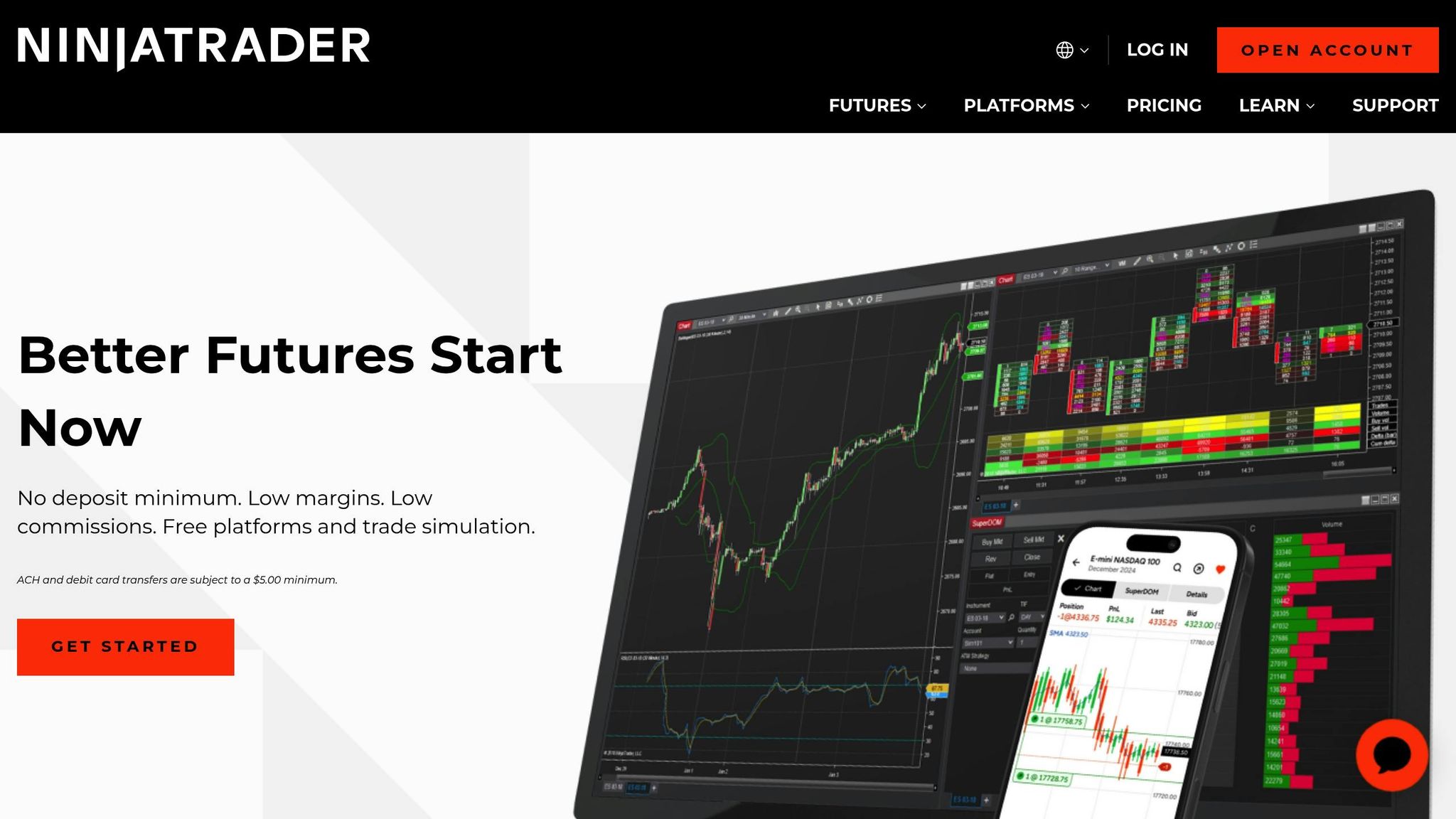
NinjaTrader provides sophisticated charting tools and integrated brokerage services, specifically designed for futures traders.
Features and Tools
With the Market Analyzer, traders can monitor multiple markets in real time. The platform includes a range of built-in indicators, drawing tools, and support for custom C# scripting, enabling users to create tailored strategies. For those interested in automation, the Strategy Builder offers a drag-and-drop interface to develop trading strategies, while NinjaScript allows advanced users to fully customize indicators, strategies, and even the platform's interface. Additionally, NinjaTrader's backtesting capabilities let traders assess strategy performance using historical data, making it easier to refine and optimize their approaches. The platform’s architecture is specifically designed to support high-volume trading seamlessly.

Your trading computer. In the cloud.
Connect and control your trading strategies from any device, anywhere in the world, through secure remote desktop, while execution remains on QuantVPS.
From $29.99/mo · Windows or Linux · 8 datacenters
0.52ms to CME from our Chicago nodes.


 NinjaTrader
 MetaTrader
 TradingView
 Tradovate
 Rithmic
 Sierra Chart
 Bookmap
 Quantower
Performance and Reliability
NinjaTrader is built to efficiently manage multiple charts and indicators, ensuring smooth data processing and dependable order execution, even during high trading volumes. Its multi-threaded architecture helps maintain responsiveness during periods of market volatility, making it a reliable tool for active traders.
Pricing and Value
The platform offers a free version that includes basic charting and delayed market data. For access to advanced features and real-time data, users can opt for premium subscription or licensing plans. Market data fees vary depending on the exchange and usage level, giving traders flexibility based on their needs.
Integrations and Compatibility
Acting as both a trading platform and brokerage, NinjaTrader integrates effortlessly with third-party brokers and data providers. It supports trading across multiple asset classes, including futures, forex, stocks, and options. For traders on the go, the mobile app provides easy access, while VPS compatibility ensures uninterrupted, ultra-low latency execution. Specifically, its integration with QuantVPS hosting services delivers response times as fast as 0–1 ms, a critical advantage for algorithmic trading and scalping strategies.
3. TradeStation
TradeStation delivers a robust trading platform tailored specifically for futures traders, making it a standout choice among platforms designed to meet the high demands of futures trading in 2026. Packed with analytical tools and customization options, it’s built to support both technical analysis and the development of automated trading strategies.
Features and Tools
TradeStation comes equipped with advanced charting capabilities, a wide range of technical indicators, and versatile drawing tools. For traders looking to personalize their experience, it allows the creation of custom indicators and supports automated trading directly through its charts. Additionally, the platform provides an integrated environment for crafting and refining unique trading strategies.
Performance and Reliability
Designed to handle the intense demands of active trading, TradeStation performs seamlessly even with multiple workspaces and intricate setups. It ensures reliability under challenging market conditions, which is a critical factor for futures traders.
Pricing and Value
TradeStation operates on a commission-based model, offering competitive pricing alongside its suite of essential analysis and strategy tools. This pricing structure ensures traders get access to high-quality resources without breaking the bank.
Integrations and Compatibility
The platform connects directly with major futures exchanges and supports key third-party tools, making it highly adaptable. It also features a mobile app for on-the-go trading and an API for creating custom applications or integrating portfolios. These capabilities cater to the fast-paced needs of modern futures trading, positioning TradeStation as a strong choice in today’s trading ecosystem.
4. MetaTrader
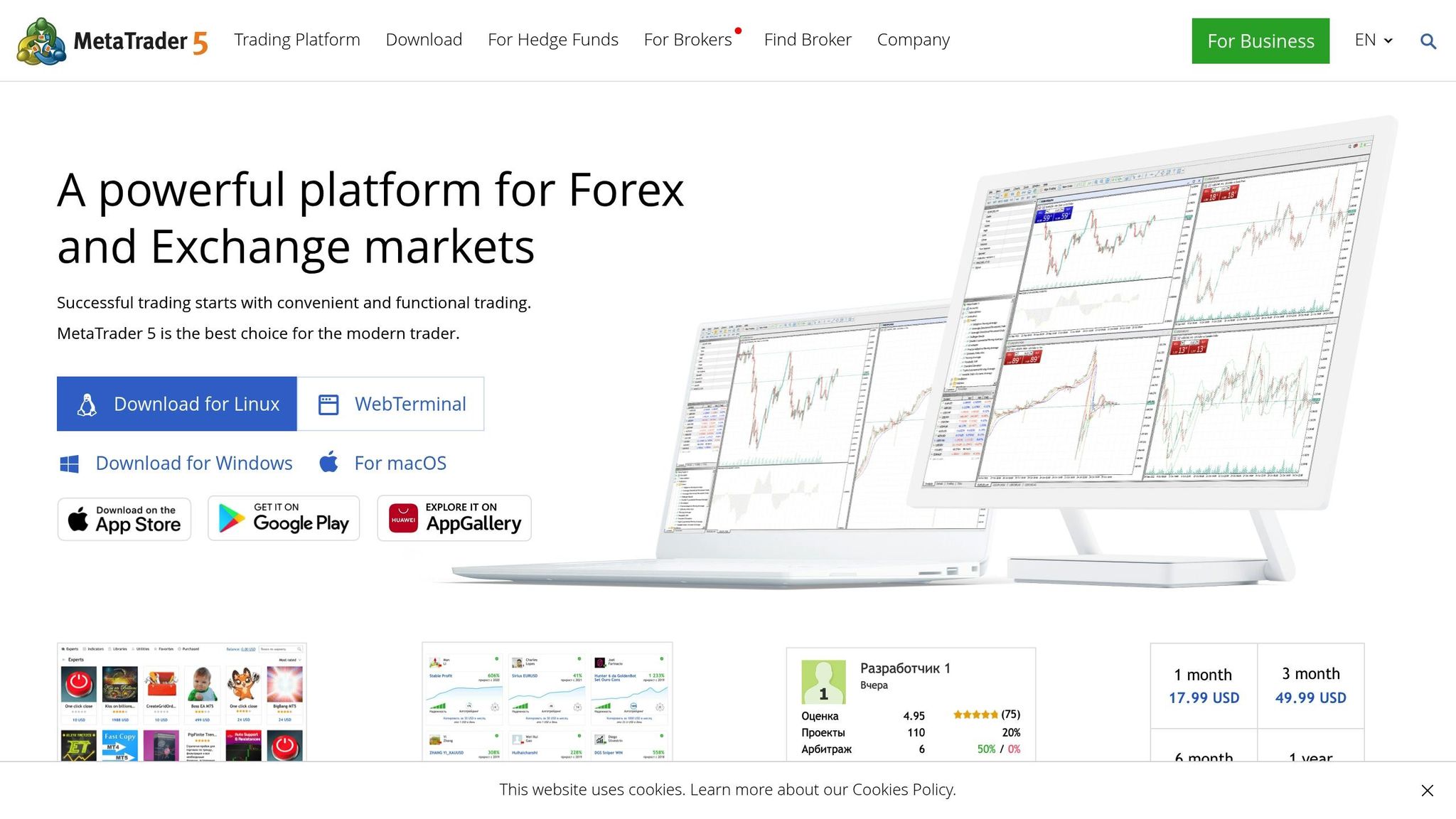
MetaTrader 5 has grown far beyond its forex origins, now offering a multi-asset trading platform that supports futures, stocks, commodities, and indices. While it’s still widely recognized for currency trading, MT5 has evolved into a versatile tool for traders looking to manage multiple asset types. With advanced analytics and automation features, it caters to both beginners and seasoned professionals.
Features and Tools
MetaTrader 5 provides 21 chart timeframes, including uncommon intervals like 2-minute, 3-minute, and 8-hour charts, making it ideal for detailed market analysis. It boasts over 80 built-in indicators and analytical tools. For order management, the platform supports six types of pending orders: Buy Stop, Sell Stop, Buy Limit, Sell Limit, Buy Stop Limit, and Sell Stop Limit, giving traders the flexibility to execute complex strategies.
One of MT5’s standout features is its algorithmic trading capability, powered by Expert Advisors (EAs) and built using the MQL5 programming language. This allows for the creation of sophisticated automated trading systems. Additionally, the platform integrates a real-time economic calendar and live news feed, offering traders instant access to market-moving information.
The 2025 update introduced several new tools, including an AI-powered Trade Assistant, faster multi-symbol backtesting (now 30% quicker), and instant synchronization across up to five devices - features designed to meet the needs of active traders.
Performance and Reliability
MT5's multi-threaded Strategy Tester enables faster and more accurate backtesting using real tick data. It supports both netting and hedging order systems, along with Market Depth (DOM) functionality, accommodating a variety of trading styles. Cross-device synchronization ensures that traders can seamlessly access their setups and analyses from desktop, mobile, or web platforms.
Pricing and Value
For traders, MT5 operates on a broker-funded model, meaning there’s no direct cost to use the platform since brokers cover licensing fees.
The platform also connects to the MQL5 marketplace, which offers a vast selection of free and paid add-ons, indicators, and Expert Advisors. This extensive library allows traders to customize their experience without overspending.
Integrations and Compatibility
MetaTrader 5 is designed to work across a wide range of devices and operating systems. It runs natively on Windows, with broker-provided options for Mac and Wine-enabled Linux users. The platform also offers robust iOS, Android, and WebTrader versions, enabling seamless trading on the go without requiring installation.
According to MetaQuotes, more than 75% of new forex trading accounts in 2024 were opened using MT5, a trend that has only grown in 2025. Its multi-asset capabilities make it an excellent choice for traders who diversify across various instruments, offering a unified interface for different strategies. Up next, we’ll compare these platforms to evaluate how well they meet the demands of futures trading.
5. TradingView
TradingView has grown from a simple charting tool into a full-featured trading platform used by millions of traders around the globe. Initially designed as a web-based charting solution, it now includes direct trading through broker integrations, making it an attractive option for futures traders who rely on advanced technical analysis and value social trading tools. Let’s dive into the features that set TradingView apart for futures trading.
Features and Tools
TradingView offers an impressive suite of tools, including 100+ built-in indicators, a variety of drawing tools, and access to thousands of community-created scripts through its Pine Script programming language. It supports multiple chart types like Renko, Kagi, Point & Figure, and Range charts, catering to diverse trading styles.
For those looking to test strategies without risk, the Paper Trading feature is a standout. The Replay mode takes this a step further, allowing users to simulate historical market conditions at adjustable speeds for backtesting. Its advanced Alert system is another highlight, enabling traders to set complex, conditional alerts that can trigger based on price levels, technical indicators, or custom Pine Script conditions.
What really sets TradingView apart are its social trading features. The Ideas section is a hub of activity, with over 50,000 new trading ideas shared by users every month. Traders can also engage in real-time discussions through Chat rooms or use the Publish feature to share their analysis and build a following within the community.
Performance and Reliability
TradingView is fully accessible through web browsers and mobile apps, so there’s no need to download or install software. Despite being web-based, it delivers fast and reliable performance. The platform streams real-time data from over 100 exchanges, including major futures markets like CME, CBOT, NYMEX, and several international exchanges.
Charts load in under 2 seconds, even when accessing extensive historical data. TradingView boasts 99.9% uptime, ensuring reliable access even during periods of high market volatility, thanks to its redundant server infrastructure. This level of performance is a key factor in its appeal, especially for active traders.
Stay online and closer to execution. Choose a VPS location for CME futures, New York markets, London FX, API trading, and more.
8 datacenters help your platforms keep running day and night without depending on your home PC.
From $29.99/mo · Windows or Linux · 8 datacenters
0.52ms to CME from our Chicago nodes.
Pricing and Value
TradingView operates on a freemium model with four subscription tiers. The free version offers basic charting but includes ads and limited features. The paid plans are as follows:
- Pro: $14.95/month
- Pro+: $29.95/month
- Premium: $59.95/month
The Pro+ plan strikes a good balance, offering advanced chart layouts and additional indicators, making it an excellent choice for futures traders. Unlike many traditional platforms, TradingView’s pricing is straightforward, with no hidden fees or unexpected data charges for most markets.
Integrations and Compatibility
TradingView connects with over 100 brokers, including major names like Interactive Brokers, TradeStation, and Optimus Futures. This integration allows traders to place orders directly from TradingView’s charts while maintaining their existing broker relationships.
The platform is compatible with all major browsers and offers robust mobile apps for both iOS and Android, ensuring traders can stay connected on the go. For those seeking advanced functionality, API access is available to Premium subscribers, enabling custom integrations and automated trading strategies. Additionally, webhook alerts allow traders to link TradingView signals to external systems or apps like Telegram and Discord, making it easy to stay informed or automate processes.
TradingView’s strength lies in combining professional-grade charting tools with a vibrant social trading community. This makes it a go-to platform for traders who value both technical analysis and the insights of a collaborative network. However, as a web-based platform, it does require a stable internet connection for the best experience.
Platform Comparison: Strengths and Weaknesses
This section breaks down the key advantages and drawbacks of each platform to help you make an informed decision.
| Platform | Key Strengths | Main Weaknesses |
|---|---|---|
| Sierra Chart | Advanced charting with over 300 studies; Affordable at $36/month; Excellent data feed integration; Highly customizable with strong order flow analysis | Steep learning curve for beginners; Outdated user interface; Lacks social trading features; Requires technical setup knowledge |
| NinjaTrader | Robust strategy development tools; Advanced backtesting; Strong support for automated trading; Comprehensive market analysis | Live trading costs $720/year; Complex interface can overwhelm new users; Limited third-party integrations; Steep learning curve |
| TradeStation | Institutional-level research tools; Advanced options analysis; EasyLanguage programming; Strong fundamental analysis | High minimum account requirement ($2,000); Expensive commissions; Complex interface; Limited mobile functionality |
| MetaTrader | Widely used industry-standard platform; Extensive Expert Advisor library; Strong community support; Multi-asset trading | Limited futures market coverage; Outdated charting tools; Basic order flow analysis; Less ideal for pure futures trading |
| TradingView | User-friendly web interface; Active social community; 100+ indicators; Excellent mobile experience; 99.9% uptime reliability | Requires stable internet connection; Fewer advanced order options; Higher-tier plans needed for full features; Not ideal for high-frequency trading |
Key Takeaways for Futures Traders
When choosing a platform, consider how its features align with your trading style and experience level. For example:
- Sierra Chart is perfect for traders who value professional-grade tools at a low cost but are comfortable navigating a steep learning curve. At $36 per month, it’s a budget-friendly option for serious traders.
- TradingView stands out for its sleek, modern interface and active community. While its freemium model starts at $14.95 per month, accessing advanced features requires upgrading to higher-tier plans.
- NinjaTrader demands a significant investment with its $720 annual fee but offers powerful tools for advanced strategy development and automation.
- TradeStation caters to institutional-level traders with its sophisticated research tools but may deter smaller traders with its $2,000 minimum account requirement and complex fee structure.
Technical Complexity and Accessibility
Platforms like MetaTrader and TradingView are beginner-friendly, offering an easier transition for those new to futures trading. On the other hand, Sierra Chart and NinjaTrader cater to more experienced users who need deep analytical tools and customization options.
Mobile Trading and Data Speed
For traders on the go, TradingView delivers an excellent mobile experience with responsive apps and a reliable web interface. In contrast, traditional desktop platforms like Sierra Chart and TradeStation have limited mobile functionality.
When it comes to data speed, Sierra Chart excels with millisecond feeds, making it ideal for scalping. Meanwhile, TradingView is better suited for swing trading, where slight delays are less critical.
Final Recommendations
Choosing the right trading platform depends on your experience, trading style, and goals. After reviewing the options, here are some tailored suggestions for different types of traders:
- For beginners: TradingView stands out with its user-friendly design and extensive educational resources, making it an excellent starting point.
- For experienced traders: Sierra Chart provides advanced tools for those with a strong technical background.
- For algorithm developers: NinjaTrader excels in strategy development and precise backtesting capabilities.
- For institutional traders: Platforms with advanced research tools and customizable programming options are ideal for handling more complex requirements.
While platform features are crucial, your technical setup plays an equally important role in ensuring smooth and efficient trading.
Infrastructure Considerations
A solid technical setup is key to improving trading performance. Speed and reliability are essential, especially for active traders. For platforms like Sierra Chart that are desktop-only, using remote desktop solutions can help non-Windows users maintain consistent performance.
For traders who need ultra-low latency, co-location services are a game-changer. By physically locating your trading infrastructure within exchange data centers, co-location minimizes network delays and enables execution speeds as fast as sub-2ms.
Additionally, upgrading your trading setup with a dedicated VPS (Virtual Private Server) can provide a significant operational advantage.
VPS Hosting Benefits
Professional-grade trading requires direct exchange connectivity, redundant data centers, and top-tier security to ensure 99.9% or higher uptime. A VPS offers a stable, high-performance environment that operates independently of your local computer. This is essential for running resource-heavy trading platforms without interruptions.
VPS hosting protects against risks like power outages, internet disruptions, or hardware failures, ensuring uninterrupted automated trading. For futures traders managing multiple charts or running complex algorithms, a dedicated VPS provides the computational power and network stability needed for professional-level performance.
If you're working with advanced algorithms or need extra capacity, opt for a VPS designed with ultra-low latency, high-performance resources, and guaranteed uptime. These features are tailored to meet the rigorous demands of active traders.
FAQs
What should I look for in a futures trading platform in 2026?
When choosing a futures trading platform in 2026, execution speed should be at the top of your list. Quick and dependable order processing is essential for navigating the unpredictable nature of volatile markets. Equally important are the charting tools and analytics - these need to be powerful, customizable, and user-friendly to help you make well-informed trading decisions.
You’ll also want to consider margin tracking features, which play a key role in managing risk effectively. Don’t overlook commission structures either; lower fees can have a meaningful impact on your bottom line over time. Ultimately, opt for a platform that suits your trading style and provides a smooth, efficient experience tailored specifically to futures trading.
How does Sierra Chart's lack of mobile support affect traders who need flexibility to manage their trades on the go?
Sierra Chart’s absence of mobile support can be a hurdle for traders who depend on the ability to monitor their positions or execute trades while away from their desktops. Without a mobile platform, staying on top of market changes or acting quickly on opportunities during travel or other times when desktop access is limited can be difficult.
For traders who prioritize flexibility and mobility, this could mean resorting to additional tools or alternative methods to keep their trading workflows running smoothly. That said, Sierra Chart remains an excellent choice for those who primarily trade from a desktop and place greater importance on its advanced charting and analysis capabilities than on mobile accessibility.
What are the benefits of using a VPS hosting solution for futures trading?
Using a VPS hosting solution for futures trading can offer several key benefits that directly impact trading efficiency. One major advantage is speed and reliability. A VPS minimizes latency, allowing for quicker trade execution - something that's absolutely critical when dealing with fast-moving, time-sensitive market opportunities.
Another perk is the 24/7 stability and uptime it provides. With a VPS, your trading platform stays operational even if you face power outages or local internet issues. This constant availability is especially valuable for traders relying on automated strategies or those who need uninterrupted access to their accounts. Plus, hosting your trading software on a VPS adds a layer of security, helping to safeguard your data and transactions against potential risks.