
Pick Replikanto if you copy NinjaTrader 8 trades across several machines or VPSs; pick Apex Trade Copier if you trade on one machine and want the simplest setup. The deciding difference: Apex Trade Copier copies within one NinjaTrader instance, while Replikanto also copies between computers over a network. The two tools at a glance:

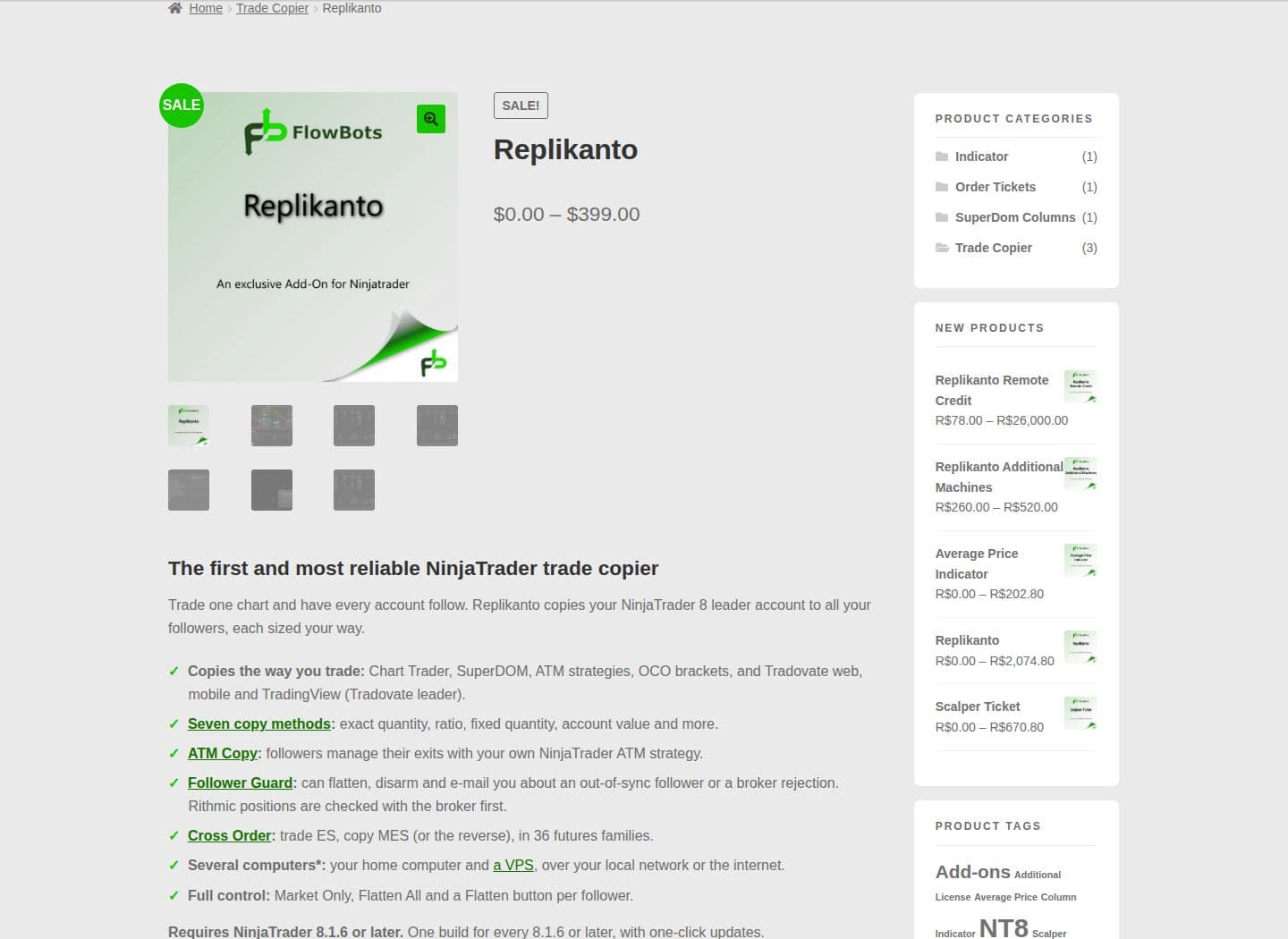
- Replikanto: Best for advanced setups, including multi-machine copying, ATM strategy replication, and features like Stealth Mode and Follower Guard. Ideal for professional traders managing complex strategies or multiple VPS setups. Priced at $299 for a single-machine lifetime license or $249 for one year (sale prices, checked on 10 Oct 2026).
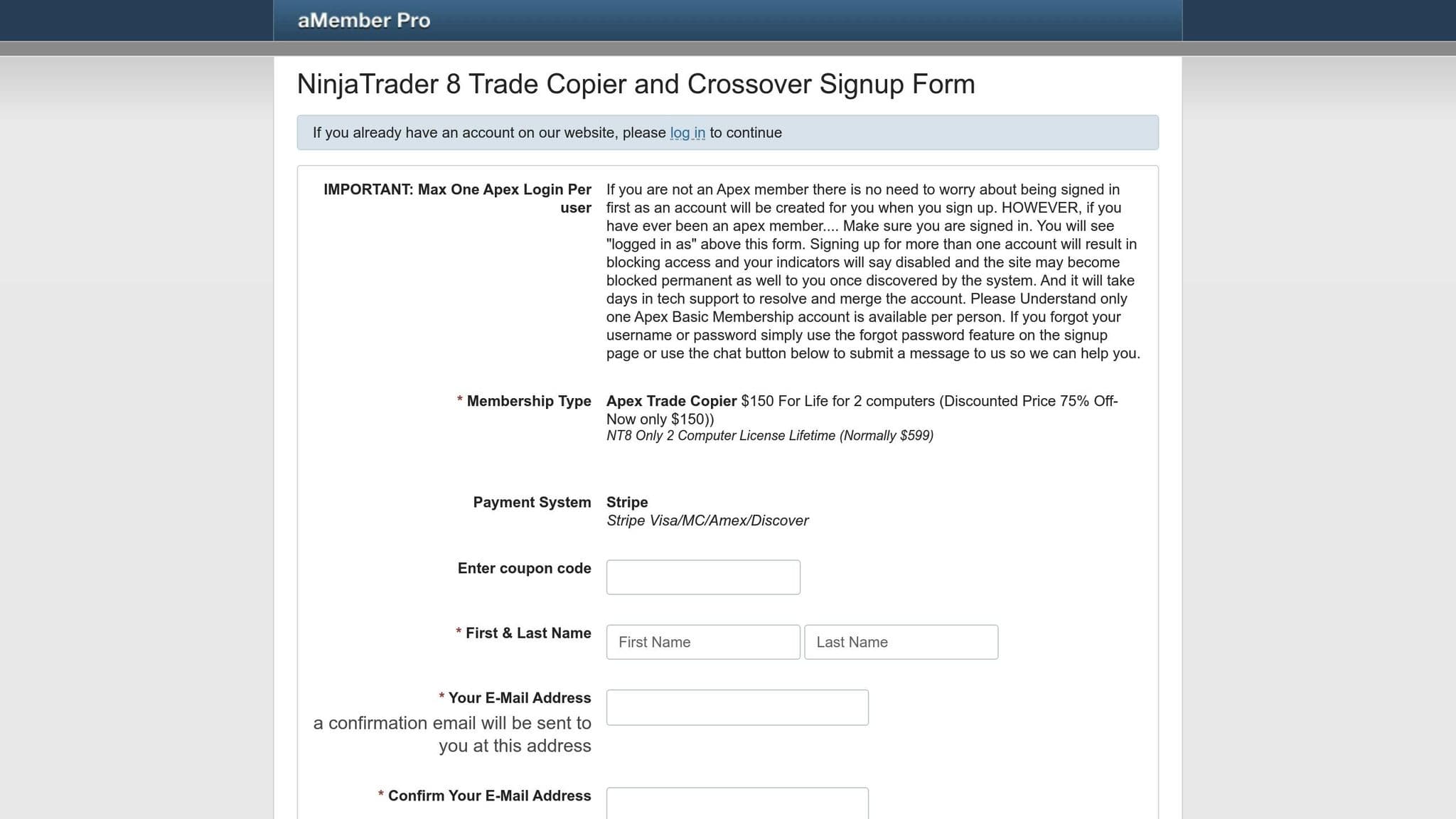
- Apex Trade Copier: Focuses on simplicity and speed, perfect for single-machine setups. It’s easy to use and supports basic ATM replication and contract ratio management. A great choice for retail traders. Priced at $150 one-time for a lifetime license on two computers (a discounted price, checked on 10 Oct 2026); it is sold by Apex Investing Institute.
Quick Comparison
| Feature | Replikanto | Apex Trade Copier |
|---|---|---|
| Copy Speed | Slight delay in network setups | Faster for single-terminal setups |
| ATM Strategy Handling | Full replication of complex ATM templates | Basic ATM replication |
| Multi-Machine Support | Yes | No |
| Position Scaling | Seven copy methods, with a ratio or fixed quantity per follower | A ratio per follower account |
| Error Recovery | Advanced monitoring (Follower Guard) | Basic error handling |
| Setup Complexity | More detailed configuration | Simple and quick setup |
| Pricing | $299 lifetime / $249 per year (one machine) | $150 lifetime (two computers) |
Prices and features checked on 10 Oct 2026 on flowbots.ninja (Replikanto) and apexinvesting.com (Apex Trade Copier).
Key Takeaway: Replikanto is better for traders with complex, distributed setups, while Apex Trade Copier is ideal for simplicity and speed in single-machine environments. Test both tools in simulation mode to find the best fit for your trading style.
How Trade Copiers Work: Basic Concepts
Trade copiers are tools designed to automatically replicate trades from a master account to one or more follower accounts. By eliminating the need for manual intervention, they help ensure consistent and error-free execution of trades.
Master and Follower Account Setup
The setup typically involves two main components: the master account and the follower account(s). The master account is where trading decisions are made and orders are executed. The trade copier system captures these trades and transmits them to the follower accounts. This transmission follows preset rules, ensuring that trades are mirrored accurately. The structure of this setup plays a key role in determining how quickly and precisely trades are replicated.
Speed and Execution Accuracy
One of the most critical features of a trade copier is its ability to minimize delays. A good trade copier ensures that the time between placing an order on the master account and executing it on the follower accounts is as short as possible - which in practice means running NinjaTrader and the copier on the same machine, ideally a CME VPS in Chicago. This speed is essential for maintaining the integrity of risk and reward across all accounts. Additionally, these systems are designed to manage order sizes and handle scenarios like incomplete fills, ensuring smooth and accurate replication of trades.
Position Sizing and Partial Fill Management
Trade copiers also excel in managing position sizes and handling partial fills. They often include ratio-based scaling options, which allow follower accounts to adjust the size of their trades in proportion to the master account. For instance, users can allocate a specific percentage of their account for trade replication. Some systems even come equipped with tools to address partial fills, ensuring that follower accounts maintain the correct proportional exposure, regardless of market conditions or execution limitations.
Replikanto vs Apex Trade Copier: Feature Overview
Both Replikanto and Apex Trade Copier are designed to replicate trades in NinjaTrader 8, but they cater to different trading styles and needs.
Uptime
99.999% uptime. Built for 24/7 trading reliability.
Your VPS runs in Tier IV datacenters with redundant power and network, monitored 24/7 on site.
See the uptime SLA





From $29.99/mo · Windows or Linux
Because Replikanto depends on NT8 staying open, a NinjaTrader VPS keeps the copier and linked accounts running 24/7.
Replikanto Main Features
Replikanto focuses on offering advanced tools for replicating ATM strategies, including stop losses, take profits, and exit logic, all while maintaining the original strategy's structure.
Stealth Mode keeps Replikanto's own identifiers out of the information recorded with your orders, and FlowBots lists it as an option for advanced users. It does not change any broker or prop firm rule, so follow each firm's copy trading rules on every account. Follower Guard is a risk tool that watches follower accounts: it can flatten and disarm a follower that falls out of sync or has an order rejected by its broker, and e-mail you.
Replikanto also supports cross-machine and network copying, allowing master and follower accounts to operate on separate computers or VPS setups. This ensures a stable connection and smooth synchronization, regardless of the network environment.
Replikanto runs inside NinjaTrader 8 (8.1.6 or later) and copies between accounts on its Rithmic connections. It also copies on its Tradovate and Interactive Brokers connections, plus Sim and Playback accounts.
Licenses are per machine: $299 lifetime or $249 for one year on one machine, and $399 lifetime or $299 for one year on two machines (sale prices, checked on 10 Oct 2026). Copying over the internet (Remote Node Mode) uses Submit credits; each license includes 20. A 7-day free trial is available.
Replikanto sizes each follower your way. It has seven copy methods, a ratio or fixed quantity per follower, and Cross Order, which copies between contract sizes such as ES and MES in 36 futures families.
Apex Trade Copier Main Features
Apex Trade Copier, on the other hand, takes a more straightforward approach, focusing on simplicity and ease of use. It replicates trades within a single NinjaTrader instance, reducing the risk of connection problems and making the setup process quicker and more intuitive.
The copier supports basic ATM strategy replication, including stop loss, take profit, and exit logic. It also features a contract ratio management tool that adjusts trade sizes to match different account balances.
The streamlined setup process makes it easy to define leader and follower accounts and establish simple copying rules. Apex Trade Copier is sold by Apex Investing Institute (it is not a product of Apex Trader Funding) and suits traders who prefer a no-frills, user-friendly solution. It runs inside NinjaTrader 8, copies trades placed from NinjaTrader, Tradovate or TradingView to unlimited follower accounts, and copies ATM, stop and target movements, ratio sizing and micro/mini crossovers.
Head-to-Head Feature Comparison
Now that we've explored the core features of both tools, let’s see how they measure up in areas that matter most to NinjaTrader 8 users.
Speed and Execution Performance
On one computer, both tools copy trades with minimal delay because the leader and followers sit in the same NinjaTrader 8. Replikanto can also copy to other computers, and FlowBots says local network copying is faster than internet copying, which travels through the FlowBots cloud. So cross-machine setups add some delay.
On the other hand, Apex Trade Copier shines in single-terminal setups. Since it operates entirely within the same NinjaTrader instance, it avoids the overhead of cross-network communication, making it faster for local copying.
Keep in mind that the performance of both tools is influenced by your hardware and network setup. Upgrading to a high-speed Windows PC can help improve order entry speed. Additionally, using SuperDOM for order entry (instead of Chart Trader) can reduce graphical overhead and enhance execution speed.
| Performance Factor | Replikanto | Apex Trade Copier |
|---|---|---|
| Local Speed | Good, but network delays may occur in multi-PC setups | Excellent for same-terminal copying |
| Multi-Machine Performance | Optimized for network copying | Limited to single terminal |
| Resource Usage | Higher due to network capabilities | Lower for local operations |
ATM Strategy Handling
For traders who rely on ATM (Advanced Trade Management) strategies, precision is critical. Replikanto excels in this area by fully replicating the structure of ATM strategies. This includes stop losses, take profits, and exit logic, ensuring follower accounts align closely with the master account’s risk management and exit strategies.
Apex Trade Copier supports ATM strategy replication but takes a more simplified approach. While it handles basic templates well, it may not capture the full complexity of advanced ATM setups. For traders using intricate strategies with multiple profit targets or detailed exit conditions, Replikanto offers a more reliable solution.
Position Sizing and Contract Conversion
Both tools let each follower trade a different size; Replikanto gives more ways to set it. Replikanto has seven copy methods: Exact Quantity, Pooled Quantity, Ratio, Pre Allocation, Net Liquidation, Available Cash and Pct Change. You choose one method per tab, and with Ratio or Pre Allocation each follower gets its own ratio or fixed quantity. Cross Order copies between contract sizes, such as ES to MES or the reverse, in 36 futures families.
Apex Trade Copier sizes followers with a ratio per account. Apex Investing's own example is two mini contracts in one follower account and a micro in another. Its crossover copies from minis to micros, and Apex Investing does not recommend micro to mini.
| Sizing Feature | Replikanto | Apex Trade Copier |
|---|---|---|
| Per-follower size | Yes: a ratio or a fixed quantity per follower | Yes: a ratio per follower account |
| Contract conversion | Cross Order, ES to MES or the reverse, 36 futures families | Mini to micro crossover (micro to mini not recommended) |
| Account value sizing | Net Liquidation and Available Cash, for stock accounts | Not stated |
Error Recovery and Account Sync
Both tools offer solutions for handling order failures and maintaining account synchronization, but their approaches differ. Replikanto’s Follower Guard feature actively monitors follower accounts for inconsistencies or unusual activity. If an issue is detected, it can automatically pause trade copying to prevent further problems.
Apex Trade Copier takes a more basic approach to error recovery. While this simplicity reduces potential points of failure, it lacks the advanced monitoring and safeguards provided by Replikanto. For traders managing larger portfolios or navigating volatile markets, Replikanto’s enhanced error handling provides an added layer of protection.
Remote desktop
Your trading computer. In the cloud.
Connect and control your trading strategies from any device, anywhere in the world, through secure remote desktop, while execution remains on QuantVPS.
Choose your cloud trading computerFrom $29.99/mo · Windows or Linux
Setup Process and User Interface
Apex Trade Copier is the quicker of the two to set up: you open it from the NinjaTrader 8 New menu, pick the leader and follower accounts, and set a ratio for each. Our guide shows how to set up the Apex Trade Copier step by step.
Replikanto, on the other hand, involves a more detailed setup process, especially for cross-machine or network copying. While features like Stealth Mode and Follower Guard add complexity, they also provide greater control and customization. This makes Replikanto better suited for experienced traders who require advanced functionality, while Apex Trade Copier is a better fit for beginners or those who prefer simplicity.
Which Tool Fits Your Trading Setup
Choosing the right trade copier depends heavily on your trading setup and goals. Each tool has its strengths, and understanding how they align with your needs is key to making the right choice.
Same Machine Multi-Account Trading
If you're working on a single machine or using a VPS, Apex Trade Copier is a great option. It reduces network overhead, ensuring faster and more efficient trade copying. This makes it a solid choice for retail traders who are testing strategies across multiple account sizes.
On the other hand, if you're dealing with complex ATM strategies or need advanced risk management, Replikanto might be worth considering. Its Follower Guard feature and full ATM replication capabilities can handle these advanced requirements, even if they demand more system resources.
Remote and Multi-Machine Trading
Replikanto supports multi-machine and remote setups. It allows network copying to synchronize master and follower accounts across different systems, making it ideal for professional traders who prioritize system separation and redundancy.
In contrast, Apex Trade Copier is better suited for single-terminal environments. It doesn't offer the same level of support for distributed configurations, which might be a limitation for traders requiring more complex setups.
Prop Trading vs Multi-Strategy Retail Trading
For proprietary traders managing multiple funded accounts, Replikanto provides a range of advanced features, including per-follower sizing, Follower Guard and Flatten All. These tools are designed to avoid costly mistakes across many accounts, making it a strong choice for handling complex strategies and diverse portfolios.
Retail traders, especially those new to trade copying or managing fewer strategies, may find Apex Trade Copier more convenient. Its straightforward setup and effective contract ratio management make it a practical option for replicating trades across accounts of varying sizes.
In short, your choice depends on your trading volume and complexity. Traders managing a large number of accounts will likely benefit from Replikanto's advanced monitoring and error recovery features. Meanwhile, traders with simpler setups might prefer the ease and efficiency of Apex Trade Copier. Matching the copier's capabilities to your specific operational needs will ensure smoother and more effective trading.
VPS Hosting Requirements for Trade Copying
Even the smallest delays can impact trade replication, but a well-configured VPS can help you avoid these pitfalls.
A reliable hosting setup ensures quick and consistent execution. In volatile markets, even slight latency can disrupt replication, leading to missed updates or slippage. Unlike home internet connections, VPS solutions provide stable, low-latency networks, avoiding issues like account drift or misplaced stops.
QuantVPS trade copier hosting runs NT8 and your copier from Chicago, 0.52 ms from CME, and Performance plans use AMD Ryzen CPUs with DDR5 memory for multi-account setups.
Here’s how to configure your VPS for top-notch trade copying performance.
VPS Setup Best Practices for Trade Copiers
To get the most out of your trade copier, consider these VPS setup tips:
- Co-locate master and follower accounts on the same VPS. Running both accounts on a single, dedicated server drastically reduces network latency, allowing for near-instantaneous trade replication compared to setups spread across multiple locations.
- Select a VPS with sufficient resources. For multiple NinjaTrader instances, look for VPS plans with at least 8GB of RAM and 4 CPU cores as a starting point. If your trading strategy is resource-intensive, consider upgrading to higher specifications.
- Position your VPS near the target exchange. For example, if trading CME futures, using a VPS located close to the exchange can reduce latency significantly - an essential factor in fast-moving markets.
- Size the VPS for the platforms and accounts you run. QuantVPS Standard VPS Pro costs $99.99 per month (checked on 10 Oct 2026) and includes 6 CPU cores and 16GB DDR4 RAM. QuantVPS publishes 0.52ms measured network latency from Chicago to CME.
- Keep a close eye on VPS resource usage. Set up alerts to monitor CPU and memory usage, ensuring you can address potential bottlenecks before they affect performance. For signals arriving through a TradingView-to-NinjaTrader bridge, a TradingView VPS can host the bridge alongside the desktop copier.
- Automate daily backups of copier configurations. While many VPS providers include automated backups, manually exporting your copier settings adds an extra layer of protection for your customized configurations.
- Use CPU affinity settings to prioritize key processes. If your VPS supports CPU affinity, dedicate specific cores to your master NinjaTrader instance. This ensures signal generation remains a priority, especially during periods of high market activity.
Final Verdict and Comparison Table
Here's a quick comparison of the key differences between Replikanto and Apex Trade Copier:
| Feature | Replikanto | Apex Trade Copier |
|---|---|---|
| Copy Speed | May introduce a slight delay in order submission, especially noticeable with high-frequency scalping or volatile markets | Faster local execution with minimal delay |
| ATM Strategy Handling | Fully replicates ATM templates, including detailed stop/target logic | Basic ATM copying with limited template options |
| Multi-Machine Support | Supports cross-network and remote copying | Limited to local machine copying |
| Position Scaling | Seven copy methods, a ratio or fixed quantity per follower, and Cross Order between mini and micro contracts in either direction | A ratio per follower and mini to micro crossover |
| Error Recovery | Follower Guard can flatten, disarm and e-mail you when a follower falls out of sync or a broker rejects an order | Basic error handling; Apex Investing's terms say you must monitor follower positions and orders yourself |
| Setup Complexity | Requires more complex configuration with extensive customization options | Easier and quicker to set up |
| Resource Usage | Consumes more memory and CPU resources | Lighter on system resources |
| Pricing | $299 lifetime or $249 for one year on one machine; two machines $399 or $299 (sale prices, checked on 10 Oct 2026) | $150 lifetime, two computers (discounted price, checked on 10 Oct 2026) |
This comparison highlights how each tool caters to different trading needs. If you're focused on same-machine, multi-account setups, Apex Trade Copier is a strong choice. Its faster execution and simpler configuration make it ideal for traders prioritizing speed and ease of use. If you are also weighing Tradecopia, our Tradecopia vs Replikanto comparison covers how the two copiers differ for prop firm traders.
On the other hand, Replikanto shines in remote or multi-machine setups. Its network copying capabilities are perfect for managing geographically distributed accounts or maintaining redundancy across hosting environments. This flexibility is unmatched for traders who need advanced account management options.
Your trading style also plays a big role in choosing the right tool. High-frequency scalpers may prefer Apex Trade Copier’s local speed. But if you're managing accounts with different contract sizes or rely on detailed strategies like bracket orders, Replikanto's advanced scaling and full ATM replication offer a significant advantage.
For retail traders juggling multiple strategies, Replikanto's ability to replicate complete ATM templates ensures strategy consistency across accounts. However, if simplicity and speed are your top priorities, Apex Trade Copier delivers a streamlined experience with fewer potential hiccups.
Ultimately, the decision comes down to your specific trading environment and what features align with your needs. Whether it's the advanced capabilities of Replikanto or the speed and simplicity of Apex Trade Copier, both tools offer distinct benefits for different scenarios.
Order flow
Built for scalpers. Heatmaps on dedicated resources.
Order-flow heatmaps and DOM ladders run on dedicated CPU, memory and NVMe, so your charts keep responding during volatility.
See the dedicated hardwareFrom $29.99/mo · Windows or Linux
Conclusion and Next Steps
For trade copying solutions, Replikanto and Apex Trade Copier cater to distinct needs. Replikanto shines in multi-machine setups, offering advanced features like network copying and ATM strategy replication. Its $299 lifetime license (or $249 for one year) is well-suited for professional traders managing distributed accounts across multiple VPS instances or different locations; note that each computer needs its own license.
On the other hand, Apex Trade Copier is ideal for simpler, single-machine setups where ease of use and speed are priorities. Priced at $150 for a lifetime license that covers two computers, it delivers excellent value for retail traders or those managing multiple accounts on the same NinjaTrader instance. Its intuitive interface makes it accessible for traders of all technical skill levels, ensuring reliable local copying without the need for complex configuration.
Before committing to either tool, it's highly recommended to test both in a simulation mode. This allows you to evaluate key performance metrics like replication speed, drift and error recovery in simulation. Such testing will help you determine which tool aligns more closely with your specific trading setup.
No matter which tool you choose, the quality of your VPS hosting remains critical for consistent and accurate trade copying. Low-latency connectivity is essential for minimizing delays and ensuring precise trade replication. Placing both your leader and follower NinjaTrader instances on the same high-performance VPS gives the lowest latency between them, because orders no longer cross a network.
For optimal results, select a VPS provider that offers ultra-low latency connections, guaranteed uptime, and sufficient CPU and memory resources to handle multiple NinjaTrader instances. QuantVPS offers 0.52ms measured network latency from Chicago to CME, dedicated resources, and NVMe storage optimized for trading applications. When using Replikanto's features or Apex's simpler controls, a reliable VPS is a cornerstone for success.
Start by conducting controlled evaluations in a simulated environment, and once you've confirmed consistent performance, transition to live trading. Regularly monitor follower accounts for synchronization issues or ghost orders to ensure smooth operations as you scale your multi-account trading strategy. This methodical approach will help you optimize your trade copying system for long-term success.
Running either copier on a NinjaTrader server
If you scalp fast markets, the Apex Trade Copier's local execution may suit you better; if you rely on ATM templates or copy between machines, Replikanto fits. Whichever you choose, confirm your prop firm allows copying across your accounts. Both run inside NinjaTrader, and a NinjaTrader copier VPS keeps them running when your PC is off.
FAQs
What should I consider when deciding between Replikanto and Apex Trade Copier for NinjaTrader?
When choosing between Replikanto and Apex Trade Copier for your NinjaTrader setup, it’s essential to weigh factors like latency, execution speed, and whether you need support for remote or network copying. Replikanto offers advanced features such as ATM strategy replication, cross-machine copying, and error-handling capabilities. These make it an excellent option for prop traders managing accounts spread across multiple locations. On the other hand, Apex Trade Copier offers a simpler setup, making it ideal for local, same-machine copying - a great choice for traders handling fewer accounts or working within a single-machine setup.
You’ll also want to think about elements like scalability, stability, resource consumption, and cost. Replikanto’s flexibility makes it a better fit for more complex, multi-account trading environments. Meanwhile, Apex’s straightforward nature is perfect for those who prioritize simplicity in a local copying solution. Ultimately, your choice should align with your trading style, account configuration, and technical requirements.
How do Replikanto and Apex Trade Copier compare in execution speed, and how can I optimize replication performance?
Both Replikanto and Apex Trade Copier are designed with speed in mind, ensuring quick execution to replicate trades accurately - even during unpredictable market swings. Replikanto offers advanced capabilities like cross-network copying, while Apex Trade Copier prioritizes ease of use and focuses on local replication. That said, how well these tools perform often hinges on your specific setup and trading environment.
If you're aiming to improve replication performance, hosting your accounts on a low-latency VPS can make a big difference. Placing the leader and follower accounts in the same location helps minimize delays. Beyond that, ensure your internet connection is stable, reduce unnecessary network traffic, and use top-notch hardware. These steps, paired with proper configuration, can lower latency and cut down on slippage, making trade copying more precise and reliable.
Why should I use a VPS for trade copying, and how does it improve tools like Replikanto and Apex Trade Copier?
Using a VPS for trade copying can significantly improve the performance of tools like Replikanto and Apex Trade Copier. By hosting your VPS close to your broker’s servers, you can reduce latency, which means faster data transmission and less slippage. This keeps the delay between leader and follower orders low, which matters when managing multiple accounts.
A VPS also offers a stable and dedicated environment, shielding your trading operations from interruptions caused by local network problems, power outages, or computer failures. This level of reliability keeps your trades running smoothly and ensures better synchronization across all accounts, making your trading process more efficient and stress-free.


