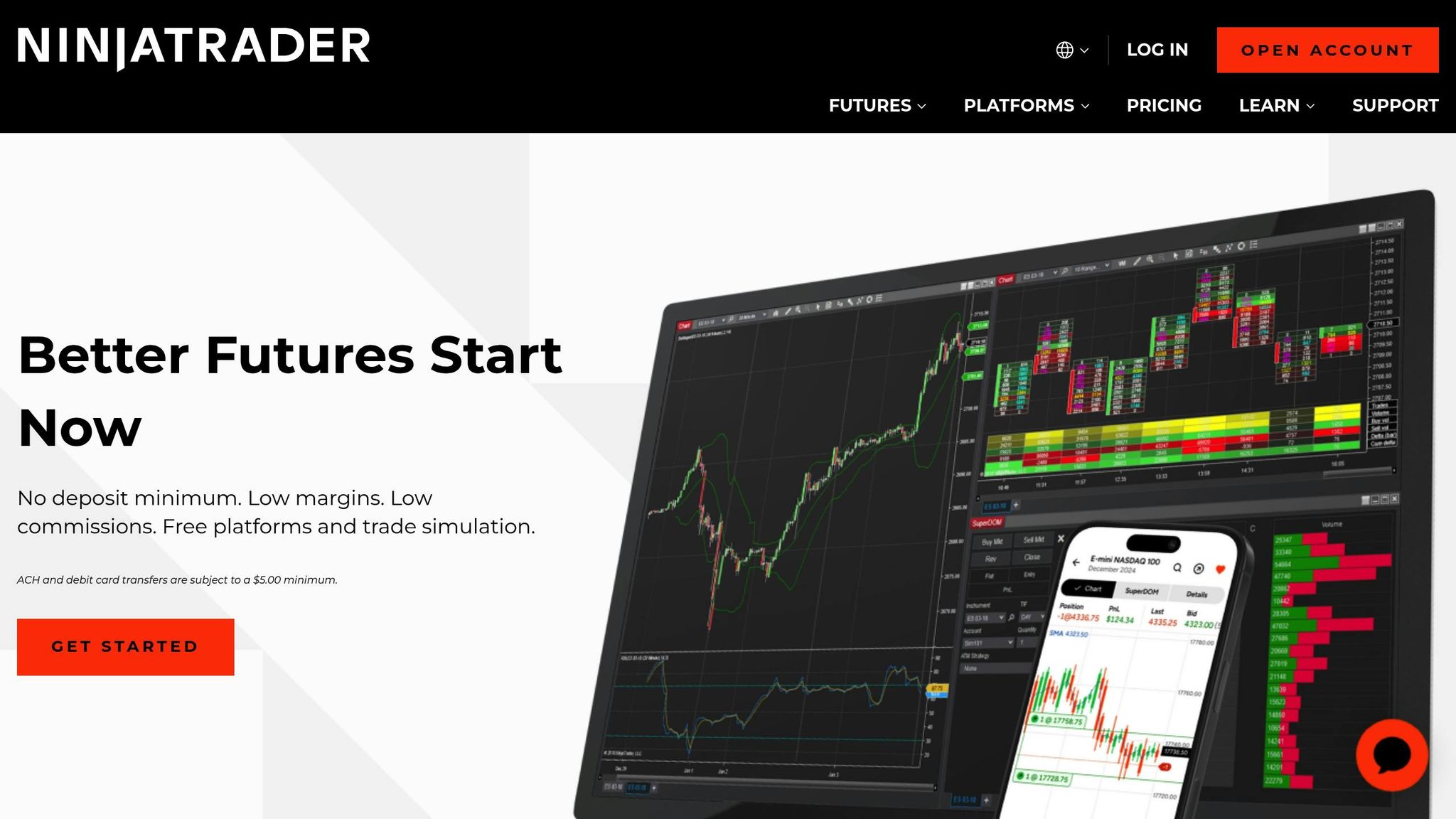
NinjaTrader remains a popular choice for futures and algorithmic traders, offering advanced tools for automation, charting, and market analysis. It supports both manual and automated strategies, with a free version and premium options available. The platform stands out by doubling as a trading software and a brokerage, allowing users to trade directly or connect to third-party brokers. However, it requires a steep learning curve, significant system resources, and is designed for Windows, posing challenges for Mac users.
Key Takeaways:
- Strengths: Advanced charting, C# programming for custom strategies, free version, and third-party tool integration.
- Weaknesses: High system demands, slow customer support, and costs for premium features.
- Best For: Experienced traders focused on futures or quantitative strategies.
Before committing, assess your technical skills, hardware setup, and budget for data and premium features.
Ninjatrader Pros and Cons, Backtesting, Commissions, and Demo Accounts
Key Features and Platform Customization
NinjaTrader offers a highly adaptable platform for traders, emphasizing automation tools tailored for quantitative and algorithmic trading. At its core is NinjaScript, a development environment based on C#, which allows users to build custom technical indicators, automated trading strategies, and drawing tools.
NinjaScript: The Power Behind Automation
NinjaScript is designed to handle optimization, backtesting, and performance analysis seamlessly. With built-in debugging and testing tools, traders can fine-tune their strategies to ensure everything runs efficiently before deploying them in live markets - usually from an always-on algo trading VPS rather than a desktop. This automation framework also supports smooth integration with external analytics tools and aligns with professional development standards.
Professional Development and Integration

Run 24/7 while you sleep. Keep bots, platforms, and trade copiers online on a dedicated VPS.
Low-latency VPS hosting for your trading platform.
 CHINYC
 LON
LONFrom $29.99/mo


 CHI/CME futuresNYC/US marketsLON/FX EAs
 DUB/Polymarket
 AMS/EU FX
 FRA/Central EU
 TYO/APAC crypto
For quantitative traders, NinjaTrader’s automation tools enable quicker and more scalable execution across multiple markets. NinjaScript projects are structured to follow key development principles, such as modular design, automated testing, and version control.
Additionally, NinjaTrader supports integration with external platforms like Python through APIs. This setup allows Python to handle complex calculations or machine learning tasks, while NinjaScript focuses on trade execution.
Strategy Conversion and Expert Support
NinjaTrader’s platform extends its flexibility by offering the ability to convert strategies from other platforms, such as PineScript, ThinkScript, and MetaTrader, into NinjaScript. This feature enhances the platform’s customization potential, ensuring traders can bring their preferred strategies into the NinjaTrader ecosystem. For those needing assistance, professional NinjaScript development services are available to help create tailored strategies and indicators.
Platform Performance and Stability
NinjaTrader’s local installation for Windows demands considerable system resources, making consistent speed and uptime essential for traders who rely on its performance.
Resource Intensity and System Demands
NinjaTrader is known for being resource-heavy. As noted by BullishBears:
"Computer Resources Intensive: NinjaTrader, a program you download and use locally, may slow market scans, particularly when involving hundreds of symbols."
This is especially noticeable during market scans involving large datasets. Additionally, since NinjaTrader depends on the .NET framework, it requires adequate CPU power and memory to function efficiently.
Hardware and Operating System Requirements
The platform’s architecture is designed for Windows, which limits its native compatibility to Microsoft operating systems. While it meets standard hardware requirements, Mac users face hurdles, as NinjaTrader doesn’t offer native support for macOS. To run NinjaTrader on a Mac, users must rely on virtualization tools like Parallels or VMWare - though these are not officially supported by NinjaTrader. These limitations often lead traders to explore alternative solutions for better performance and reliability.
Infrastructure Optimization with VPS Solutions
Given the strain on local hardware, many traders turn to Virtual Private Server (VPS) solutions for improved performance and stability. Professional-grade VPS services, like those offered by QuantVPS, cater specifically to trading platforms like NinjaTrader. QuantVPS provides ultra-low latency connectivity - 0-1ms to major trading venues - and guarantees 100% uptime. This ensures uninterrupted operations even during local power outages, internet disruptions, or hardware failures.
Scalable Performance Tiers
QuantVPS offers tiered plans to accommodate various trading needs:
- VPS Lite: At $59.99/month, this plan includes 4 cores and 8GB RAM, ideal for traders monitoring 1–2 charts.
- VPS Pro: Priced at $99.99/month, it features 6 cores and 16GB RAM, suitable for setups involving 3–5 charts.
- Dedicated Server: For $299.99/month, this option delivers 16+ dedicated cores, 128GB RAM, and 2TB+ NVMe storage, making it perfect for traders managing more than 7 charts or handling heavy workloads.
Professional Trading Infrastructure
VPS solutions go beyond just performance upgrades. They address critical operational challenges that local setups often encounter. Features like automatic backups, DDoS protection, and system monitoring safeguard trading strategies, ensure connectivity during potential cyberattacks, and detect performance issues early. Additionally, global accessibility allows traders to access their NinjaTrader platform seamlessly, no matter where they are.
User Reviews and Ratings
Trader feedback paints a picture of NinjaTrader as a platform packed with powerful tools but accompanied by a steep learning curve. While users admire its extensive functionality, many acknowledge that mastering the platform can be a challenge.
The general sentiment among users reflects this duality. Beginners often mention needing significant time to adjust, but seasoned traders appreciate the advanced customization options once they get the hang of it.
Stay online and closer to execution. Choose a VPS location for CME futures, New York markets, London FX, API trading, and more.
Host your platform near the market route that matters.
CHINYCLONFrom $29.99/mo
CHI/CME futuresNYC/US marketsLON/FX EAsDUB/PolymarketAMS/EU FXFRA/Central EUTYO/APAC cryptoSome users report that running multiple charts or using complex indicators can put a strain on system resources, occasionally leading to stability issues during periods of high market activity.
The platform's active forums, abundant educational materials, and compatibility with third-party tools enhance the overall experience. However, some users point out that customer support can be slow to respond, which may be frustrating during urgent situations. For traders with specialized needs, the platform's advanced features offer additional value beyond what community support provides.
Experienced traders frequently praise NinjaTrader for its algorithmic trading capabilities, advanced charting tools, and access to high-quality market data. Many also value its C# programming environment, which allows them to create and refine automated trading strategies. These features solidify the platform's reputation as a go-to for advanced trading needs.
Opinions on pricing are mixed. The free version includes a range of features, but some users express concerns about the costs associated with real-time data and premium functionalities. For active traders who can take full advantage of these premium features, however, the platform's pricing is often seen as worth it.
Pros and Cons
After diving into NinjaTrader's features and performance, let’s break down its strengths and weaknesses. The platform offers a lot of powerful tools, but it also comes with a few challenges that users should consider.
| Pros | Cons |
|---|---|
| Advanced charting tools with a wide range of technical analysis features and customizable indicators | Steep learning curve that can be tough for beginners to navigate |
| Strong algorithmic trading support with a C# programming environment for creating custom strategies | High system resource usage, which may slow down performance on older hardware |
| Highly customizable platform that lets traders tailor tools to their specific needs | Slow customer support response times, especially during urgent situations |
| Free version available with essential features for basic trading | Premium features require additional costs, including real-time data and advanced tools |
| Active user community with forums and educational resources for support | Occasional stability issues during periods of heavy market activity |
| Third-party integration with a variety of tools and services for enhanced functionality | High system requirements that may require hardware upgrades |
| Access to quality market data for making informed trading decisions | Not beginner-friendly, making it less appealing for casual traders |
| Professional-grade features designed for advanced and institutional traders | Complex interface that can overwhelm new users at first |
For seasoned traders, NinjaTrader's powerful tools and customization options often outweigh its challenges. Meanwhile, the free version delivers solid functionality, but accessing the platform's full potential requires additional investment.
Conclusion
NinjaTrader is designed with seasoned traders in mind, offering advanced tools for automation and detailed analysis. Its standout features include sophisticated charting, support for algorithmic trading through C# programming, and a high level of customization to tailor the platform to your specific needs.
This platform is particularly suited for futures traders and quantitative analysts who can handle its intricate interface and take full advantage of its professional-grade tools. If your trading involves automated strategies or requires deep technical analysis, NinjaTrader provides capabilities that simpler platforms simply don't offer.
That said, it’s not without its challenges. The platform’s steep learning curve and higher system requirements make it less ideal for casual traders. Additionally, slow customer support and the cost of premium features - beyond what’s included in the free version - can add up. Occasional stability issues might also affect your strategies, so it's important to factor these risks into your planning.
Before diving in, consider your technical skills, hardware setup, and budget for data feeds and premium add-ons. These elements will heavily influence your overall experience. If you’re an experienced trader ready to invest the time and resources required, NinjaTrader’s robust features and active user community could make it a valuable tool in your trading arsenal.
FAQs
What are the system requirements for running NinjaTrader, and how can Mac users ensure compatibility?
To use NinjaTrader efficiently, your computer should meet some basic requirements: a modern Windows operating system, adequate RAM, and a reliable processor to handle trading activities seamlessly. Most setups will work well with both NinjaTrader 7 and 8.
If you're a Mac user, NinjaTrader isn't directly supported on macOS. However, you can still run it by using tools like Apple Boot Camp. This lets you install Windows on your Mac, enabling you to switch between macOS and Windows as needed, ensuring full functionality with the platform.
How does NinjaScript in NinjaTrader support creating automated trading strategies?
NinjaScript is the programming language behind NinjaTrader, crafted specifically for building automated trading strategies and custom indicators. It gives traders a powerful platform to design, test, and deploy strategies that align with their individual trading goals.
What sets NinjaScript apart is its compatibility with thousands of third-party tools and add-ons. This opens up endless possibilities for customization, making it an excellent fit for traders who demand precision and adaptability in their automated trading systems. Plus, its advanced scripting capabilities cater to both beginners and seasoned developers, making it easier to transform trading concepts into actionable strategies.
What are the advantages and challenges of using a Virtual Private Server (VPS) with NinjaTrader, and how can it improve trading performance?
Using a Virtual Private Server (VPS) with NinjaTrader can elevate your trading game in a number of ways. First off, a VPS provides a stable and high-speed environment, which is essential for running your trading strategies smoothly. Even if you experience a power outage or internet disruption at home, a VPS helps keep things running without a hitch. This is especially critical for automated trading, where every second counts, and consistency is key.
Another big plus? A VPS can cut down on latency by hosting your trading platform closer to your broker's servers. That means faster order execution, which can make a real difference in fast-moving markets. Plus, with a VPS, your strategies can run around the clock without needing to keep your home computer on all the time.
Of course, it’s not all upside. Using a VPS does come with added costs, and setting it up might take some technical know-how. But for many traders, the boost in reliability and performance far outweighs these challenges, making a VPS a solid investment for a smoother trading experience.