
The best free futures simulators are NinjaTrader and TradeStation for automated strategies, and the CME Group Trading Simulator and TradingView Paper Trading for beginners. All are free to start, but their data differs: CME’s simulator uses 10-minute delayed data, and TradingView shows futures with a delay unless you buy CME real-time data. The table compares 11 free simulators (checked on 10 Oct 2026).
Quick Comparison
| Simulator | Cost | Data (live or delayed) | CME products covered | Platform | Time limit |
|---|---|---|---|---|---|
| NinjaTrader | Free; no funding needed for the simulator | Live data free for 14 days with a new account; real-time with a funded account (any amount above $0) | CME Group standard and micro futures | Desktop, web, mobile | None |
| CME Group Trading Simulator | Free with a CME Group login | 10-minute delayed; real-time in Trading Challenges | Agriculture, crypto, energy, equity index, FX, interest rate and metals futures | Web | None stated; practice account resets any time |
| Tradovate | Free simulated trading on every plan | Top-of-book data with an approved, funded account | CME Group futures | Web, desktop, mobile | None stated |
| TradingView Paper Trading | Free for all users | Futures delayed 10 minutes unless you add CME data ($7/month, non-professional) on a paid plan or trial | Commodity and index futures | Web, desktop, mobile | None stated |
| Optimus Flow | Free for funded Optimus Futures clients; no platform fee | CME Level 1 real-time with a funded account, free with 10 or more trades a month, otherwise $3 a month | CME Group futures, standard and micro | Desktop, web, mobile | None stated |
| ProRealTime | Free WEB plan; ProOrder automation needs COMPLETE ($32/month) | CME futures real-time is a paid add-on | CME futures with a data add-on | Web, mobile; desktop on COMPLETE | None on the free WEB plan |
| Interactive Brokers | Free trial; paper account with an IBKR account | Free trial data delayed 10 to 15 minutes | Futures and futures options | TWS, IBKR Desktop, mobile | Not stated |
| TradeStation | Free with a funded account | Free real-time data for non-professionals | Futures and futures options | Desktop, web | Unlimited paper dollars and resets |
| thinkorswim paperMoney | Free for Schwab clients | Real-time | Futures, plus equities, options and forex | Desktop, web, mobile | None stated; Schwab account required |
| Webull paperTrade | Free | Real-time pricing | Futures among all asset classes | Desktop, web, mobile | None stated |
| E*TRADE | Paper Trading inside Power E*TRADE | Not published | Futures and options on futures | Power E*TRADE web and app | Not stated |
Checked on 10 Oct 2026 on each company’s own site. "None stated" means the company does not publish a time limit. Desktop simulators such as NinjaTrader and TradeStation can run on a VPS like a live setup, for example a TradeStation VPS. Here’s the quick takeaway:
- NinjaTrader: Free simulator with no time limit; live data is free for 14 days, then real-time with a funded account.
- CME Group: Free with a CME Group login; 10-minute delayed data, real-time in Trading Challenges.
- Tradovate: Free simulated trading on every plan; top-of-book data with a funded account.
- TradingView: Free Paper Trading for all users; futures data is delayed unless you buy a CME data package.
- Optimus Flow: Simulated trading and market replay inside the full platform, with no platform fee for Optimus Futures clients.
- ProRealTime: Free WEB plan with paper trading; ProOrder automated trading runs on its servers on the paid COMPLETE plan.
- Interactive Brokers: Free trial with delayed data; full paper account with an IBKR account.
- TradeStation: Unlimited paper dollars and EasyLanguage automation; you fund an account to start.
- thinkorswim paperMoney: Free for Schwab clients, with real-time data and $100,000 of virtual buying power.
- Webull: Free paperTrade with real-time pricing and stop, OCO and trailing stop orders.
- E*TRADE: Paper Trading inside Power E*TRADE, which trades futures and options on futures.
Key Features to Compare:
- Market data accuracy (real-time vs. delayed).
- Automation support (backtesting, scripting, API).
- Accessibility (desktop, mobile, web).
- Free access limitations (trial periods, required accounts).
- VPS compatibility for automated strategies.
Choosing the right simulator depends on your goals. If automation is key, TradeStation and NinjaTrader excel; see how to backtest on TradeStation and backtest on NinjaTrader. For mobile-friendly options, Webull and TradingView stand out. If you’re focused on U.S. futures, CME Group is a great free option. Each platform offers unique tools to help you refine your trading skills. Use simulated alerts to check the bridge on a TradingView VPS, including the account selected after a reconnect, before considering live execution.
Keep your futures platform running near CME while you're away.






1. NinjaTrader Free Simulator
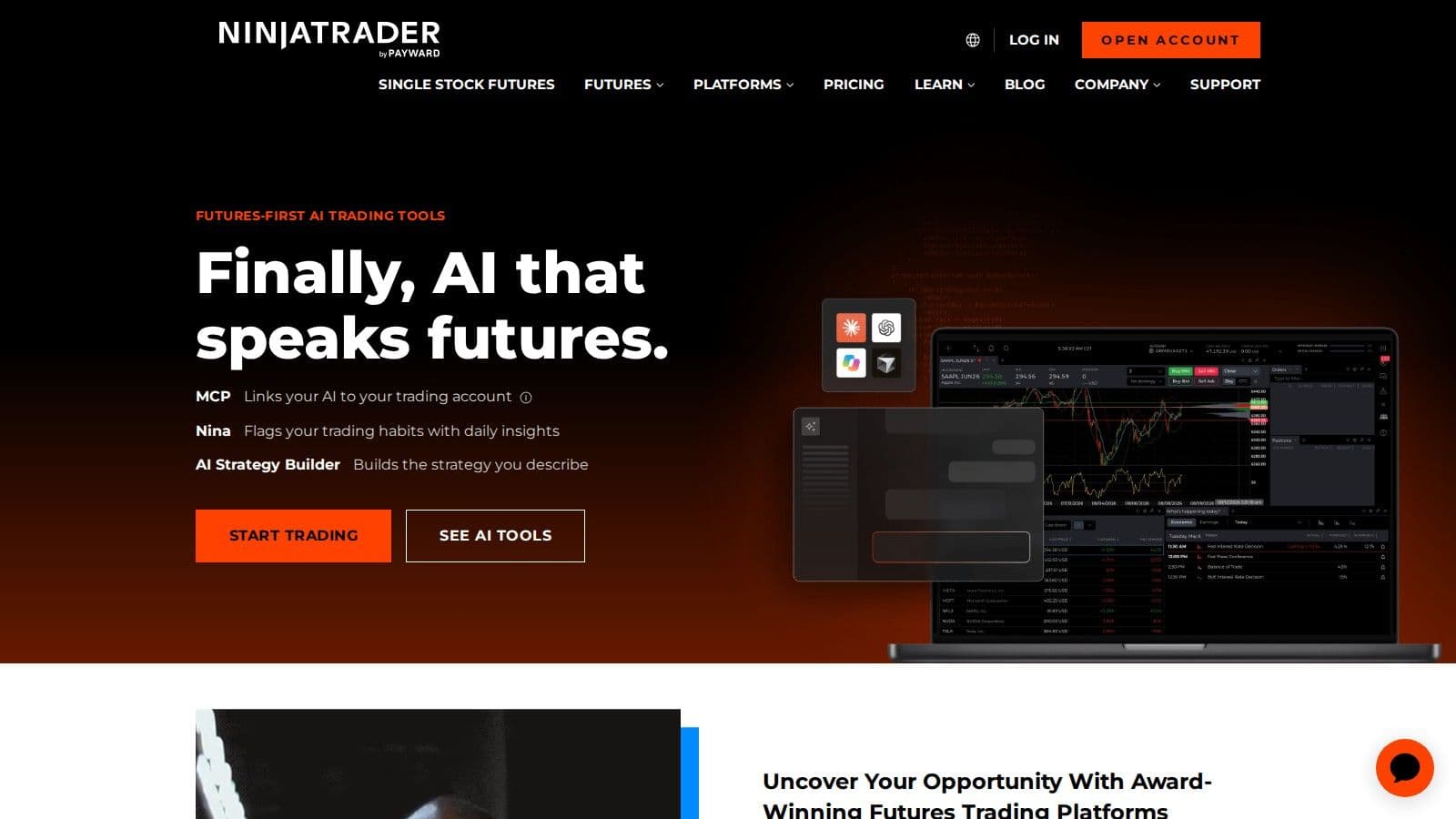
NinjaTrader is free to use for advanced charting, strategy backtesting and simulated trading, with no time limit and no funding required (checked on 10 Oct 2026). Because the simulator runs inside the full NinjaTrader 8 desktop platform, it can be hosted on a NinjaTrader VPS exactly like a live setup.
Market Data
Opening an account includes a free 14-day trial of streaming live market data. After that, real-time market data and the other plan features switch on once the account is funded, and NinjaTrader says any amount greater than $0 qualifies.
Automation
Strategies and indicators are written in NinjaScript, NinjaTrader’s scripting language. You can backtest a strategy on historical data, then run it on the simulator before you trade it live.
How to Start
Sign up on ninjatrader.com, then use NinjaTrader Desktop, Web or Mobile. No deposit is needed for simulated trading, and the Free plan lets you trade live futures later with no monthly fee.
2. CME Group Trading Simulator

The CME Group Trading Simulator, provided by the Chicago Mercantile Exchange, offers a platform for practicing futures and options trading across a range of asset classes. It’s designed to deliver a realistic trading experience without any financial risk.
Market Data Realism
This simulator provides access to real market data across seven asset classes (agriculture, crypto, energy, equity indices, FX, interest rates and metals), including standard, E-mini, and Micro-sized products. For routine practice, it uses a 10-minute delayed data feed. While the delay might not suit strategies requiring split-second decisions, it still effectively simulates market movements and price fluctuations for a variety of trading approaches.
For a real-time experience, the Trading Challenges feature allows users to test time-sensitive strategies in a simulated account. Advanced tools like the Options Grid, which offers insights into market depth and liquidity, and the Price Ladder, showing real-time bid/ask prices across 10 levels, help replicate the dynamics of live trading.
Before diving in, it’s worth noting the simulator’s limitations to better understand its scope.
Free Access Limitations
The CME Group Trading Simulator is entirely free to use - no subscriptions or hidden fees required. However, there are some constraints. Users must manually close all open positions before contract expiration, as the simulator doesn’t automatically record profits or losses when contracts expire. Additionally, the options interface is limited to a select number of strike prices, which adjust dynamically around the at-the-money point. While practice accounts can be reset at any time, Challenge accounts are not resettable.
Beyond its market data features, the simulator also offers a user-friendly and flexible trading interface.
Platform Compatibility
The simulator’s workspace is customizable, allowing users to arrange widgets, charts, market insights, watchlists, and trade plans to suit their preferences. Its charting tools include popular technical indicators like moving averages, Bollinger Bands, and the Relative Strength Index (RSI). Traders can choose from various order types - market, limit, stop, and stop-limit - and take advantage of one-click trading for faster execution. Detailed trade logs are also available to track performance.
VPS Hosting Compatibility
Thanks to its web-based design, the CME Group Trading Simulator works with VPS hosting solutions. This ensures stable internet connections and reduced latency, which can be especially useful during practice sessions. The simulator also includes trade planning features, enabling traders to set objectives and risk parameters - ideal for those who prefer a systematic approach to trading within a VPS environment.
3. Tradovate Simulated Trading
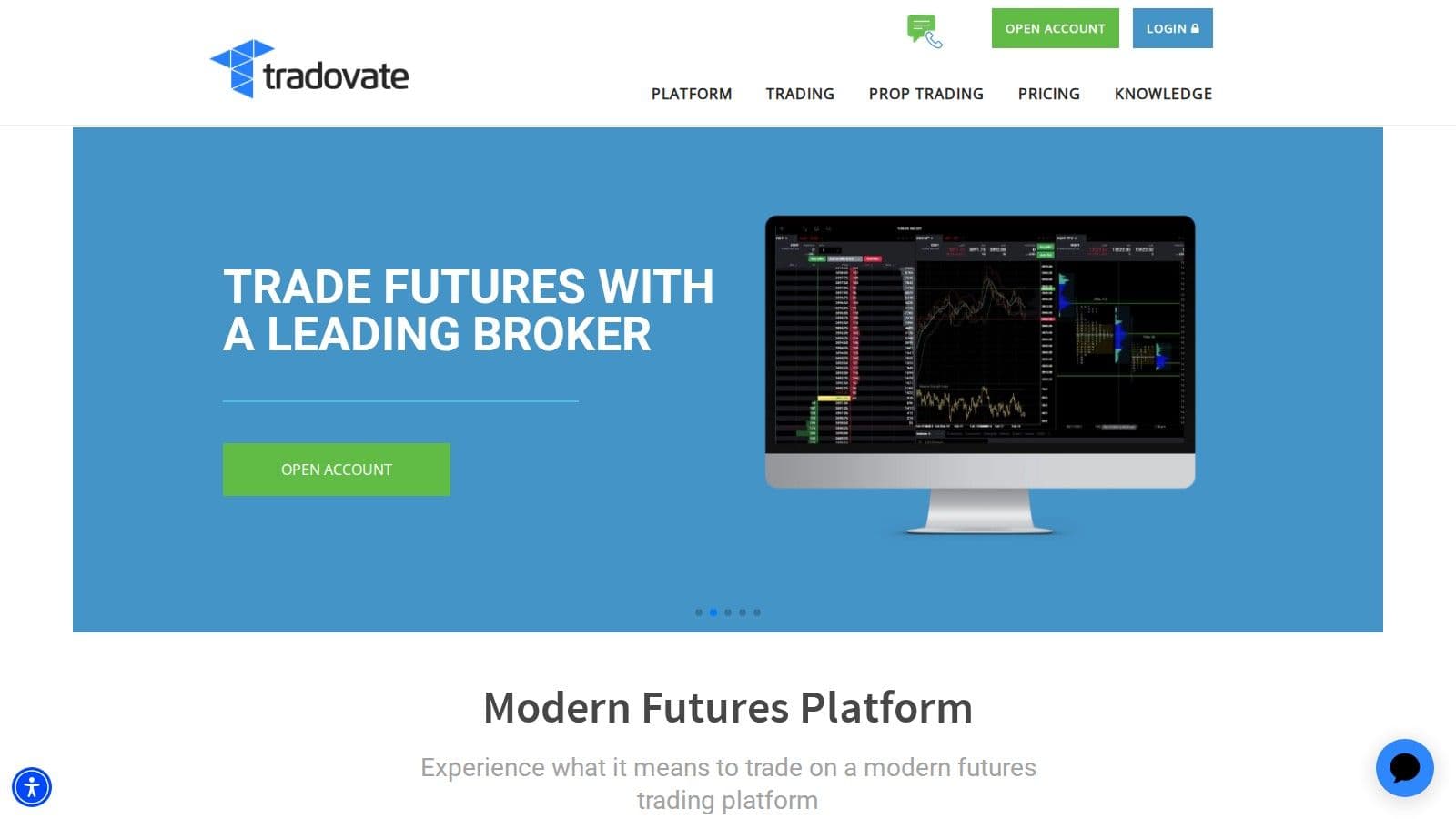
Tradovate offers a cloud-based simulated trading platform that mirrors live trading conditions without requiring any downloads.
Realistic Market Data
Tradovate says top-of-book market data comes with an approved and funded account, and its Market Replay lets you test strategies against historical market data (checked on 10 Oct 2026). The multi-level order book shows market liquidity when you have live data.
Automation and Strategy Testing
Tradovate's platform supports automated strategies through API integration and select third-party tools. It also includes advanced order management features like bracket orders, stop-loss, take-profit, and trailing stops. These tools allow traders to fine-tune their strategies without financial risk.
Free Access with Some Limits
Every Tradovate plan, including the Free plan with no monthly fee, includes free simulated trading. Check whether you are seeing live or delayed prices in the simulator before you judge how a scalping strategy fills.
Cross-Platform Compatibility
The simulator is web-based and works across all major operating systems. It also supports mobile apps for iOS and Android, ensuring a consistent trading experience on the go. The platform's interface is highly customizable, offering various chart types, technical indicators, and the ability to save custom workspaces and watchlists.
VPS Hosting Integration
Tradovate’s cloud-based design makes it a natural fit for VPS hosting solutions. This setup ensures smooth API connectivity and stable, low-latency performance. For traders who depend on VPS hosting for uninterrupted connectivity, the simulator provides a transition between simulated and live trading environments.
4. TradingView Paper Trading
TradingView Paper Trading is free and available to all users, and it covers commodity and index futures (checked on 10 Oct 2026). Futures prices on TradingView are delayed by 10 minutes unless you buy real-time data, which needs a paid TradingView plan or trial; CME Group futures data costs $7 a month for non-professional subscribers (checked on 7 Nov 2026). Our guide to TradingView paper trading walks through the setup.
TradingView's paper trading platform works by blending powerful charting tools with a full suite of order management options. Traders can experiment with various order types, such as market, limit, stop, and bracket orders, making it a versatile choice for honing trading skills. The platform also features a built-in backtesting engine, enabling users to test their strategies against historical data and refine them based on performance.
What sets TradingView apart is its social trading aspect. Users can share their strategies, gather feedback, and learn from a vibrant trading community. Its web-based interface ensures smooth access via VPS, offering reliable and low-latency performance - ideal for practicing futures trading strategies and ensuring stability during simulations.
This combination of advanced tools and community engagement makes TradingView a valuable resource for traders looking to sharpen their skills and optimize their approaches.
5. Optimus Flow Simulated Trading
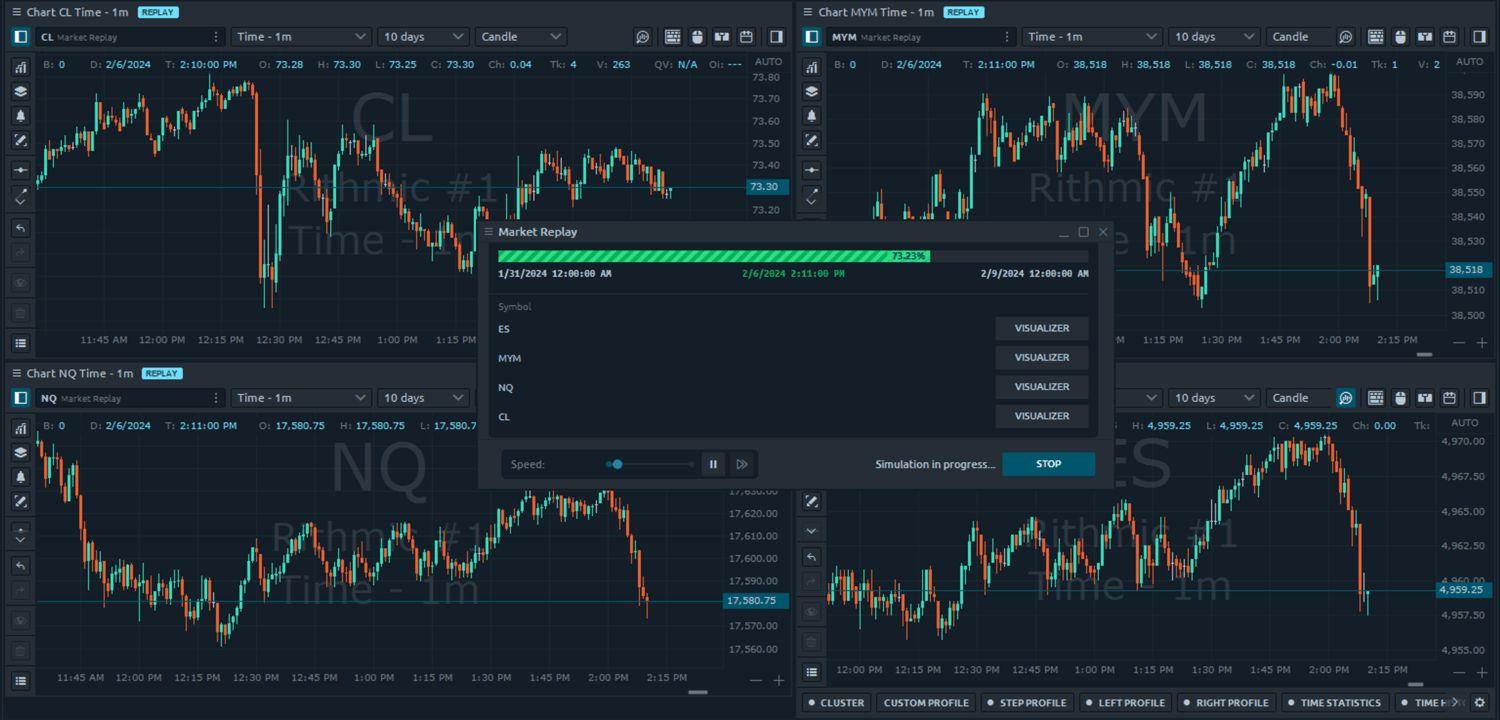
Optimus Flow, the Quantower-powered platform from Optimus Futures, includes simulated trading, so traders can practice on the same platform they will trade live. It won Best Software for Trading Futures at the Benzinga Global Fintech Awards in 2023, 2024 and 2025, and has no monthly platform fee for Optimus Futures clients.
Market Data
CME Level 1 real-time data is free for traders who place 10 or more trades a month, otherwise $3 a month. Market replay lets traders replay past sessions to practice entries and exits against real price action.
Tools
The simulator runs inside the full platform, with the DOM ladder, DOM Surface heatmap, footprint charts and TPO charts. Practicing order entry on the same DOM used for live trading means hotkeys and order types carry over unchanged.
How to Start
Open an Optimus Futures account to use Optimus Flow. Live trading needs a funded account, with a $500 minimum for micros ($2,000 for E-mini and other standard contracts), $50 Micro E-mini S&P 500 day-trading margins and commissions from $0.25 per side on micros.
6. ProRealTime Paper Trading
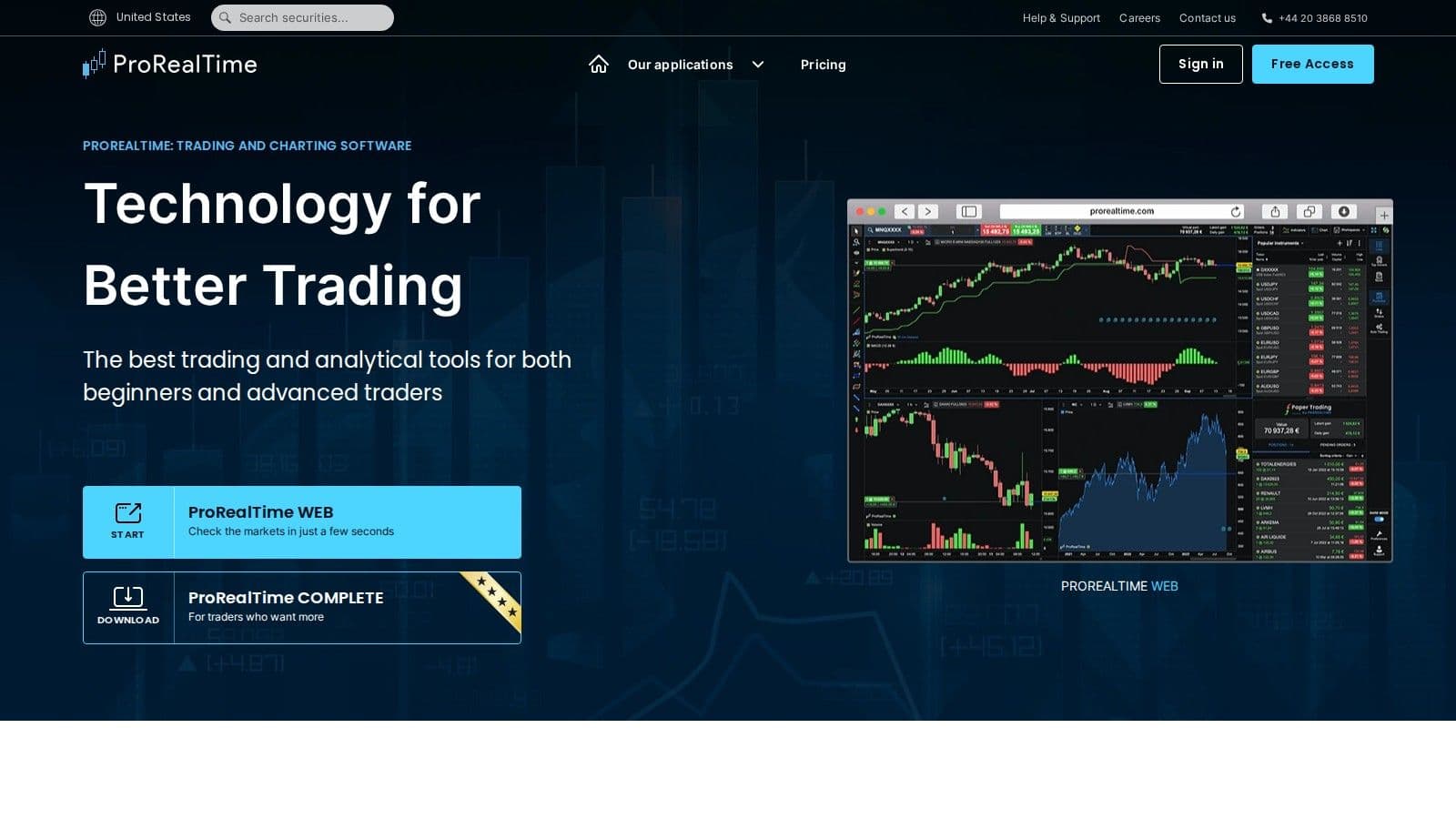
ProRealTime offers paper trading on its free ProRealTime WEB plan, which runs in the browser and on mobile with 25 indicators per chart and 20 real-time alerts (checked on 10 Oct 2026).
Market Data
ProRealTime’s included real-time package covers U.S. stocks (Cboe), forex, crypto, major indices and metals. Real-time CME futures data is a paid add-on.
Automation
ProRealTime Paper Trading enables automated trading through its ProOrder AutoTrading feature, which runs your system on ProRealTime’s servers even after you close the platform. ProRealTime says: "Start ProRealTime Complete or Premium to use ProOrder AutoTrading with a virtual portfolio." Complete costs $32 a month excluding VAT, with a free trial (checked on 7 Nov 2026).
How to Start
Create a free account on prorealtime.com, open ProRealTime WEB and choose PaperTrading mode. Add a CME real-time data subscription if you want live futures prices.
7. Interactive Brokers Paper Trading
Interactive Brokers offers a paper trading simulation through its Trader Workstation (TWS) platform, giving traders a chance to test strategies in conditions that closely resemble live futures trading. Let’s explore how its features replicate real-world trading dynamics.
Market Data and Order Execution
The paper trading account is designed to mimic key aspects of live trading. It includes simulated bid-ask spreads, market depth, and supports a variety of order types, such as stop-loss and bracket orders. While this environment strives to replicate live market behavior, some differences from actual trading conditions may occur.
Automation and API Integration
For traders interested in automation, the platform supports API integration. This allows users to develop and test algorithmic strategies using programming languages like Python, Java, and C++. When working on simple models or complex trading algorithms, the system provides the tools to bring your ideas to life.
Access Across Platforms
Interactive Brokers ensures flexibility by offering access to the paper trading platform through Trader Workstation, the web-based Client Portal, and mobile apps available for both iOS and Android devices.
VPS Hosting Compatibility
For traders who require uninterrupted connectivity, the platform is compatible with Virtual Private Server (VPS) setups. This ensures stable performance and reliable data feeds, even during high-demand periods, making it ideal for those running automated systems.
Account Registration and Access
To use the paper trading simulation, registration is required. While the simulated environment is free, continued access does require having an active live account with Interactive Brokers. IBKR also offers a free trial with IBKR Desktop, Trader Workstation and IBKR Mobile, where market data is delayed by 10 to 15 minutes (checked on 10 Oct 2026).
8. TradeStation Simulated Trading
TradeStation offers a platform for testing futures strategies using virtual funds. Like other platforms, it focuses on providing both automation tools and a realistic market simulation experience. The simulator mirrors live trading conditions, allowing users to test order execution and automated strategies effectively.
Realistic Market Data
The platform delivers a highly realistic market environment, incorporating typical price fluctuations, bid-ask spreads, and trading volumes. This detailed simulation ensures traders encounter authentic scenarios, such as realistic order fills and occasional slippage during volatile market conditions.
Automation Features
TradeStation leverages its proprietary EasyLanguage programming tool to support automation. If a script fails to verify, our guide to TradeStation and EasyLanguage errors explains the fixes. Traders can create custom indicators and perform backtesting using both historical data and simulated market conditions, making it a versatile choice for strategy development.
Uptime
99.999% uptime. Built for 24/7 trading reliability.
Your VPS runs in Tier IV datacenters with redundant power and network, monitored 24/7 on site.
See the uptime SLAFrom $29.99/mo · Windows or Linux
Compatibility Across Platforms
The platform is accessible via desktop and web, offering integration with external analysis tools. This makes it a great option for traders who rely on advanced charting and monitoring tools, especially in remote trading setups.
VPS Hosting Support
TradeStation is also compatible with Virtual Private Server (VPS) setups, ensuring stable and reliable remote access. This feature is particularly useful for traders running automated strategies that demand consistent uptime and performance.
Free Access and Limitations
TradeStation’s simulated trading gives you unlimited paper dollars and balance resets, plus free real-time data for non-professional traders, but you need to fund an account to get started (checked on 10 Oct 2026).
9. thinkorswim paperMoney
thinkorswim paperMoney is Charles Schwab’s built-in paper trading mode, and it supports futures alongside equities, options and forex. It is free for Schwab clients and uses real-time market data with $100,000 of virtual buying power (checked on 10 Oct 2026).
Access and Platforms
A Schwab account is required to log in to thinkorswim and use paperMoney, though Schwab says there is no minimum funding to open an account and use thinkorswim. paperMoney is built into every thinkorswim platform, so you can practice on desktop, web and mobile.
Automation
Custom studies and scans use thinkScript®. To keep the desktop platform running for alerts and scans, you can host it on a thinkorswim VPS.
10. Webull Paper Trading

Webull's paper trading simulator is designed to offer a risk-free environment for honing trading strategies. It supports futures trading alongside stocks, ETFs, and options, making it a versatile tool for both beginners and intermediate traders.
Market Data Realism
Webull says paperTrade orders are processed and filled against real-time data, and live Level 2 data is available in the simulator (checked on 10 Oct 2026). OPRA data covers options only; futures prices come from CME Group market data.
Order Types
Webull’s paperTrade supports Limit, Market, Stop, Stop-Limit, OCO and Trailing Stop orders, so you can practice stop-loss and take-profit exits. Turbo Trader and Ladder Trader work in paperTrade with the same mechanics as the live active-trader layout.
That makes paperTrade a reasonable choice for practicing manual futures trades on mobile or desktop.
Platform Compatibility
Webull’s paper trading simulator is accessible on both desktop and mobile platforms, offering flexibility for traders who want to practice on different devices. The user-friendly interface includes advanced charting and screening tools, making it a practical option for beginners and intermediate users alike.
VPS Hosting Compatibility
Webull’s paperTrade is built for manual practice inside the Webull apps, so it is less suited to testing automated strategies that run on a VPS.
11. E*TRADE Paper Trading
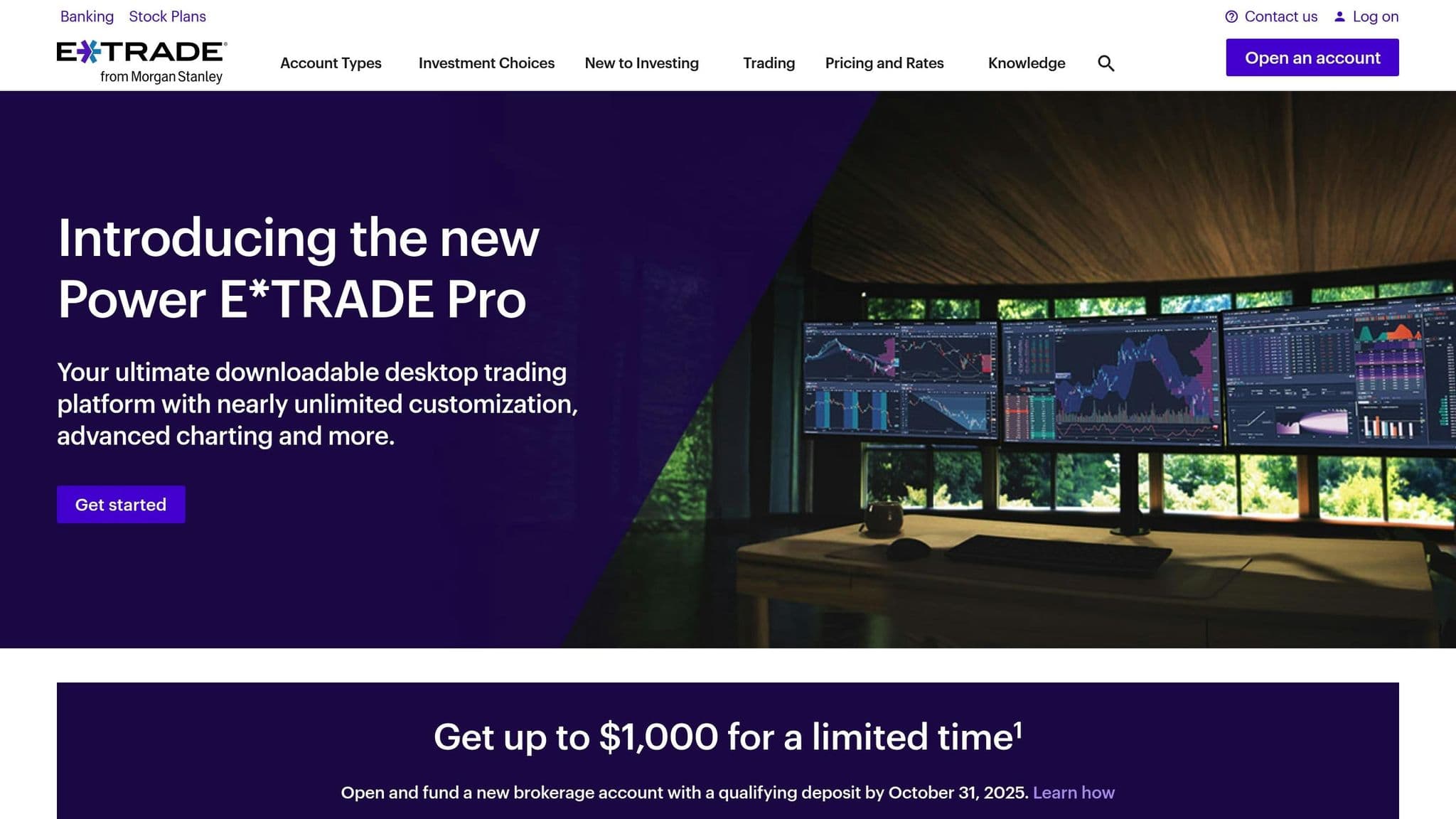
E*TRADE offers Paper Trading inside Power E*TRADE, a simulated version of the platform funded with "play money." Power E*TRADE trades stocks, ETFs, options, futures and options on futures on one platform, so you can practice futures orders in the same layout you would use live (checked on 10 Oct 2026).
E*TRADE does not publish the data terms or account requirements for its paper account on its platform page. Check whether quotes are real-time before you test timing-sensitive strategies.
How to Choose a Futures Simulator
Pick a futures simulator by matching its data, products and platform to how you plan to trade live. If you will trade on NinjaTrader, Tradovate or thinkorswim, practice on that same platform so your order entry and hotkeys carry over.
- Data: Real-time data matters for scalping and day trading. Delayed data, such as the 10-minute delay on the CME Group simulator, is fine for learning order types and contract basics.
- Products: Make sure the simulator lists the contracts you plan to trade, such as E-mini and Micro E-mini equity index futures, crude oil or gold.
- Automation: For automated strategies, choose a platform with a scripting language (NinjaScript, EasyLanguage, Pine Script or ProOrder) or an API.
- Costs: Practice with realistic commissions and the value of each tick. Our futures tick value chart shows what one tick is worth on the main contracts.
When your simulated results hold up, move to a small live account or a funded prop firm evaluation, and expect real fills and slippage to differ from the simulator.
Advantages and Disadvantages
Every trading simulator comes with its own set of pros and cons, which can significantly influence your practice experience. Knowing these trade-offs is essential for choosing a platform that aligns with your trading objectives and technical preferences.
Real-time market data is one of the biggest differentiators among simulators. Some platforms provide live data feeds, while others rely on delayed information. This distinction is critical if you're testing strategies that hinge on precise timing or quick market moves.
Automation support also varies widely. Advanced simulators enable the use of automated trading systems and custom indicators, making them perfect for algorithmic traders. In contrast, more basic platforms are geared toward manual trading, which can limit their utility for testing intricate strategies.
Access requirements and duration can range from platforms offering instant, no-registration access to those requiring full account setups with time-limited trials. If you’re looking for long-term practice, platforms with permanent free access are ideal. Trial-based systems, however, might cut off access just as you’re getting comfortable.
Platform compatibility plays a big role in how and where you can trade. Desktop-only simulators often deliver powerful features but lack mobility. Web-based platforms, while more flexible, might compromise on advanced functionality. Mobile compatibility offers convenience but often comes at the expense of analytical tools.
CME VPS hosting compatibility is crucial for traders who rely on automated strategies or need uninterrupted market connections. Platforms optimized for VPS hosting deliver lower latency and smoother execution, mimicking live trading conditions.
Modern paper trading simulators offer several benefits, such as risk-free strategy testing, realistic order execution, and detailed analytical tools. These platforms allow traders to experiment with different approaches without financial risk while gaining confidence in their decisions.
However, there are some drawbacks. Simulated trading often lacks the emotional intensity of live trading, which can lead to overconfidence when transitioning to real accounts. Additionally, technical limitations and varying levels of market realism can affect the accuracy of your practice.
The infrastructure behind a simulator also plays a role. Platforms that run on high-performance VPS environments tend to offer lower latency and fewer dropped connections, creating conditions that closely resemble live trading. These factors are worth considering as you evaluate which simulator best supports your trading journey.
What is the best futures trading simulator?
The best futures trading simulator depends on your goal: TradeStation and NinjaTrader for automation, and the CME Group Trading Simulator and TradingView Paper Trading for beginners.
If automation is a key priority, look for platforms that offer both backtesting and programmatic trading capabilities. TradeStation is an excellent choice, thanks to its proprietary EasyLanguage and a vast library of historical data, making it a strong contender for thorough backtesting. Another solid option is NinjaTrader, which provides free access and automation tools, particularly for strategies written in NinjaScript.
For beginners, the CME Group Trading Simulator and TradingView Paper Trading are the easiest starting points: both are free, run in a browser and teach contract basics. For mobile practice, Webull paperTrade and thinkorswim paperMoney both work in their mobile apps.
Every simulator on this list needs some registration. The lightest sign-up is a free TradingView account or a CME Group login; thinkorswim and TradeStation need a brokerage account.
FAQs
Where can I practice futures trading for free?
- NinjaTrader: The platform and simulator are free, with no time limit and no deposit required. Live data is free for 14 days with a new account; after that, real-time data comes with a funded account (any amount above $0).
- CME Group Trading Simulator: It's currently offered at no cost with a free CME Group login. It uses 10-minute delayed data, or real-time data during Trading Challenges.
- TradingView Paper Trading: It's available to all users with no fees and covers commodity and index futures, though futures data is delayed unless you buy a CME data package.
- Optimus Flow: Simulated trading is included at no platform fee for Optimus Futures clients, on the same platform they trade live.
What’s the difference between real-time and delayed market data in futures paper trading simulators?
The key distinction comes down to how frequently the market data is refreshed. Real-time data delivers live updates, reflecting market activity as it happens. This makes it perfect for testing strategies where precise timing is critical. On the flip side, delayed data usually comes with a lag of 10 to 15 minutes. CME Group futures on TradingView, for example, are 10 minutes behind. While it’s not ideal for strategies that depend on immediate reactions, it’s still a solid option for general practice.
The choice between real-time and delayed data hinges on what you’re aiming to achieve. If you’re testing automated systems or need highly accurate simulations, real-time data is a must. But if your focus is on understanding market trends or honing basic trading skills without requiring instant updates, delayed data can still serve you well.
How do automation tools like backtesting and scripting improve the performance of a futures trading simulator?
Automation tools like backtesting and scripting are game-changers for getting the most out of a futures trading simulator. With backtesting, traders can run their strategies through historical market data. This lets them see how their ideas would have played out in the past, providing a safe way to fine-tune their approach without putting real money on the line.
On the other hand, scripting allows users to create and test custom trading algorithms within the simulator. This opens the door to experimenting with advanced strategies, automating repetitive tasks, and understanding how these methods might perform in actual trading conditions. Together, these tools improve simulators into powerful platforms for sharpening skills and refining strategies.
What should I look for when choosing a futures paper trading simulator for mobile or desktop use?
When choosing a futures paper trading simulator, it's important to think about how well the platform matches your trading approach and device preferences. If you’re someone who values flexibility and likes to practice while on the move, mobile-friendly simulators can be a great option. On the other hand, desktop platforms typically offer more advanced tools and detailed interfaces, making them ideal for traders who prefer in-depth analysis.
Some key aspects to consider are the user interface, how easy it is to navigate, and whether the simulator provides features like realistic market conditions or support for automated trading systems. The right platform should align with your trading goals and give you the tools you need to sharpen your strategies effectively.


