
CCXT is an open-source library that gives you one Python API for more than 100 crypto exchanges: fetch_ticker(), fetch_order_book() and create_order() work the same way on Binance, Coinbase, Kraken and Bybit. Install it with pip install ccxt, create an exchange object with your API keys, and the library handles signing, symbols and rate limiting for you (checked on 10 Oct 2026).
This tutorial covers installation, keys, market data, orders, rate limits, async code and WebSockets, with a sandbox by default and live orders only behind an explicit --live flag.
Keep your platform running while you're away.






What CCXT Is
CCXT (CryptoCurrency eXchange Trading library) wraps each exchange's own API in a common set of methods and data structures. On 10 Oct 2026 its GitHub README listed 103 cryptocurrency exchanges and 9 prediction market exchanges, with libraries for Python, JavaScript, PHP, C#, Go and Java. For Binance's own SDK, keys and weight limits, see our Binance API guide.
| Exchange | CCXT id | Sandbox in CCXT 4.5.85 |
|---|---|---|
| Binance | binance (binanceus for Binance.US) |
Yes |
| Coinbase Advanced | coinbase |
No |
| Kraken | kraken |
No |
| Bybit | bybit |
Yes |
The unified API covers the common jobs: markets, tickers, candles, order books, balances and orders. Anything an exchange offers beyond that is still reachable through its implicit API methods or extra params, but that code no longer ports between exchanges. Each exchange object has a has dictionary that says which unified methods it supports, such as exchange.has["fetchOHLCV"].
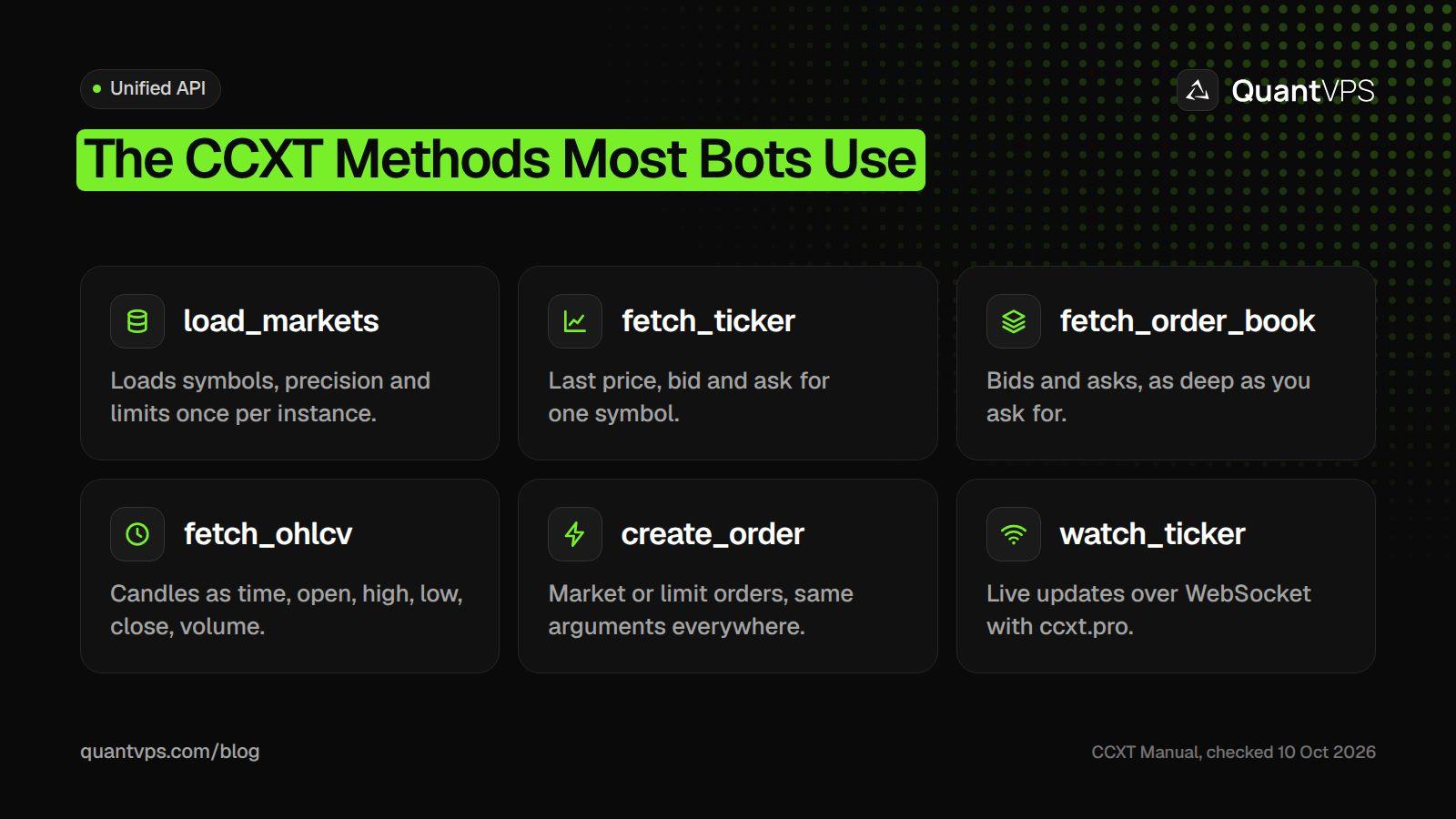
The same method names work on every exchange CCXT supports, where the exchange offers the feature.
Installing CCXT
Install from PyPI. The current ccxt package requires Python 3.10 or later (the README still says 3.7.0); the examples here were run with CCXT 4.5.85 on Python 3.12.
pip install ccxt
One package gives you three ways in: ccxt for normal synchronous code, ccxt.async_support for asyncio, and ccxt.pro for WebSocket streams. CCXT Pro used to be a paid add-on; the manual now calls it "a free part of CCXT".
Connecting Your Exchange API Keys
Create a key in the API section of your exchange account settings, then pass it to the exchange constructor. Most exchanges need an apiKey and a secret; some also want a password (passphrase) or a uid, and requiredCredentials tells you which.
import os
import ccxt

exchange = ccxt.kraken({
    "apiKey": os.environ["EXCHANGE_API_KEY"],
    "secret": os.environ["EXCHANGE_SECRET"],
})
print(exchange.requiredCredentials)    # which fields this exchange needs
exchange.check_required_credentials()  # raises AuthenticationError if any are missing
print(exchange.fetch_balance()["total"])
A few rules save a lot of debugging:
-
One key per program. The CCXT manual says not to share a key pair between scripts, threads or other software running at the same time. Exchanges track a rising nonce per key, and a second program can push it out of order, which shows up as
InvalidNonceerrors. - Least permission. Give a bot trade permission only, never withdrawals, and restrict the key to your server's IP address where the exchange allows it.
- Secrets out of code. Read keys from environment variables or a config file that only the owner can read.
Fetching Tickers, OHLCV Candles and Order Books
Public market data needs no key on most exchanges. Load markets once, then call the fetch methods with a unified symbol such as BTC/USD.
import ccxt

exchange = ccxt.kraken()          # public data needs no keys
exchange.load_markets()           # cache markets once per instance
symbol = "BTC/USD"

ticker = exchange.fetch_ticker(symbol)
print("last", ticker["last"], "bid", ticker["bid"], "ask", ticker["ask"])

candles = exchange.fetch_ohlcv(symbol, timeframe="1h", limit=24)
for ts, open_, high, low, close, volume in candles[-3:]:
    print(exchange.iso8601(ts), close)

book = exchange.fetch_order_book(symbol, limit=10)
print("best bid", book["bids"][0], "best ask", book["asks"][0])
fetch_ohlcv() returns a list of [timestamp, open, high, low, close, volume] rows with timestamps in milliseconds. fetch_order_book() returns bids and asks as [price, amount] pairs, best price first. If you skip load_markets(), CCXT loads markets on your first call, which makes that call slower and costs an extra request.
Symbols follow one format everywhere: BASE/QUOTE for spot, and BASE/QUOTE:SETTLE for perpetual swaps (for example BTC/USDT:USDT). CCXT maps them to each exchange's own market IDs.
Placing Orders
Every exchange takes the same call: create_order(symbol, type, side, amount, price), where type is market or limit and amount is usually in the base currency. The script below places a small limit buy 5% under the last price, on Bybit's testnet unless you pass --live.
import os
import sys

import ccxt

LIVE = "--live" in sys.argv       # sandbox unless you pass --live

exchange = ccxt.bybit({
    "apiKey": os.environ["EXCHANGE_API_KEY"],
    "secret": os.environ["EXCHANGE_SECRET"],
})
if not LIVE:
    exchange.set_sandbox_mode(True)   # must come before any other call

symbol = "BTC/USDT"
try:
    exchange.load_markets()
    price = exchange.fetch_ticker(symbol)["last"] * 0.95   # 5% under the market
    order = exchange.create_order(
        symbol, "limit", "buy",
        exchange.amount_to_precision(symbol, 0.001),
        exchange.price_to_precision(symbol, price),
    )
    print(order["id"], order["status"])
except ccxt.InsufficientFunds as e:
    print("not enough balance:", e)
except ccxt.NetworkError as e:          # timeouts, rate limits, maintenance
    print("temporary problem, try again later:", e)
except ccxt.ExchangeError as e:         # rejected: bad symbol, bad keys, bad order
    print("exchange rejected the request:", e)
set_sandbox_mode(True) switches the exchange to its test API and must come straight after you create the object. Only some exchanges have one: of our four, Binance and Bybit do and Coinbase and Kraken do not, so on those two test with read-only keys and tiny sizes. amount_to_precision() and price_to_precision() round your numbers to the market's rules, which avoids many rejected orders.
Errors come in two families. NetworkError covers temporary problems (timeouts, maintenance, RateLimitExceeded, DDoSProtection) that a retry may fix. ExchangeError covers rejections, such as AuthenticationError, InsufficientFunds and InvalidOrder, that will fail again until you change the request.
Locations
Trade beside your market. 8 datacenters, 3 continents.
Pick the location closest to what you trade, not to where you live.
Compare locationsFrom $29.99/mo · Windows or Linux
Rate Limits and Async Code
CCXT throttles requests for you: enableRateLimit is on by default, and each exchange instance waits rateLimit milliseconds times the cost of each request. The defaults are deliberately cautious, so a busy bot may tune them to the exchange's published limits.
| Exchange | Default rateLimit in CCXT 4.5.85 (ms) |
|---|---|
| Binance | 50 |
| Coinbase Advanced | 34 |
| Kraken | 1,000 |
| Bybit | 20 |
The rate limiter lives inside each exchange object, so create one instance per exchange and reuse it. Creating a new object for every call resets the limiter and reloads markets each time, which the CCXT manual names as a common way to get banned. In async code, CCXT queues up to 1,000 pending requests per instance by default.
To query several exchanges at once, use ccxt.async_support and asyncio.gather(). Close each exchange when you finish:
import asyncio
import ccxt.async_support as ccxt

async def last_price(exchange, symbol):
    ticker = await exchange.fetch_ticker(symbol)
    return exchange.id, ticker["last"]

async def main():
    exchanges = [ccxt.kraken(), ccxt.coinbase()]
    try:
        results = await asyncio.gather(
            *(last_price(e, "BTC/USD") for e in exchanges)
        )
        for name, price in results:
            print(name, price)
    finally:
        for e in exchanges:
            await e.close()

asyncio.run(main())
WebSocket Streams with ccxt.pro
For live prices, ccxt.pro replaces each fetch_* call with a watch_* call that waits for the next update over a WebSocket. Each call returns the latest state, so you loop on it.
import asyncio
import ccxt.pro as ccxtpro

async def main():
    exchange = ccxtpro.kraken()
    try:
        for _ in range(5):        # a bot would loop forever
            ticker = await exchange.watch_ticker("BTC/USD")
            print(ticker["symbol"], ticker["bid"], ticker["ask"])
    finally:
        await exchange.close()

asyncio.run(main())
Private streams work the same way with keys: watch_balance(), watch_orders() and watch_my_trades(). Check exchange.has["watchTicker"] and similar flags first, because not every exchange supports every stream.
Running CCXT Bots 24/7
Crypto markets never close, so a bot needs a machine that never sleeps. Run it as a service that restarts after a crash, reuse one exchange object for the life of the process, and treat NetworkError as a reason to wait and retry rather than exit.
-
Log every order ID returned by
create_order(), so you can check fills after a restart. - Reload markets now and then, because exchanges list, delist and pause symbols.
- Watch the clock: signed requests carry timestamps, and a drifting system clock causes rejections.
Place the server close to the exchange you trade. QuantVPS runs crypto VPS plans in Tokyo for Binance and Bybit (a published 0 to 1ms route), London for Kraken and New York for Coinbase, each with a dedicated IP for API key whitelisting. Every plan includes 99.999% uptime, always-on DDoS protection with advanced filtering and automatic off-site backups, from $29.99 a month (checked on 10 Oct 2026). To test rules before trading them, see our guide to Python backtesting libraries.
Order flow
Built for scalpers. Heatmaps on dedicated resources.
Order-flow heatmaps and DOM ladders run on dedicated CPU, memory and NVMe, so your charts keep responding during volatility.
See the dedicated hardwareFrom $29.99/mo · Windows or Linux
FAQs
Is CCXT free?
Yes. CCXT is open source under the MIT license, and the WebSocket part, CCXT Pro, is now included for free. You still pay each exchange's normal trading fees.
Does CCXT support WebSockets?
Yes, through ccxt.pro, which ships in the same package. Use watch_ticker(), watch_order_book(), watch_ohlcv() and the private watch_orders() and watch_balance() on exchanges that support them.
Why do I get InvalidNonce errors in CCXT?
Usually because two programs, or two exchange objects, share one API key. Give each program its own key pair and reuse one exchange object per key.
Can CCXT trade futures and perpetual swaps?
Yes, on exchanges that offer them. Swap symbols include the settle currency, such as BTC/USDT:USDT, and amounts may be in contracts, so check the market's contractSize before you size an order.
How do I test CCXT without real money?
Call set_sandbox_mode(True) right after creating the exchange, on exchanges that have a sandbox (Binance and Bybit among them). Use the exchange's testnet keys, not your live keys.


