
TradingView has a free Basic plan and four paid plans: Essential at $14.95 a month, Plus at $34.95, Premium at $69.95 and Ultimate at $239.95 when billed monthly. Paying yearly cuts these to $12.95, $29.95, $59.95 and $199.95 a month, a saving TradingView puts at up to 17%. Real-time exchange data, such as CME futures, costs extra (TradingView pricing page, checked on 10 Oct 2026).
Key points:
- Free: Basic costs $0 with 1 chart per tab, 2 indicators per chart and 3 price alerts.
- Webhooks: from Essential up.
- Deep Backtesting: Premium and Ultimate only.
- Data: exchange fees are not covered by any plan. CME Group real-time data is $9.95 a month for non-professionals.
- Professionals: only the Ultimate plan is available to professional users.
TradingView Plans and Prices Compared
The four paid plans differ mainly in how many charts, indicators and alerts you get, and in Bar Replay and backtesting depth. All figures below are from TradingView's pricing page, US prices before any sales tax, checked on 10 Oct 2026:
| Plan | Billed monthly | Billed yearly (per month) | Charts per tab | Indicators per chart | Price / technical alerts | Bar Replay intraday history | Deep Backtesting |
|---|---|---|---|---|---|---|---|
| Basic | $0 | $0 | 1 | 2 | 3 / none | Daily and higher only | No |
| Essential | $14.95 | $12.95 | 2 | 5 | 20 / 20 | Minute bars, 180 days | No |
| Plus | $34.95 | $29.95 | 4 | 10 | 100 / 100 | Minute bars, 365 days | No |
| Premium | $69.95 | $59.95 | 8 | 25 | 400 / 400 | All minute and second bars | Yes |
| Ultimate | $239.95 | $199.95 | 16 | 50 | 1,000 / 1,000 | All minute and second bars, 7 days of ticks | Yes |
Bar Replay itself, including trading in Bar Replay, is ticked on every plan; what changes is how far back you can replay intraday bars. Historical bars on a chart run from 5K on Basic to 10K (Essential, Plus), 20K (Premium) and 40K (Ultimate).
Other differences that matter to traders:
- Second-based intervals and alerts: Premium and Ultimate. Tick-based intervals: Ultimate only.
- Volume footprint, volume candles and TPO charts: Premium and Ultimate.
- Alerts that don't expire: Premium and Ultimate. Other plans cap an alert at 1 month (Basic) or 2 months (Essential, Plus).
- Watchlist alerts: 2 on Premium, 15 on Ultimate, none below.
- Market data subscriptions you can buy: 2 on Essential, 4 on Plus, 6 on Premium and no cap shown on Ultimate. Basic cannot add any.
- Pine Script calculation time limit: 20 seconds on Basic, 40 on Essential, Plus and Premium, and 100 on Ultimate.
Order flow
Built for scalpers. Heatmaps on dedicated resources.
Order-flow heatmaps and DOM ladders run on dedicated CPU, memory and NVMe, so your charts keep responding during volatility.
See the dedicated hardware





From $29.99/mo · Windows or Linux
The Free TradingView Plan and Its Limits
TradingView Basic is free "forever" with no credit card needed, and it is enough for simple charting and paper trading. Its limits show quickly once you trade actively:
- 1 chart per tab and 2 indicators per chart.
- 3 price alerts, no technical alerts on indicators or strategies, and alerts that last 1 month.
- No webhook notifications, so no automation through alerts.
- Ads on charts and the social network; every paid plan removes them.
- No intraday Bar Replay history, no advanced strategy report metrics and no trade export.
- No real-time data add-ons, since Basic allows no market data subscriptions.
Basic still includes the Pine Script editor, the 400+ built-in indicators, basic strategy report metrics, paper trading, chart trading and Depth of Market (DOM) trading through supported brokers.
Real-Time Data Add-Ons and What They Cost
No TradingView plan includes paid exchange data. TradingView's market data guide says most stock and futures exchanges charge fees for real-time data and "our paid plans don't cover those fees." Without an add-on, those symbols show delayed data. Prices below are for non-professional subscribers, per month, from TradingView's data coverage page, checked on 10 Oct 2026:
| Data package | What it covers | Free delay | Real-time price per month |
|---|---|---|---|
| CME Group (E-mini included) | CME, CBOT, COMEX, NYMEX futures and options | 10 min | $9.95 |
| US Stock Markets bundle | NYSE, NASDAQ, NYSE Arca, NASDAQ GIDS, OTC Markets | Depends on each exchange | $9.95 (listed as $22.00 for the five sources) |
| Cboe Futures Exchange | Cboe CFE futures | 10 min | $9.95 |
| Eurex | European derivatives | Not listed | $2.00 |
| S&P Indices | S&P index values | 10 min | $7.00 |
| Dow Jones Indices | Dow Jones index values | 10 min | $5.00 |
US stocks on charts default to Cboe data, which is "slightly different" from the primary exchanges until you add NASDAQ, NYSE or ARCA. All crypto exchanges on TradingView are real-time at no cost. TradingView's CME page adds that all CME Group data is free with a 10-minute delay, and that the $9.95 price is for non-professional subscribers only.
Level 2 order book data is a separate matter: it comes from a connected broker, not from these add-ons. Our guide to TradingView Level 2 data explains which brokers supply it.
Which TradingView Plan to Pick
Pick the cheapest plan that covers the one feature you cannot work without. For most traders that feature is webhooks, backtesting depth or the number of charts.
| If you need | Lowest plan | Why |
|---|---|---|
| Charting and paper trading only | Basic | Paper trading and chart trading are on every plan |
| Alerts and webhooks for automation | Essential | Webhook notifications start here; 20 technical alerts, 100 on Plus |
| Many alerts that never expire | Premium | 400 technical alerts and alerts with no end date |
| Backtesting on intraday history | Premium | Deep Backtesting, each history tick execution and all minute history |
| Several charts on one screen | Plus (4), Premium (8), Ultimate (16) | Charts per tab rise with each plan |
| Tick charts or professional use | Ultimate | Only plan with tick-based intervals and for professional users |
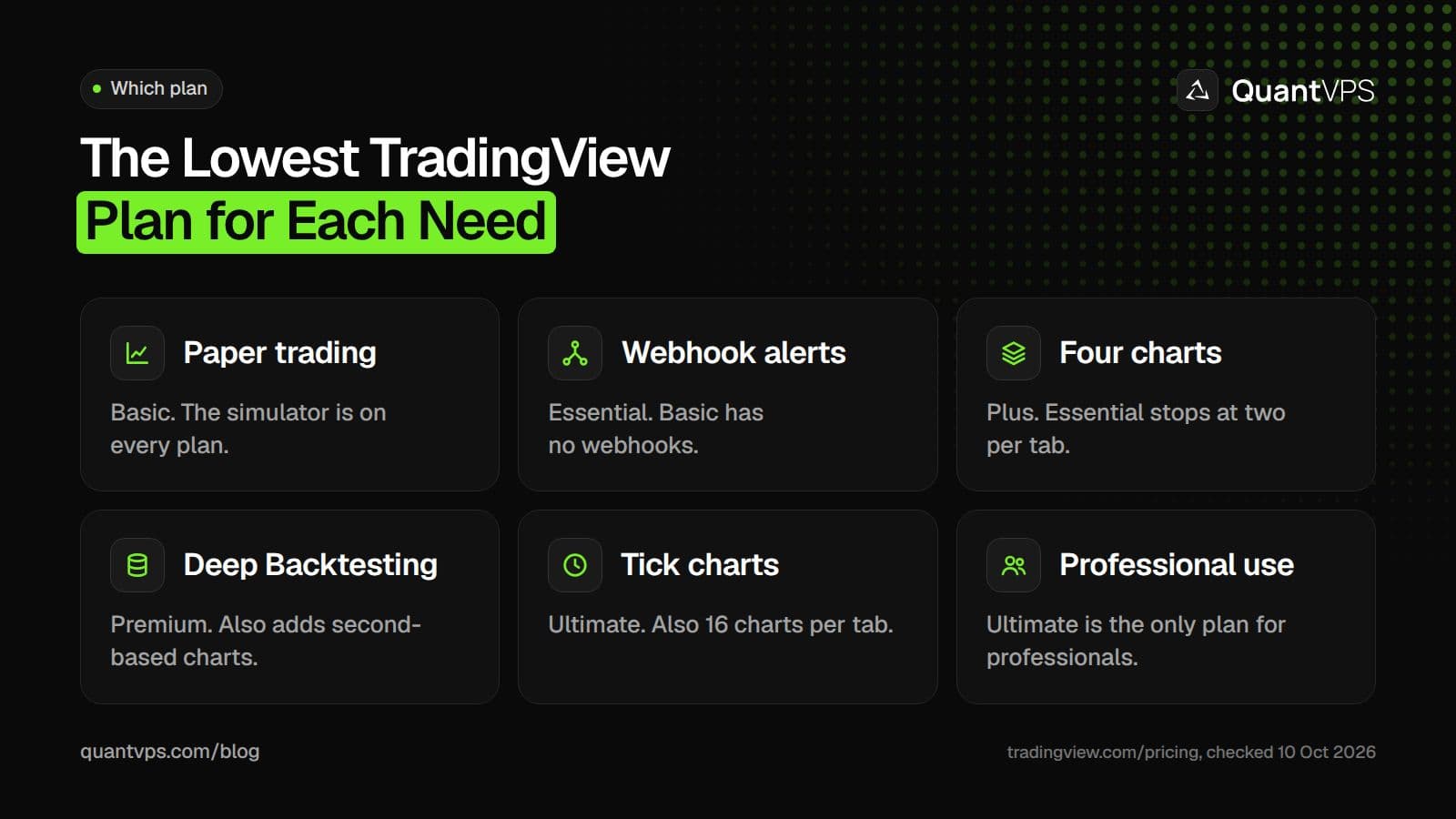
Pick the cheapest plan that covers the one feature you cannot do without.
Alerts and webhooks. Essential is the entry point for automation: it adds webhook notifications, which also need two-factor authentication on your account per TradingView's webhook guide. If you run many strategies or symbols, the 20 technical alerts run out fast, so Plus (100) or Premium (400) fits better. TradingView's alerts guide notes that standard alerts last at most two months, while Premium and Ultimate offer an open-ended option.
Backtesting. Every plan has the Strategy Tester with basic metrics, and Essential adds advanced metrics and CSV and XLSX export. Premium is the first plan with Deep Backtesting, which tests on the full history rather than only the bars loaded on the chart. Our guide to backtesting on TradingView walks through the settings.
Many charts. Charts per tab double with each step: 2, 4, 8, then 16. Simultaneous chart connections rise too, from 10 on Essential to 200 on Ultimate.
Alerts run on TradingView's servers, so you do not need a computer on for them to fire. You do need one online if your alerts feed a bot or a desktop platform, which is where a TradingView VPS fits. It keeps that machine online with 99.999% uptime.
Uptime
99.999% uptime. Built for 24/7 trading reliability.
Your VPS runs in Tier IV datacenters with redundant power and network, monitored 24/7 on site.
See the uptime SLAFrom $29.99/mo · Windows or Linux
Discounts and the Yearly Saving
The main discount is yearly billing, which TradingView says saves up to 17%. The pricing page shows the saving per plan, checked on 10 Oct 2026:
| Plan | 12 months billed monthly | Billed yearly | Yearly saving |
|---|---|---|---|
| Essential | $179.40 | $155.40 | $24 |
| Plus | $419.40 | $359.40 | $60 |
| Premium | $839.40 | $719.40 | $120 |
| Ultimate | $2,879.40 | $2,399.40 | $480 |
Yearly totals are 12 times the monthly figures shown on the page. A few other ways to pay less:
- Free trial: each paid plan shows a "Try free" button on the pricing page. Check the trial terms when you sign up.
- Education: TradingView's Educational Partner Program gives students free access to paid plans when their institution signs up.
- Data bundles: the US Stock Markets bundle is $9.95 a month, against $22.00 for the same five sources, a saving TradingView puts at $12.05 a month.
Depending on where you live, sales tax may be added to the final bill, as the pricing page notes.
FAQs
How much is TradingView per month?
On 10 Oct 2026, billed monthly: Essential $14.95, Plus $34.95, Premium $69.95 and Ultimate $239.95. Billed yearly, the monthly price drops to $12.95, $29.95, $59.95 and $199.95. Basic is free.
Is TradingView Premium worth it?
Premium is worth it if you need Deep Backtesting, second-based charts and alerts, more than 100 alerts, or alerts that never expire. For webhooks and a few charts, Essential or Plus covers the same ground for less.
Does a TradingView plan include real-time CME data?
No. Exchange fees are not covered by any plan. CME Group data is free with a 10-minute delay, and the real-time CME Group package (CME, CBOT, COMEX and NYMEX) is $9.95 a month for non-professional subscribers, checked on 10 Oct 2026. Basic cannot add data subscriptions.
Which TradingView plan do I need for webhooks?
Essential or higher. The free Basic plan has no webhook notifications, and every plan needs two-factor authentication turned on before webhook alerts work.
Can I use TradingView for free?
Yes. Basic is free with no credit card, and includes charts, Pine Script, paper trading and trading through supported brokers, with 1 chart per tab, 2 indicators per chart, 3 price alerts and ads.


