
TradingView is a charting platform you can use with many brokers, while thinkorswim is Charles Schwab's free trading platform for Schwab accounts. Pick TradingView if you want the same charts and Pine Script alerts across several brokers or markets; pick thinkorswim if you trade at Schwab and want options tools, scanning and paper trading at no extra cost. For automation, TradingView sends webhook alerts, and thinkorswim users automate through the Schwab Trader API.
Quick Verdict
| TradingView | thinkorswim | |
|---|---|---|
| Price | Basic free; Essential $12.95, Plus $29.95, Premium $59.95, Ultimate $199.95 a month billed annually | Free for Schwab clients; no minimum to open an account |
| Markets | Stocks, ETFs, futures, forex, crypto and more; trading depends on the connected broker | Stocks, ETFs, options, futures and forex, plus 24/5 trading on 1,300+ stocks and ETFs |
| Charting | 1 chart per tab and 2 indicators on Basic, up to 16 charts and 50 indicators on Ultimate | Full charting and studies on desktop, web and mobile |
| Scripting | Pine Script | thinkScript |
| Alerts and automation | Alerts on every plan; webhook alerts from Essential up | Study alerts in the platform; trading automation through the Schwab Trader API |
| Broker trading | Trade from charts through supported brokers | Schwab accounts only; $0 stock trades, $0.65 per options contract |
| Mobile | Web, desktop and mobile apps | thinkorswim desktop, web and mobile |
Source: tradingview.com and schwab.com, October 2026. TradingView lists its annual prices as a special price; monthly billing costs more.
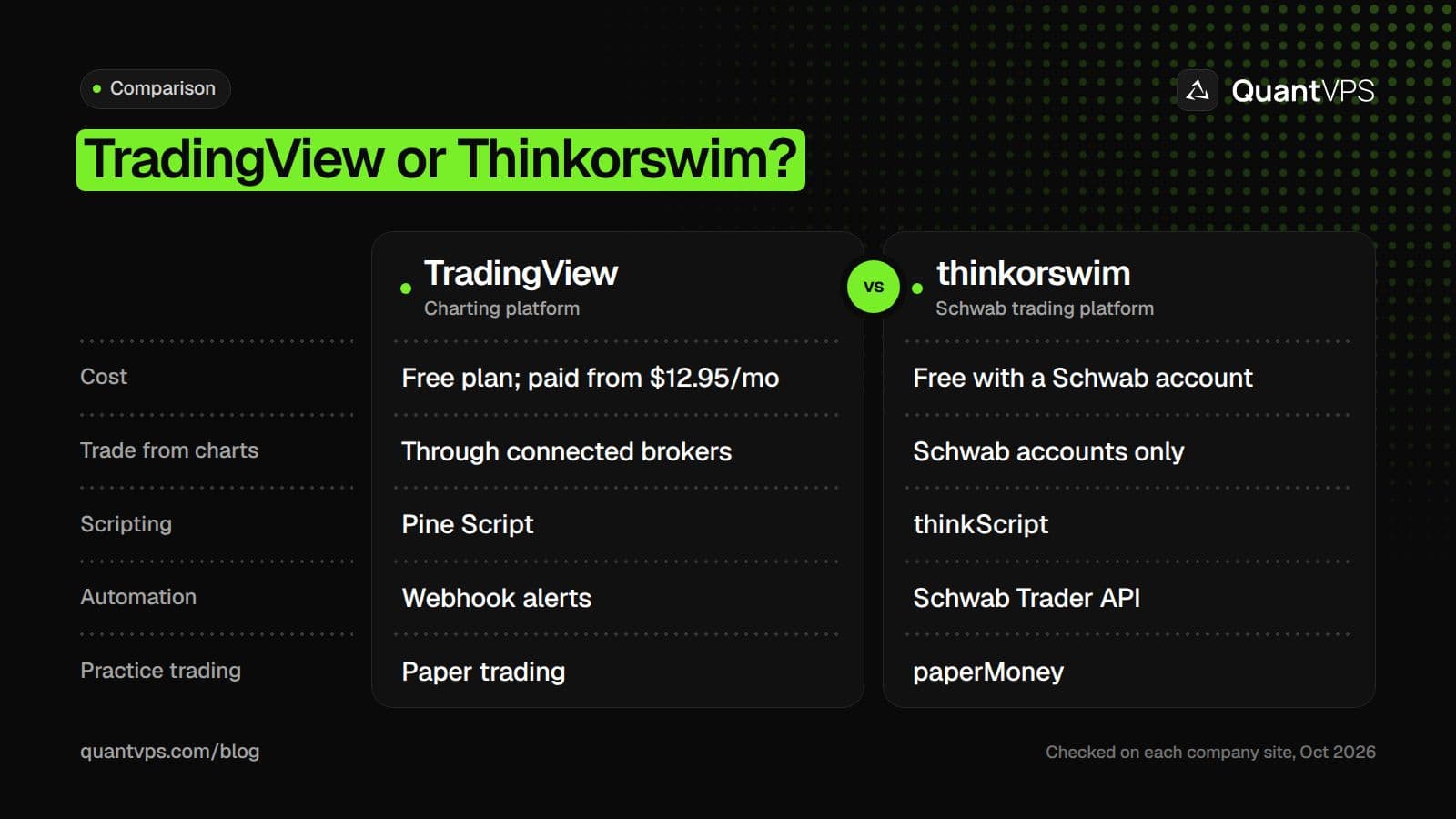
The short version: TradingView is a charting hub, thinkorswim is Schwab's all-in-one platform.
Charting and Indicators
TradingView's strength is charting in the browser: the same layouts and indicators follow you to the desktop and mobile apps, and you can chart almost any market it carries. The plan sets the limits. Basic allows 1 chart per tab, 2 indicators per chart and 5,000 historical bars; Essential raises that to 2 charts, 5 indicators and 10,000 bars, and Ultimate to 16 charts, 50 indicators and 40,000 bars.
| TradingView plan | Price (billed annually) | Charts per tab | Indicators per chart | Historical bars |
|---|---|---|---|---|
| Basic | $0 | 1 | 2 | 5K |
| Essential | $12.95/mo | 2 | 5 | 10K |
| Plus | $29.95/mo | 4 | 10 | 10K |
| Premium | $59.95/mo | 8 | 25 | 20K |
| Ultimate | $199.95/mo | 16 | 50 | 40K |
Source: tradingview.com/pricing, October 2026.
thinkorswim has no paid tiers: Schwab clients get the full desktop platform, with Stock Hacker scans, options analysis and custom studies, at no charge. Its charts live inside a trading platform rather than a charting site, so they are built around the Schwab account you trade.
Scripting: Pine Script vs thinkScript
Both platforms have their own scripting language, and neither one sends orders to a broker by itself.
- Pine Script (TradingView) builds indicators and strategies. Strategies backtest in TradingView, and TradingView says "automated strategy trading with a brokerage account is not available on TradingView yet". To act on a strategy automatically, you send its alerts out by webhook.
- thinkScript (thinkorswim) builds custom studies, watchlist columns, study alerts and Stock Hacker scan queries, according to Schwab's thinkScript reference. It runs inside thinkorswim on your Schwab account.
Choose by where you trade: Pine Script works with whichever broker you connect to TradingView, while thinkScript only matters if your account is at Schwab.
Order flow
Built for scalpers. Heatmaps on dedicated resources.
Order-flow heatmaps and DOM ladders run on dedicated CPU, memory and NVMe, so your charts keep responding during volatility.
See the dedicated hardware





From $29.99/mo · Windows or Linux
Alerts and Screeners
Alerts are where many traders start automating, so the limits matter.
| TradingView | thinkorswim | |
|---|---|---|
| Alert types | Price and technical alerts; multi-condition alerts and alerts that don't expire on paid plans | Study alerts on thinkScript conditions (MarketWatch > Alerts > Study Alert) |
| How many | 20 price and 20 technical alerts on Essential, 100 on Plus, 400 on Premium, 1,000 on Ultimate | Set inside the platform for your Schwab account |
| Screening | Stock, ETF, DEX and crypto screeners; auto refresh every 10 seconds or 1 minute on paid plans | Stock Hacker scans with fundamental, technical and option-related filters, including your own thinkScript criteria |
| Send alerts to other apps | Webhooks from Essential up | No webhook option; use the Schwab Trader API for code |
Source: tradingview.com/pricing, schwab.com and toslc.thinkorswim.com, October 2026.
TradingView's alerts run on TradingView's servers, so they fire even when your browser is closed; what happens next depends on where the alert goes. thinkorswim's study alerts are tied to your Schwab login and tell you a condition has been met, which suits traders who still place the trade themselves.
Practice Trading
Both platforms let you practice without money at risk. TradingView includes simulated (paper) trading on every plan, Basic included, so you can test chart trading and alert ideas before connecting a broker. thinkorswim builds paperMoney into all its platforms: Schwab describes it as a virtual trading environment for testing strategies in a live market simulation, using many of the same tools as live trading.
Paper trading checks your process, not your fills. Simulated fills do not show slippage the way a live order on a thin market can, so start live trading small even after a good paper run.
Data and Costs
thinkorswim costs nothing beyond Schwab's standard trading prices: $0 for online stock and ETF trades and $0.65 per options contract. Schwab says there is no minimum to open an account and use thinkorswim, though some products, such as options, have their own account requirements. Real-time data depends on accepting the exchange agreements.
TradingView's subscription pays for features, not exchange data. Its help center says most stock and futures exchanges charge for real-time data and that "our paid plans don't cover those fees". By default, US stock data comes from Cboe; real-time NASDAQ, NYSE or ARCA data, and most futures data, are add-ons. Crypto exchanges on TradingView are real-time.
Trading From the Chart
TradingView lets you trade from its charts through connected brokers. Its broker directory lists firms such as Interactive Brokers, TradeStation, tastytrade, Alpaca, Webull, NinjaTrader and Tradovate, so check it for yours before you rely on chart trading.
thinkorswim is Schwab-only: you trade the Schwab account you log in with, from its charts and order entry tools. If your broker is not Schwab, thinkorswim is a charting and research tool at best, and only with a Schwab account to log in to.
Automation: Webhooks vs the Schwab API
TradingView automates through alerts. On Essential and higher plans, an alert can send a webhook to a URL you choose. TradingView's rules are strict: only ports 80 and 443, a reply within three seconds, no IPv6, and two-factor authentication must be on. The receiving server (a bridge service, a broker that accepts webhooks or your own app) places the order. Our guide to a TradingView webhook server walks through the setup.
Uptime
99.999% uptime. Built for 24/7 trading reliability.
Your VPS runs in Tier IV datacenters with redundant power and network, monitored 24/7 on site.
See the uptime SLAFrom $29.99/mo · Windows or Linux
thinkorswim users automate through Schwab's Trader API, which lets individual developers trade their accounts and pull market data from their own code. You register on developer.schwab.com and request access; when we checked on 10 Oct 2026, Schwab said most requests are reviewed within two business days. Study alerts inside thinkorswim notify you but do not run your own code.
| TradingView | thinkorswim | |
|---|---|---|
| How orders leave the platform | Webhook alert to a receiver you run or rent | Your code calls the Schwab Trader API |
| Plan needed | Essential or higher for webhooks | Schwab account plus approved API access |
| What must stay running | The webhook receiver (and TradingView's servers send the alert) | Your bot and its API session |
| Practice first on | TradingView paper trading or a broker demo | paperMoney in thinkorswim |
Source: tradingview.com and schwab.com, October 2026.
Either way, the piece that places your orders has to stay online. A TradingView VPS keeps a webhook receiver or TradingView Desktop running around the clock, and a thinkorswim VPS does the same for thinkorswim and an API bot.
Which Is Better for Options Traders?
For options, thinkorswim has the clearer advantage if you already trade at Schwab. Options trades cost $0.65 per contract, Stock Hacker can filter on option-related data, and paperMoney lets you rehearse spreads before you place them live, all inside the platform you trade from.
TradingView can chart the underlying and send alerts for an options strategy, and its broker directory has a filter for brokers that support options. Order entry, options approval and pricing then depend on the broker you connect, so compare that broker's options tools and commissions, not TradingView's plan.
If you want to run options trades automatically rather than by hand, the choice moves to the broker's API: thinkorswim users code against the Schwab Trader API, while TradingView users route webhook alerts to a broker or bridge that accepts options orders.
Who Should Pick Which
- Pick TradingView if you trade more than one broker or market, want browser-based charts everywhere, or plan to automate through webhooks.
- Pick thinkorswim if you trade at Schwab, especially options, and want scanning, analysis and paperMoney at no extra cost.
- Use both if you like TradingView's charts but trade at Schwab: chart and alert in TradingView, then place trades in thinkorswim or through the Schwab API.
FAQs
Is TradingView better than thinkorswim?
Neither is better for everyone. TradingView is better for charting across brokers and for webhook automation; thinkorswim is better value for Schwab clients, who get the full platform, options tools and paperMoney free.
Is thinkorswim free?
Yes, for Schwab clients. Schwab says thinkorswim desktop is free and there is no minimum to open an account, though standard trading prices apply, such as $0.65 per options contract.
Can I trade my Schwab account from TradingView?
Only if Schwab is one of TradingView's supported brokers for your account type; check TradingView's broker directory. Otherwise, chart in TradingView and place the trade in thinkorswim or through the Schwab Trader API.
Does thinkorswim have paper trading?
Yes. paperMoney is built into the thinkorswim desktop, web and mobile platforms, and Schwab describes it as a virtual trading environment for testing strategies in a live market simulation. TradingView also offers paper trading on every plan, including the free Basic plan.
Can thinkorswim or TradingView run a trading bot?
Not on their own. TradingView sends webhook alerts that another service or your own server turns into orders. thinkorswim's thinkScript creates studies, alerts and scans; to automate trades on a Schwab account you write code against the Schwab Trader API.


