Best Automated Trading Platforms for 2026: Tools, Features & Comparisons
Automated trading platforms are increasingly vital, with algorithms powering over 70% of U.S. stock trades and 92% of Forex trades. This article reviews four top platforms - NinjaTrader, Tradovate, MetaTrader, and TradeStation - to help you find the best fit for your trading needs. Key factors include:
- Customization: From coding tools like NinjaScript and EasyLanguage to no-code options like visual builders.
- Backtesting: Tick-level accuracy, historical data access, and advanced testing tools.
- VPS Integration: Reliable uptime and low latency for uninterrupted trading.
- Pricing: Subscription plans, commissions, and additional costs.
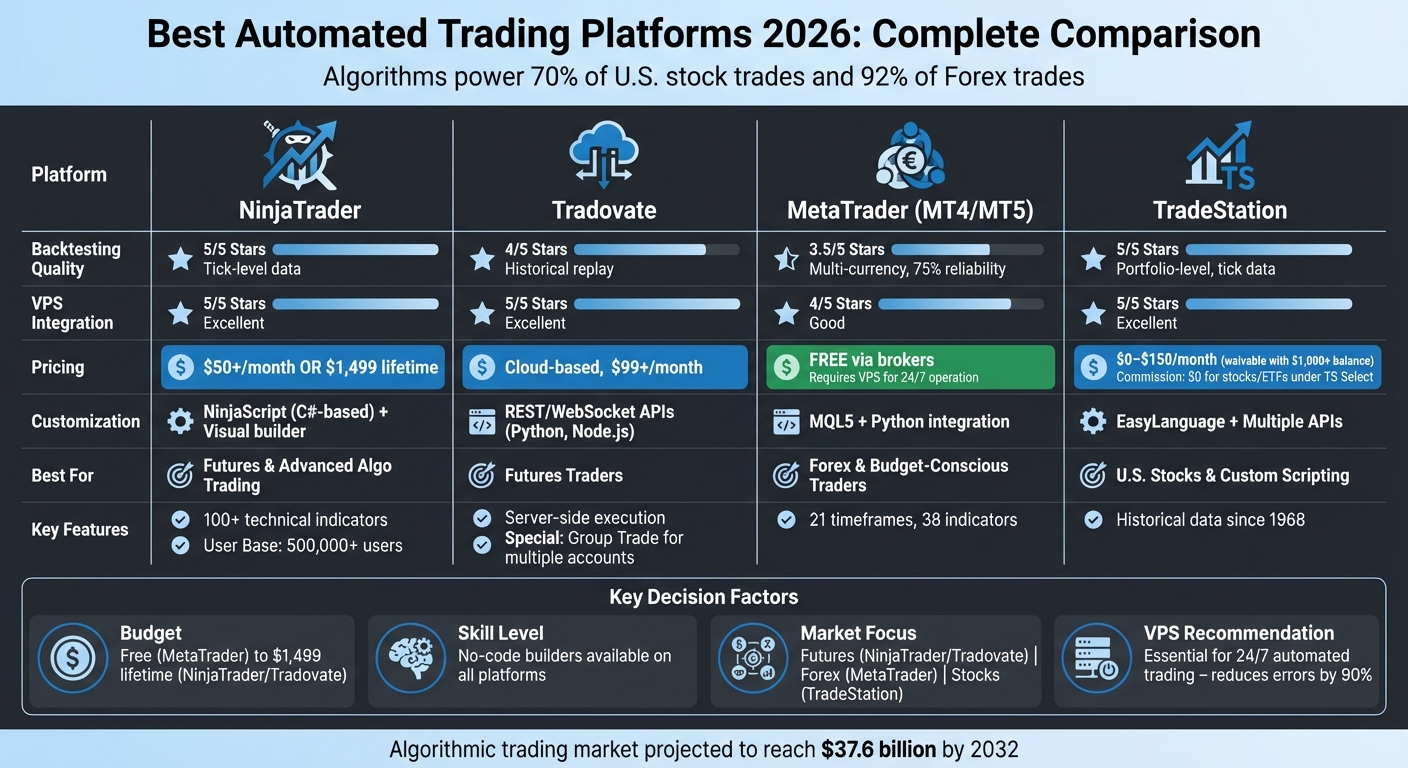
Each platform caters to different trader types - whether you're into futures, forex, or stocks. Below is a quick comparison to simplify your decision:
| Platform | Backtesting | VPS Integration | Pricing | Best For |
|---|---|---|---|---|
| NinjaTrader | Tick-level data | Excellent | $50+/month or $1,499 lifetime | Futures, advanced algo trading |
| Tradovate | Historical replay | Excellent | Cloud-based, $99+/month | Futures traders |
| MetaTrader | Multi-currency | Good | Free via brokers | Forex, cost-conscious traders |
| TradeStation | Portfolio-level | Excellent | $0–$150/month (waivable) | Stocks, custom scripting |
Choose based on your budget, skills, and trading focus. For high-frequency or complex strategies, consider pairing your platform with a VPS for steady performance.
Automated Trading Platforms Comparison 2026: Features, Pricing & Best Use Cases
Automated Trading Platforms Comparison 2026: Features, Pricing & Best Use Cases
1. NinjaTrader
NinjaTrader has made a name for itself among futures and forex traders, boasting over 500,000 users. Designed for Windows, the platform uses NinjaScript - a C#-based framework that allows developers to craft advanced automated strategies. For those without coding expertise, it also offers a visual strategy builder.
This combination of flexibility and advanced tools makes NinjaTrader a go-to choice for traders looking to customize their strategies.
Algorithm Customization
For developers, the NinjaScript framework is a standout feature. It provides access to over 100 pre-built technical indicators and supports thousands of third-party add-ons, thanks to its active community of more than 600 developers. Additionally, its ATM (Advanced Trade Management) strategies can automatically handle profit targets, stop-losses, and trailing stops - even if internet connectivity is interrupted.
"NinjaTrader continues to deliver comprehensive charting software for active day traders with bespoke technical indicators and widgets." – Tobias Robinson, CEO of DayTrading.com
"NinjaTrader continues to deliver comprehensive charting software for active day traders with bespoke technical indicators and widgets." – Tobias Robinson, CEO of DayTrading.com
Backtesting Capabilities
NinjaTrader's Market Replay tool is a powerful resource for traders wanting to backtest on NinjaTrader and refine their strategies. It allows users to download historical tick-by-tick data going back to 2008 and replay market sessions as if they were live. The platform’s Strategy Analyzer engine enables in-depth portfolio testing across various assets and timeframes, using sub-second market data timestamps and historical bid-ask data. This level of detail is particularly important for fine-tuning high-frequency trading strategies. For consistent performance, NinjaTrader integrates with VPS solutions to ensure reliable execution environments.
VPS Integration
Low latency is critical for automated trading, and NinjaTrader addresses this by recommending VPS (Virtual Private Server) usage. Running the platform on a VPS, especially one located in Chicago near CME Group exchange servers, ensures minimal latency and uninterrupted 24/7 operation. This setup is key for maintaining stable connectivity, which is essential for automated strategies.
Pricing
NinjaTrader offers flexible pricing options to cater to traders at different levels. The Core Essentials version is free, while advanced features are available for $720 annually, $225 quarterly, or through a $1,099 lifetime license (with an option for four monthly payments of $329). However, a $25 monthly inactivity fee applies if you’re not actively trading. Minimum deposits are $400 for futures accounts and $50 for forex accounts. Futures contract commissions start at $0.53 per contract, with micro contracts priced at $0.09.
The platform has earned recognition for its offerings, including a 4/5 star rating in 2026 and the 2023 Benzinga Global Fintech Award.
2. Tradovate
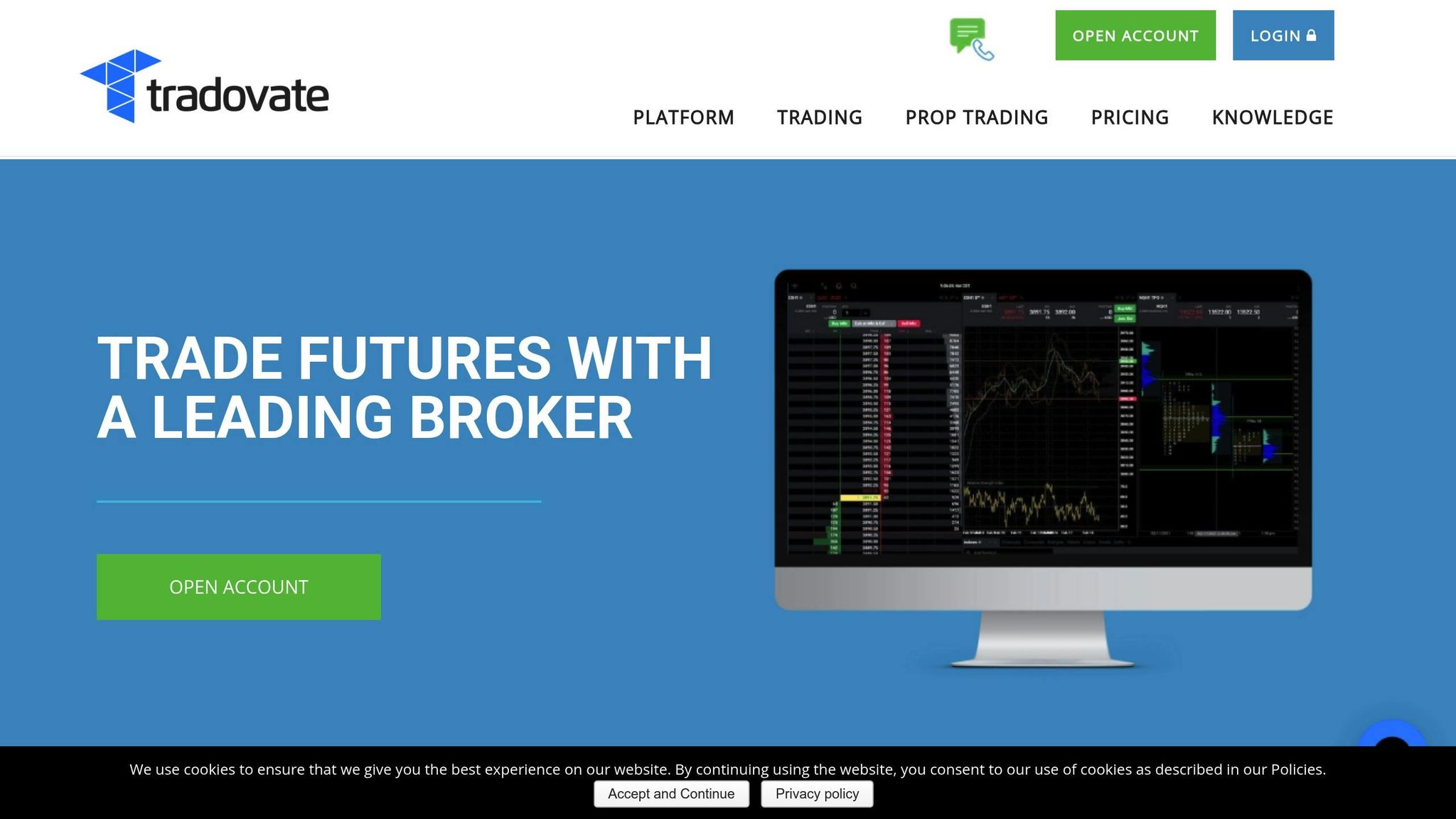
Tradovate is a cloud-based futures trading platform that has carved out a niche for itself in 2026, especially among futures prop firms like Apex and Topstep. Its standout features include batch order setups and cloud accessibility, making it a go-to choice for traders. One key benefit is its server-side order execution, which ensures that your automated strategies and brackets keep running even if your local device disconnects.
Algorithm Customization
NEVER MISS A TRADE
Your algos run 24/7
even while you sleep.
99.999% uptime • Chicago, New York & London data centers • From $59.99/mo
Tradovate caters to a wide range of users, from seasoned developers to those with no coding experience. For developers, the platform offers REST and WebSocket APIs, compatible with Python and Node.js. In 2025, these APIs saw a 20% improvement in latency, boosting performance. Non-coders aren't left behind, thanks to integrations with TradingView via webhooks and third-party tools like PickMyTrade, which costs $50/month for unlimited strategies.
The platform supports advanced order types, including server-side One-Cancels-Other (OCO) brackets with up to 10 target and stop levels, trailing stops, and OSO orders. Its "Group Trade" feature is a game-changer for prop firm traders, allowing a single automated signal to execute across multiple accounts simultaneously. Keep in mind, full API access requires maintaining a live account with at least $1,000 in equity.
Backtesting Capabilities
Tradovate's Market Replay tool lets you test strategies using historical data, perfect for analyzing events like Federal Reserve announcements. You can stream this data at speeds up to 4× normal, enabling quicker testing cycles. Thanks to its cloud-based design, backtesting can be synced across all your devices [13,14]. For those who want to try it out risk-free, Tradovate offers a 14-day demo with live streaming data, giving you the chance to explore both the Market Replay tool and its automation features.
Pricing
Tradovate provides three pricing tiers, all of which come without platform licensing fees:
- Free Plan: Charges $0.39 per micro contract and $1.29 per standard contract.
- Monthly Plan: Costs $99/month and lowers commissions to $0.29 for micros and $0.99 for standard contracts.
- Lifetime Plan: Requires a one-time payment of $1,499 (or four installments of $499) and offers the lowest commissions - $0.09 for micros and $0.59 for standard contracts.
Additional costs like exchange, clearing, and NFA fees apply across all plans. For equity futures, day trading margins start as low as $50, making it a low intraday margin futures broker.
3. MetaTrader
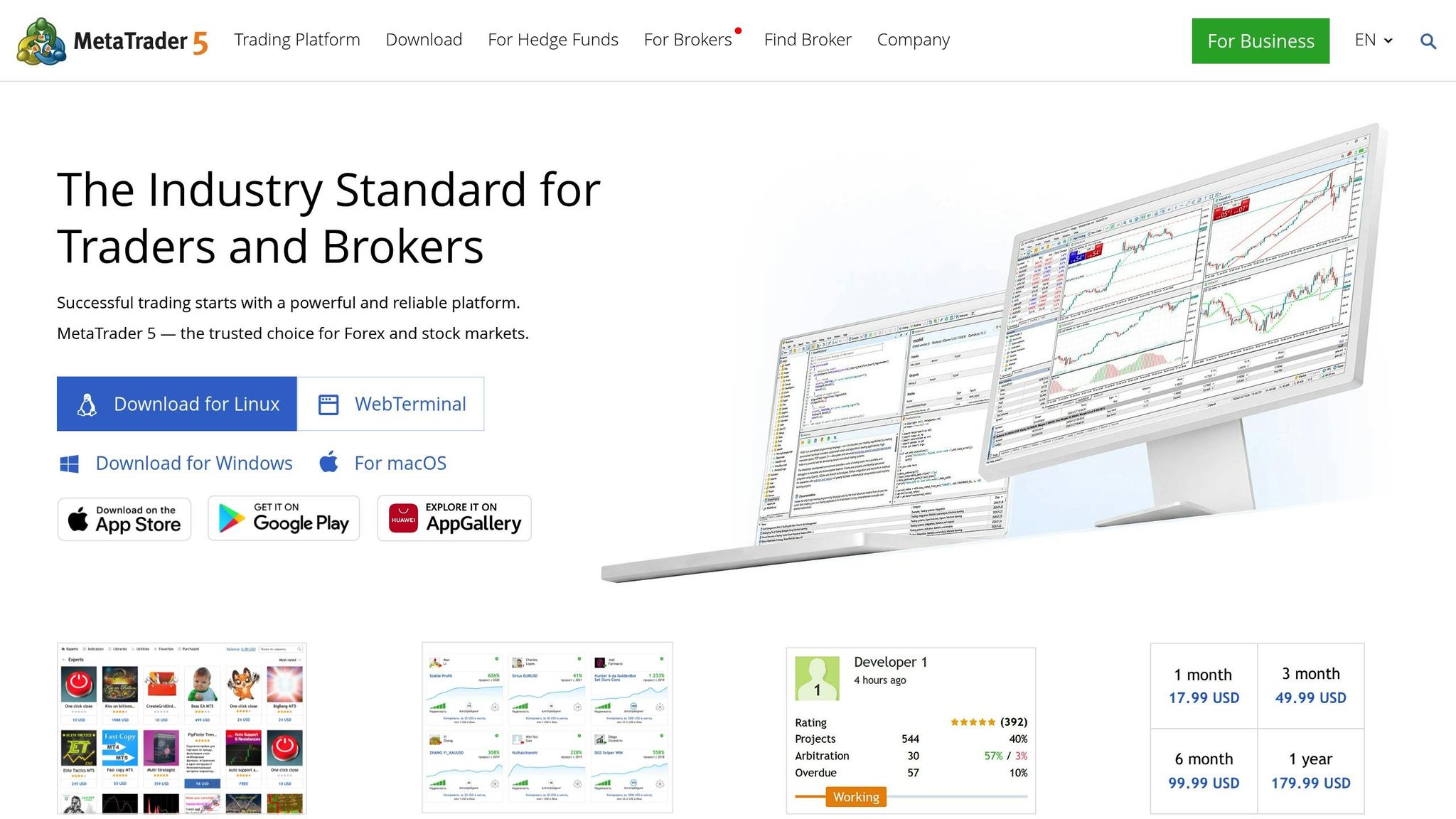
MetaTrader continues to dominate the automated trading space in 2026. MetaTrader 4 (MT4) remains the go-to platform for forex trading, while MetaTrader 5 (MT5) expands into stocks, futures, and cryptocurrencies. Offered free through brokers, its feature-rich ecosystem - including MQL5, MetaEditor, and the Strategy Tester - has cemented its place as a favorite among traders. Here's a closer look at what makes MetaTrader excel in algorithm customization, backtesting, VPS integration, and pricing.
Algorithm Customization
MetaTrader is designed to accommodate both experienced developers and those without coding expertise. For non-coders, the MQL5 Wizard allows for the creation of basic trading robots, while the Freelance marketplace connects users with professionals who can create custom strategies. Developers, on the other hand, benefit from the MQL5 Integrated Development Environment (IDE), which includes features like code highlighting, debugging tools, and a compiler for building Expert Advisors (EAs) and indicators. MT5 also boasts 21 timeframes and 38 built-in technical indicators, giving traders the flexibility to design precise strategies.
The platform also supports Python integration, enabling advanced tasks like machine learning and in-depth data analysis. Additionally, MetaTrader allows for the use of background applications, called Services, which can run independently of charts. These are ideal for tasks like custom price feeds or background operations.
Backtesting Capabilities
MetaTrader's backtesting tools are designed for accuracy and efficiency. The Strategy Tester offers various modes, including "Every tick", "1-minute OHLC", and "Open prices only", and supports multi-currency testing. It also uses forward testing and genetic algorithms to minimize the risk of over-optimization.
For more demanding optimization tasks, the MQL5 Cloud Network taps into a global network of remote computers, slashing optimization times from months to mere hours. To mimic real-world conditions, the platform includes a Random Delay mode, which simulates network latency and execution delays, giving traders a realistic sense of their strategy's performance.
VPS Integration
MetaTrader simplifies the process of running automated strategies 24/7 with its built-in Virtual Hosting service. Accessible via the Navigator menu, this feature allows for one-click migration of charts, EAs, indicators, and signals while selecting the best server to minimize latency. This ensures that your trading strategies continue to operate even if your local computer shuts down or loses internet connectivity.
If your broker participates in the Sponsored VPS program, you may qualify for free virtual hosting under specific conditions. However, keep in mind that MetaTrader's VPS does not support accounts requiring one-time password (OTP) authentication, as manual password entry disrupts autonomous operation. To optimize resources, it's recommended to remove unused symbols from the Market Watch window and close unnecessary charts before migrating your setup.
Pricing
Both MetaTrader 4 and 5 are available for free through brokers. However, additional costs can arise from features like the MQL5 Virtual Hosting and Cloud Network, with fees depending on the rental period and computing requirements. For those who prefer pre-built solutions, the MetaTrader Market offers a wide range of robots and indicators at various price points. Many of these come with free trials or rental options, giving traders the flexibility to test before committing.
4. TradeStation
After examining MetaTrader's extensive features, let’s shift gears to TradeStation - a platform known for its professional-grade tools and robust capabilities. TradeStation caters to stocks, options, futures, forex, and ETFs, all backed by a treasure trove of historical data (daily stock data dating back to 1968 and futures data since 1982). By 2026, it has become a go-to choice for institutional and active retail traders who value advanced strategy development paired with direct brokerage integration.
Algorithm Customization
TradeStation’s EasyLanguage programming environment simplifies strategy creation by allowing traders to write automation scripts in plain English commands. For those who need more advanced features, the platform offers APIs compatible with languages like C#, C++, Python, PHP, and Ruby, enabling real-time data streaming and order execution.
STOP LOSING TO LATENCY
Execute faster than
your competition.
Sub-millisecond execution • Direct exchange connectivity • From $59.99/mo
Features like RadarScreen®, which scans up to 1,000 symbols in real-time with over 180 customizable indicators, and OptionStation® Pro, which optimizes multi-leg options strategies, provide powerful tools for automated trading. Traders can also automate execution directly from chart analysis, toggling automation on and off as needed, while keeping a close eye on orders through the TradeManager window.
Backtesting Capabilities
TradeStation’s backtesting engine is a standout feature, offering 1-minute stock data from 1991 and tick-level data for stocks, futures, and forex from the past six months. The platform accounts for real-world trading costs, including commissions, slippage, and margin requirements, ensuring profit and loss calculations are as realistic as possible. Entry and exit signals are visually represented on Chart Analysis windows, allowing traders to review them before enabling automation. For those managing multiple assets, Portfolio Maestro enables portfolio-level backtesting, analyzing performance across various assets and timeframes.
Pricing
TradeStation offers a competitive pricing model. Under the TS Select plan, U.S. exchange-traded stocks and ETFs priced at $1 or more come with $0 commissions. Options trades cost about $0.60 per contract, and futures commissions start at roughly $0.85 per contract. The platform fee, around $150 per month, is waived for users maintaining a brokerage account balance of at least $1,000 or meeting specific trading activity thresholds. Real-time data subscriptions for futures and options range between $41 and $126 per month. However, traders should note a $10 monthly inactivity fee if minimum activity requirements aren’t met, along with a $125 fee for outgoing account transfers.
Platform Advantages and Disadvantages
When it comes to trading platforms, each one brings its own set of strengths and limitations, depending on your trading style and technical expertise. Platforms like NinjaTrader, Tradovate, and TradeStation are highly compatible with VPS setups, a must for ultra-low latency trading - especially important since automated systems now account for over 70% of U.S. trading volume. Below is a breakdown of what each platform offers to help you find the right fit.
MetaTrader (MT4/MT5) is a standout choice for forex traders looking for a free option. However, its older interface and need for either client-side power or a VPS might pose challenges for newcomers. Maxime Parra, Founder & Retail Trader at NewTrading, highlights this key consideration:
"MetaTrader runs your trading algorithms directly on your computer. That means your terminal has to stay on 24/7 unless you use a VPS to keep things running in the cloud".
"MetaTrader runs your trading algorithms directly on your computer. That means your terminal has to stay on 24/7 unless you use a VPS to keep things running in the cloud".
TradeStation, on the other hand, is a go-to platform for active U.S. stock traders. Its TS Select plan offers $0 commissions on stocks and ETFs, making it a cost-effective choice. That said, its complex desktop interface and potential fees may not appeal to casual traders. For those heavily involved in algorithmic trading, TradeStation's EasyLanguage coding, robust historical data, and advanced backtesting tools make it worth the price.
Here’s a quick comparison of the platforms:
| Platform | Backtesting Capability | VPS Integration | Pricing Model | Best For |
|---|---|---|---|---|
| NinjaTrader | High (Tick-level) | Excellent | $50+/month or $1,499 lifetime | Futures, Multi-market Algo Trading |
| Tradovate | Good | Excellent | Cloud-based | Futures Trading |
| MetaTrader 4/5 | 75% Reliability | Good (VPS Essential) | Free software | Forex, Budget-Conscious Traders |
| TradeStation | High | Excellent | $0–$150/month (waivable) | U.S. Stocks, Custom Coding |
Ultimately, the best platform for you depends on your budget and technical skills. MetaTrader is ideal for those comfortable managing VPS setups for MetaTrader, while TradeStation and NinjaTrader cater to traders seeking advanced tools and premium features.
Conclusion
Choosing the right automated trading platform depends on your skill level and the tools you need. For beginners, platforms with no-code strategy builders and user-friendly visual interfaces make it easier to dive into automated trading. Meanwhile, experienced traders working with complex algorithms often find NinjaTrader or TradeStation ideal, thanks to their tick-level backtesting and custom scripting features.
The algorithmic trading market is forecasted to reach $37.6 billion by 2032. With automation capable of reducing manual trading errors by up to 90%, ensuring reliability and uptime is not just important - it’s non-negotiable.
To maximize platform performance, pairing it with reliable VPS hosting is key. For traders using 1–2 charts on MetaTrader or Tradovate, QuantVPS Lite ($41.99/month billed annually) provides the stability required for round-the-clock operations. Those managing 3–5 charts on NinjaTrader or TradeStation may want to opt for VPS Pro ($69.99/month billed annually) with multi-monitor support. For institutional traders or users handling 7+ charts, VPS Ultra ($132.99/month billed annually) or a Dedicated Server ($209.99/month billed annually) offers the processing power needed for seamless performance. These recommendations stem from an in-depth review of platform requirements and highlight the importance of robust VPS hosting for uninterrupted trading.
Before risking capital, follow a three-step validation process: use tick-replay backtesting, test strategies with parallel paper trading, and then move to live pilot trading. This method helps uncover potential platform limitations before they affect real funds. By combining the right platform with dependable VPS hosting, you can ensure consistent and reliable trading outcomes.
FAQs
Do I need a VPS to run automated trading 24/7?
Using a VPS (Virtual Private Server) is highly recommended for running automated trading systems around the clock. It provides a stable and reliable environment, ensuring fast execution speeds and reduced latency - key factors for algorithmic and futures trading. A VPS also helps maintain consistent performance by minimizing the risk of interruptions caused by local hardware failures or unreliable internet connections.
Which platform is best for my market (futures, forex, or stocks)?
When it comes to trading platforms, NinjaTrader stands out for futures and forex trading. If you're focused on stocks, ETFs, or futures, TradeStation is a solid choice. For broader market access, including forex, stocks, and even crypto, platforms like Interactive Brokers and MetaTrader 5 are excellent options. Ultimately, the best platform depends on your specific trading goals and the markets you want to target.
How can I avoid overfitting when backtesting a strategy?
Overfitting during backtesting happens when a strategy seems flawless in historical tests but falls apart in live market conditions. To sidestep this pitfall, here are some practical steps:
- Use Out-of-Sample Data: Divide your dataset into in-sample (for building the model) and out-of-sample (for testing it). This helps ensure your strategy works on unseen data, not just the data it was trained on.
- Apply Robust Validation Techniques: Techniques like cross-validation can provide a more accurate picture of how your strategy might perform in different scenarios. They help reduce the risk of tailoring your model too closely to specific data points.
- Limit Parameter Tuning: Overloading your strategy with too many parameters or tweaking them excessively can lead to over-optimization. Keep things simple and focus on parameters that make logical sense.
Also, be wary of biases such as look-ahead bias, where future data is inadvertently used in your model, or over-optimization, which creates unrealistic expectations. By maintaining realistic assumptions and a disciplined approach, you can build strategies that are more likely to succeed in real-world markets.