
Opening checkout
Rated 4.9 out of 5 Trusted by 20,000+ traders

Forex Dedicated Servers on AMD Ryzen 9 Bare Metal

Forex dedicated server

QuantVPS London → LD4 FX brokers

0–10 ms

to LD4 FX brokers

Your trading computer in the cloud.

Dedicated CPU
12+ cores
Uptime SLA
99.999%
Expert support
24/7
Forex dedicated server runs as a trading computer in the cloud on the QuantVPS Edge with 0-10 millisecond routing to LD4 FX brokers.

Every MetaTrader terminal, copier and EA on one machine, 0–10ms from LD4 brokers' trade servers in London, or under 1ms from NY4 in New York.

  • From $299.99/mo
  • Single tenant
  • Sized for 20+ accounts

Works with the trading platforms you already use.

Forex dedicated server pricing: Dedicated and Dedicated+.

Our dedicated servers, powered by high-frequency AMD Ryzen CPUs, give you exclusive access to 100% of the server's resources. This bare metal approach eliminates virtualization overhead and resource contention, ensuring consistent latency and stable resources for your EAs. Explore our transparent plans below to find the perfect configuration for your strategy.
  • Dedicated

    $299.99 per month

    Server Specifications

    • Latency
    • PlatformMetaTrader 4/5
    • Location
      London based VPS optimized for ultra fast low latency tradingLondon, UK
    • Processor
    • Compute power
    • RAM
    • Storage
    • Operating System
      Loading operating system
    • Network
    • Monitor Support
    • Setup Time
    • Backtesting
    • Backups
    • AI Compatible
  • 20 inclusions, every plan

    Included at no extra cost. Hover or tap a feature for details.

    Trading & access

    6 included
    • Run trading platforms compatible with your chosen Windows or Linux system. Platform licenses and market-data subscriptions are separate, and available CPU and RAM determine how much you can run at once.
    • No plan-imposed limit on exchange connections through your trading software. Exchange permissions, data subscriptions, platform limits, and available server resources still apply.
    • No plan-imposed cap on API connections for your trading tools. Broker and API rate limits, account permissions, and available server resources still apply.
    • Run AI agents, compatible runtimes, and your own MCP servers on your VPS. These workloads use your plan’s included CPU, memory, and storage; connect your own APIs and tools.
    • Administrator access on Windows or root access on Linux lets you install compatible platforms, indicators, and tools, and manage your server settings.
    • Run compatible trade copiers such as Replikanto. Software licenses are separate, and the number of accounts you can copy depends on your software and server resources.

    Network & protection

    5 included
    • London is this page's default location; you can choose another on the plan card. Actual latency depends on your broker, data feed, and network route; the latency row shows the estimate for the selected location.
    • Your server has its own IP address for remote access and connecting trading tools. You can use it with services that support IP allowlisting.
    • Always-on DDoS (distributed denial-of-service) protection with advanced traffic filtering, plus firewalls and intrusion detection.
    • Server protection complements network DDoS filtering. You should still keep your operating system and trading software updated and protect your account credentials; no protection eliminates every security risk.
    • Traffic is not billed per gigabyte. Connection speed depends on your plan and location; unmetered bandwidth does not mean unlimited network speed.
    How we protect your server

    Support & reliability

    6 included
    • Get help around the clock from a US-based team familiar with trading platforms, data feeds, and VPS troubleshooting.
    • Our support team can help you move your trading environment from another server. Contact us to coordinate the move and check any platform-specific requirements.
    • Get assistance connecting to your server and setting up your trading environment. Provisioning time is shown separately for each plan.
    • Our Network Operations Center monitors every server, network path, and datacenter 24x7x365 with a 15-minute first-reply target for critical issues. Average first response under 10 minutes.
    • BetaQuantVPS Detect+ is in beta and free on every plan during the beta. It monitors NinjaTrader 8 and other trading platforms, and data feed and broker connections (for example Rithmic, CQG, Tradovate and IBKR), and alerts by email, in the dashboard, and in Telegram, Slack and similar apps.
    • Our 99.999% uptime SLA covers service availability. Service credits are subject to the SLA terms; this does not guarantee broker, exchange, or trading-platform availability.

    Flexible plans

    3 included
    • There is no one-time server setup charge. Your selected plan, billing period, and any optional add-ons determine the price shown at checkout.
    • Upgrade from your dashboard as your trading workload grows. To move to a smaller plan, contact support. Available configurations and billing adjustments depend on the change.
    • Cancel your subscription at any time with no hidden fees.

3 years minimum rate lock30–120 min typical setup time

No hidden fees, no exit fees, and your rate locked for at least three years, on a server provisioned for you.

  • Upgrade Without Going Dark

    Moving up adds the new server beside your current one. You pay the prorated difference, and your current server stays online while you, or our team, move your setup.

  • Provisioned for You

    The hardware is set up for your order, so dedicated servers are not covered by the 14-day money-back guarantee on standard VPS plans.

  • Sized With an Engineer

    Share your platforms, datasets, and venue before checkout, and our team will map them to the right CPU, memory, storage, and location.

Tell us how you trade. Get the plan that fits.

We size the CPU, memory, and datacenter around the way you actually trade. No guesswork, and no upsell to a tier you will not use.

  1. Choose guidance
  2. Pick your platform
  3. Size your workspace
  4. Review your setup

Your forex dedicated server in three steps.

Choose resources for your forex platforms and EAs, select the location and operating system your software needs, and connect to your dedicated server.
  1. Secure remote accessWindows, Mac, iPhone, iPad or Android

    Your trading computer. In the cloud.

    Connect through Remote Desktop, sign in to your platform, and configure your workspace. Disconnecting Remote Desktop leaves applications running; signing out of Windows or shutting down the server stops them.

    • Global Access
    • Remote Desktop
    • Always-on workspace

    Workflow stage

    The complete workflow behind this stage

    Choose Windows for your desktop trading applications.
  2. Continuous operationWindows Server 2025

    Run your workload on a dedicated server. Built for continuous operation.

    Size your dedicated server for your forex platforms and EAs. Match CPU, memory, and storage to the applications, data, and processes you run.

    • High Performance
    • Datacenter Hardware
    • Workload-sized Resources

    Workflow stage

    The complete workflow behind this stage

    Choose resources around the software you run simultaneously, including charts, automation, and historical data. Your workload runs on the server independently of your local device.
  3. Location-based routingIn London near LD4 broker servers, or in New York near NY4

    Place your workspace near your market. A location that fits your trading.

    Place your dedicated server in London near LD4 broker servers, or in New York near NY4. Choose Windows for your desktop trading applications.

    • Global Locations
    • Broker-aware Placement
    • Your Market Connection

    Workflow stage

    The complete workflow behind this stage

    Choose the location around your broker or exchange infrastructure. Network latency depends on the selected route; order execution and fills still depend on your broker, venue, and market conditions.

Bare metal for forex: no hypervisor, no neighbors, every core runs your EAs alone.

No hypervisor, no noisy neighbors: 100% of the CPU, memory, and NVMe runs your EAs alone. Execution stays consistent through NFP and the London open.
Illustration of one Dedicated server: up to 6 displays, live charts, a Strategy Tester run and a copier. No live data.

One server, every terminal: MT4, MT5 and cTrader instances, copiers and bots on one machine.

Memory and NVMe for the whole desk

Dedicated
128GB DDR4
Dedicated+
128GB DDR5
Storage
NVMe on both

Terminals

6displays supported

Run dozens of MT4, MT5 and cTrader instances on one Windows install, with a separate terminal for each broker account.

Optimization

12+cores, all yours

MT5 Strategy Tester and tick-data backtests can use every core while live terminals keep running. Leave resources for the live workload.

Copiers

20+follower accounts

A master and 20+ follower accounts across evaluation and funded accounts.

Trade copier hosting
Deploy nowDedicated servers from $299.99/mo

Your EAs on bare metal. The shortest route to your broker.

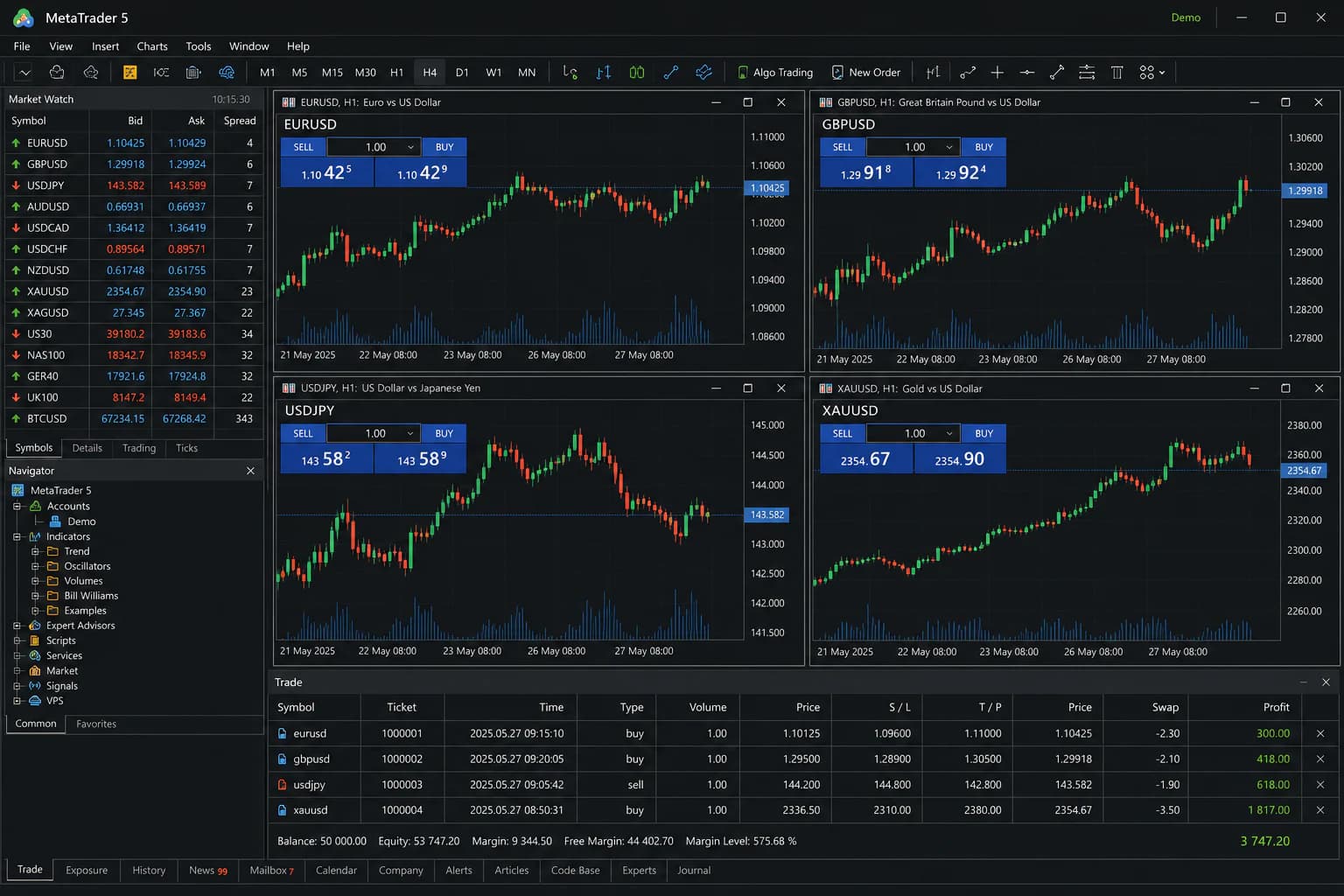
An illustrative MetaTrader workspace beside a simulated London route. Choose New York (NY4) or London (LD4) for your broker and connect through Remote Desktop. This is a preview, not live account or latency data.
Forex workspaceSession live
Illustrative MetaTrader 5 workspace with four currency charts, Market Watch, Navigator, and simulated trades
Illustrative platform preview · fictional account dataMetaTrader 4/5

Session handoff

Route context, at a glance.

Platform
MetaTrader 4/5
Deployment
London, UK
Published route
0-10 ms to Forex brokers

VPS or dedicated server for forex? Which one your EAs need.

A VPS covers most forex traders

5–10accounts on Ultra+

One to a handful of terminals, a few EAs or a copier with up to 5–10 accounts on Ultra+. Plans start at $29.99/mo.

Compare forex VPS plans

Dedicated for the whole machine

20+accounts, one machine

Copier farms with 20+ accounts, dozens of terminals, tick-data optimization on every core, physical isolation and custom builds.

Trading futures or stocks too? The same plans run as a dedicated trading server for any market.

Brokers and prop firms on the route: IC Markets, Pepperstone, OANDA, Vantage, FTMO, FundedNext and FundingPips.

Talk to an engineerNeed a custom build? More memory, more NVMe or a specific location.

Placed where brokers keep their trade servers: 0–10ms to LD4 from London, <1ms to NY4 from New York.

London (LD4 / LD5 Slough) is for IC Markets, Pepperstone, FP Markets and many ECNs. New York (NY4 / NY5 Secaucus) is for IC Markets, OANDA and Vantage. Amsterdam (AM campus and AMS-IX) and Frankfurt (FR campus) are for brokers’ EU trade servers.
View QuantVPS datacenters

8 locations. One connected network.

Short paths to the venue. Built for continuity.

Direct peering and Tier-1 carriers keep order routes fast. Multiple carriers and automatic failover support availability.

Dedicated stock from Chicago to Tokyo.

Choose the location closest to your broker’s trade server, then the dedicated configuration your terminals need. Stock and availability are shown at checkout.

Choose your forex dedicated server

Every plan runs on the same 99.999% infrastructure.

99.999% monthly dedicated server availability, backed by our SLA. Availability and service-credit eligibility are assessed monthly under the SLA’s measurement rules, coverage and exclusions.

  • Core infrastructure. Redundant systems ensure continuous operation.

  • Network availability. Multiple carriers and automatic failover.

  • SLA-backed promise. Contractual uptime guarantee with credits.

99.999% Uptime SLAMonthly dedicated server availability. Illustrates the commitment, not measured service history.

Server & network availability · 99.999% SLA

Every market sessionAround the clock

View live status

Tier IV datacenters, operated and protected around the clock

Tier IV.

Concurrently maintainable facilities. Built to keep your trading environment running.

Explore infrastructure
Choose your forex dedicated server

Rapid replies from real traders. Support is online 24/7.

From your first remote connection to a platform issue mid-session, talk to people who understand your trading software and your VPS.
Engineer holding a laptop inside a datacenter

Always online. Always human.

Rapid Responses
Under 10 minutes
Ticket support
24/7

QuantVPS provides 24/7 expert ticket support. Average first response under 10 minutes.

24/7 support is included for traders worldwide. Message us in any language, including English and Simplified Chinese.

Support in your language
Meet the team

Headquartered in the US

A ticket with context. A clearer next step.

Example support ticket

Example support ticketLive support

Remote Desktop & platform setup

NinjaTraderConnection and indicators
You
Thanks! What about NinjaTrader and my indicators?
QuantVPS support specialist
Your QuantVPS teammate
Happy to help with those too. Tell me which indicators you use, and we’ll work through the setup together.

Measured from receipt of a complete support request to the first substantive reply from a support team member. Resolution time depends on the issue.

Contact QuantVPS

What traders say about QuantVPS.

Your strategies keep running, even when you step away. Low-latency execution, live market volume, and SLA-backed reliability. Here is what traders say about it in their own words.

01VPS Ultra+ user · Customer story

Reviews change on their own. Pause, Previous or Next keeps one on screen; Play starts them again.

2+ years

with QuantVPS

“I started off with a different VPS company. After no support and tons of issues, I switched to QuantVPS. Tremendous experience after being with them for more than 2 years now.”

VPS Ultra+ user · 2+ year customerCustomer story

Disclaimer: Testimonials are quoted verbatim from individual QuantVPS customers and public review sites. Some are excerpts from longer reviews. Individual results vary. Latency, error rates, and cost outcomes depend on your location, platform, broker, and configuration. Testimonials are not a guarantee of future performance and do not constitute trading advice.

Forex dedicated server FAQ.

Sound familiar?5 common ones

Ever missed a setup because you were away from your desk?

Market data keeps flowing and your strategies keep running.

If any of these sound familiar, a trading VPS is the fix.

A single-tenant bare-metal machine near your broker’s trade servers, running your MetaTrader or cTrader terminals with no hypervisor and no other customers.

A VPS covers one to a handful of terminals. Go dedicated for 20+ copier accounts, dozens of terminals or whole-machine backtests. Compare forex VPS plans.

Any MT4, MT5 or cTrader broker. Latency is best when the broker’s trade server is in NY4 or LD4, where many brokers host their servers.

Sized for 20+ accounts. The practical limit depends on the EAs and indicators each terminal runs, not just the terminal count.

New York and London are the forex picks. Dedicated servers are stocked in every datacenter except Dublin and Singapore, from Chicago to Tokyo.

Windows Server comes pre-installed, with MT4 or MT5 ready when selected at checkout. Linux is available for headless bots and custom stacks.

A dedicated server follows the same hosting rules as a VPS. Check your firm’s current copier and IP terms. FTMO, FundedNext and FundingPips setups are covered in the forex prop firms guide.
See all FAQAnswers on servers, latency, access, security and support.