
The best automated trading platform depends on what you trade: MetaTrader and cTrader for forex and CFDs, TradeStation and QuantConnect for stocks, options and futures, and TradingView for signals on almost any market. For futures, choose NinjaTrader, Tradovate or Sierra Chart. This article compares all 8 on the markets they cover, how automation works and price, so you can match a platform to your asset class. Key factors include:
- Customization: From coding tools like NinjaScript and EasyLanguage to no-code options like visual builders.
- Backtesting: Tick-level accuracy, historical data access, and advanced testing tools.
- VPS Integration: Reliable uptime and low latency for uninterrupted trading.
- Pricing: Subscription plans, commissions, and additional costs.
Each platform caters to different trader types - for futures, forex, or stocks. Below is a quick comparison to simplify your decision:
| Platform | Markets | How automation works | Backtesting | Pricing (Checked on 10 Oct 2026) | Best For |
|---|---|---|---|---|---|
| NinjaTrader | Futures, including CME single stock futures | NinjaScript (C#) strategies, Strategy Builder, ATM strategies | Strategy Analyzer, Market Replay | Free, $99 a month or $1,499 lifetime, plus commissions | Futures, advanced algo trading |
| Tradovate | Futures only | Cloud platform, part of NinjaTrader Group | Market Replay | Same plans as NinjaTrader | Futures traders (see our futures guide) |
| MetaTrader | Forex and CFDs; MT5 adds stocks and futures where the broker offers them | Expert Advisors in MQL4 or MQL5 | Every tick / multi-currency tester | Free via brokers | Forex, cost-conscious traders |
| TradeStation | Stocks, ETFs, options, futures, futures options | EasyLanguage automation from charts; API | Strategy backtesting; Portfolio Maestro | $0 platform fee for brokerage clients; futures $1.75 per contract per side at 0 to 500 contracts a month | Stocks and options, custom scripting |
| TradingView | Stocks, ETFs, futures, forex, crypto, indices, bonds | Pine Script alerts sent by webhook to a separate order tool | Pine Script strategy backtests | Basic free; Essential $12.95 to Ultimate $199.95 a month, billed annually | Traders who build signals in Pine Script |
| QuantConnect | US equities and options, futures and futures options, index options, forex, CFDs, crypto | Python or C# algorithms on live trading nodes | Cloud backtesting on LEAN | Free for research; live trading from $84 a month | Python or C# developers |
| Sierra Chart | Stocks, futures, indexes, forex, options | ACSIL (C++), Spreadsheet System, chart alert systems | Chart replay and trading system backtesting | $26 to $56 a month | Futures traders on a budget |
| cTrader | Forex and CFDs | cBots in C# or Python; free cloud instances | cBot backtesting | Through your broker or prop firm | Forex and CFD traders |
Choose based on your budget, skills, and trading focus. For high-frequency or complex strategies, consider pairing your platform with a VPS for steady performance.
1. NinjaTrader
NinjaTrader is built for futures traders, and NinjaTrader Group says it serves almost 3.9 million users. Designed for Windows, the platform uses NinjaScript, a C#-based framework that allows developers to craft advanced automated strategies. For those without coding expertise, it also offers a visual strategy builder.
Markets: Futures through NinjaTrader's own brokerage, including CME single stock futures.
This combination of flexibility and advanced tools makes NinjaTrader a go-to choice for traders looking to customize their strategies.
Algorithm Customization
For developers, the NinjaScript framework is a standout feature. It provides access to over 100 pre-built technical indicators and supports thousands of third-party add-ons, thanks to its active community of more than 600 developers. Additionally, its ATM (Advanced Trade Management) strategies can automatically handle profit targets, stop-losses, and trailing stops - even if internet connectivity is interrupted. If you want exits that adapt to volatility, read our guide to setting stops with the ATR before you code them.
"NinjaTrader continues to deliver comprehensive charting software for active day traders with bespoke technical indicators and widgets." – Tobias Robinson, CEO of DayTrading.com
Backtesting Capabilities
NinjaTrader's Market Replay tool is a powerful resource for traders wanting to backtest on NinjaTrader and refine their strategies. It allows users to download historical tick-by-tick data going back to 2008 and replay market sessions as if they were live. The platform’s Strategy Analyzer engine enables in-depth portfolio testing across various assets and timeframes, using sub-second market data timestamps and historical bid-ask data. This level of detail is particularly important for fine-tuning high-frequency trading strategies. For consistent performance, NinjaTrader integrates with VPS solutions to ensure reliable execution environments.
VPS Integration
Low latency is critical for automated trading, and NinjaTrader addresses this by recommending VPS (Virtual Private Server) usage. Running the platform on a Trading VPS, especially one located in Chicago near CME Group exchange servers, ensures minimal latency and uninterrupted 24/7 operation. This setup is key for maintaining stable connectivity, which is essential for automated strategies.
If you go that route, a NinjaTrader VPS from QuantVPS runs in Chicago, 0.52 ms from CME, and support answers 24/7.
Pricing
NinjaTrader offers three plans, and every plan includes free simulated trading. Free costs $0 a month with commissions of $1.29 per standard contract and $0.39 per micro, per side. Monthly costs $99 a month ($0.99 and $0.29), and Lifetime costs $1,499 once ($0.59 and $0.09); exchange, clearing and NFA fees apply to all three. Adding funds to a live account unlocks plan features such as real-time market data and Market Replay (checked on 10 Oct 2026).
BrokerChooser named NinjaTrader its Best Futures Broker for 2026; NinjaTrader notes that it has a paid marketing relationship with BrokerChooser.
2. Tradovate
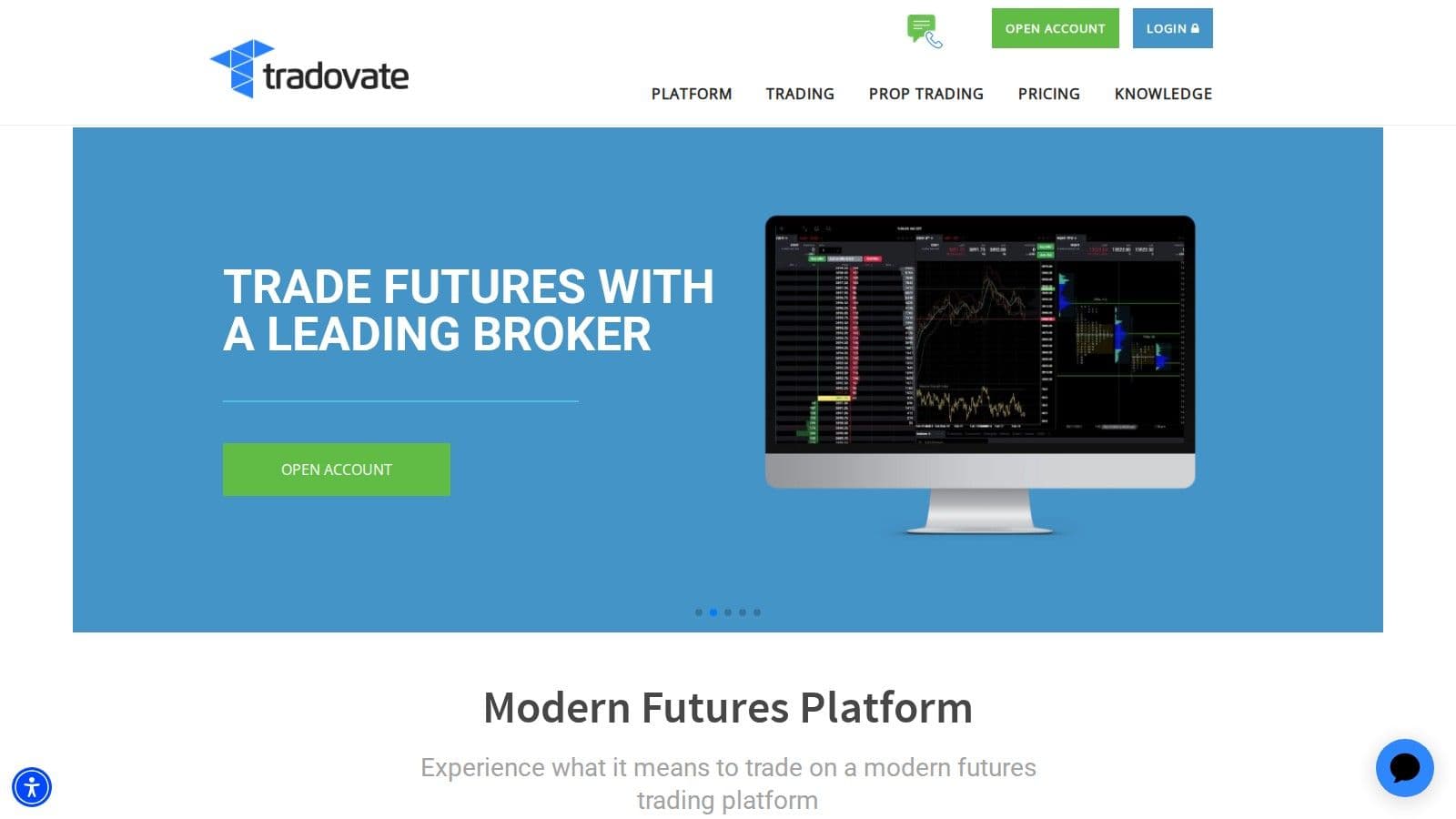
Tradovate is a cloud-based, futures-only platform that is now part of NinjaTrader Group and shares NinjaTrader's Free, $99 a month and $1,499 lifetime plans (checked on 10 Oct 2026). We cover its automation in our guide to automated futures trading software. For bots that run on it, see our guide to futures trading bots.
Uptime
99.999% uptime. Built for 24/7 trading reliability.
Your VPS runs in Tier IV datacenters with redundant power and network, monitored 24/7 on site.
See the uptime SLA







From $29.99/mo · Windows or Linux
Whichever platform you automate, a trading VPS keeps the strategy online and near its venue.
3. MetaTrader
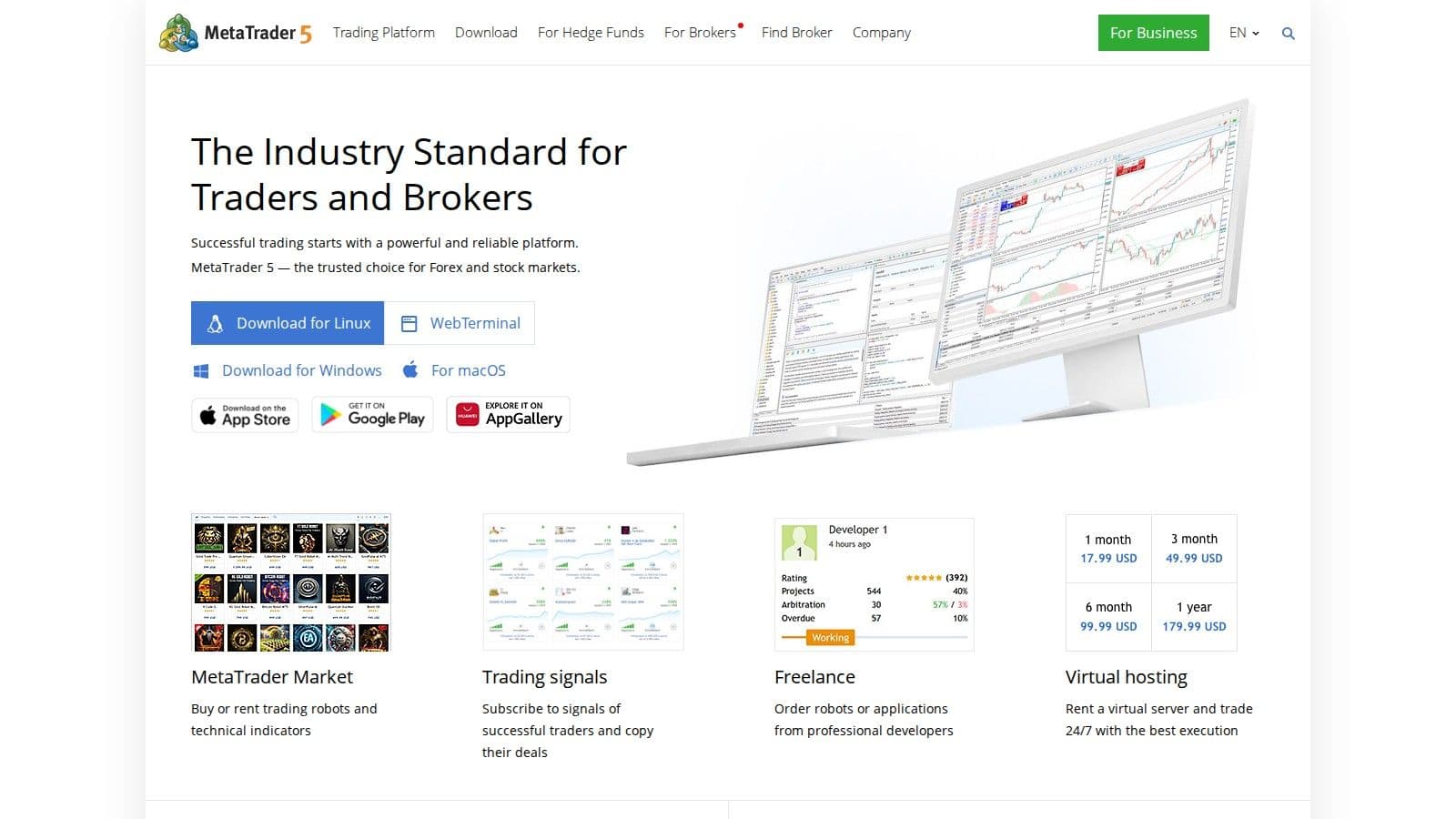
MetaTrader continues to dominate the automated trading space in 2026. MetaTrader 4 (MT4) remains the go-to platform for forex trading, while MetaTrader 5 (MT5) expands into stocks, futures, and cryptocurrencies. Offered free through brokers, its feature-rich ecosystem - including MQL5, MetaEditor, and the Strategy Tester - has cemented its place as a favorite among traders. Here's a closer look at what makes MetaTrader excel in algorithm customization, backtesting, VPS integration, and pricing.
Algorithm Customization
MetaTrader is designed to accommodate both experienced developers and those without coding expertise. For non-coders, the MQL5 Wizard allows for the creation of basic trading robots, while the Freelance marketplace connects users with professionals who can create custom strategies. Developers, on the other hand, benefit from the MQL5 Integrated Development Environment (IDE), which includes features like code highlighting, debugging tools, and a compiler for building Expert Advisors (EAs) and indicators. MT5 also boasts 21 timeframes and 38 built-in technical indicators, giving traders the flexibility to design precise strategies.
The platform also supports Python integration, enabling advanced tasks like machine learning and in-depth data analysis. Additionally, MetaTrader allows for the use of background applications, called Services, which can run independently of charts. These are ideal for tasks like custom price feeds or background operations.
Backtesting Capabilities
MetaTrader's backtesting tools are designed for accuracy and efficiency. The Strategy Tester offers various modes, including "Every tick", "1-minute OHLC", and "Open prices only", and supports multi-currency testing. It also uses forward testing and genetic algorithms to minimize the risk of over-optimization.
For more demanding optimization tasks, the MQL5 Cloud Network taps into a global network of remote computers, slashing optimization times from months to mere hours. To mimic real-world conditions, the platform includes a Random Delay mode, which simulates network latency and execution delays, giving traders a realistic sense of their strategy's performance.
VPS Integration
MetaTrader simplifies the process of running automated strategies 24/7 with its built-in Virtual Hosting service. Accessible via the Navigator menu, this feature allows for one-click migration of charts, EAs, indicators, and signals while selecting the best server to minimize latency. This ensures that your trading strategies continue to operate even if your local computer shuts down or loses internet connectivity.
If your broker participates in the Sponsored VPS program, you may qualify for free virtual hosting under specific conditions. However, keep in mind that MetaTrader's VPS does not support accounts requiring one-time password (OTP) authentication, as manual password entry disrupts autonomous operation. To optimize resources, it's recommended to remove unused symbols from the Market Watch window and close unnecessary charts before migrating your setup.
Pricing
Both MetaTrader 4 and 5 are available for free through brokers. However, additional costs can arise from features like the MQL5 Virtual Hosting and Cloud Network, with fees depending on the rental period and computing requirements. For those who prefer pre-built solutions, the MetaTrader Market offers a wide range of robots and indicators at various price points. Many of these come with free trials or rental options, giving traders the flexibility to test before committing.
4. TradeStation
After examining MetaTrader's extensive features, let’s shift gears to TradeStation - a platform known for its professional-grade tools and capabilities. TradeStation caters to stocks, ETFs, options, futures and futures options, all backed by a treasure trove of historical data (daily stock data dating back to 1968 and futures data since 1982). By 2026, it has become a go-to choice for institutional and active retail traders who value advanced strategy development paired with direct brokerage integration.
Algorithm Customization
TradeStation’s EasyLanguage programming environment simplifies strategy creation by allowing traders to write automation scripts in plain English commands. For those who need more advanced features, the platform offers APIs compatible with languages like C#, C++, Python, PHP, and Ruby, enabling real-time data streaming and order execution.
Features like RadarScreen®, which scans up to 1,000 symbols in real-time with over 180 customizable indicators, and OptionStation® Pro, which optimizes multi-leg options strategies, provide powerful tools for automated trading. Traders can also automate execution directly from chart analysis, toggling automation on and off as needed, while keeping a close eye on orders through the TradeManager window.
Chart-based automation only runs while TradeStation Desktop is open, so many traders keep it on a TradeStation VPS during the session.
Backtesting Capabilities
TradeStation’s backtesting engine is a standout feature, offering 1-minute stock data from 1991 and tick-level data for stocks, futures, and forex from the past six months. The platform accounts for real-world trading costs, including commissions, slippage, and margin requirements, ensuring profit and loss calculations are as realistic as possible. Entry and exit signals are visually represented on Chart Analysis windows, allowing traders to review them before enabling automation. For those managing multiple assets, Portfolio Maestro enables portfolio-level backtesting, analyzing performance across various assets and timeframes.
Pricing
TradeStation charges $0 commission on U.S. stocks and ETFs and no platform fee for brokerage customers; non-brokerage users pay $99.99 a month for the platform. At 0 to 500 contracts a month, options cost $0.80 per contract per side for single-leg orders and futures $1.75 per contract per side ($0.50 for micros), with lower rates at higher volume. A $10 monthly inactivity fee applies unless the account meets minimum activity, and outgoing account transfers cost $125 (checked on 10 Oct 2026).
5. TradingView
TradingView is a browser-based charting platform with its own scripting language, Pine Script. You can backtest Pine Script strategies, but they do not place live orders. TradingView's help center says strategy trading "is limited to the backtesting mode only."
How automation works: An alert can fire a webhook, which is an HTTP POST sent to a URL you choose. You point the webhook at a separate tool, such as PickMyTrade, that reads the alert and sends the order to your broker. Webhooks accept only ports 80 and 443 and time out after 3 seconds. Keep the bridge and any required desktop broker session running on a VPS for TradingView alerts, then test the complete webhook-to-order handoff.
Markets: Stocks, ETFs, futures, forex, crypto, indices and bonds.
Pricing: The Basic plan is free but has no webhook alerts. Paid plans run from Essential ($12.95/month) to Ultimate ($199.95/month) on annual billing, and webhooks are available from Essential up (checked on 10 Oct 2026).
Best for: Traders who build signals in Pine Script and can run a separate execution layer.
6. QuantConnect
QuantConnect is a cloud platform for coding, backtesting and live trading algorithms in Python or C#. It runs on LEAN, QuantConnect's open-source trading engine.
How automation works: You write the algorithm in QuantConnect's environment, backtest it on the platform's historical data, then deploy it to a live trading node connected to your broker. Supported brokers include Interactive Brokers, TradeStation, tastytrade, Charles Schwab and Alpaca, plus crypto exchanges such as Binance, Coinbase and Kraken.
Markets: US equities and equity options, futures and futures options, index options, forex, CFDs and crypto. What you can trade live depends on your broker.
Pricing: The free tier covers backtesting and research only. Live trading starts on the Quant Researcher tier at $84/month for the recommended setup, which allows up to two live trading nodes (checked on 10 Oct 2026).
Best for: Python or C# developers who want data, backtesting and deployment in one place.
7. Sierra Chart
Sierra Chart is a desktop trading and charting platform that supports manual, automated and simulated trading.
Order flow
Built for scalpers. Heatmaps on dedicated resources.
Order-flow heatmaps and DOM ladders run on dedicated CPU, memory and NVMe, so your charts keep responding during volatility.
See the dedicated hardwareFrom $29.99/mo · Windows or Linux
How automation works: Sierra Chart has three ways to automate:
- ACSIL, its C++-based programming interface
- the Spreadsheet System for Trading
- trading systems based on chart alert conditions
Automated orders only go out when both "Auto Trading Enabled - Global" and "Auto Trading Enabled - Chart" are switched on. This works in simulation or live through a connected trading service.
Markets: Stocks, futures, indexes, forex and options.
Pricing: Monthly service packages cost $26 to $56. To trade through external services such as Interactive Brokers, CQG or Rithmic, you need Packages 10 to 12 ($36 to $56/month). A 12-month purchase saves 35% (checked on 10 Oct 2026).
Best for: Futures traders who want a configurable platform at a low monthly cost and are comfortable with C++ or rule-based setups.
8. cTrader
cTrader is a trading platform you use through supported brokers and prop firms, on Windows, Mac, web and mobile. Its automation layer, cTrader Algo, runs trading robots called cBots.
How automation works: You write cBots in C# or Python in the built-in editor or an external IDE, or you get free or paid cBots from the cTrader Store. Locally run cBots stop when you close the Windows or Mac app, so that machine has to stay on. cTrader also offers free cloud instances: up to 10 on live accounts and 1 on demo accounts, and limits can vary by broker.
Markets: Mainly forex and CFDs. Your broker decides which symbols you get.
Pricing: Access comes through your broker or prop firm, so check their fees. Cloud execution is free.
Best for: Forex and CFD traders who want to automate in C# or Python.
Platform Advantages and Disadvantages
For trading platforms, each one brings its own set of strengths and limitations, depending on your trading style and technical expertise. Platforms like NinjaTrader, Tradovate, and TradeStation are highly compatible with VPS setups, a must for ultra-low latency trading - especially important since automated systems now account for over 70% of U.S. trading volume. Below is a breakdown of what each platform offers to help you find the right fit. The execution software comparison helps separate order-handling tools from the automated strategy that generates the signal.
This video compares charting, order flow and backtesting tools.
MetaTrader (MT4/MT5) is a standout choice for forex traders looking for a free option. However, its older interface and need for either client-side power or a VPS might pose challenges for newcomers. Maxime Parra, Founder & Retail Trader at NewTrading, highlights this key consideration:
"MetaTrader runs your trading algorithms directly on your computer. That means your terminal has to stay on 24/7 unless you use a VPS to keep things running in the cloud".
TradeStation, on the other hand, is a go-to platform for active U.S. stock traders. Its TS Select plan offers $0 commissions on stocks and ETFs, making it a cost-effective choice. That said, its complex desktop interface and potential fees may not appeal to casual traders. For those heavily involved in algorithmic trading, TradeStation's EasyLanguage coding, historical data, and advanced backtesting tools make it worth the price.
Here’s a quick comparison of the platforms:
| Platform | Backtesting Capability | VPS Integration | Pricing Model (Checked on 10 Oct 2026) | Best For |
|---|---|---|---|---|
| NinjaTrader | High (Tick-level) | Excellent | $0, $99 a month or $1,499 lifetime, plus commissions | Futures Algo Trading |
| Tradovate | Good | Excellent | Cloud-based; same plans as NinjaTrader | Futures Trading |
| MetaTrader | Every tick / multi-currency tester | Good (VPS Essential) | Free software | Forex, Budget-Conscious Traders |
| TradeStation | High | Excellent | $0 platform fee for brokerage clients; per-contract commissions | U.S. Stocks and Options, Custom Coding |
| TradingView | Pine Script strategy backtests | Alerts run in the cloud; the order bridge needs a server | Free Basic; paid from $12.95 a month (annual) | Signal Building on Any Market |
| QuantConnect | High (Cloud, LEAN) | Cloud live nodes, or self-hosted LEAN | Free research; live trading from $84 a month | Python and C# Developers, Multi-Asset |
| Sierra Chart | Chart replay and trading systems | Windows desktop; runs well on a VPS | $26 to $56 a month | Futures on a Budget |
| cTrader | cBot backtesting | Free cloud instances, or a VPS for local cBots | Through your broker | Forex and CFDs |
Ultimately, the best platform for you depends on your budget and technical skills. MetaTrader is ideal for those comfortable managing VPS setups for MetaTrader, while TradeStation and NinjaTrader cater to traders seeking advanced tools and premium features.
Brokers That Support Automated Trading
Most large brokers allow automated trading, either through an API, a built-in strategy engine or a supported third-party platform. The table shows how each one lets you automate and which markets it covers (checked on 10 Oct 2026).
| Broker | Markets | How you automate | Cost notes (Checked on 10 Oct 2026) |
|---|---|---|---|
| Interactive Brokers | Stocks, options, futures, currencies, bonds and funds across 170 markets | TWS API (C++, C#, Java, Python), Web API (REST and WebSocket), FIX; also QuantConnect and Sierra Chart | API access through your IBKR account |
| TradeStation | Stocks, ETFs, options, futures, futures options | EasyLanguage strategies on charts, API, MCP for Claude or ChatGPT | $0 platform fee for brokerage clients |
| NinjaTrader (with Tradovate) | Futures | NinjaScript strategies in NinjaTrader Desktop | Free, $99 a month or $1,499 lifetime plans |
| tastytrade | Equities, options, futures, futures options, crypto | REST/JSON API with an MCP server; also QuantConnect | API through your tastytrade account |
| Alpaca | U.S. stocks, ETFs, options, crypto | Trading API with Python, .NET/C#, Go and Node SDKs; paper trading | Commission-free stock and options trades through the Trading API |
| MetaTrader and cTrader brokers | Forex and CFDs (varies by broker) | Expert Advisors or cBots | Platform free through the broker |
Prop firms set their own rules on top of the broker's. Firms such as Apex and Topstep each decide which platforms and automation they allow; Topstep says of new accounts that "TopstepX™ is the only available trading platform." Check the firm's rules before you connect a bot.
For futures, margin matters as much as the API, so compare each low intraday margin futures broker before you fund an account.
Conclusion
Choosing the right automated trading platform depends on your skill level and the tools you need. For beginners, platforms with no-code strategy builders and user-friendly visual interfaces make it easier to examine automated trading. Meanwhile, experienced traders working with complex algorithms often find NinjaTrader or TradeStation ideal, thanks to their tick-level backtesting and custom scripting features.
The algorithmic trading market is forecasted to reach $37.6 billion by 2032. With automation capable of reducing manual trading errors by up to 90%, ensuring reliability and uptime is not just important - it’s non-negotiable.
Before risking capital, follow a three-step validation process: use tick-replay backtesting, test strategies with parallel paper trading, and then move to live pilot trading. This method helps uncover potential platform limitations before they affect real funds. By combining the right platform with dependable VPS hosting, you can ensure consistent and reliable trading outcomes.
After you choose an automated platform
Start on the platform's simulator or a demo account and leave the strategy running for a few days to see how it handles disconnects and restarts. Cloud platforms such as TradingView and QuantConnect host that for you; desktop ones such as NinjaTrader, MetaTrader and cTrader need a machine that stays on. For those, QuantVPS automated trading servers arrive with your chosen platform preinstalled on Windows Server 2025 by default, or Windows Server 2022.
FAQs
Do I need a VPS to run automated trading 24/7?
Using a VPS (Virtual Private Server) is highly recommended for running automated trading systems around the clock. It provides a stable environment with lower latency and steady uptime, which matter most for algorithmic and futures trading. A VPS also helps maintain consistent performance by minimizing the risk of interruptions caused by local hardware failures or unreliable internet connections.
Which platform is best for my market (futures, forex, or stocks)?
NinjaTrader, Tradovate and Sierra Chart suit futures traders. If you're focused on stocks, ETFs, options or futures, TradeStation and QuantConnect are solid choices. For forex and CFDs, MetaTrader and cTrader are the usual picks, and Interactive Brokers covers stocks, options, futures and forex in one account. Ultimately, the best platform depends on the markets you want to target.
How can I avoid overfitting when backtesting a strategy?
Overfitting during backtesting happens when a strategy seems flawless in historical tests but falls apart in live market conditions. To sidestep this pitfall, here are some practical steps:
- Use Out-of-Sample Data: Divide your dataset into in-sample (for building the model) and out-of-sample (for testing it). This helps ensure your strategy works on unseen data, not just the data it was trained on.
- Apply Robust Validation Techniques: Techniques like cross-validation can provide a more accurate picture of how your strategy might perform in different scenarios. They help reduce the risk of tailoring your model too closely to specific data points.
- Limit Parameter Tuning: Overloading your strategy with too many parameters or tweaking them excessively can lead to over-optimization. Keep things simple and focus on parameters that make logical sense.
Also, be wary of biases such as look-ahead bias, where future data is inadvertently used in your model, or over-optimization, which creates unrealistic expectations. By maintaining realistic assumptions and a disciplined approach, you can build strategies that are more likely to succeed in real-world markets.


