When it comes to options trading, the right platform can make a huge difference in your success. This guide compares five leading platforms - Thinkorswim, Interactive Brokers, tastytrade, Fidelity, and E*TRADE - focusing on fees, tools, usability, and best use cases. Each platform suits different trading styles, from beginners to advanced traders handling complex strategies.
Key Takeaways:
- Thinkorswim: Great for beginners with strong educational tools and advanced features. Fees: $0.65 per contract.
- Interactive Brokers: Best for professionals with low margin rates (starting at 4.14%) and global market access.
- tastytrade: Designed for active options traders with $1.00 to open and $0.00 to close trades, plus a $10 cap per leg.
- Fidelity: Ideal for income-focused traders and long-term investors. Fees: $0.65 per contract, no hidden costs.
- E*TRADE: Best for casual traders with user-friendly tools and discounted fees for active users ($0.50 per contract for 30+ trades).
Quick Comparison:
| Platform | Best For | Fees (Options) | Margin Rates | Key Features |
|---|---|---|---|---|
| Thinkorswim | Beginners, education | $0.65/contract | 10.825%-12.575% | Robust tools, paperMoney® |
| Interactive Brokers | Advanced traders, global | $0.15-$0.65 | From 4.14% | Global access, advanced tools |
| tastytrade | High-volume options | $1.00 open, $0 close | From 11% | Probability tools, $10 cap |
| Fidelity | Income strategies, retirement | $0.65/contract | From 10.575% | OptionsPlay, strong research |
| E*TRADE | Casual traders, ease of use | $0.50-$0.65 | From 12.45% | StrategySEEK, paper trading |
Each platform has strengths and weaknesses, so your choice depends on your trading style and needs. Let’s dive deeper into what makes each one stand out.
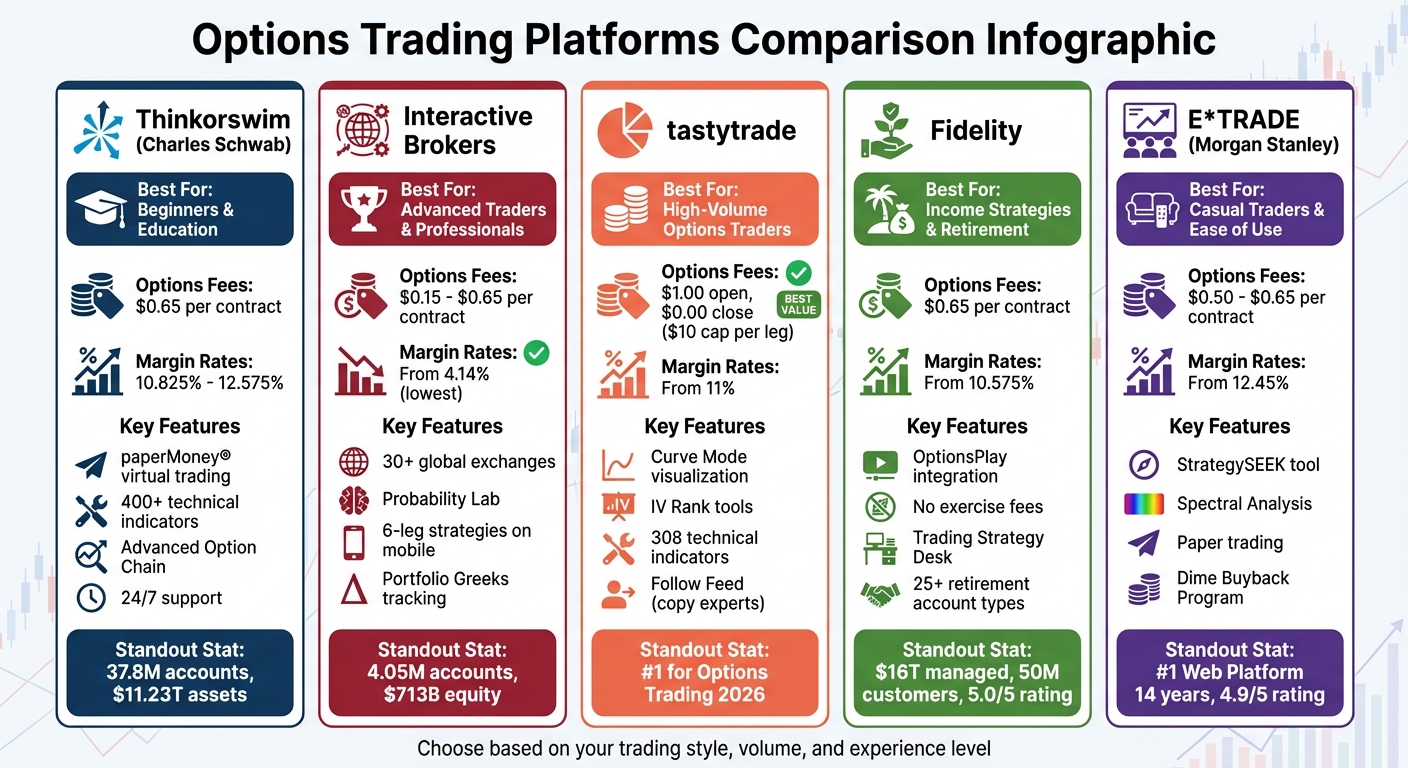
Top 5 Options Trading Platforms Comparison: Fees, Features, and Best Use Cases
1. Thinkorswim by Charles Schwab
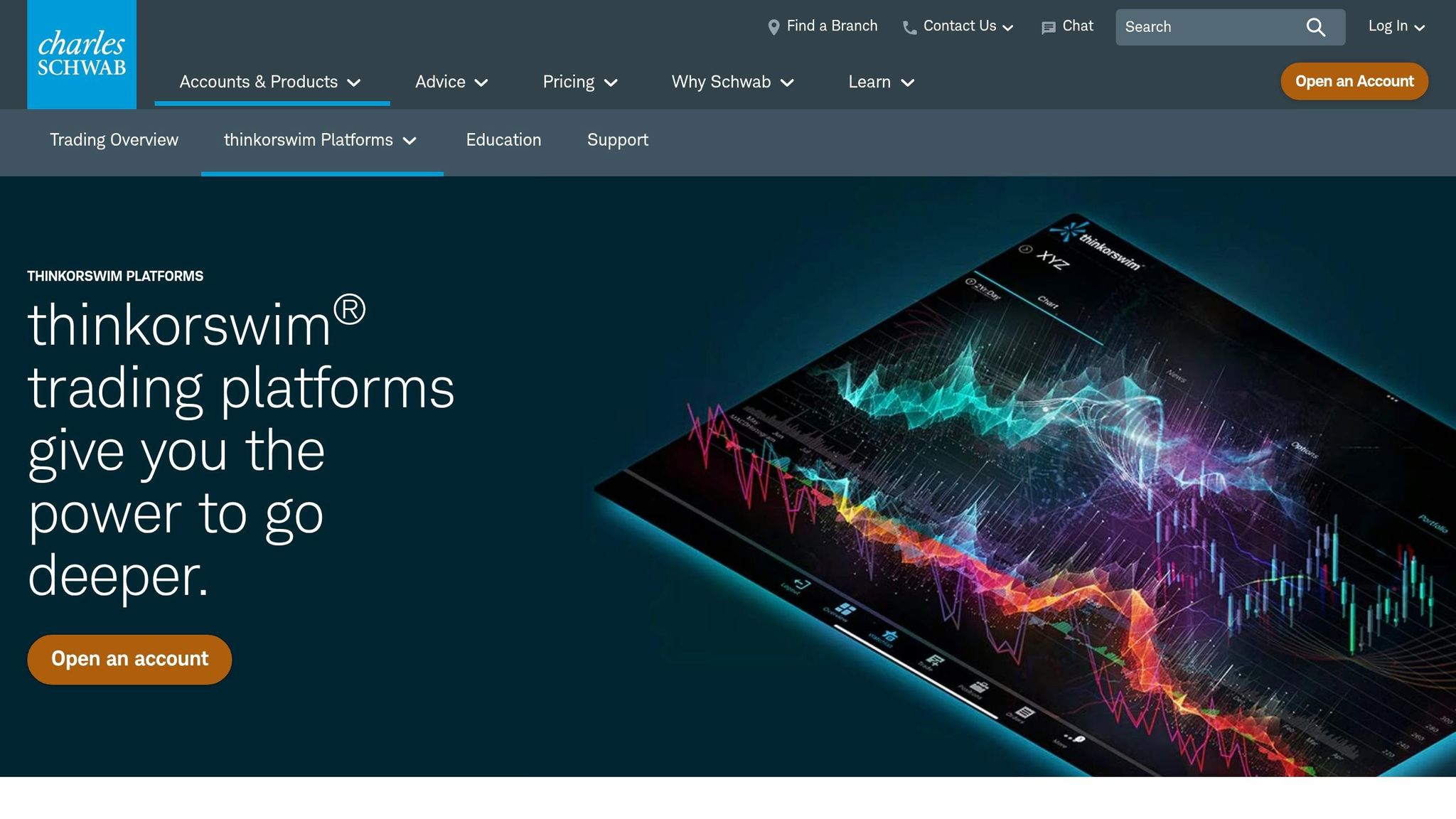
Thinkorswim is a robust platform designed for serious traders and backed by Charles Schwab. In March 2026, Investopedia recognized it as the "Best for Beginner Options Traders", but its tools cater to experienced traders as well. As of September 2025, Charles Schwab manages 37.8 million customer accounts and oversees $11.23 trillion in assets.
Features and Tools
Thinkorswim comes packed with advanced tools like Option Hacker and Spread Hacker, which let users screen options based on up to 25 criteria, including fundamental data and thinkScript-based studies. The platform also offers an Advanced Option Chain with a "Standard Deviation" mode, which uses implied volatility to estimate price movement ranges.
Other standout features include real-time Greeks visualization (Delta, Gamma, Theta, Vega), a P&L simulator for trade modeling, chart overlays for theoretical option prices and open interest, and over 400 technical indicators. For those who want to test strategies without financial risk, the paperMoney® feature provides a virtual trading environment powered by live data.
Pricing and Fees
The standard fee is $0.65 per options contract, with no commission on the underlying stock or ETF trades. Futures options are priced at $2.25 per contract. However, Schwab doesn’t cap options commissions, so high-volume traders handling 20+ contracts per leg may see costs rise quickly.
"At $0.65 per contract per side, Schwab's options fees are average, but the sheer power of its thinkorswim platform, coupled with industry-leading education, make the broker a strong choice for beginning and advanced options traders alike." - Investopedia
There are no platform fees, inactivity charges, or minimum deposits required to use Thinkorswim. However, margin trading does require a balance. Margin rates range from 10.825% to 12.575%, depending on the debit balance, with a base rate of 10.75% as of late 2024.
Usability and Accessibility
Thinkorswim is available in three formats: Desktop, Web, and Mobile, ensuring flexibility for traders. The Desktop version is the most feature-rich and highly customizable, offering tools like Level II quotes, Times and Sales, and an Active Trader ladder for one-click trade execution.
The Active Trader tab includes features like "Reverse" to flip positions, "Flatten" to close positions and cancel orders, and "Auto send" to skip order confirmation windows for quicker trades. For those who want to explore the platform without committing, a 30-day Guest Pass is available.
Best Use Cases
Thinkorswim is ideal for beginners, thanks to its comprehensive educational resources and the risk-free practice environment offered by paperMoney®. Users can access built-in options courses (under Education > Options > Courses) and Schwab Coaching webcasts to deepen their understanding. Schwab also highlights that approximately 7% of call buyers exercise their options, and its educational tools help users grasp these mechanics.
Advanced traders will appreciate features like the beta-weighting tool, which allows them to manage overall market exposure by viewing combined portfolio Greeks (commonly applied to SPY). While the platform's extensive tools provide incredible depth, they also come with a steep learning curve.
2. Interactive Brokers

Run 24/7 while you sleep. Keep bots, platforms, and trade copiers online on a dedicated VPS.
Low-latency VPS hosting for your trading platform.
 CHINYC
 LON
LONFrom $59.99/mo


 CHI/CME futuresNYC/US marketsLON/FX EAs
 DUB/Polymarket
 AMS/EU FX
 FRA/Central EU
 TYO/APAC crypto
Interactive Brokers (IBKR) caters to professional and high-volume traders, offering advanced tools and access to global markets. As of May 2025, IBKR serves 4.05 million client accounts and manages nearly $713 billion in client equity. In March 2026, Investopedia named IBKR "Best for Advanced Options Traders" and "Best for Mobile Options Trading". Compared to Thinkorswim, IBKR shines with its sophisticated tools designed for seasoned traders.
Features and Tools
IBKR’s suite of tools supports traders working with complex options strategies. The Probability Lab helps visualize market sentiment, while the Volatility Lab compares historical and implied volatility to pinpoint pricing differences. The Options Strategy Builder enables traders to create multi-leg combination orders with up to six legs on mobile - exceeding the four-leg limit found on many other platforms.
For portfolio management, the Options Portfolio tool monitors Greek risk metrics (Delta, Gamma, Theta, Vega) across all positions simultaneously. The Options Lattice provides a 30-day price history, displaying data like volume, open interest, or implied volatility using visual bubbles. Additionally, IBKR offers access to options trading on over 30 global market centers, giving traders flexibility in order routing.
The platform uses a four-level permission system to manage trading strategies:
- Level 1: Covered calls only
- Level 2: Adds long calls and puts
- Level 3: Includes limited-risk spreads
- Level 4: Unlocks all strategies, including uncovered positions
Pricing and Fees
IBKR offers two account types: IBKR Lite and IBKR Pro. Lite accounts feature a flat $0.65 per contract with no minimum fees, while Pro accounts provide fixed pricing at $0.65 or tiered pricing that drops as low as $0.15 per contract for high-volume traders. Margin rates for Pro accounts start at 4.14%. However, market data subscriptions may be required for real-time feeds, which are available at low additional costs.
Usability and Accessibility
IBKR supports traders with three platforms:
- Trader Workstation (TWS): Designed for professionals
- IBKR Desktop: Offers a more user-friendly experience
- IBKR Mobile: Ideal for trading on the go
The mobile app is particularly effective for multi-leg option strategies, providing robust functionality for traders who need flexibility.
"Interactive Brokers (IBKR) ranks highly for options trading because of its depth, flexibility, and institutional-grade tooling."
- Jessica Inskip, Director of Investor Research, StockBrokers.com
That said, the platform’s extensive features can feel overwhelming to casual traders, and its educational content often skips over basic concepts. Customer support has also been criticized for being slow, which can add to the frustration of navigating the complex interface. These factors make IBKR more suitable for traders with experience in advanced strategies.
Best Use Cases
IBKR is ideal for traders executing strategies like the Wheel, Poor Man's Covered Calls (PMCC), or multi-leg spreads. Its advanced Greek tracking tools and low margin costs can boost the profitability of these approaches. For global traders, access to options on over 150 exchanges in 33 countries adds significant value.
"If you have $20K+ and plan to trade actively, IBKR is the clear winner. The Greeks tools and margin rates pay for themselves."
- Days to Expiry Trading Team
High-volume traders can benefit from the tiered pricing model available with IBKR Pro, reducing per-contract costs to as little as $0.15. Overall, IBKR is a platform built for experienced and professional traders, rather than beginners.
3. tastytrade
Shifting gears from global market platforms, tastytrade stands out as a platform designed specifically for options trading. Recognized as the #1 platform for Options Trading in the 2026 Annual Awards, tastytrade was created by the same team behind thinkorswim and caters to active derivatives traders. Instead of focusing on traditional research, tastytrade emphasizes metrics like volatility, Greeks, and probability - making it a go-to choice for those specializing in options strategies.
Features and Tools
tastytrade offers three distinct viewing modes to suit various trading styles:
- Table Mode: A standard options chain display.
- Analysis Mode: Compares pricing across different strikes.
- Curve Mode: Visualizes real-time profit and loss potential.
On desktop, traders have access to 308 technical indicators and 31 drawing tools, alongside advanced analytics like "Probability of Profit" (POP), "IV Rank" for identifying pricing opportunities, and "Beta-weighted Delta" to align portfolio risk with benchmarks like SPY. The platform also includes an Options Backtesting Tool, which uses over a decade of historical data to test strategies, and a Portfolio Risk Analysis Tool to help identify correlations between positions.
A standout feature is the "Follow Feed", which allows users to view and replicate real-time trades from tastylive experts like Tom Sosnoff.
"tastytrade is not trying to be everyone's broker, and that's exactly why it succeeds... For the dedicated options trader, there is simply no better home."
- Jessica Inskip, Director of Investor Research, StockBrokers.com
tastytrade also supports limited margin in IRAs, enabling advanced traders to execute spreads and defined-risk strategies - options that are often unavailable in cash-only retirement accounts.
Pricing and Fees
tastytrade uses an "opening-only" commission model, charging $1.00 per contract to open and nothing to close. Equity option commissions are capped at $10 per leg, while stocks and ETFs trade commission-free. Futures contracts cost $1.00 each, and micro futures are priced at $0.75.
"The fee structure for options trading ($1.00 to open and $0.00 to close) removes the psychological barrier to exiting trades."
- Jessica Inskip, Director of Investor Research, StockBrokers.com
Margin rates start at 11% for accounts with balances under $25,000. Other fees include $5.00 per options exercise/assignment, $25 for domestic wires, and $75 for ACAT transfers.
Usability and Accessibility
The platform features a sleek drag-and-drop interface for quick order entry, while its mobile app includes the "Curve" mode for on-the-go analysis. However, the mobile version lacks the full suite of technical indicators available on desktop. tastytrade also integrates with tastylive, its 24/7 financial news network, which provides live strategy sessions and market commentary.
That said, the platform isn't without its challenges. New users may find the learning curve steep, as it does not offer traditional paper trading or demo accounts. Additionally, it focuses solely on U.S. derivatives, with no support for mutual funds, OTC stocks, or international markets.
Best Use Cases
tastytrade is ideal for high-volume options traders, particularly those handling large contract blocks where the $10 commission cap can yield substantial savings. It's also a great choice for traders managing complex, defined-risk strategies - such as iron condors within IRAs using limited margin. For those who value expert insights and real-time strategies through tastylive, tastytrade delivers a robust experience. However, passive investors or those focused on mutual funds, IPOs, or penny stocks may find the platform lacking for their needs.
4. Fidelity
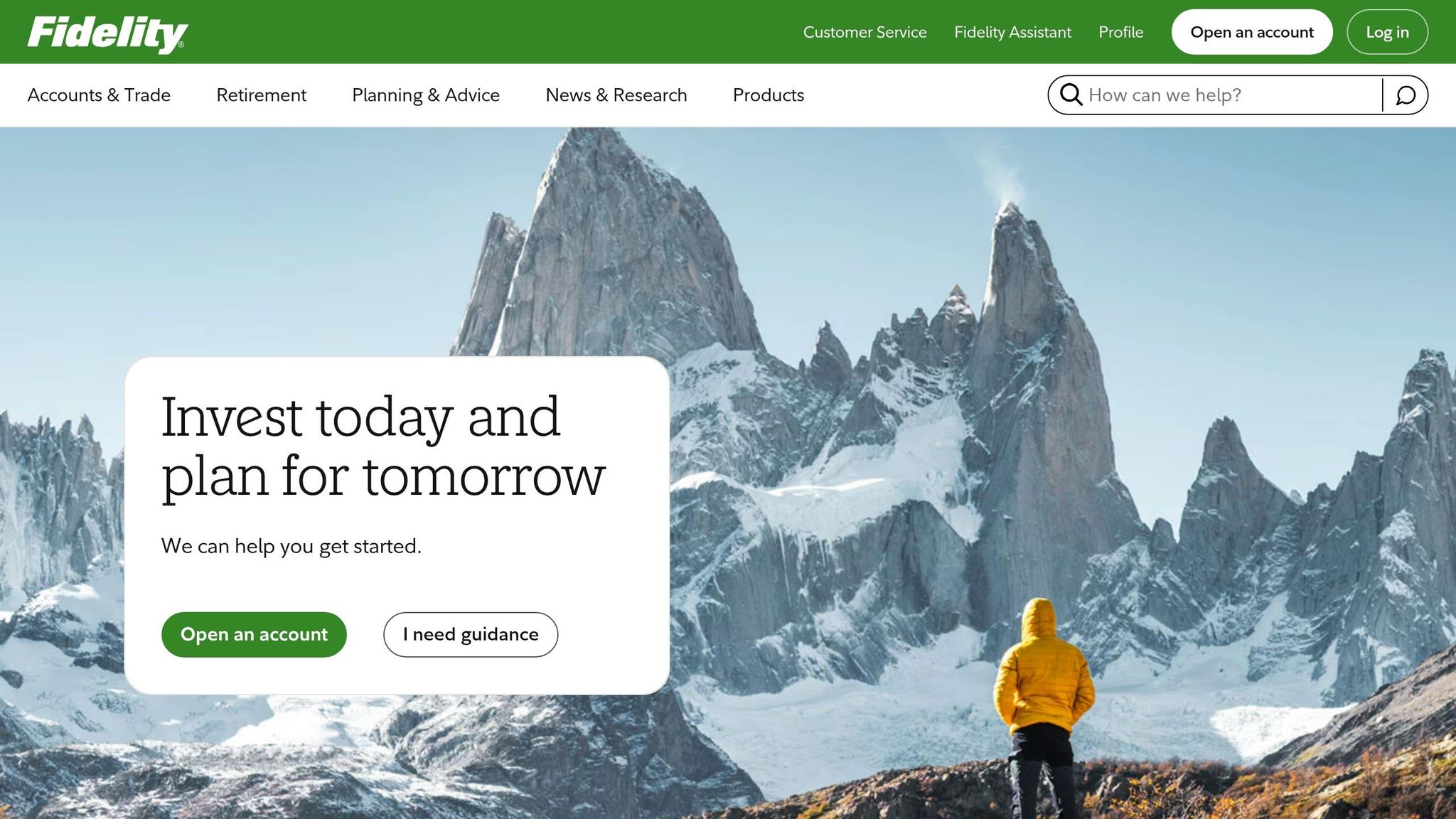
Fidelity appeals to traders who combine options strategies with long-term investing. With $16 trillion in managed assets and 50 million customers, it’s a powerhouse in the financial world. Recognized with a perfect 5.0/5 rating by StockBrokers.com in 2026, Fidelity was also ranked #1 for Beginners, Research, and Education. Unlike platforms that focus solely on derivatives, Fidelity caters to a wide range of needs by integrating income-focused strategies - like covered calls and cash-secured puts - into retirement accounts and diversified portfolios.
Features and Tools
Fidelity supports options trading through four platforms: Fidelity Trader+ Desktop, a multi-monitor tool; Fidelity Trader+ Web, a browser-based option with no downloads; Fidelity Mobile; and the standard Fidelity.com website. The Options Summary View simplifies trade management by displaying paired positions, margin requirements, and cost basis in one place. For those building strategies, the Options Strategy Builder walks users through trades step-by-step, while the Trade Analyzer estimates potential profits, losses, and probabilities before execution.
Stay online and closer to execution. Choose a VPS location for CME futures, New York markets, London FX, API trading, and more.
Host your platform near the market route that matters.
CHINYCLONFrom $59.99/mo
CHI/CME futuresNYC/US marketsLON/FX EAsDUB/PolymarketAMS/EU FXFRA/Central EUTYO/APAC crypto"Fidelity stands out as a top-tier platform for both beginners and experienced traders who focus on income strategies like covered calls, cash-secured puts, and spreads." - Jessica Inskip, Director of Investor Research, StockBrokers.com
Advanced traders gain access to OptionsPlay, which highlights income and speculative opportunities, flags risks like earnings announcements, and suggests optimal times to exit or roll positions. Other tools include an Options Probability Calculator, a Profit/Loss Calculator for single- and multi-leg strategies, and Active Trader Pro, which offers 129 customizable technical indicators and supports up to 4-leg complex options strategies. Fidelity also offers personalized coaching through its Trading Strategy Desk, where licensed professionals provide one-on-one guidance. These resources make Fidelity a strong choice for traders balancing income strategies with long-term goals.
Pricing and Fees
Fidelity charges $0.65 per options contract with no commission on stock or ETF trades. Additional savings come from the elimination of fees for options exercises, buy-to-close orders on low-priced contracts, and account transfers - potentially saving traders between $50 and $100. As of December 12, 2025, margin rates start at 10.575%, which is competitive among full-service brokers.
"By rejecting Payment for Order Flow (PFOF) and eliminating nuisance fees like transfer charges, Fidelity ensures your capital isn't slowly eroded by the invisible costs common at other firms." - Jessica Inskip, Director of Investor Research, StockBrokers.com
Usability and Accessibility
Fidelity’s mobile app allows users to roll options and manage positions with ease, though creating complex multi-leg spreads is more intuitive on desktop. The Trader+ Web platform includes real-time scanning filters and customizable dashboards. For education, Fidelity’s Learning Center offers "Life Event" guides and plenty of content to enhance financial knowledge. However, the platform lacks a paper trading or virtual account feature for testing strategies.
Best Use Cases
Fidelity’s focus on income and retirement strategies sets it apart from platforms like tastytrade. It’s particularly suited for investors who combine options strategies with long-term or retirement-focused portfolios. This includes those using covered calls or cash-secured puts within IRAs. Fidelity supports over 25 types of retirement accounts, including crypto-enabled IRAs and Roth IRAs for kids, making it a versatile financial hub. It’s a great fit for beginners who value educational resources and strong customer support, as well as income-focused traders who benefit from tools like the Options Summary View and OptionsPlay. However, active traders seeking futures, forex, or a broader range of cryptocurrency options may find Fidelity limited, as it currently supports only Bitcoin, Ethereum, and Litecoin within dedicated accounts.
5. E*TRADE by Morgan Stanley
E*TRADE offers a blend of professional-grade tools and a user-friendly interface, catering to both beginners and seasoned traders. The platform provides two distinct experiences: a simplified core app for newcomers and the advanced Power E*TRADE for active traders needing in-depth charting and risk analysis. This dual setup has earned E*TRADE accolades like Best for Casual Options Traders (Investopedia, March 2026) and the #1 Web Trading Platform for the 14th consecutive year (StockBrokers.com).
Features and Tools
Power E*TRADE is packed with tools designed to make complex trading decisions easier. For example:
- Spectral Analysis: Visually displays potential profit and loss scenarios.
- StrategySEEK: Helps identify trades that align with your target price, market outlook, and timeframe.
- Earnings Move Analyzer: Predicts a stock's expected earnings move and allows direct order placement.
- Live Action Scanner: Tracks unusual options activity and real-time volatility changes.
- Risk Slide: Simulates how a significant market movement could affect your portfolio compared to the S&P 500.
For those looking to refine their skills, Power E*TRADE includes a paper trading feature, letting users test strategies without any financial risk. Income traders can benefit from the Options Income Backtester, which evaluates historical performance before committing funds. Additionally, the platform provides over 100 chart studies, 37 drawing tools, and an impressive average execution speed of 0.10 seconds for S&P 500 stocks.
Pricing and Fees
E*TRADE’s pricing is competitive, with options contracts costing $0.65 each, dropping to $0.50 for traders completing 30+ trades per quarter. The Dime Buyback Program waives fees for closing short options priced at $0.10 or less, making it easier for sellers to exit low-value positions. There are no exercise or assignment fees.
However, margin rates start at 12.45% for balances under $10,000 (as of December 2025), and index options include additional surcharges: $0.54 for SPX, $0.68 for NDX, and $0.28 for VIX.
Usability and Accessibility
E*TRADE’s mobile apps are tailored to different experience levels. The standard app is straightforward for basic trades, while the Power app offers advanced charting and pattern recognition for traders on the move. Both apps meet Web Content Accessibility Guidelines (WCAG) 2.1 Level AA standards, ensuring features like screen reader support and keyboard navigation are available. For accessibility assistance, users can contact technical support at 866-284-2145.
"E*TRADE from Morgan Stanley is one of those brokerages that feels friendly on day one…and still has plenty of room to grow with you." - Joel O'Leary, Full-Time Personal Finance Writer, The Motley Fool
The Motley Fool rated the platform 4.9/5 in February 2026, calling it a "flexible pick for beginners and active traders". Looking ahead, Morgan Stanley plans to introduce direct cryptocurrency trading for Bitcoin, Ether, and Solana in the first half of 2026, seamlessly integrating these offerings into the E*TRADE ecosystem.
Best Use Cases
E*TRADE shines for casual options traders who appreciate intuitive mobile apps and visual tools like Spectral Analysis. It’s also a great choice for those wanting to test strategies via paper trading before committing real money. Active traders who can meet the threshold for the $0.50 contract rate (30+ trades per quarter) will find the platform particularly appealing. However, those focused on minimizing margin costs or seeking fractional shares for individual stocks might find other platforms more suitable.
Pros and Cons
Here’s a breakdown of the strengths and weaknesses of each platform, along with their standout features:
| Platform Name | Pros | Cons | Key Features |
|---|---|---|---|
| Thinkorswim (Charles Schwab) | Advanced charting tools, 24/7 customer support, $0 commissions on standard options, excellent educational resources | High margin rates (3–4%), low interest on uninvested cash, uncapped fees | thinkorswim suite, Risk Profile tools, P&L Simulator, 24-hour quotation services |
| Interactive Brokers | Lowest margin rates (2–3%), access to 30+ global options exchanges, advanced Greeks tools, volume-based discounts | Steep learning curve, complex fee structure, slow customer support response | Portfolio Heat Map, P&L Greeks sensitivity, IBKR Desktop analytics, global market access |
| tastytrade | Capped commission ($10 per leg), $0 to close trades, excellent probability visualization tools | $2,000 minimum for some features, no paper trading, cluttered interface | Quick Analysis view, IV Rank/Percentile tools, tastylive network, Greeks bands |
| Fidelity | High interest on uninvested cash, robust research tools, reliable trade execution, no base commission | No dedicated active-trading mobile app, no paper trading, outdated charting interface | OptionsPlay integration, LiveVol analytics, multi-leg probability calculator, economic calendar |
| E*TRADE | Intuitive Power E*TRADE platform, discounted fees for active traders, strong income strategy tools | Very high margin rates (over 12%), no fractional shares for individual stocks, limited global access | Strategy Optimizer, Spectral Analysis, Options Income Backtester, Dime Buyback Program |
Here’s a closer look at what makes these platforms stand out - and where they might fall short:
- Interactive Brokers is a go-to for professionals managing large portfolios. Its low margin rates (2–3%) and access to over 30 global options exchanges are major draws. However, the platform's complexity can be daunting for beginners.
- tastytrade shines for high-volume traders, offering significant savings. For instance, a 50-contract opening trade costs just $10 compared to $32.50 on other platforms.
- Thinkorswim by Charles Schwab benefits from a massive user base - 37.8 million accounts and $11.23 trillion in assets as of September 2025. Its appeal spans both novice and experienced traders, thanks to its top-tier tools and resources.
- Fidelity is highly regarded for its investor-friendly reputation, earning perfect 5.0/5 ratings from NerdWallet and Bankrate. While it’s packed with free research tools, its lack of a dedicated mobile app for active traders is a drawback.
- E*TRADE offers a flexible, user-friendly platform that earned a 4.9/5 rating from The Motley Fool. However, its high margin rates may be a dealbreaker for traders looking to minimize borrowing costs.
These insights can help you align your trading goals and preferences with the platform that fits your needs.
Conclusion
After diving into key factors like pricing, tools, and ease of use, it's evident that no single platform is perfect for every trader. The best options trading platform ultimately depends on aligning your trading style with the right features and cost structure.
For traders focused on high-volume strategies like spreads and short volatility, tastytrade stands out. Its $10 commission cap per leg means the cost of a 40-contract trade is identical to a 10-contract trade, offering big savings for active users. On the other hand, Charles Schwab's thinkorswim shines for beginners, thanks to its extensive educational resources and robust analytical tools, making it a great choice for those looking to build their skills. For professionals managing large portfolios, Interactive Brokers is the go-to, offering access to over 30 global options exchanges and impressively low margin rates of 2–3%.
For casual traders, E*TRADE hits the sweet spot with its user-friendly Power E*TRADE platform and discounted $0.50 per contract rate for those completing over 30 trades per quarter. Finally, Fidelity earns top marks as a dependable all-around platform, achieving a flawless 5.0/5 rating for its research tools and customer service.
As highlighted earlier, your choice should reflect your account size, trading frequency, and strategy. The Days to Expiry Trading Team wisely states, "The best broker for a day trader is garbage for an income trader". Before committing any capital, test platforms through paper trading for at least 90 days - an inefficient platform can lead to costly mistakes.
FAQs
Which platform is best for my options trading style?
The best options trading platform really depends on what you're looking for and your level of experience. If you're an active trader who values a sleek, easy-to-use interface packed with advanced tools, Tastytrade is a fantastic choice.
On the other hand, if you're a seasoned trader focused on income strategies or deep analysis of Greeks, Interactive Brokers might be more your speed - though be prepared for a steeper learning curve.
For those prioritizing lower costs or a simpler experience, platforms like NinjaTrader or Charles Schwab could be worth exploring. Ultimately, the right platform comes down to your specific trading goals and what features matter most to you.
What fees should I watch besides per-contract commissions?
When evaluating trading platforms, it's essential to look beyond per-contract commissions. Keep an eye out for additional charges like account funding fees or withdrawal costs, as these can add up quickly. Also, factor in expenses for data subscriptions, research tools, or advanced analytics - especially if these are crucial to your trading strategy.
Don't overlook platform-specific fees, either. These might include margin interest, inactivity fees, or costs tied to premium features. Such charges can have a noticeable impact on your overall trading expenses, so it's worth understanding them upfront.
How do margin rates impact options strategy returns?
Margin rates play a key role in shaping the returns of options strategies by influencing the cost of holding leveraged positions. When rates are lower, borrowing becomes less expensive, which can increase net profits for strategies that require significant margin, such as spreads or uncovered options. On the flip side, higher rates drive up costs, cutting into overall profitability. For active traders who depend on margin-heavy strategies, selecting a platform with competitive margin rates is essential to keep financing costs low and maximize potential returns.