
QuantConnect is a cloud algorithmic trading platform built on the open-source LEAN engine, where you write strategies in Python or C#, backtest them on its historical data and trade them live through broker integrations. The free plan covers research and backtesting; the cheapest paid plan, Researcher, costs $84 a month (checked on 10 Oct 2026) and adds paper and live trading. It suits traders who can code and want one platform from idea to live trading.
You can also use it to learn how to create a trading algorithm from scratch, across multiple asset classes. Key features include:
- Backtesting: Fast, event-driven testing with realistic trading conditions (e.g., fees, slippage).
- Multi-Asset Support: Equities, Options, Forex, Futures, Crypto, and more.
- Live Trading: Low-latency execution with co-located servers and broker API integrations.
- Data Access: Historical and real-time data from over 40 vendors, including alternative datasets.
- Development: Supports Python and C# with modular strategy design.
While QuantConnect is highly capable, it requires programming knowledge, and entry-level live nodes may have resource limits. For latency-sensitive strategies, pairing QuantConnect with a dedicated VPS can enhance performance.
If you're a trader looking to optimize strategies, test with reliable data, and transition to live trading, QuantConnect offers the tools you need. Live trading starts with the Researcher plan at $84 a month, and the free plan includes cloud backtesting (checked on 10 Oct 2026).
Backtesting Features and Capabilities
Event-Driven Backtesting Engine
The LEAN engine processes market data one step at a time, triggering specific actions whenever new data arrives or order states change. This event-driven design mirrors live market conditions instead of performing calculations all at once. Its Time Frontier system ensures algorithms only access data available up to the current simulated moment, effectively avoiding look-ahead bias.
To make backtests as realistic as possible, the engine incorporates trading frictions like brokerage fees, slippage, bid-ask spreads, and margin requirements, accurately simulating real-time trading environments. Indicators such as SMA or RSI are updated incrementally with each new data point, which saves time by avoiding full recalculations.
"In order to be able to design a viable algorithm, a robust backtesting engine is crucial. After exploring various options, we found QuantConnect to be the most suitable for our needs." – David Ye, Professor, Duke University
This powerful engine also supports multi-asset testing, making it a versatile tool for algorithmic traders.
Multi-Asset Backtesting Support
QuantConnect offers support for thousands of securities across various asset classes. For example, US Equity and ETF data dates back to 1998, while the 70 most liquid US Futures contracts have been covered since 2009. The platform also provides realistic margin modeling for each asset type. Additionally, it integrates alternative data from more than 40 vendors, enriching strategies with extra signals.
The event-driven framework processes all asset classes simultaneously. This means you can test strategies that trade a mix of stocks, crypto, and futures within a single backtest. To simplify debugging during development, it's a good idea to start with 5–10 symbols before scaling up to thousands of assets.
Parameter Optimization and Strategy Refinement
Once you've validated your multi-asset strategy, QuantConnect makes it easy to refine performance through parameter optimization. Using the Optimization tab, you can run multiple backtests in parallel on cloud servers, testing ranges of settings like RSI thresholds or moving average periods. Results are displayed on heatmaps, making it easier to see which parameters have the biggest impact on your strategy's performance.
To evaluate your optimized strategy, set aside 20–30% of historical data as a holdout for testing. This helps reduce overfitting. Keep your parameters under 10 to further lower the risk of overfitting, and aim to test a single hypothesis within 8 to 16 hours of work. Document your decision-making process clearly (e.g., "Sold because RSI crossed 70") so you can compare backtest results with live trading performance later. For local projects, the debugger allows you to set breakpoints, step through your code line by line, and inspect variables during the backtest process.
Live Trading Infrastructure and Integrations
Broker Connectivity and Execution
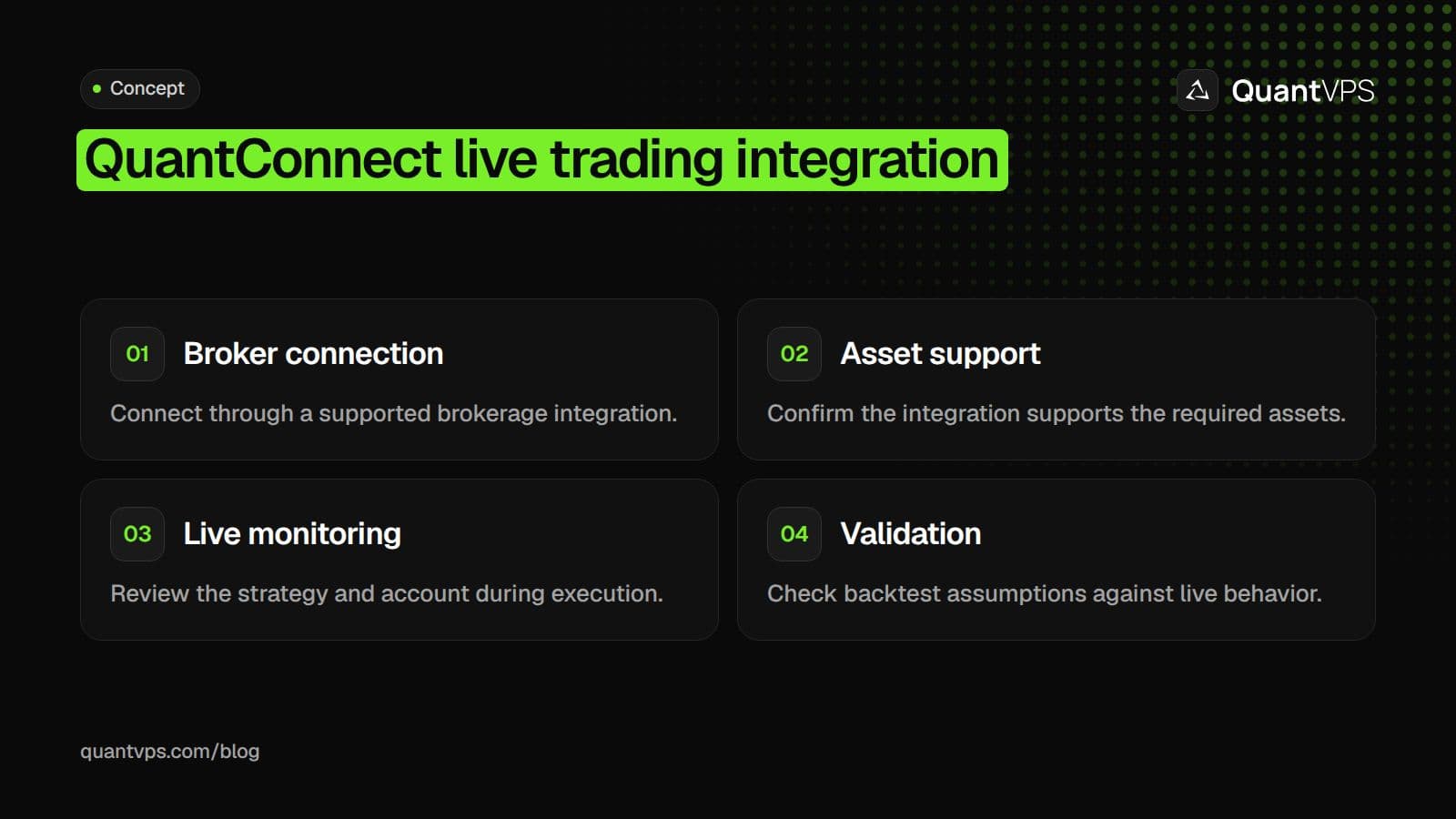
QuantConnect’s LEAN engine simplifies the process of connecting to multiple brokerage APIs, making strategy deployment a breeze. Since 2012, the platform has deployed more than 375,000 live strategies to its managed, co-located live trading environment (checked on 10 Oct 2026).
Live algorithms operate on co-located servers managed by QuantConnect’s engineers. These servers are designed for low latency and high stability, with users often experiencing uninterrupted uptime for 6–18 months.
"QuantConnect has a managed, co-located live trading environment. We can securely host your strategy and connect with Trading Technologies, providing security, stability, and comfort for your live trading." – QuantConnect
Users can choose between deploying strategies in the QuantConnect Cloud or running them on-premise via the Lean CLI. Most self-hosters run the Lean CLI on an algo trading VPS rather than a desktop, for uptime. This flexibility ensures a smooth transition from backtesting to live trading environments. For added security, QuantConnect never stores brokerage credentials on its servers and supports two-factor authentication. Features like "Weekly Restart" are available for brokers requiring periodic re-authentication.
| Brokerage | Supported Asset Classes |
|---|---|
| Interactive Brokers | Equities, Options, Forex, Futures, Index, CFD |
| Trading Technologies | Futures |
| Binance / ByBit | Crypto, Crypto Futures |
| Alpaca | Equities, Equity Options, Crypto |
| TradeStation / Tastytrade | Equities, Options, Futures, Index |
| Charles Schwab / Tradier | Equities, Equity Options |
These integrations ensure connections for real-time algorithm monitoring and execution.
Real-Time Performance Monitoring
QuantConnect’s Live Results Page in the Algorithm Lab serves as a hub for tracking your algorithm’s real-time performance. It provides live metrics such as Total Equity, Fees, Holdings value, Net Profit, Return, Unrealized Profit/Loss, Volume, and the Probabilistic Sharpe Ratio. Key performance charts are updated frequently, giving you a clear picture of how your strategy is performing.
To keep you informed, the platform offers real-time logging, syslog access, and notifications via Email, Webhook, SMS, and Telegram. For those who prefer programmatic monitoring, QuantConnect provides a REST API to access live statistics, portfolio data, orders, insights, and logs.
Interactive tools like the "Liquidate" button act as a safety net, allowing you to immediately sell all holdings if an issue arises. Additionally, the "Automatically restart algorithm" feature can attempt up to five restarts to maintain continuity.
Order flow
Built for scalpers. Heatmaps on dedicated resources.
Order-flow heatmaps and DOM ladders run on dedicated CPU, memory and NVMe, so your charts keep responding during volatility.
See the dedicated hardware





From $29.99/mo · Windows or Linux
Multi-Asset Live Trading
With the LEAN engine, you can trade across multiple asset classes - Equities, Options, Forex, Futures, Crypto, and CFDs - within a single algorithm. The range of assets available depends on your chosen brokerage. For instance, Interactive Brokers supports a broader selection, while platforms like Binance and Coinbase focus on crypto. The platform’s API is utilized by over 5,000 investors monthly.
Deploying a live algorithm is quick, typically taking just 5 minutes. However, avoid placing manual orders through your brokerage while an algorithm is running. Instead, use the "Holdings" tab in QuantConnect to manage trades and prevent conflicts. If you’re using Interactive Brokers with two-factor authentication, remember to re-authenticate every Sunday at your scheduled UTC time to keep the algorithm operational.
If you self-host LEAN with Interactive Brokers instead, an IBKR VPS can keep IB Gateway running next to it.
Programming Support and Data Access
Python and C# Development Environment
QuantConnect supports both Python and C# for developing algorithmic trading strategies, offering a unified API for research, backtesting, and live trading. At its core is the open-source LEAN algorithmic trading engine, which can be installed locally using pip install lean. This setup allows you to build strategies in your favorite IDE while syncing with the cloud. Python users can also use powerful machine learning libraries like Scikit-Learn, TensorFlow, and PyTorch to create advanced predictive models.
To simplify strategy development, QuantConnect uses the Strategy Development Framework (SDF), which breaks algorithms into five interchangeable modules: Alpha Creation, Universe Selection, Portfolio Construction, Execution, and Risk Management. This modular structure lets you tweak or replace individual components without reworking your entire strategy. It’s a streamlined approach that not only speeds up development but also integrates smoothly with QuantConnect's extensive data offerings.
For testing, the platform provides paper trading, where you can trial strategies with live market data and simulated capital before committing real funds. Additionally, the Local Platform supports on-premise development with proprietary datasets while offering cloud backtesting for scalability.
Data Offerings
QuantConnect's development tools are complemented by a rich library of market data, enabling precise modeling. Within its IDE, you’ll find free access to a wide range of datasets, including:
- US Equities & ETFs: Historical data dating back to 1998, available at resolutions from tick to daily.
- US Equity Options: Data starting in 2010, with minute-level granularity.
- US Futures: Historical data since 2009, available from tick to daily.
- Cryptocurrencies: Data availability varies by exchange, with resolutions from tick to daily.
- Forex: Historical interbank data, also provided from tick to daily.
For live trading, QuantConnect delivers real-time data through co-located servers with 10GB fiber connections. These servers pull data from sources like US SIP, CME, and major cryptocurrency exchanges, ensuring fast and reliable feeds.
QuantConnect also features an alternative data library with insights from over 40 vendors. For example:
- Benzinga: Real-time news data.
- Quiver Quantitative's alternative data: Insider trading insights.
- Morningstar: Fundamental data.
- Brain: Sentiment analysis.
All datasets are automatically linked to securities using identifiers like FIGI, CUSIP, and ISIN, ensuring integration.
| Asset Class | Data Start Year | Available Resolutions |
|---|---|---|
| US Equities & ETFs | 1998 | Tick to Daily |
| US Equity Options | 2010 | Minute |
| US Futures | 2009 | Tick to Daily |
| Cryptocurrencies | Varies by exchange | Tick to Daily |
| Forex | Historical interbank data | Tick to Daily |
QuantConnect’s community of more than 552,000 quants runs over 15,000 backtests daily, and the platform processes more than $100 billion in notional volume each month (homepage, checked on 10 Oct 2026). This ecosystem provides an expansive and reliable environment for developing and testing strategies.
Point-in-Time Data and Historical Accuracy
Accurate historical data is the backbone of any successful trading strategy. QuantConnect ensures this accuracy by delivering point-in-time data with uniform timestamps, eliminating look-ahead and selection biases. This means you receive datasets exactly as they appeared at the time, ensuring realistic backtests.
The platform’s Security Master dataset further enhances historical accuracy by tracking corporate actions like stock splits, dividends, and symbol changes. These adjustments are reflected in historical prices, while alternative datasets are automatically synchronized with the Security Master file.
"Each dataset is processed with a uniform timestamp and delivered to your strategy point-in-time." – QuantConnect
This meticulous approach ensures consistency between backtesting and live trading. The LEAN engine handles time modeling and multi-asset portfolio tracking, backed by thousands of unit and regression tests to validate data accuracy. This gives you the confidence that your historical performance aligns closely with real-world trading conditions.
Is Quantconnect Worth It for Algo Traders?
QuantConnect is worth it for most algorithmic traders who are moving from idea to live execution without having to assemble multiple tools. The platform earns that verdict through production-grade infrastructure, multi-asset data, and broker connectivity that remove friction at every stage of the workflow.
The critical difference between QuantConnect and most competitors is data integrity. Point-in-time corrected historical data with proper survivorship bias handling separates a backtest that flatters you from one that tells the truth. Most free or low-cost alternatives omit delisted securities, inflating backtest returns in ways that only become obvious when real money is at stake. According to the Quantt QuantConnect Review, QuantConnect provides up to 20 years of historical data for backtesting strategies, enabling traders to stress-test ideas across multiple market cycles.
Pricing (2026)
QuantConnect has five plans. Only the paid plans include paper and live trading, and prices below are for monthly billing, with the yearly price in brackets (checked on 10 Oct 2026 on quantconnect.com/pricing).
| Plan | Price | Users | Live trading nodes | Notes |
|---|---|---|---|---|
| Free | $0 | 1 | 0 | Minute, hour and daily data; 1 backtest node; tier features |
| Researcher | $84/month ($888/year) | 1 | 2 | Adds tick and second data, paper trading, LEAN CLI and API access; suits retail traders |
| Team | $168/month ($1,728/year) | 2 to 10 | 10 | Multi-user collaboration; futures live feed included |
| Trading Firm | $480/month ($4,992/year) | 2 to 1,000 | Unlimited | Adds Trading Technologies, prime and FIX brokerages; suits small funds |
| Institution | $1,272/month ($12,912/year) | 5 to 100 | Unlimited | Option to run research, backtests and live trading on premises |
Alternative data is a paid add-on on every paid plan, and the futures live feed is an add-on on Researcher. There are no Boot Camp, Quant Trader or Quant Researcher plans any more.
Who actually gets value from the pricing?
The free tier works for learning and backtesting, but live and paper trading start with the Researcher plan at $84 per month, which includes two live trading nodes. QuantConnect's homepage reports a community of more than 552,000 quants, large enough to surface real answers when your strategy hits an edge case. At $84 per month, you're paying for the data pipeline, compute, and ecosystem, not software alone.
Most algo traders run strategies on local machines during testing, but problems surface when a strategy goes live, and a dropped connection causes a missed signal during periods of volatility. Our trading VPS keeps deployed algorithms running continuously with low-latency broker connections, providing the infrastructure reliability that QuantConnect's live trading environment is designed to pair with.
What QuantConnect Does Well
Data quality
Historical data is point-in-time corrected for corporate actions, dividends, and splits, with adjustments handled automatically. Survivorship bias is robustly mitigated by the inclusion of delisted securities, which significantly outperform free data sources.
Production-quality engine
Lean powers both the cloud platform and live trading. Backtests use the same code paths as live trading, so behavior transfers reliably from backtest to production.
Multi-asset support
Equities, options, futures, FX, and crypto are natively supported, making this the platform's biggest differentiator versus equity-centric competitors.
Live trading is real
Unlike Backtrader or Zipline, which require significant DIY work, QuantConnect's live trading works once you've authenticated with your broker.
Active development and community
The platform releases features frequently, is backed by a well-funded team, has an active forum where algorithms can be shared publicly, and offers responsive support.
Uptime
99.999% uptime. Built for 24/7 trading reliability.
Your VPS runs in Tier IV datacenters with redundant power and network, monitored 24/7 on site.
See the uptime SLAFrom $29.99/mo · Windows or Linux
What QuantConnect Doesn't Do Well
Steeper learning curve than Backtrader
The strategy class structure (Initialize and OnData methods, data subscription model) requires time to master. Beginners often find Backtrader more intuitive.
Python feels grafted onto C#
The platform is built in C# and the Python wrapper, while functional, shows its non-native nature. Performance is meaningfully better in C# for the same backtest.
Cloud-based by default
Full infrastructure control requires self-hosting Lean, which is free but demands DevOps expertise.
Pricing climbs quickly for serious use
Real production use with multiple algos, live trading, and larger backtests becomes expensive fast. Compare carefully to self-hosting Lean.
Alternative data costs extra
QuantConnect lists alternative data from more than 40 vendors, but it is a paid add-on on every paid plan and not available on the free plan, so data-heavy strategies cost more than the base price.
Who QuantConnect Is Right For
Retail algo traders running real money
This is QuantConnect's core market. Broker integrations, included data, and a production-quality engine make it the most efficient path from idea to live trading.
Small quant funds and prop traders
The platform scales from individual to small team. Several professional small funds are built on QuantConnect or self-hosted Lean.
Researchers exploring multiple asset classes
QuantConnect's unified data layer is a productivity boost over assembling your own pipeline.
Career switchers building portfolios
Well-documented backtested strategies on QuantConnect signal capability to potential employers.
Who Should Use Something Else
Pure beginners learning Python
Backtrader is gentler. Build basic strategies there first, then move to QuantConnect when you outgrow it.
Researchers focused only on US equities
Zipline-Reloaded is sufficient and free.
Engineers wanting maximum control
Self-host Lean for all QuantConnect functionality without a cloud subscription, though at the cost of DevOps time.
High-frequency traders
QuantConnect is not optimized for ultra-low-latency trading. HFT requires custom infrastructure.
Fundamental investors
QuantConnect is built for systematic strategies and poorly serves discretionary or fundamental approaches.
QuantConnect is the strongest single platform for retail-to-small-fund algorithmic trading in 2026, but its real value emerges once you understand where its edges lie.
Platform strengths matter most when tested against real constraints, where useful insights emerge.
Running LEAN outside QuantConnect's cloud
QuantConnect's cloud runs backtests and live algorithms for you, so you only need your own server if you run the open-source LEAN engine yourself. Paper trade any algorithm through QuantConnect's brokerage integration before going live. For self-hosted LEAN, QuantVPS servers for algo developers run Ubuntu 24.04 or 22.04.
Conclusion
QuantConnect makes it simple to move from strategy development to live trading. Powered by the open-source LEAN engine, it delivers high-speed backtesting capabilities and benefits from a large, engaged community.
While its backtesting tools are impressive, QuantConnect also shines in live execution. The platform combines strong backtesting features with adaptable live trading options, though ultimate performance depends on your infrastructure. Broker round trips add their own delay on top of QuantConnect's processing, so measure the full path from signal to fill before you rely on a fast strategy.
For traders employing latency-sensitive strategies like scalping, arbitrage strategies, or high-frequency trading, running the open-source LEAN engine on a dedicated VPS near your broker's servers gives you the lowest latency to them. This setup merges QuantConnect's rich data library and backtesting tools with the speed and reliability of private infrastructure.
The platform offers a free tier for research and backtesting, with live trading from $84 a month on the Researcher plan (checked on 10 Oct 2026). When refining dividend capture strategies or designing multi-asset portfolios, QuantConnect empowers you to rely on data rather than assumptions. As Bob Wayne from Dividend Capture Pro puts it:
"QuantConnect is where you stop arguing with your own brain and start arguing with data instead"
These capabilities highlight why traders trust QuantConnect for research and live trading. For those serious about trading, pairing QuantConnect’s tools with QuantVPS hosting ensures a smooth transition from backtesting to execution, delivering speed, dependability, and control.
FAQs
How much coding do I need to use QuantConnect?
To get the most out of QuantConnect, you'll need to know Python or C#. These programming languages are the backbone of the platform, allowing you to create and test algorithmic trading strategies effectively.
How can I reduce live-trading latency with LEAN?
To cut down on live-trading latency with LEAN, focus on fine-tuning your local platform setup. Start by installing LEAN directly on your machine and configuring it for optimal performance. Use a high-speed internet connection and ensure your hardware meets the necessary requirements to handle the workload efficiently. Deploy your algorithms locally using the LEAN CLI, which helps streamline the process. Also, double-check that your broker connections and deployment targets are set up correctly to reduce the time between generating signals and executing orders during live trading.
How do I avoid overfitting during optimization?
To prevent overfitting on QuantConnect, the key is to train your model to identify meaningful signals rather than random noise. Incorporate validation methods such as out-of-sample testing or cross-validation to ensure your model performs well beyond the dataset it was trained on. Keep your models straightforward - avoid overcomplicating them with excessive parameter adjustments. It's also critical to evaluate your model's performance across multiple datasets to gauge its robustness. Be wary of parameters that may appear effective on historical data but could underperform in live trading scenarios.


