When ThinkorSwim slows down, it can disrupt your trading and lead to missed opportunities. Optimizing its memory settings can significantly improve performance. Here’s a quick guide:
- Adjust Memory Allocation: Use the login screen settings or edit the
thinkorswim.vmoptionsfile to allocate more RAM based on your system’s specs. For example, if you have 16GB of RAM, set a maximum of 4-6GB for ThinkorSwim. - Clear Cache: Regularly delete cached files in the
USERGUIfolder to free up space and improve speed. - Limit Charts and Indicators: Avoid overloading the platform with too many charts or complex studies.
- System Maintenance: Close unnecessary background apps, ensure your system meets recommended specs (e.g., 16GB RAM, Core i7 processor), and restart the platform daily.
- Consider a VPS: For advanced setups, a VPS like QuantVPS offers faster performance with dedicated resources and low-latency connections.
Optimizing ThinkorSwim involves tweaking memory settings, maintaining your system, and potentially upgrading hardware or using a VPS. These steps help ensure smooth trading and reliable performance during critical market hours.
Thinkorswim Lagging or Slow (Ultimate How to Fix Solutions)
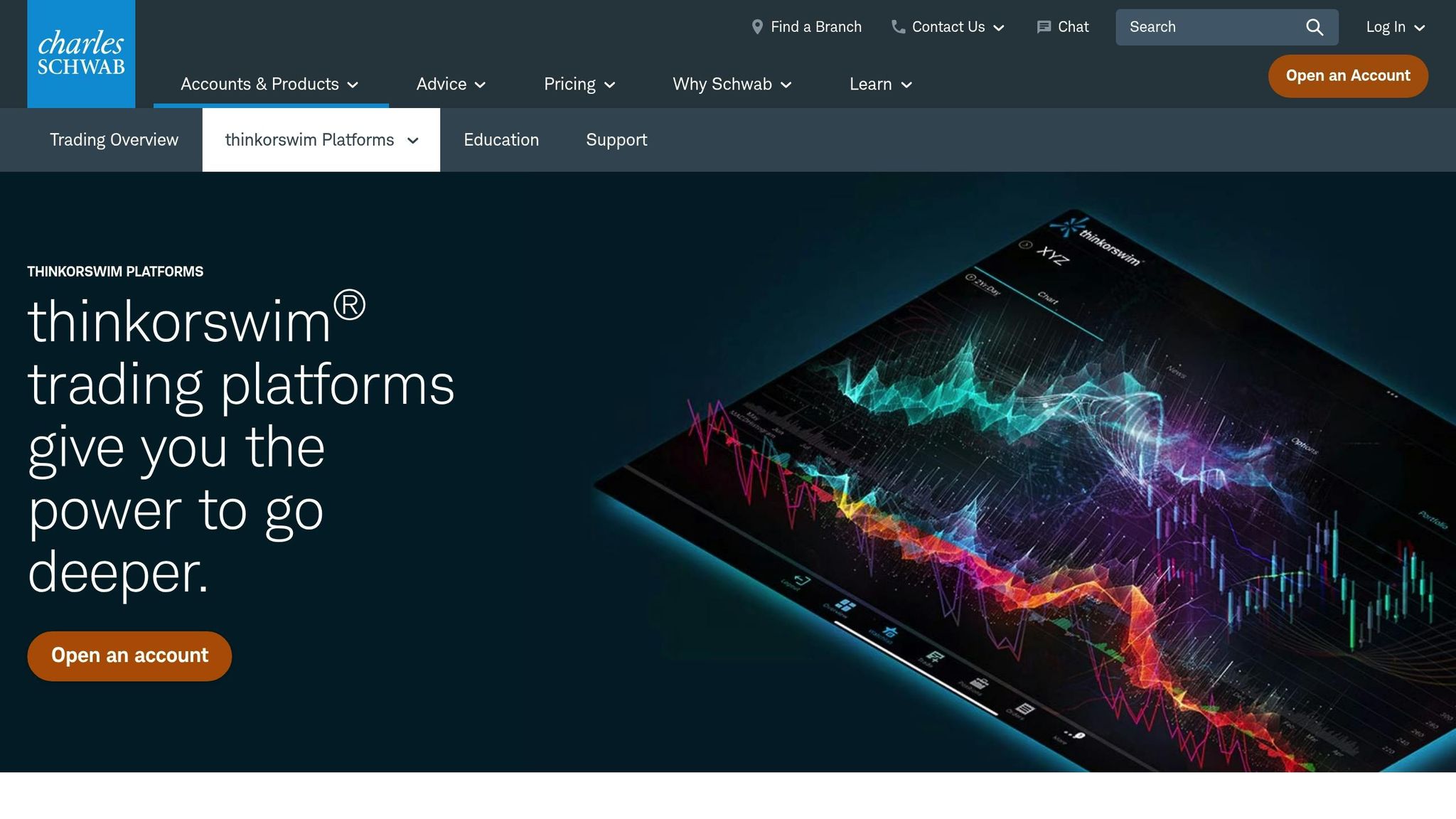
How ThinkorSwim Uses Memory and System Resources
For traders, knowing how ThinkorSwim utilizes memory is key to keeping the platform running smoothly during critical market moves. Built on Java, ThinkorSwim handles multiple data streams at once - like real-time quotes, chart updates, news feeds, and custom calculations - all while ensuring the interface stays responsive.
Each chart window uses up memory for price data, indicators, and drawings. Adding custom studies and scripts increases the workload, especially when applied across several timeframes or symbols at once.
ThinkorSwim Memory Allocation Process
When you start ThinkorSwim, it requests a specific amount of your system's RAM, creating a workspace for all its operations. However, the default memory allocation often falls short for active traders, leading to slowdowns during heavy use.
The platform splits its memory into two main areas: the heap (used for chart data and user interface elements) and the non-heap (used for code execution and other processes). When either of these areas nears its limit, ThinkorSwim kicks off garbage collection - clearing unused data to free up space. While necessary, this process can temporarily slow performance.
Memory is allocated in fixed chunks, not dynamically based on real-time needs. This setup ensures stability but can create issues if the initial allocation is too low. Once ThinkorSwim starts, it cannot request additional memory until you restart the platform.
Because ThinkorSwim runs on Java, it also relies on the Java Virtual Machine (JVM) for memory management. The JVM sets its own memory pool, separate from the rest of your system, and this pool size must be configured before launching the platform. Once set, these limits remain fixed until the next restart.
The platform's multi-threaded design allows charts, data processing, and user actions to run simultaneously. However, managing memory across these threads requires careful coordination to avoid conflicts and maintain smooth operation. These memory allocation factors often contribute to the performance issues discussed below.
Common Performance Problems and Their Causes
When ThinkorSwim's memory and resource limits are pushed too far, several performance problems can arise:
- Insufficient RAM allocation: This is the most common issue. Many users stick with the default memory settings, which are designed for basic use - not for active trading with multiple charts and complex indicators. This mismatch often leads to a cascade of performance problems.
- Chart overload: Adding more chart windows increases memory usage, and complex indicators like volume profiles amplify this effect. Traders monitoring 10 or more symbols across multiple timeframes often unknowingly exceed their system's practical limits.
- Cache buildup: Over time, ThinkorSwim stores temporary files and cached chart data, which can grow to several gigabytes. These files eat up disk space and slow down file access, and the platform doesn’t automatically clear them - leaving users to handle cleanup themselves.
- Competing background processes: Other programs, like antivirus software, system updates, web browsers, or additional trading apps, compete for system resources. During market hours, this competition can intensify, straining your system even further.
- Network issues: Sometimes, what seems like a performance issue is actually a connectivity problem. Slow internet speeds, WiFi interference, or ISP throttling can make ThinkorSwim feel sluggish, even though the platform itself is functioning properly.
- Display settings: High-resolution monitors, multi-screen setups, and graphics-heavy chart configurations can overwhelm integrated graphics processors. This is especially true for laptops or older desktops not built for demanding visual tasks.
- System fragmentation: Over time, computers collect software installations, temporary files, and registry changes that can slow down performance. Even high-end hardware can struggle with ThinkorSwim if the operating system isn’t regularly optimized and maintained.
The next sections will dive into configuration tips to help address these issues and improve ThinkorSwim's performance.
How to Configure ThinkorSwim Memory Settings
Fine-tuning ThinkorSwim's memory settings can help prevent crashes and improve overall performance. There are two main ways to adjust these settings: using the platform's built-in memory configuration tool or manually editing the configuration file. Both methods give you control over how the platform uses your system’s resources.
Changing Memory Settings from the Login Screen
The quickest way to adjust memory allocation is through the ThinkorSwim login screen. Before logging in, look for the Setup button in the bottom-right corner of the login window. Clicking this button will open the memory configuration options.

Run 24/7 while you sleep. Keep bots, platforms, and trade copiers online on a dedicated VPS.
Low-latency VPS hosting for your trading platform.
 CHINYC
 LON
LONFrom $59.99/mo


 CHI/CME futuresNYC/US marketsLON/FX EAs
 DUB/Polymarket
 AMS/EU FX
 FRA/Central EU
 TYO/APAC crypto
You’ll see two main settings:
- Minimum Memory: The baseline amount of RAM reserved for ThinkorSwim.
- Maximum Memory: The upper limit of RAM the platform can use during heavy operations.
Both settings are measured in megabytes (MB). Adjust these values based on your computer’s specifications, then click OK to save your changes. These settings will be remembered for future sessions, so you won’t need to reconfigure them unless you want to make further tweaks.
Important: For the changes to take effect, you must restart ThinkorSwim. Close the platform completely and reopen it after making adjustments.
Editing the thinkorswim.vmoptions File
For more advanced control, you can directly edit the ThinkorSwim configuration file. This approach can address specific issues, such as rendering delays, or force the platform to use a dedicated graphics card instead of integrated graphics.
Always back up the original file before making changes. This precaution ensures you can revert to default settings if needed.
Here’s how to locate and edit the file:
- Close ThinkorSwim.
- Right-click its icon in the Start menu and select Open File Location. Repeat this step if necessary until you find the
thinkorswim.vmoptionsfile.- On Windows: Typically located in
Program Files/thinkorswim/. - On Mac: Found in
Applications/thinkorswim/.
- On Windows: Typically located in
- Ignore any file with a
.bakextension - these are automatic backups. - Copy the
thinkorswim.vmoptionsfile to your desktop or another safe location. - Open the file using a text editor like Notepad (Windows) or TextEdit (Mac).
Inside the file, look for lines starting with -Xms (minimum memory) and -Xmx (maximum memory), followed by the memory allocation in MB. Adjust these values as needed, save the file, and restart ThinkorSwim.
If the platform doesn’t start or behaves abnormally after editing the file, replace it with your backup copy and try different settings.
Memory Allocation Guidelines by System RAM
Your memory allocation should align with your system’s total RAM and how you use ThinkorSwim. Below is a general guide based on recommendations from Schwab/TD Ameritrade and ThinkorSwim support:
| System RAM | Minimum Memory | Maximum Memory | Usage Notes |
|---|---|---|---|
| 4GB | 512MB | 1,536MB | Basic charting with minimal indicators |
| 8GB | 1,024MB | 3,072MB | Moderate use with multiple charts and standard indicators |
| 16GB-32GB | 4,096MB | 6,144MB | Heavy trading with complex studies and data |
If your system has 6GB of RAM, you can experiment with settings between the 4GB and 8GB recommendations.
ThinkorSwim support generally advises setting the minimum memory to at least 512MB and the maximum to 25% of your total RAM. To calculate this, convert your RAM from gigabytes to megabytes (multiply by 1,024) and divide by 4. For example, a system with 32GB of RAM would have a maximum allocation of 8,192MB (32 × 1,024 ÷ 4).
However, some experts caution against allocating more than 6GB to ThinkorSwim. Doing so may lead to performance issues due to Java’s garbage collection process.
Using the Built-in Memory Gauge
ThinkorSwim includes a memory gauge to monitor real-time usage. You can find it under Help > System. This tool shows how much memory the platform is using relative to your maximum allocation.
- If the gauge consistently shows usage near the maximum limit, consider increasing the memory allocation.
- If usage rarely exceeds 50% of the maximum, you might lower the allocation to free up RAM for other applications.
These guidelines are starting points, not fixed rules. The best settings depend on factors like the number of charts you have open, the complexity of your indicators, and other programs running on your computer. Adjust and monitor your settings to find what works best for your setup.
Other Ways to Improve ThinkorSwim Performance
While adjusting memory settings can boost ThinkorSwim's speed, other factors also play a role in ensuring smooth operation. A few system-level tweaks and routine maintenance steps can make a noticeable difference in how the platform performs.
Clearing Cache and Removing Unused Scripts
Over time, ThinkorSwim accumulates temporary files and cached data that can weigh down its performance. One effective way to address this is by clearing the USERGUI folder.
To find this folder, first, close ThinkorSwim completely. On Windows, navigate to C:\Users\[YourUsername]\thinkorswim\. On Mac, it’s located in /Users/[YourUsername]/thinkorswim/. Inside this directory, you’ll see the USERGUI folder, which contains cached data like workspace layouts and chart settings.
Before clearing the folder, make sure to export and save your workspace layouts. Once backed up, you can safely delete the folder’s contents. When you restart ThinkorSwim, it will automatically rebuild the necessary files with fresh data.
Additionally, review your custom studies and remove any that you no longer use. Some ThinkScript studies, especially those that process large amounts of historical data, can be resource-intensive. If you notice slowdowns when certain charts are open, consider whether all the indicators on those charts are essential for your current analysis.
System-Level Performance Improvements
Your computer’s overall performance has a direct impact on ThinkorSwim’s speed. Start by closing unnecessary background applications, especially resource-heavy ones like video editing tools, games, or multiple browser tabs running streaming content.
To identify and manage resource-heavy programs, Windows users can open the Task Manager (Ctrl+Shift+Esc), while Mac users can use Activity Monitor. Close any applications consuming significant CPU or memory resources to free up system capacity for ThinkorSwim.
If you’re using multiple monitors or a 4K display, keep in mind that higher resolutions demand more processing power. Reducing your display resolution can help if you experience lag. For users with dedicated GPUs, ensure ThinkorSwim is running on the GPU for better performance. On Windows with NVIDIA graphics, right-click the ThinkorSwim shortcut, select "Run with graphics processor", and choose the dedicated NVIDIA card. AMD users can adjust similar settings via the AMD Radeon Software.
A stable internet connection is also critical for real-time data feeds and order execution. A wired Ethernet connection is generally more reliable than Wi-Fi, especially during high-traffic trading periods. If Wi-Fi is your only option, position your computer close to the router to improve signal strength.
Regular Maintenance Tasks for Stable Performance
Restarting ThinkorSwim daily is a simple but effective way to prevent memory leaks. Since the platform is built on Java, it can develop memory issues if left running for extended periods. A quick restart each morning ensures smoother performance throughout the trading day.
Many traders incorporate a daily restart into their pre-market routine, alongside reviewing economic calendars and overnight news. This habit helps avoid slowdowns during critical trading hours.
It’s also important to update ThinkorSwim regularly. TD Ameritrade frequently releases updates that include performance improvements and bug fixes. The platform will typically notify you when updates are available, but you can also check manually via the Help menu.
Keeping your operating system up to date is equally important. Updates for Windows and Mac OS often include improvements to Java runtime, graphics drivers, and memory management, all of which benefit ThinkorSwim’s performance.
If you’re using a mechanical hard drive, defragment it periodically to optimize file access speed. However, this step isn’t necessary for SSDs, which handle file storage differently.
Finally, plan your maintenance tasks wisely. Perform updates, cache clearing, and system restarts outside of market hours to avoid interruptions. Many traders handle these tasks over the weekend or after markets close on Fridays, ensuring their system is ready for the next trading session.
Stay online and closer to execution. Choose a VPS location for CME futures, New York markets, London FX, API trading, and more.
Host your platform near the market route that matters.
CHINYCLONFrom $59.99/mo
CHI/CME futuresNYC/US marketsLON/FX EAsDUB/PolymarketAMS/EU FXFRA/Central EUTYO/APAC cryptoUsing QuantVPS to Improve ThinkorSwim Performance
Tweaking your local system can help optimize ThinkorSwim to some extent, but it won’t solve all the limitations of your hardware or network. That’s where a dedicated VPS (Virtual Private Server) comes in. By running ThinkorSwim on a VPS, you bypass local constraints, ensuring smoother performance and faster execution.
QuantVPS: Built for ThinkorSwim Users
QuantVPS is designed specifically for traders who demand reliability and speed. Unlike general-purpose hosting, QuantVPS tailors its infrastructure to meet the unique needs of financial trading platforms like ThinkorSwim. The result? Ultra-low latency connections and a 100% uptime guarantee that can make a real difference in your trading experience.
Their hosting runs on enterprise-grade hardware, including NVMe storage and high-performance CPUs. This setup ensures that ThinkorSwim can process real-time data, execute trades, and render complex charts without delays - something that’s often a challenge on standard home systems.
QuantVPS also provides DDoS protection, automatic backups, and 24/7 system monitoring. These features safeguard your ThinkorSwim workspace and ensure uninterrupted trading, no matter what.
Key Features That Enhance ThinkorSwim Performance
QuantVPS offers several standout features that make it an excellent choice for ThinkorSwim users:
- Ultra-low latency: With 0-1ms latency to major trading venues, your orders reach the market faster than they would on most home connections. This is especially critical for day traders and scalpers.
- Dedicated CPU cores: Instead of competing for resources in a shared hosting environment, you get CPU cores exclusively allocated to your trading platform. This eliminates slowdowns caused by resource contention.
- Multi-monitor support: You can run ThinkorSwim across multiple screens without sacrificing performance. Higher-tier plans even support up to six monitors, perfect for managing complex trading setups.
- 1Gbps+ network connections: With unmetered bandwidth, you won’t have to worry about data limits or throttling during high-volume trading periods. ThinkorSwim can stream real-time quotes for hundreds of symbols seamlessly.
- Full root access: This allows you to customize your Windows Server 2022 environment, install additional trading tools, and fine-tune the server for your specific trading needs.
Choosing the Right QuantVPS Plan for ThinkorSwim
QuantVPS offers four plans tailored to different trading styles and requirements. The best plan for you depends on how many charts you monitor and the complexity of your ThinkorSwim workspace.
| Plan | Monthly Price | CPU Cores | RAM | Storage | Network | Monitor Support | Best For |
|---|---|---|---|---|---|---|---|
| VPS Lite | $59 | 4 cores | 8GB | 70GB NVMe | 1Gbps+ | Single monitor | 1-2 charts |
| VPS Pro | $99 | 6 cores | 16GB | 150GB NVMe | 1Gbps+ | Up to 2 monitors | 3-5 charts |
| VPS Ultra | $199 | 24 cores | 64GB | 500GB NVMe | 1Gbps+ | Up to 4 monitors | 5-7 charts |
| Dedicated Server | $299 | 16+ cores | 128GB | 2TB+ NVMe | 10Gbps+ | Up to 6 monitors | 7+ charts |
- VPS Lite: Ideal for traders with simple setups and minimal charting needs. It offers 8GB of RAM and four CPU cores, which is more than enough for basic ThinkorSwim use.
- VPS Pro: Perfect for active traders monitoring multiple markets. With 16GB of RAM and dual-monitor support, it balances cost and performance for most serious traders.
- VPS Ultra: Designed for professional traders using resource-heavy setups. Its 64GB of RAM and 24 CPU cores can handle extensive backtesting, multiple ThinkorSwim instances, and complex algorithms.
- Dedicated Server: The top-tier option for institutional traders or those managing multiple accounts. With 128GB of RAM and enterprise-grade hardware, it’s built for high-frequency trading and large-scale market analysis.
Every plan includes Windows Server 2022, unmetered bandwidth, automatic backups, and 24/7 technical support. This ensures that ThinkorSwim runs smoothly, even during the most demanding trading sessions.
Fixing Common ThinkorSwim Performance Problems
Even with the right memory and system settings, ThinkorSwim can sometimes slow down over time. Spotting these issues early can save you from missing key trading opportunities.
Signs of Memory or Resource Problems
One way to detect memory issues is by using ThinkorSwim's built-in diagnostic tools. Go to Help > System and check the "Free Memory" value. If this number gets close to zero, it’s a clear sign that the platform is running low on memory, which can lead to significant slowdowns.
You might notice the platform becoming unresponsive, with delays in simple actions like mouse clicks or menu selections. Opening new windows could also become impossible as the system struggles to allocate memory.
Chart performance often takes a hit during these times. Instead of smooth updates, you might see choppy or jerky price movements, and switching between symbols or timeframes could become frustratingly slow. The Active Trader screen, in particular, may lag significantly.
Performance issues tend to spike during high-activity periods like market open. If you encounter half-second delays in cursor movements or button clicks not registering promptly, it could indicate severe resource limitations. Some traders even report struggling to place custom trades within a minute due to the platform's sluggish response.
To further investigate, open Task Manager and check the Performance tab. If your computer is maxing out its available RAM, the problem might extend beyond ThinkorSwim’s settings and point to broader system resource constraints. If these problems persist despite proper platform configuration, it might be time to look at your hardware or internet connection.
When to Consider Hardware or Internet Upgrades
For optimal performance, ensure your hardware meets ThinkorSwim's recommended specs. If you rely on multiple charts or ThinkScript studies, a system with at least an Intel Core i7 processor, 16GB of RAM, and a dedicated video card is recommended.
Your internet connection also plays a critical role. ThinkorSwim needs a download speed of at least 15 Mbps to handle multiple data feeds smoothly. If you’re still experiencing lag despite good speed test results, tools like WireShark can help identify potential network issues.
ThinkorSwim Optimization Summary
To get the most out of ThinkorSwim, it's important to fine-tune memory settings, maintain your system regularly, and consider a strong hosting setup. You can adjust memory allocation directly in the platform settings or by modifying the thinkorswim.vmoptions file. For systems with 16GB of RAM, allocating between 4GB and 6GB of memory strikes a good balance between platform performance and overall system stability.
Keep your platform running smoothly by clearing cache files, removing unused ThinkScript studies, and keeping an eye on available memory through the Help > System menu. These small maintenance tasks only take a few minutes but can significantly boost chart responsiveness and reduce the risk of platform crashes. By addressing these local performance factors, you'll not only stabilize your trading experience but also lay the groundwork for a more reliable hosted solution.
If you've optimized your system to the fullest but still need more power, a dedicated hosting solution can take ThinkorSwim's performance to the next level. Services like QuantVPS offer specialized trading hosting that eliminates hardware and network limitations. Their VPS Pro plan, priced at $99 per month, includes 16GB of RAM and 6 CPU cores - perfect for running 3–5 charts simultaneously without lag. With low-latency connections and guaranteed uptime, this setup ensures smooth performance even during high-volatility market conditions.
Combining proper memory allocation, routine maintenance, and dependable hosting creates a trading setup that minimizes downtime and maximizes speed. Since trading conditions and platform updates can change, keep adjusting your settings to maintain optimal performance.
For demanding trading setups, consider upgrading your hardware to an Intel Core i7 processor with 16GB of RAM and ensure your internet speed is at least 15 Mbps. These upgrades can further enhance your trading experience.
FAQs
How do I optimize memory allocation for ThinkorSwim based on my computer’s specs?
To get the best performance out of ThinkorSwim, start by checking how much RAM your computer has. For instance, if you’re working with 32 GB of RAM, allocating 4–8 GB to ThinkorSwim can help it run smoothly, especially when you're managing multiple charts or studies. On systems with less RAM, like 8–16 GB, it’s better to allocate a smaller amount to ensure other programs don’t slow down.
It’s important to leave enough memory available for your operating system and any other applications you might be using. You can keep an eye on your system’s memory usage by using the Task Manager on Windows or the Activity Monitor on macOS. Experiment with the allocation until you find the right balance for your trading needs.
What can I do if ThinkorSwim is still running slowly after adjusting memory settings and clearing the cache?
If ThinkorSwim is still running slowly, there are a few more steps you can try to boost its performance:
- Remove unused custom scripts: Custom scripts that you no longer use can hog system resources. Deleting them can help free up memory and improve speed.
- Clear cached data: Delete the USERGUI folder to get rid of cached files that might be causing issues.
- Switch to the 64-bit version: If you're not already using it, the 64-bit version of ThinkorSwim is designed to perform better on modern computers.
- Tweak memory settings: For machines with 16–32 GB of RAM, set the minimum memory to 512 MB and the maximum to 6144 MB to optimize performance.
- Run the garbage collection tool: Navigate to the Help tab in ThinkorSwim and use the garbage collection tool to free up additional memory.
These steps can help make the platform run more smoothly, ensuring a better trading experience.
How can using a VPS like QuantVPS enhance the performance of ThinkorSwim compared to running it on my local computer?
Using a VPS like QuantVPS can significantly boost the performance of ThinkorSwim by offering a faster and more dependable trading environment. With dedicated resources and low-latency connections, a VPS minimizes lag and speeds up trade execution - a critical advantage for active traders who depend on quick decisions and a seamless platform experience.
A VPS also guarantees consistent uptime, removing the risks posed by local issues like power outages, hardware failures, or unreliable internet. Hosting ThinkorSwim on a high-performance VPS ensures a smoother and more reliable trading experience, even during peak market activity.