
Polymarket’s Central Limit Order Book (CLOB) is a trading system that directly matches buy and sell orders based on price and quantity, ensuring transparent price discovery. Unlike traditional automated market makers, Polymarket’s hybrid model uses off-chain order matching for speed and on-chain settlement on the Polygon blockchain for security. Here’s what you need to know:
- How It Works: Orders are categorized as bids (buy) and asks (sell), matched off-chain, and settled on-chain using smart contracts. This ensures you maintain control of your assets.
- Key Features: Non-custodial trading, low fees, fast execution, and price transparency. All trades are based on market demand and supply.
- Market Structure: Binary outcomes (YES/NO) priced between $0.00 and $1.00, reflecting probabilities of events.
- Order Types: Supports limit orders (e.g., GTC, GTD) and market orders (e.g., FOK, FAK), with customizable expiration and slippage protection.
- Getting Started: Authenticate via EIP-712 signatures and API keys, fund your wallet with pUSD (Polymarket USD, which wraps USDC.e), and use Polymarket’s SDK or REST API to place trades on polymarket.com.
Polymarket’s CLOB combines the speed of centralized systems with blockchain security, offering a reliable platform for binary market trading. Reading it well explains why a bid does not fill at once, or why the ask sits further from the displayed price than expected. Bots that trade it around the clock often run on a Polymarket VPS in Dublin, under 1ms to Polymarket's order book.
Technical Mechanics of Polymarket's CLOB
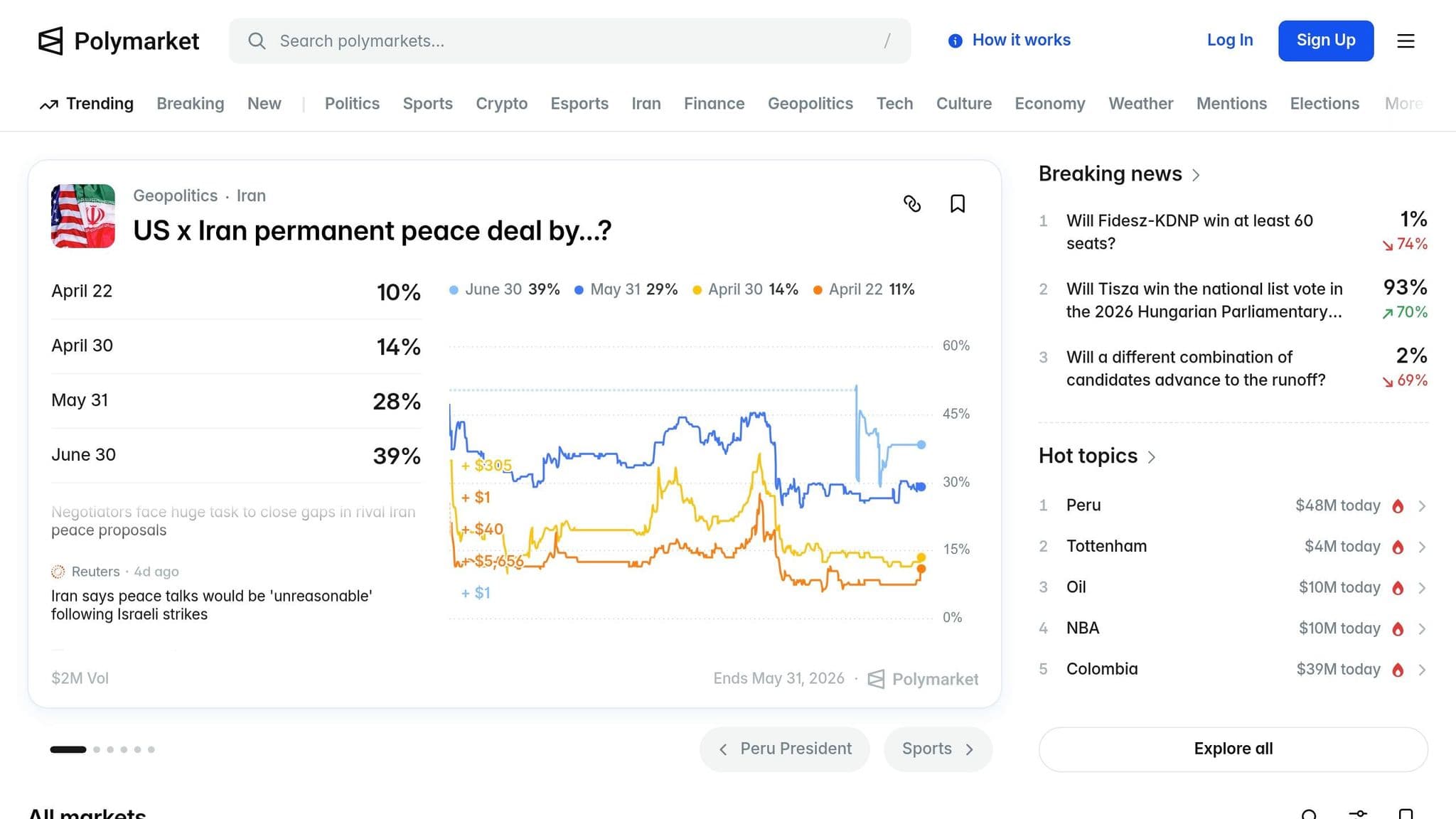
Order Matching and Settlement
Polymarket's Central Limit Order Book (CLOB) relies on a two-step process that blends speed and security. Here's how it works: when you place an order, a centralized operator handles the initial matching offchain. This involves comparing your order with others, verifying your signature, ensuring you have the necessary balance, and checking compliance with tick size rules before proceeding.
Once a match is found, the transaction moves to the Polygon blockchain for settlement. At this stage, the Exchange contract verifies all required signatures and completes an atomic transfer. Essentially, your pUSD is swapped for outcome tokens in a single, all-or-nothing transaction. This ensures that neither party is left with an incomplete trade. The operator's actions are fully authorized by your signature, maintaining trust and security throughout the process.
This hybrid model combines the quick execution you'd expect from centralized exchanges with the security of blockchain-based settlement. If connectivity issues arise, order heartbeats can cancel your resting orders automatically; CLOB V2 removed the old onchain cancel.
Binary Market Structure (YES/NO)
Polymarket operates using a binary framework, where every event revolves around two outcomes: YES and NO. Together, 1 YES share and 1 NO share always equal $1.00. This structure is the foundation for price discovery and liquidity. For example, if you place a buy order for YES at $0.60, it pairs with someone else's buy order for NO at $0.40. Combined, these orders meet the $1.00 threshold required to mint a complete set of outcome tokens.
Prices, which range from $0.00 to $1.00, represent the market's implied probability. A YES share priced at $0.75 indicates a 75% likelihood of the event happening. Once the event concludes, winning shares are valued at $1.00, while losing shares become worthless.
Order Types: Limit and Market Orders
Polymarket treats all orders as limit orders, even those referred to as market orders. Market orders are essentially limit orders set to execute immediately.
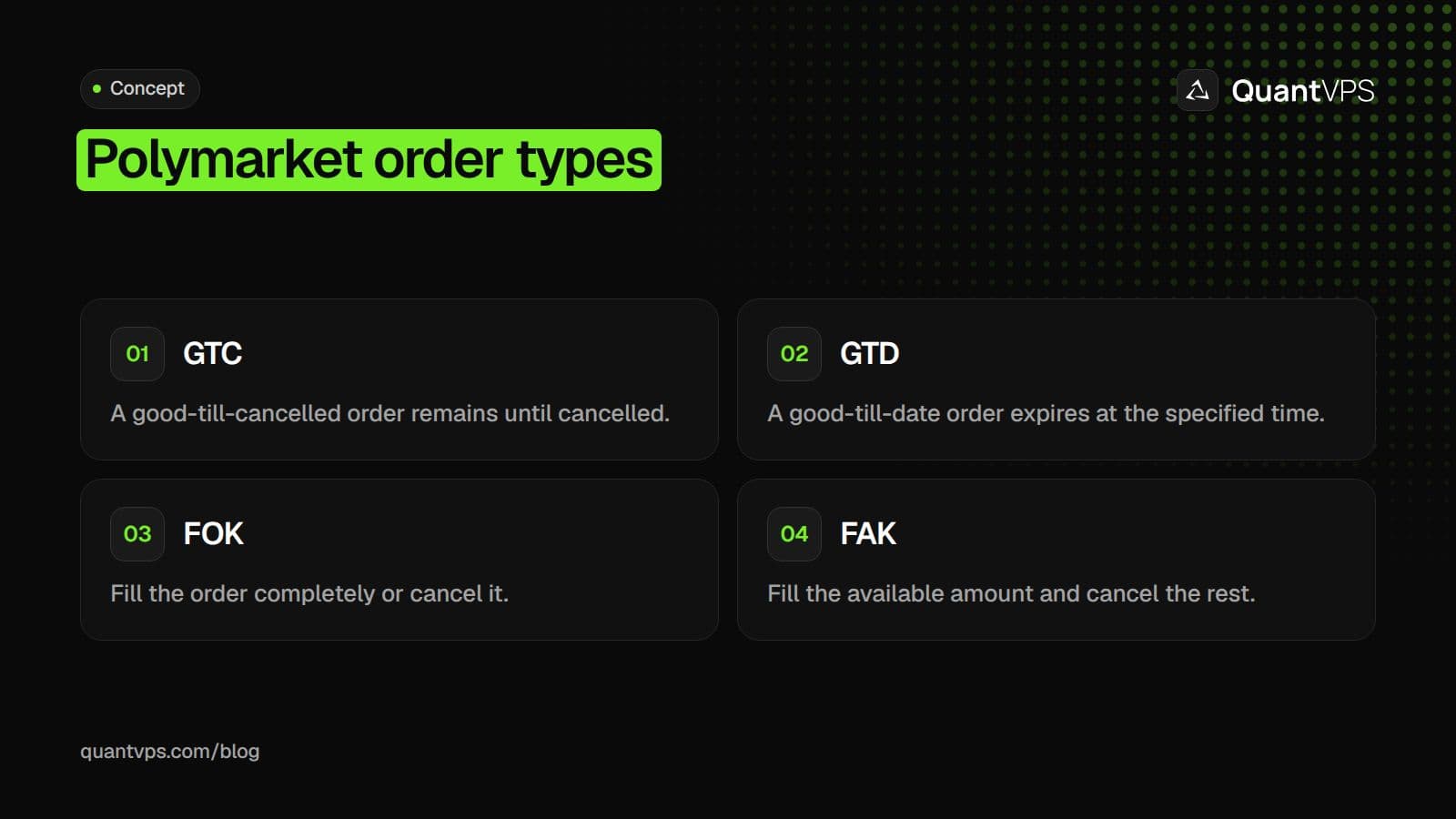
When placing a limit order - whether it's Good Till Cancelled (GTC) or Good Till Date (GTD) - you define the maximum price you're willing to pay (or the minimum price you're willing to accept). These orders stay active until they are matched, canceled, or expire. Shorter GTD expiries in fast-moving markets keep stale orders from filling after your thesis breaks. If you also trade futures, see how GTC and day orders differ on exchanges that offer day orders.
Market orders, such as Fill Or Kill (FOK) or Fill And Kill (FAK), focus on immediate execution. The "price" field in these orders acts as slippage protection, setting a maximum or minimum acceptable price. For instance, if you submit a buy order at $0.55, and it matches with a sell order at $0.52, you'll pay the lower price of $0.52.
| Order Type | Behavior | Use Case |
|---|---|---|
| GTC (Good Till Cancelled) | Stays on the book until filled or manually canceled | Ideal for market-making strategies |
| GTD (Good Till Date) | Expires at a specified Unix timestamp | Useful for time-sensitive trades |
| FOK (Fill Or Kill) | Must be fully executed immediately or canceled | Prevents partial fills and slippage |
| FAK (Fill And Kill) | Executes available liquidity immediately; cancels the rest | Balances speed and partial execution |
Orders must follow the market's tick size, which could be 0.01, 0.001, 0.0001, or 0.1. The matching engine rejects orders that don't adhere to these increments, and GTD orders must expire at least 3 minutes in the future. This approach ensures a fast and secure trading experience within Polymarket's hybrid system.
How Does Polymarket's Central Limit Order Book Actually Work?
A central limit order book is a constantly updated record of every price and amount that traders are willing to buy or sell at, matched in real time by a rules-based engine. On Polymarket, that engine pairs buyers and sellers of outcome tokens across a single unified book per market. Price comes from the collision of competing intentions, not from platform decree.
Key Point: The CLOB engine is entirely rules-based: no human intervention sets the price. Every outcome token price is determined purely by the collision of buy and sell intentions across the unified book.
Pro Tip: Understanding that price discovery happens at the order collision point, not at platform level, is the critical insight that separates informed Polymarket traders from casual participants.
| CLOB Component | What It Does |
|---|---|
| Order Book | Tracks every price and quantity traders will buy or sell at |
| Matching Engine | Pairs buyers and sellers in real time using rules-based logic |
| Outcome Tokens | The tradeable assets matched across a single unified book |
| Price Discovery | Emerges from competing intentions, not platform decree |
What does the CLOB actually contain?
Every order specifies four things: the outcome token (YES or NO), the side (buy or sell), the price, and the size. When a trader submits a signed order, the engine checks for a compatible counterpart and matches immediately if one exists. Otherwise, the order rests on the book and becomes available liquidity for future traders. According to arXiv's anatomy study of Polymarket's order book microstructure, the CLOB uses binary outcome contracts priced between 0 and 1, meaning every resting bid and ask directly expresses implied probability.
How does matching and settlement actually work?
Matching happens off-chain for speed, but every completed trade settles on-chain through the Polygon-based Conditional Tokens Framework. When opposing YES and NO orders cross at prices that add up to $1.00, the engine creates new outcome tokens from pUSD collateral. When opposite sells cross, it destroys tokens back to pUSD. Direct user-to-user matches skip token creation entirely, providing centralized exchange execution speed with decentralized protocol settlement guarantees.
Bids, Asks, and the Spread
The order book organizes itself around two sides: bids (buy orders) stack from highest to lowest, and asks (sell orders) stack from lowest to highest. The gap between the best bid and the best ask is the spread, the most honest signal about a market's liquidity. If the best bid is $0.62 and the best ask is $0.65, the spread is $0.03. A trader who buys at $0.65 and immediately sells at $0.62 loses three cents per share before fees, the cost of impatience priced in real time by the market itself.
How does the displayed probability relate to the real cost of trading?
The headline probability shown on every Polymarket card is the midpoint of the bid-ask spread, unless that spread exceeds $0.10. When the spread is too wide, the display uses the last traded price instead. A badge showing "0.62" can coexist with a real buy cost of $0.71 and a real bid of $0.53. Understanding this rule changes how you interpret every market you look at.
How does market depth affect slippage on large orders?
Market depth determines how far your order travels through the book before filling completely. If the ask side shows $5,000 at $0.65, $3,000 at $0.66, and $4,000 at $0.67, a $12,000 market buy fills across all three levels at an average of $0.659: a 0.9-cent slippage that scales significantly. Large orders move through multiple levels when liquidity at the expected price is insufficient. On flagship markets like major elections, Polymarket absorbs $50,000 to $100,000 with minimal slippage. On long-tail markets, the same $12,000 order can move price five to ten cents.
Knowing what the order book contains is only half the picture; the more surprising half is what that price on your screen is hiding.
Why Does the Order Book Matter More Than the Price You See?
The price on your screen is a snapshot, not a promise. That 63% figure is the midpoint of the best bid and best ask (or the last traded price when the spread is wider than $0.10), and it says nothing about how much of your order will actually fill at that level. The gap between "the market says 63%" and "I can buy my full position at 63%" is where most casual traders lose money.
Warning: Casual traders consistently mistake the displayed price for a guaranteed fill price. This is one of the most costly assumptions in active trading.
Takeaway: The order book reveals the real market depth behind any quoted price. Without reading it, you're trading blind, exposed to slippage, partial fills, and unexpected costs that the headline number will never show you.
| What the Price Shows | What the Order Book Reveals |
|---|---|
| Bid-ask midpoint, or the last trade when the spread is over $0.10 | Full depth of available liquidity |
| A single number at one moment | Stacked bids and asks at every level |
| No indication of fill certainty | Likely slippage on large orders |
| A snapshot | The real market structure |
Order flow
Built for scalpers. Heatmaps on dedicated resources.
Order-flow heatmaps and DOM ladders run on dedicated CPU, memory and NVMe, so your charts keep responding during volatility.
See the dedicated hardware







From $29.99/mo · Windows or Linux
What happens to your order when liquidity runs out at the displayed price?
Imagine this order book:
| Price | Available Size |
|---|---|
| $0.63 | $500 |
| $0.64 | $1,000 |
| $0.65 | $2,000 |
A $300 buy order fills at $0.63. A $2,000 buy order uses up all $500 at $0.63, then $1,000 at $0.64, then $500 more at $0.65, creating an average execution price that is much worse than the displayed price. Polymarket's own documentation warns that large orders can move the price significantly and recommends checking order-book depth before trading in size. The displayed probability is price discovery. Your actual execution price reflects liquidity consumption.
Why Limit Orders Almost Always Win
Polymarket's fee structure makes the choice between limit and market orders nearly automatic. Makers are never charged fees, and in fee-enabled markets they share a rebate pool funded by taker fees. Takers pay fee = C × feeRate × p × (1 - p), where C is the number of shares and p is the price, so the fee is not a flat percentage of trade value. Current rates from Polymarket's fee docs, checked on 10 Oct 2026:
| Category | Taker fee rate | Taker fee, 100 shares at $0.50 | Maker rebate (share of taker fees) |
|---|---|---|---|
| Geopolitics | 0 (fee-free) | $0 | None |
| Finance, Politics, Mentions, Tech | 0.04 | $1.00 | 25% |
| Sports | 0.05 | $1.25 | 15% |
| Economics, Culture, Weather, Other | 0.05 | $1.25 | 25% |
| Crypto | 0.07 | $1.75 | 20% |
| Polymarket US (separate exchange) | 0.0695 | $1.74 | Rebate coefficient 0.0125 ($0.31 per 100 at $0.50) |
Why are taker fees highest near 50 cents?
Every fee-enabled category uses the same p × (1 - p) curve, so the fee per share is largest at a price of $0.50 and smallest near $0.01 and $0.99. Crypto carries the highest rate, so buying 100 shares at $0.50 as a taker costs $1.75 in fees, against $1.00 in a politics market.
How does the 1-cent trick turn small savings into meaningful annual gains?
The 1-cent trick demonstrates real results. If the best bid is $0.62 and the best ask is $0.65, place your buy limit at $0.63. You'll fill in seconds at $0.63 instead of paying $0.65, saving 2 cents per share. On a 5,000-share trade, that is $100 saved. The only defensible case for a market order is breaking news where seconds matter, and you are confident the mispricing exceeds the combined cost of the spread and taker fee. In 90% or more of trades, a limit order is strictly better.
Reading the Book for Signals
According to the Bookmap Blog, order book data updates thousands of times per second while price updates occur only once per trade. A trader reading only the price sees a summary; the order book is the full document.
What do bids, asks, and the spread reveal at a glance?
Bids (buy side): 48c (500 shares), 47c (1,200 shares), 46c (800 shares), 45c (2,000 shares)
Asks (sell side): 52c (300 shares), 53c (600 shares), 54c (1,500 shares), 55c (400 shares)
The spread here is 4 cents (52c minus 48c): a hidden cost for people unwilling to wait, paid before the price changes. Large orders that remain in place signal genuine conviction: a big bid below the price acts as a floor, and a large ask above it acts as a ceiling. Orders that persist for hours are typically real; those that appear and disappear within 60–90 seconds are typically spoofing.
How do depth imbalance and hidden orders mislead directional traders?
When the bid side carries three to five times more depth than the ask side, genuine buying pressure often pushes price upward over the following hours. The reverse is equally predictive. However, thin markets are vulnerable to manipulation (see how spoofing works), so read depth imbalance alongside order persistence and spread width, not in isolation.
Stacked orders at consecutive price levels ($0.60, $0.61, $0.62, $0.63 with $2,000 each) typically indicate a professional market maker running an inventory algorithm, not a directional trader. Mistaking a liquidity stack for a conviction signal is costly. Iceberg orders add hidden complexity: when a price level absorbs volume without moving, a large participant displays only a fraction of their true size, the technique used across Theo's $85M 2024 political trades, sliced across 11 accounts to avoid revealing position size in a single block.
The 30-Second Execution Checklist
Before every trade, run this sequence without skipping steps:
What steps should you run before placing every trade?
- Check the spread. If wider than 3 cents, use a limit order.
- Check depth at the best level. Can you size at least 3 times your intended trade without slippage? If not, split the order across executions.
- Check the other side of the book. Is buying YES at $0.65 worse than selling NO at $0.35? Use whichever venue offers better execution.
- Pick the right order type. Use GTC for patient entries, FAK if an immediate partial fill is acceptable, and FOK only when a partial fill is strictly worse than no fill.
- Place your limit inside the spread. One cent better than the best ask usually attracts a fill.
- Set a time budget. If unfilled within 10 minutes, assess whether the market moved past your price or your price was incorrect.
Why do skipped steps cost more than they appear to?
Most traders who skip this checklist lose money across dozens of trades, where each mistake seems small: a 1.5-cent spread absorbed without thought, a taker fee paid when a limit order would have earned a rebate, a depth check skipped on a $2,000 order that consumed three price levels. These losses are spread out enough to feel like variance, but they reflect the structural cost of treating the displayed price as the full picture when the order book is the real one.
Why Is Polymarket's CLOB Hybrid Instead of Fully Onchain?
An order book is not static: traders continuously place, cancel, and update orders. Processing every action directly on a public blockchain costs gas fees and takes time to confirm, which becomes a big problem when there is a lot of trading activity happening.
Tip: Polymarket's hybrid CLOB model solves this by handling order matching offchain while settling final trades onchain, giving traders speed without sacrificing transparency or security.
Warning: A fully onchain order book would mean every cancel, update, or placement costs gas fees, making frequent trading prohibitively expensive for everyday users.
| Approach | Order Matching | Gas Fees | Speed |
|---|---|---|---|
| Fully Onchain | Onchain | Every action | Slow |
| Hybrid CLOB | Offchain | Settlement only | Fast |
What the split actually looks like
Polymarket separates the workflow into distinct responsibilities. When you place an order, you sign it locally using the EIP-712 standard, a cryptographic signature that proves intent without broadcasting to the chain. That signed order travels to Polymarket's CLOB infrastructure, where it sits in the offchain matching engine alongside other live orders. When the engine finds a compatible counterparty, it matches them offchain, then submits the settled result to Polymarket's audited Exchange smart contract on Polygon for final settlement. The blockchain sees the outcome, not the negotiation.
| Function | Where it happens |
|---|---|
| Order signing | User side (EIP-712) |
| Order submission and matching | CLOB infrastructure (offchain) |
| Trade settlement | Onchain (Polygon smart contract) |
| Custody | Non-custodial model |
What does offchain matching mean for trader control?
The tradeoff is clear: offchain matching gives traders the speed of a traditional exchange, but the matching layer is operated infrastructure. Polymarket states that the operator cannot execute unauthorized trades because valid trades require the user's cryptographic signature. However, order sequencing and prioritization occur within infrastructure that Polymarket controls, not within a smart contract that anyone can audit in real time.
Why does the hybrid architecture exist in the first place?
This design exists for economic reasons, not philosophical preference. Running a high-throughput order book natively on Ethereum mainnet, where gas fees spike past $50 per transaction during congestion, would make active market making economically impossible. Polygon's Layer-2 infrastructure keeps settlement costs under $0.01 per trade, enabling market makers to update quotes continuously without fee overhead eroding their edge.
How does infrastructure proximity affect real execution quality?
Research analyzing over one million trades across Polymarket's CLOB demonstrates the market's depth and speed. At that scale, physical distance between a trading bot and the matching engine affects performance. Teams running high-frequency quoting strategies on standard cloud computers discover this when order updates arrive late and fills execute at unacceptable prices.
Knowing how the layers split is useful. Knowing what that split means for your execution is where the real decisions begin.
How Should Traders and Developers Use the Polymarket CLOB?
Understanding CLOB mechanics is critical, but using that knowledge well is what makes successful traders and developers different from everyone else.
Tip: For trader or a developer, your edge comes from actively applying CLOB mechanics, not just passively understanding them.
Warning: Don't fall into the trap of only studying order book theory without putting it into real practice. Knowledge without execution is the most common mistake in algorithmic and prediction market trading.
| User Type | Key Focus | Primary Advantage |
|---|---|---|
| Traders | Reading order flow & liquidity | Better entry/exit timing |
| Developers | API integration & automation | Systematic, scalable execution |
| Both | Understanding CLOB mechanics | Competitive edge over the market |
What should you check before trusting the displayed price?
The bid-ask spread is your first diagnostic, not the midpoint price. A 1-2 cent spread signals a competitive market where your limit order has a genuine chance of filling quickly. A 10-cent spread means slow down, place your order in the middle, and wait. Treating a wide-spread price as reliable is how traders end up with fills that no longer match their thesis.
How does order size relative to depth affect your actual fill price?
Before placing any order, check five things: best bid, best ask, spread width, available depth at each price level, and your trade size relative to that depth. If your order would consume multiple price levels, you're not taking a position at the displayed price but at a blended price that could be meaningfully worse. Your options: cross the spread and accept immediacy costs, place a limit order and wait, reduce size to match available depth, or step back if execution would materially hurt expected value.
Execution Tactics for Common Situations
Patient entry
You want Yes at $0.55. The current ask is $0.63. Place a GTC (Good Till Canceled) limit order at $0.55 and walk away. Many profitable trades fill from orders that rest for 6 to 48 hours.
Breaking news
A significant change occurred five minutes ago, and the order book is shifting prices rapidly. Place a FAK (Fill and Kill) limit slightly past the current best level to accept the spread cost in exchange for immediate execution. Once conditions stabilize (typically two or more hours later), reassess your strategy and place GTC limits for additional shares at steadier price levels.
Sizing up a position
Building $10,000 over 24 hours without showing your plan requires breaking the total into 5 to 10 smaller GTC orders at slightly different price levels. Vary the sizes so the pattern doesn't appear algorithmic. Check your view of the book every few hours, as depth shifts and earlier assumptions may no longer hold.
Exiting before resolution
If your thesis is broken, close the position. A 2-cent spread cost is a rounding error compared to holding a losing position to zero. The sunk cost of being wrong is not a reason to stay wrong.
For Liquidity Providers, Your Order Type Defines Your Role
Taking liquidity and adding liquidity differ, and that affects your profits or costs. When you place a market order or a limit order that immediately matches an existing order, you are a taker and must pay fees on Polymarket. When you place a limit order that remains in the book awaiting a match, you are a maker. Makers incur no trading fees and, in some markets with fees enabled, receive rebates from taker fees.
How do post-only orders protect your maker status?
Post-only orders protect this distinction by canceling automatically if they would immediately match, ensuring your order stays in place rather than accidentally crossing. For anyone running a quoting or market-making strategy, this is essential to keeping your cost structure intact. According to the Robot Traders Polymarket API tutorial, the CLOB API supports WebSocket streams with real-time order book updates at sub-second latency, allowing a well-built maker strategy to respond to spread changes fast enough to stay competitive without constantly crossing.
For Developers Build Around the Order Lifecycle
The most common mistake in CLOB integrations is treating the API call as the endpoint, when it is only the middle of the process. The useful implementation chain runs in this order: read market and order book data, construct the order with the correct token ID, side, price, and size, sign the order using EIP-712, authenticate and submit it through the CLOB API, monitor fill status via WebSocket or polling, then cancel or replace if market conditions shift before your order fills.
What failure modes should you build against at each step?
Each step can fail in different ways. Unsigned or incorrectly signed orders get rejected upon submission. Orders made with outdated book data may remain at prices that no longer make sense. Unwatched orders in fast-moving markets can fill at undesired prices. Build monitoring and cancellation logic before going live, not after your first unexpected fill. CLOB V2 is the current production version, and legacy V1 SDKs and V1-signed orders are not supported in production. Developers in the U.S. should first read about U.S. access to the Polymarket API, because Polymarket US runs a separate exchange and API.
Does infrastructure latency matter when competing at scale?
Most teams running bots deploy on general-purpose cloud instances and assume latency will be acceptable. As the Robot Traders Polymarket API tutorial notes, Polymarket processed over $1 billion in trading volume during the 2024 US election cycle, so the matching engine handles real competition at scale.
What the CLOB does not promise you
The order book is a tool, not a guarantee. Your limit order may never get filled. The displayed midpoint is not the price you will pay. Deep liquidity does not exist at every price level in every market. No order-book strategy works without accounting for latency, competing bots, and market movement between reading the book and executing an order.
Uptime
99.999% uptime. Built for 24/7 trading reliability.
Your VPS runs in Tier IV datacenters with redundant power and network, monitored 24/7 on site.
See the uptime SLAFrom $29.99/mo · Windows or Linux
Why do these limits matter for real trading conditions?
Understanding those limits is the foundation of a strategy that holds up under real conditions. Traders who use the CLOB well treat every order placement as a decision with a cost, not a wish with a price attached.
But knowing how to place the order is only part of the problem. The harder question is what happens when your strategy needs to keep running without you watching it.
Running an Automated Trading Strategy? Keep It Running 24/7
Running an automated strategy against the Polymarket CLOB means your edge lives in execution consistency, not signal quality alone. An algorithm that misses a fill window due to a dropped connection or overloaded machine is no different from a strategy never built.
Tip: Before optimizing your signal logic, audit your infrastructure reliability first. That's where most algo traders silently bleed edge.
| Environment | Key Risk | Impact on Execution |
|---|---|---|
| Local Machine | Sleep, restarts, process competition | Missed fill windows |
| Shared Cloud Instance | Shared resources, variable latency | Compounding delays across orders |
| Dedicated Trading VPS | Minimal (purpose-built) | Consistent, always-on execution |
Warning: Latency introduced by shared environments doesn't just affect one order. It compounds across hundreds of placements, quietly eroding your strategy's edge over time.
Understanding the CLOB is foundational. But keeping your strategy reliably connected to it, without interruption, is what turns that understanding into real results.
Key Point: Signal quality gets attention, but execution infrastructure determines whether your strategy performs in live markets.
How to Get Started with Polymarket's CLOB
Setting Up API Authentication
Polymarket's CLOB offers a fast and secure trading experience, but before diving in, you need to set up authentication. The process involves two layers of security:
- EIP-712 Message Signing (L1): Use your wallet's private key to sign an EIP-712 message.
-
API Key Authentication (L2): Secure your API requests using your
apiKey,secret, andpassphrasewith HMAC-SHA256 signing.
When initiating your trading session, you'll need to specify a signature type:
-
0for a plain wallet key such as MetaMask (EOA), which must be allowlisted for trading. -
1for legacy Magic Link or Google login wallets (POLY_PROXY). -
2for legacy Gnosis Safe wallets created with an external signer. -
3for Deposit Wallets (DEPOSIT_WALLET), the default for every Polymarket account wallet deployed on or after 4 May 2026.
Additionally, you must determine your funder address, which is the wallet holding your funds. For standard wallets, this is simply your wallet address. If you're using a proxy, you can find the funder address in your Polymarket profile settings.
Important Reminder: Never embed private keys or API secrets directly in your code. Instead, store them securely in.env files and make sure these files are excluded from version control by adding them to.gitignore. If you lose your API credentials, you can only recover them if you've saved the original nonce used during their creation. Otherwise, you'll need to generate new credentials with a fresh nonce.
Once authentication is set up, you can connect using Polymarket's official SDKs or REST API.
Connecting via SDK or REST API
Polymarket's official SDKs are @polymarket/client for TypeScript and polymarket-client for Python, unified clients that cover the CLOB, Gamma and Data APIs. A unified Rust SDK is in development; until then the Rust crate is polymarket_client_sdk_v2. The older clob-client and py-clob-client packages no longer work against production. These SDKs simplify the authentication process, making them the preferred option for most users. Here's how to get started:
- Install the SDK package for your chosen language.
-
Create a secure client with your private key and account wallet address (
createSecureClientin TypeScript,SecureClient.createin Python). - The client creates or derives your L2 API credentials and picks the signing flow for your wallet type.
-
Run
setupTradingApprovals()once so the exchange contracts can spend your pUSD and outcome tokens.
For those who prefer using the REST API, you’ll need to manually construct HTTP headers for each request. These headers include:
-
POLY_ADDRESS: Your Polygon signer address. -
POLY_SIGNATURE: The HMAC-SHA256 signature. -
POLY_TIMESTAMP: The current Unix timestamp. -
POLY_API_KEYandPOLY_PASSPHRASE: Your API credentials.
Keep in mind that public endpoints like the orderbook and market prices don’t require authentication.
Note for EOA Users: Every approval from an EOA is an onchain transaction that needs POL for gas. Deposit, Safe and Proxy wallets submit approvals gaslessly through Polymarket's relayer, which needs a Relayer or Builder API key.
Once connected, you're all set to place your first trade.
Placing Your First Order
Before trading, make sure your account wallet holds pUSD and has approved the exchange contracts for pUSD and outcome tokens, and confirm the market's tick size. The secure client checks balance and allowance when it places an order and completes a missing approval itself.
The SDK streamlines the process with placeLimitOrder (TypeScript) or place_limit_order (Python), which signs and submits your order in one step. When placing an order, you’ll need to specify:
- The asset ID for the outcome you're trading.
-
The
price, ensuring it aligns with the market's tick size. -
The
size, which is the number of shares you're buying or selling. - Whether the order is a buy or sell.
For multi-outcome markets, set negRisk to true.
Be aware that prices not matching the market's precision - for example, using 0.01 when the market requires 0.001 - will be rejected. If you're running automated trading bots, send a heartbeat every 5 seconds to prevent orders from being canceled. Additionally, you can use batch requests to place up to 15 orders or query up to 500 tokens in a single API call, which is a great way to boost efficiency for high-frequency trading strategies.
CLOB V2: What Changed for Bots
CLOB V2 went live on 28 April 2026 with new exchange contracts, a rewritten matching backend and a new collateral token, pUSD. Legacy V1 SDKs and V1-signed orders no longer work in production, and open orders from before the cutover were wiped, so bots had to re-sign and re-place them. The changes below come from Polymarket's CLOB V2 migration guide, checked on 10 Oct 2026.
| Area | Before (V1) | Now (V2) |
|---|---|---|
| Collateral | USDC.e | pUSD, an ERC-20 on Polygon backed by USDC; API traders wrap USDC.e through the Collateral Onramp |
| Order uniqueness | Nonce | Timestamp in milliseconds |
| Fees | Set in the signed order (feeRateBps) | Set by the protocol at match time |
| Signed order fields | nonce, feeRateBps, taker | timestamp, metadata, builder |
| Exchange signing domain | Version "1" | Version "2" (API authentication unchanged) |
| Builder attribution | POLY_BUILDER HMAC headers | A builderCode field on each order |
| Onchain cancel | Available | Replaced by operator-controlled pauseUser and unpauseUser |
SDK and market version changes
The V1 packages @polymarket/clob-client and py-clob-client stopped working at the cutover. Polymarket now points bots to the unified @polymarket/client and polymarket-client SDKs, which replace the interim clob-client-v2 packages and handle V2 signing and fees for you.
A later upgrade, Polymarket Protocol V2, adds new position tokens on some markets. Bots choose the trading ID by the market's version: a position ID for Protocol V2 markets, a token ID for the older CTF markets. setupTradingApprovals() approves both systems, and existing CTF holdings are not converted.
Matching engine and settlement changes
A ghost fill is a trade that shows as matched offchain but never settles onchain. V2 rewrote the services between those two steps (the order manager, ledger, executor, balance checker and tracker) and dropped the V1 nonce system. Whatever the engine version, treat a fill as final only when the trade status reaches CONFIRMED: MATCHED and MINED are interim states, RETRYING means the transaction is being retried, and FAILED is permanent.
The matching engine also restarts for maintenance, usually announced about two days ahead. For two minutes after a restart it accepts only post-only maker orders, while cancels keep working, so retry logic should back off and switch to post-only.
Fixing Not Enough Balance or Allowance Errors
The CLOB returns "not enough balance / allowance" when the account wallet lacks the pUSD a buy needs or the outcome tokens a sell needs, or when the exchange contracts are not approved to move them. Work through these checks in order (Polymarket docs, checked on 10 Oct 2026):
- Check the balance the CLOB sees. Open orders reserve funds: your largest new order is your balance minus the unfilled size of your open orders. Cancel stale orders or size down. Buys need pUSD, so USDC.e in the wallet does not count until it is wrapped.
-
Refresh the allowance after approving. The CLOB keeps an allowance cache, refreshed through the
/balance-allowance/updateendpoint. The SDK's secure client detects a missing allowance while placing an order, completes the approval, refreshes it and retries. -
Approve outcome tokens before you sell. A sell needs the exchange approved as an operator for your outcome tokens, not just pUSD. Refresh the conditional allowance for each outcome before its first sell:
CONDITIONALwith a CTF token ID,CONDITIONAL-V2with a Protocol V2 position ID. - Match the wallet type and address. Deposit Wallets (type 3) are the default for account wallets deployed on or after 4 May 2026; Proxy (1) and Safe (2) wallets are legacy. If the signature type or account wallet (funder) address does not match the wallet that holds the funds, orders are checked against the wrong wallet.
- Pay gas only from an EOA. An allowlisted EOA (type 0) sends every approval itself and needs POL for gas. Deposit, Safe and Proxy wallets approve gaslessly through the relayer, which needs a Relayer or Builder API key.
- Use session keys with the Deposit Wallet. A session key is a separate signer the Deposit Wallet owner authorizes for 180 days. It can trade but cannot withdraw, and it trades against the Deposit Wallet's balance, so that wallet must hold the pUSD and approvals.
In the Python SDK, these calls check the collateral balance and set up any missing approvals:
import asyncio, os
from polymarket import AsyncSecureClient, RelayerApiKey

async def main():
    client = await AsyncSecureClient.create(
        private_key=os.environ["SIGNER_PRIVATE_KEY"],
        wallet=os.environ["POLYMARKET_WALLET_ADDRESS"],
        api_key=RelayerApiKey(  # gasless approvals for smart wallets
            key=os.environ["POLYMARKET_RELAYER_API_KEY"],
            address=os.environ["POLYMARKET_RELAYER_API_KEY_ADDRESS"],
        ),
    )
    print(await client.get_balance_allowance(asset_type="COLLATERAL"))
    await client.setup_trading_approvals()  # submits only what is missing

asyncio.run(main())
Managing and Monitoring Your Orders
Reading the Order Book
Getting familiar with the order book is essential if you want to make smart trading decisions. The order book shows Bids (buy orders at the highest prices) and Asks (sell orders at the lowest prices). The difference between them, known as the spread, gives you an idea of market liquidity.
Prices in the order book represent implied probabilities. For instance, a price of $0.25 suggests a 25% chance of the outcome. The price on the market card follows the midpoint rule explained earlier.
"Prices aren't set by Polymarket - they emerge from supply and demand as users trade with each other." – Polymarket Documentation
Before placing large orders, it’s a good idea to check the depth of the order book. Use the calculateMarketPrice endpoint to estimate and minimize slippage. Real-time updates through WebSocket occur about every 100 milliseconds, while REST API endpoints typically have a delay of around 1 second.
Always confirm the current tick_size before placing orders. If the tick size changes - like when prices go above $0.96 or drop below $0.04 - and you use the wrong increment, your order will be rejected.
Once you’ve reviewed the market depth, you’ll be better prepared to manage your orders effectively.
Canceling and Updating Orders
After understanding market behavior, the next step is managing your orders. Keep in mind that the Central Limit Order Book doesn’t allow direct updates to existing orders. If you need to change an order, you’ll have to cancel the unfilled one and submit a new order with your updated price or size.
You can cancel orders using API endpoints such as cancelOrder, cancelOrders, cancelAll, or cancelMarketOrders. Since CLOB V2 the Exchange contract no longer offers an onchain cancel, so API cancels and heartbeats are how you pull orders. Off-chain cancellations through APIs are processed instantly and don’t involve gas fees.
To stay on top of your orders, use the getOrder endpoint for detailed progress updates. You can also use the getNotifications endpoint to get alerts about fills or cancellations, with records available for 48 hours. For automated trading, consider implementing a heartbeat mechanism. Sending a heartbeat every 5 seconds prevents automatic cancellations. If no heartbeat is received within 10 seconds (plus a 5-second buffer), all open orders will be canceled to ensure safety.
| Order Status | Description |
|---|---|
live |
Order is resting on the book |
matched |
Order matched immediately |
delayed |
Market orders in sports markets incur a 3-second delay |
unmatched |
Marketable order placed on the book after the delay expires without a match |
Conclusion
Key Takeaways
Polymarket's Central Limit Order Book (CLOB) offers a blend of off-chain order matching and on-chain settlement on the Polygon network. This setup combines the speed of centralized exchanges with the added security of non-custodial trading, ensuring you maintain full control over your assets throughout the process.
Getting started is straightforward. The official TypeScript and Python SDKs simplify authentication and order placement. Just make sure your wallet holds pUSD and, if you trade from an allowlisted EOA, keep some POL for gas fees.
For traders using automated strategies or news-driven Polymarket bots, low-latency infrastructure is a critical component. Polymarket supports this with WebSocket feeds that provide updates in about 100 milliseconds, while REST API endpoints offer updates with a slight delay of around one second. QuantVPS runs Polymarket bots from Dublin, under 1ms to Polymarket's order book, with plans from VPS Starter at $29.99 per month to Dedicated Servers at $299.99 per month (monthly billing, checked on 10 Oct 2026). These tools ensure order management and real-time monitoring, making it easier to execute your trading strategies effectively.
Polymarket's CLOB offers transparent price discovery, flexible order types, and the reliability of non-custodial security. Use these features to refine and enhance your trading approach on Polymarket.
FAQs
Is Polymarket’s CLOB custodial?
Polymarket’s Central Limit Order Book (CLOB) operates as a non-custodial hybrid system, blending off-chain order matching with on-chain settlement. This setup allows users to retain full control over their funds while enabling orders to be canceled independently. The result is a trading experience that prioritizes both security and efficiency, ensuring users' assets remain in their own hands.
Why can my order be rejected for tick size?
When placing an order, it might be rejected due to "tick size" issues if the price you set doesn't match the platform's minimum price increment. This rule is in place to make sure all orders adhere to the market's valid pricing levels. To avoid this, double-check that your order price aligns with the required increments before submitting it.
Do I need a VPS to run a trading bot?
No, you don’t need a VPS to run a trading bot on Polymarket. You can use a local machine or any server with internet access. That said, opting for a VPS might offer more consistent uptime and reliability for uninterrupted operation.


