
If you are seeing delayed chart rendering, lag, or indicators that react slower than you expect, this setting is often the cause. In current NinjaTrader 8 versions, the “Calculate” mode (On Bar Close vs On Each Tick) is controlled per-indicator / per-strategy, and adjusting this can significantly improve responsiveness depending on how your charts are designed.
- On your chart, right-click → Indicators (or Strategies if you are editing a strategy)
- Select the indicator or strategy you want to edit
Scroll down in the properties panel until you see the parameter:
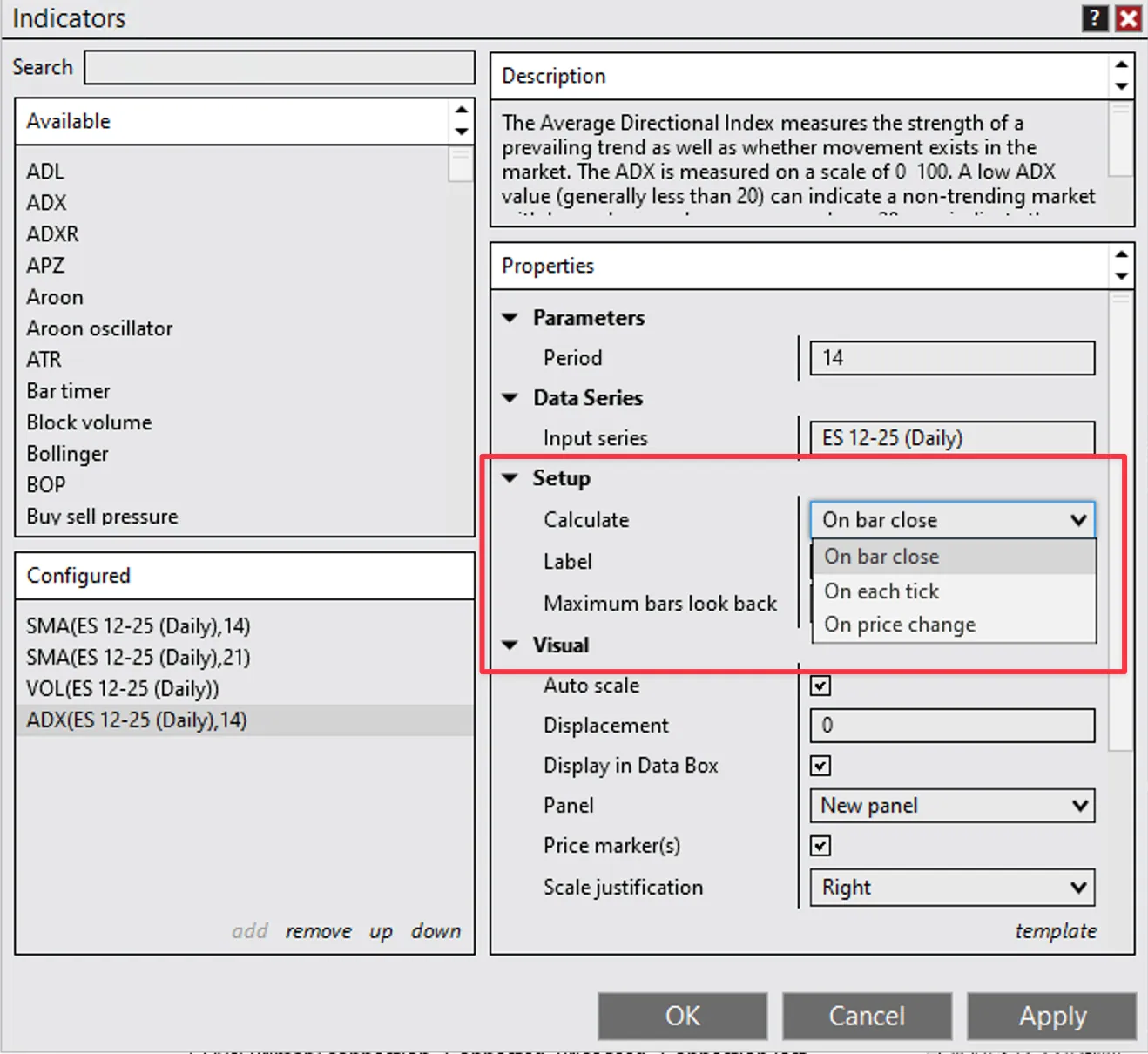
NinjaTrader indicator properties panel showing the Calculate parameter Calculate: On bar close / On each tick / On price change
- Choose the setting you want (for example: On each tick for maximum real-time responsiveness)
- Press OK to save
What each option means
| Setting | Behavior |
|---|---|
| On bar close | recalculates only when the bar completes (lighter on CPU, smoother) |
| On each tick | recalculates on every incoming tick (heavier on CPU, most reactive) |
| On price change | recalculates only when price changes (middle-ground option) |
Important Note
In older NinjaTrader documentation you may see references to a global “Calculate On Each Tick vs On Bar Close” setting under Tools → Options → Market Data.
That setting is not visible in many newer NT8 versions, so the correct way is per-indicator / per-strategy only (as shown above).
Need Assistance?
Our support team is available 24/7. If you have any questions or run into issues, open a support ticket from your QuantVPS dashboard and we'll get back to you as quickly as possible.