24 Best Algorithmic Trading Platforms for Beginners (2026 Guide)
Algorithmic trading is no longer exclusive to Wall Street. With platforms offering no-code tools, backtesting features, and accessible pricing, beginners can now automate trading strategies without coding with ease. Here’s a quick look at the top platforms for 2026:
- QuantVPS: High-performance VPS hosting for 24/7 trading.
- TradeStation: EasyLanguage programming and strong backtesting tools.
- NinjaTrader: C# support and a visual strategy builder.
- MetaTrader 4 & 5: Industry-standard platforms with extensive community tools.
- Interactive Brokers: Powerful APIs for coding strategies.
- QuantConnect: Python/C# support with institutional-grade backtesting.
- cTrader: User-friendly interface with C# support.
- TradingView: Pine Script for creating custom indicators and strategies.
- ProRealTime: No-code tools and precise backtesting.
- Mindful Trader: Pre-vetted trade alerts for beginners.
- Capitalize.ai: Plain-English strategy creation.
- Thinkorswim: ThinkScript for custom strategies and advanced tools.
- Quantower: Modular design with C# API support.
- BlueShift: Python-based tools and visual programming.
- Kite by Zerodha: Affordable options with API access.
These platforms cater to varying skill levels, offering features like no-code options, drag-and-drop interfaces, and robust educational resources. Some are free, while others provide subscription plans starting as low as $0 to $20 per month. Whether you're a complete beginner or ready to code, there's a platform tailored to your needs.
Quick Comparison
| Platform | Ease of Use | Coding Needed | Backtesting | Pricing |
|---|---|---|---|---|
| QuantVPS | High | No | Excellent | $41.99–$209.99/mo |
| TradeStation | Moderate | Low | Strong | Free or $10–$99/mo |
| NinjaTrader | Moderate | None to High | Strong | Free or $50/mo lease |
| MetaTrader (4/5) | Moderate | Moderate | Good | Free; VPS from $5/mo |
| Interactive Brokers | Low | High | External | $0–$10/mo |
| QuantConnect | Low | High | Excellent | Free or $20/mo |
| cTrader | Moderate | Moderate | Good | Free via brokers |
| TradingView | High | Low | Good | Free or $14.95–$59.95/mo |
| ProRealTime | High | None to Low | Robust | Free or $29/mo |
| Mindful Trader | High | None | N/A | $47/mo |
| Capitalize.ai | High | None | Basic | Free via brokers |
| Thinkorswim | Moderate | Moderate | Strong | Free for Schwab clients |
| Quantower | Moderate | Moderate | Moderate | Free or $40–$90/mo |
| BlueShift | Moderate | High | Excellent | Free |
| Kite by Zerodha | Moderate | High | External | ₹20 per order |
These platforms provide a range of features, so choose based on your goals, coding ability, and budget. Start with paper trading to practice strategies risk-free and scale up as you gain confidence.
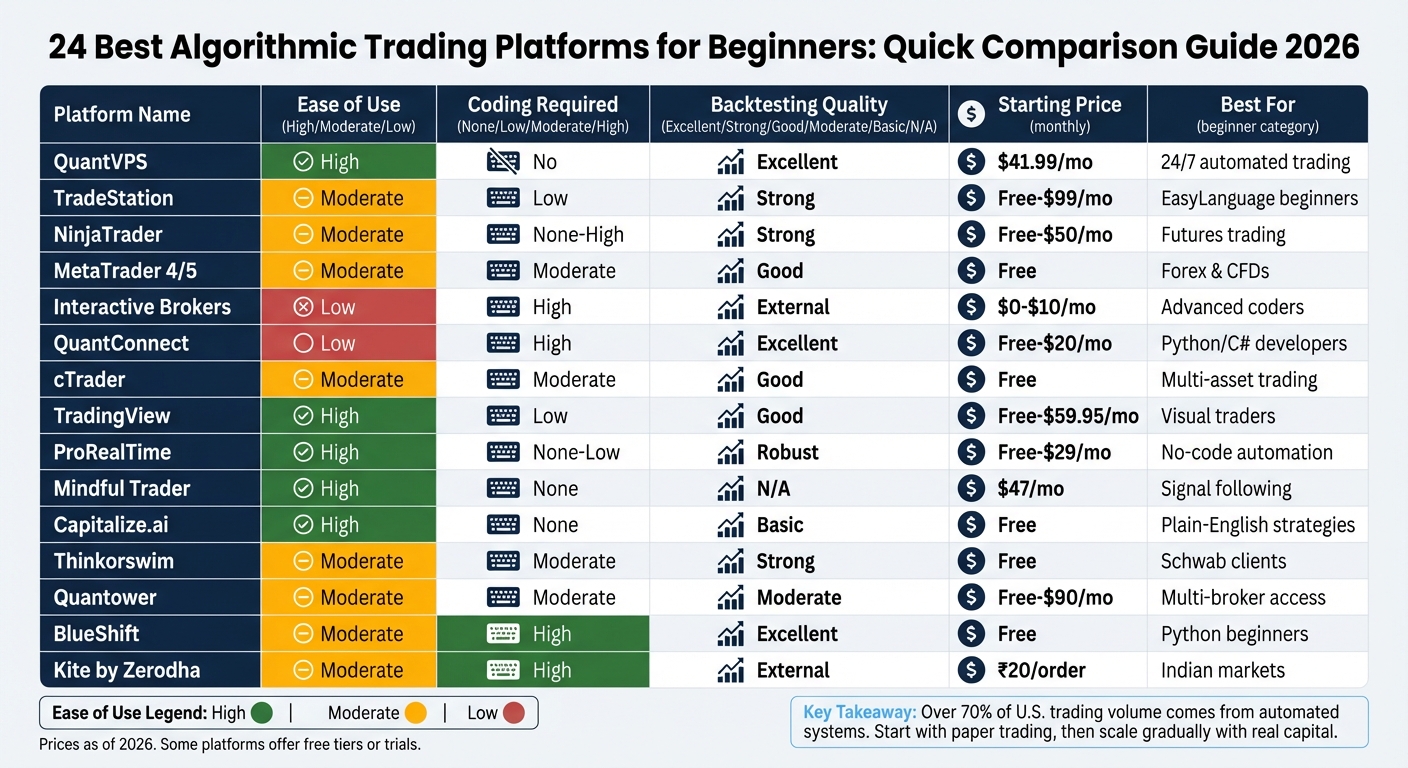
Algorithmic Trading Platforms Comparison: Features, Pricing & Ease of Use for Beginners 2026
Algorithmic Trading Platforms Comparison: Features, Pricing & Ease of Use for Beginners 2026
1. QuantVPS: High-Performance VPS for Futures Trading
QuantVPS is built specifically to support algorithmic trading, ensuring your strategies run smoothly 24/7. Designed for futures and forex trading, it keeps your automated systems active round-the-clock, independent of your personal devices. Running on Windows Server 2022, it integrates effortlessly with platforms like NinjaTrader, MetaTrader 4/5, and TradeStation. With 0–1ms latency to major exchanges and a 100% uptime guarantee, QuantVPS helps avoid the costly delays or interruptions that can disrupt trading operations.
Backtesting Support and Tools
QuantVPS offers robust infrastructure to handle intensive backtesting. Every plan includes unmetered bandwidth, so you can download historical tick data without worrying about limits or extra fees. With NVMe storage and up to 24-core CPUs, processing years of market data becomes efficient and seamless. Full root access allows users to customize their setups for strategy refinement, proprietary indicators, or other tools. Higher-tier plans even support multiple monitors - up to 4 monitors with the VPS Ultra plan and up to 6 monitors with the Dedicated Server - making multi-market analysis more manageable. Considering that over 70% of U.S. trading volume comes from automated systems, having a high-performance hosting solution like QuantVPS is almost essential for serious traders[12].
Programming Requirements
QuantVPS caters to traders of all skill levels. You don't need advanced coding expertise to benefit from its services. Platforms like NinjaTrader and MetaTrader offer visual tools such as drag-and-drop interfaces or strategy builders, and QuantVPS ensures these platforms run reliably. For those who do write their own code, the always-on environment provides the stability needed for uninterrupted execution of trading algorithms.
Beginner Resources
For those new to trading, QuantVPS offers an excellent setup for testing strategies before risking real money. Use the VPS environment for paper trading or live pilot tests to ensure your algorithm functions correctly in a remote setup[12][10]. The service also features real-time performance monitoring tools, so you can track CPU and RAM usage during demanding trading sessions, ensuring the server performs at its best.
Pricing Options
QuantVPS combines high-performance tools with flexible pricing plans to suit different trading needs:
- VPS Lite – Starting at $41.99/month (billed annually), this plan is ideal for beginners managing 1–2 charts. It includes 4 cores, 8GB RAM, and 70GB NVMe storage.
- VPS Pro – At $69.99/month (annual billing), this option works well for active traders handling 3–5 charts, offering 6 cores and 16GB RAM.
- VPS Ultra – Priced at $132.99/month (annual billing), it’s designed for power users managing 5–7 charts, with 24 cores, 64GB RAM, and support for up to 4 monitors.
- Dedicated Server – Starting at $209.99/month (annual billing), this plan provides 128GB RAM, over 2TB of NVMe storage, and support for up to 6 monitors.
Every plan includes DDoS protection and automatic backups, safeguarding your trading data and strategy code from cyber threats or hardware failures.
2. TradeStation
TradeStation is a great choice for beginners, thanks to its EasyLanguage programming, which is much simpler than Python or C# [14]. Recognized as the Best Overall algorithmic trading software by Stock Analysis [1], it also earned a 3.8/5 star rating in Investopedia's 2025 review [14].
User-Friendly Interface
TradeStation’s Titan X and HUB systems ensure a smooth trading experience across desktop, web, and mobile platforms. You can customize order windows, watchlists, and charts, all of which stay synchronized across devices [13] [14]. The RadarScreen tool keeps an eye on markets in real time, using both technical and fundamental criteria [14]. As Investopedia puts it:
"TradeStation's platforms, including its website, are intuitive"
"TradeStation's platforms, including its website, are intuitive"
This streamlined interface pairs well with its strong backtesting features.
Backtesting Support and Tools
With over 30 years of historical market data at your disposal, TradeStation offers a robust environment for backtesting [15]. Whether you prefer visual tools or coding, the platform simplifies the shift from strategy development to automation. Advanced tools like the Walk-Forward Optimizer and Portfolio Maestro (priced at $59.95/month) enable detailed portfolio-level testing. Before going live, you can use the paper trading simulator to work out any logic or execution issues without risking actual funds [1]. The transition to live trading is made easier with its beginner-friendly programming tools.
Programming Requirements
EasyLanguage stands out with its plain-English syntax, making strategy development accessible even for those new to coding. Additionally, TradeStation boasts a script library that has been active since the 1990s, offering a wealth of pre-written code for users to customize [15]. For non-coders, the visual strategy builder allows algorithm creation without writing a single line of code. Advanced users, on the other hand, can tap into an API that supports multiple languages, including C#, C++, Python, PHP, Ruby, and EasyLanguage [1].
Beginner Resources
TradeStation’s Learn Center is packed with resources like "Getting Started" and "New to Trading" sections, which include a glossary and tutorials tailored to stocks, options, and futures [14]. For those looking to deepen their skills, Master Classes are available to help users make the most of the platform. TradeStation’s focus on education and platform development has earned it accolades such as #1 Innovation Broker in the 2026 StockBrokers.com review and Broker of the Year in the 2025 TradingView Broker Awards [21]. These features make it an excellent starting point for traders venturing into algorithmic trading.
Affordability and Pricing Options
TradeStation offers competitive pricing, with no commissions on the first 10,000 shares of eligible stocks and ETFs [14]. Options are priced at $0.60 per contract, while futures follow a tiered structure starting at $1.75 per standard contract and $0.50 for micro futures [14]. To avoid the $10 monthly inactivity fee, you’ll need to maintain a $5,000 average end-of-month equity balance or complete at least 10 trades within 90 days [14]. Additional perks include earning 0.15% annual interest on unused cash balances over $100,000 and free API access for accounts funded with at least $10,000 [1]. For users who aren’t ready to open a brokerage account, TradeStation Analytics is available for $99.99/month, offering tools like RadarScreen and EasyLanguage [20].
3. NinjaTrader
NinjaTrader stands out as a platform tailored for futures trading, offering tools that cater to both beginners and experienced traders. With over 500,000 users and 600+ developers worldwide [23], it has built a solid reputation. It boasts a 4.7/5 rating from NerdWallet [24] and was recognized as the #1 Futures Broker by BrokerChooser.com in 2026 [28]. For beginners eager to explore algorithmic trading without diving deep into programming, it’s an excellent choice.
User-Friendly Interface
NinjaTrader’s interface is designed to make trading accessible for newcomers. The Chart Trader tool enables users to execute and manage trades directly from charts, providing a visual and intuitive experience. Extensive customization options allow users to tweak everything from chart layouts to fonts and backgrounds. Its point-and-click strategy builder simplifies creating automated trading strategies, requiring no coding knowledge. Features like the Market Replay function, which replays historical tick-by-tick market data, and Advanced Trade Management (ATM) modules, offering tools like automatic stop-loss and profit target placement, make it easier to manage trades and risks effectively [23][25].
Backtesting Tools
The Strategy Analyzer is NinjaTrader’s go-to tool for automated backtesting, allowing users to simulate trading strategies across multiple instruments and timeframes. The platform provides up to 25 years of 1-minute historical data for select instruments, while tick-by-tick Market Replay data is available for the past 90 days. For manual backtesting, tools like "Candle by Candle" and the Playback connection simulate live trading conditions. To ensure realistic results, users should enable the "Include commission" option during automated tests. Pre-loaded sample strategies, such as "Sample MA Crossover", help users understand performance report generation [26][27].
Programming Options
NinjaTrader operates on NinjaScript, a framework based on C# that appeals to both coding novices and seasoned programmers. Beginners can use the Strategy Builder to create basic strategies without writing any code, while advanced traders can leverage the full capabilities of C#. Additionally, the platform supports over 1,000 third-party apps and add-ons, expanding its analytical and backtesting features [1][26].
Beginner Resources
NinjaTrader offers a wealth of educational tools to help new users get started. Video guides walk through everything from setup to order entry, while daily live broadcasts under the NinjaTrader Live banner provide expert insights. Free courses cover futures trading basics and technical analysis, and a no-cost, unlimited futures trading simulator allows users to practice with professional market data in a risk-free environment. For those diving deeper, detailed documentation, code samples, NinjaScript tutorials, and a support forum are available. Additional resources include a blog series titled "Understanding Futures Contracts" and a technical support desk that operates 24/5 [29][30][31][32].
Pricing and Affordability
| Plan | Cost | Micro Commission | Standard Commission |
|---|---|---|---|
| Free | $0 | $0.39 per side | $1.29 per side |
| Monthly | $99/month | $0.29 per side | $0.99 per side |
| Lifetime | $1,499 (one-time) | $0.09 per side | $0.59 per side |
The platform’s core features, such as charting, market analysis, and live trading, are free to use with a funded account [23][24]. Opening a futures account requires a minimum deposit of $400, while forex accounts start at just $50. Micro futures margins begin at $50. However, a $25 monthly inactivity fee applies if no trades are made, and market data subscriptions start at around $48 per year [23][24].
With its competitive pricing, educational tools, and user-friendly design, NinjaTrader sets the stage for both beginners and those ready to explore more advanced trading strategies.
4. MetaTrader 4 (MT4)
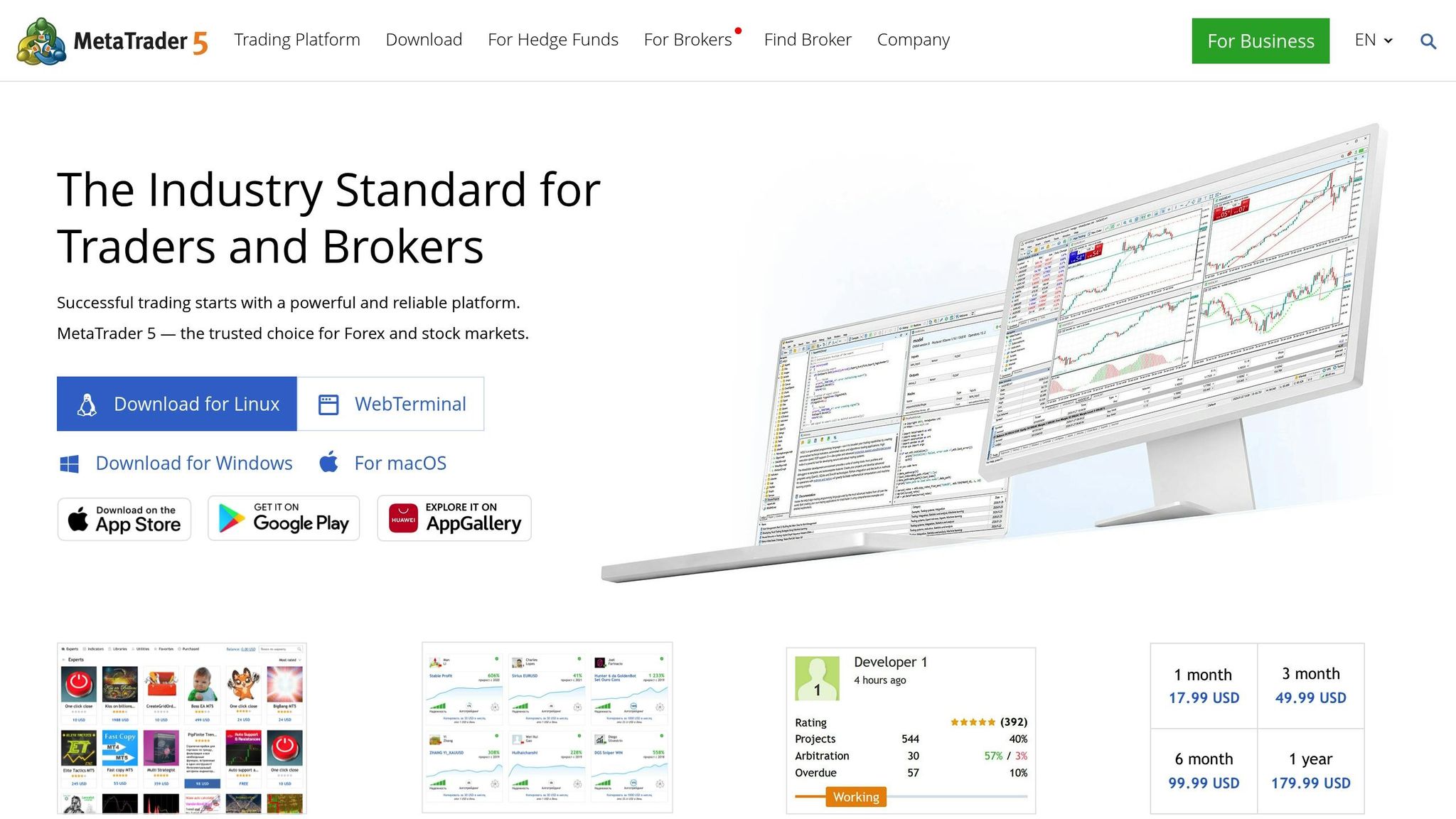
MetaTrader 4 has been a top choice for forex and CFD traders since its launch in 2005, with over 16 million users worldwide [49]. Despite its age, it remains a go-to platform thanks to its combination of ease of use and robust features. Over 1,200 brokers offer MT4 [37][40], and it has surpassed 10 million downloads on Android alone [40]. For beginners, this means learning on a platform that's widely regarded as the industry standard.
User-Friendly Interface
MT4 offers a clean and intuitive interface. The Market Watch window displays live prices, the Navigator provides access to accounts and scripts, and the Terminal helps you monitor trades [40]. It comes with 30 built-in technical indicators and 23 analytical tools right out of the box [34][37]. There’s even a visual indicator to show whether your Expert Advisors (EAs) are active [39]. Available in about 40 languages, MT4 is accessible to traders from all over the globe [37]. As Paul Holmes, a seasoned trader, puts it:
"MT4 is a solid platform for traders at all levels. Its balance of power and simplicity is one reason it's stood the test of time" [40].
"MT4 is a solid platform for traders at all levels. Its balance of power and simplicity is one reason it's stood the test of time" [40].
Backtesting Support and Tools
The platform's Strategy Tester is a standout feature, letting you test Expert Advisors using historical data before risking real money [41][43]. You can choose from three modeling methods: Every tick (most precise), Control points (moderate accuracy), or Open prices only (fastest for bar-based strategies) [42][43]. The "Visualization" mode is especially helpful for new traders, as it replays tick sequences on a chart, showing how your algorithm performs in real-time [42][34]. Before testing, download full historical data via the History Center, and check that the Report tab displays a green band - red indicates missing data [42][43].
Programming Requirements
MT4 relies on MQL4, a programming language similar to C, for building trading strategies [35][36]. Beginners can skip coding altogether by accessing over 1,700 free trading robots and 2,100 indicators in the platform's built-in Market [34]. Additionally, the free Code Base offers thousands of community-created robots and indicators that you can use immediately [34]. According to MetaQuotes:
"The platform features the MQL4 IDE allowing you to develop Expert Advisors and technical indicators of any complexity" [35].
"The platform features the MQL4 IDE allowing you to develop Expert Advisors and technical indicators of any complexity" [35].
Some brokers also offer proprietary plugins, like "Smart Trader Tools", to further expand the platform's capabilities [40].
Beginner Resources
One of MT4’s strengths is the wealth of free resources available to traders. Tutorials, forums, and guides are plentiful, thanks to its long-standing popularity [37][38]. The platform is lightweight, requiring only 512 MB of RAM and a 1 GHz processor, making it ideal for older devices [37]. Demo accounts provide $10,000 to $100,000 in virtual funds, allowing users to practice attaching EAs and testing strategies without financial risk [40]. The MQL5 community is another great resource, offering a space for traders to share tips, collaborate, and access free software and articles [41][44]. As Benzinga notes:
"MetaTrader 4 is good for beginners and advanced traders alike. It is free, relatively easy to use and has many excellent features novices can eventually learn to appreciate" [38].
"MetaTrader 4 is good for beginners and advanced traders alike. It is free, relatively easy to use and has many excellent features novices can eventually learn to appreciate" [38].
Affordability and Pricing Options
MT4 is completely free for retail traders, as brokers cover the licensing fees, which can cost up to $100,000 upfront plus ongoing hosting expenses [47][49][51]. The mobile apps for iOS and Android are highly rated, with 4.8/5 stars from 80,000 reviews on iOS and 4.6/5 stars on Android [48][51]. The only costs traders face come from broker-specific spreads, commissions, or deposit requirements, which can be as low as $0 to $5 depending on the broker [49][51]. MT4's affordability, paired with its powerful tools, makes it a favorite among traders [47]. Beginners can start with a demo account to familiarize themselves with the platform and test strategies. When choosing a broker, focus on their minimum deposit and educational offerings rather than platform costs [45][47][49].
5. MetaTrader 5 (MT5)
MetaTrader 5 (MT5) builds on the success of MT4, offering multi-asset trading across forex, cryptocurrencies, and more, with execution speeds as fast as 25ms on optimized setups. Designed to address MT4's limitations, MT5 introduces features tailored for modern traders. Over the years, it has received multiple awards, including recognition as the "Best Multi-Asset Trading Platform." The platform is free to download through most brokers and comes equipped with 82 built-in analytical tools, including 38 technical indicators and 44 graphical objects.
User-Friendly Interface
MT5 combines a sleek, modern layout with practical tools for traders of all levels. The Market Watch window provides live quotes, the Navigator organizes scripts and trading robots, and the Toolbox tracks trade history. One standout improvement is its expanded timeframe options - 21 in total, ranging from one minute to one month - compared to MT4's nine. This flexibility makes analyzing price movements much easier. Additionally, MT5 supports over 40 languages and allows chart windows to be detached, making multi-monitor setups simple.
For beginners, MT5 includes the MQL5 Wizard, which lets users create a basic trading robot in just four clicks - no coding required. As MetaQuotes explains:
"Beginners may use the MQL5 Wizard to generate a simple trading robot in just a few clicks"
– MetaQuotes
"Beginners may use the MQL5 Wizard to generate a simple trading robot in just a few clicks"
– MetaQuotes
This straightforward design flows seamlessly into MT5's advanced backtesting tools, which are essential for developing and refining trading strategies.
Backtesting Support and Tools
MT5's Strategy Tester offers a major upgrade from MT4, with multi-threaded and multi-currency capabilities that allow testing across multiple instruments simultaneously. It provides three modeling modes: "Every tick based on real ticks" for maximum accuracy, "1 minute OHLC" for a balance of speed and detail, and "Open prices only" for faster results. Visual testing lets you watch trades play out on historical charts, so you can see how your algorithm performs in real time. For advanced users, the MQL5 Cloud Network speeds up optimization tasks by leveraging thousands of remote agents.
Paul Holmes, an experienced MT5 user, highlights the benefits:
"The backtesting speed alone saves hours. Use MT5's strategy tester to backtest your EA on historical data before deploying it live"
– Paul Holmes
"The backtesting speed alone saves hours. Use MT5's strategy tester to backtest your EA on historical data before deploying it live"
– Paul Holmes
The Strategy Tester also downloads at least 100 bars of data for the test period, ensuring accurate indicator calculations. These tools make MT5 a powerful choice for traders looking to fine-tune their strategies.
Programming Requirements
MT5 uses MQL5, an object-oriented programming language designed for efficiency. For those looking to dive into programming, resources like MQL5 Programming for Traders and Neural Networks for Algorithmic Trading with MQL5 are available for free. As MetaQuotes describes:
"MQL5 Programming for Traders is the most complete and detailed tutorial on MQL5, suitable for programmers of all levels"
– MetaQuotes
"MQL5 Programming for Traders is the most complete and detailed tutorial on MQL5, suitable for programmers of all levels"
– MetaQuotes
Beginner Resources
MT5 offers plenty of resources to help new traders get started. The built-in Help section includes a "Getting Started" guide that walks users through account setup, interface navigation, and executing trades. Beyond that, the MQL5.community, visited by over 7 million users every month, provides a treasure trove of free indicators, robots, and forums for sharing ideas and asking questions.
The MetaTrader Market features over 950 trading robots and 2,000 technical indicators, many of which are free or available for rent. For custom solutions, the Freelance service connects users with professional developers. The MQL5.community also curates a list of 16 recommended articles for beginners.
Demo accounts allow traders to practice with virtual funds - some brokers offer up to $5,000,000 in virtual equity - providing a risk-free environment to test strategies. Mobile apps for both iOS and Android, consistently rated above 4.5/5, make it convenient to monitor trades from anywhere. AvaTrade sums up the platform well:
"MT5 is the ideal multi-asset platform for the modern trader that seeks to enhance their trading experience using a choice of powerful and effective new features"
– AvaTrade
"MT5 is the ideal multi-asset platform for the modern trader that seeks to enhance their trading experience using a choice of powerful and effective new features"
– AvaTrade
Affordability and Pricing Options
MT5 is free to download, but optional services come at additional costs. These include renting a Virtual Private Server (typically around $30 per month, though some brokers offer it free for high-volume traders), purchasing or renting applications from the Market, or hiring developers through the Freelance service. Before committing to a trading robot, users can use the Strategy Tester’s "test for free" option to evaluate its performance on historical data.
6. Interactive Brokers
Interactive Brokers (IBKR) opens the door to over 170 markets across 40 countries and supports more than 100 algorithmic trading order types [69][70]. Known for its advanced technology, IBKR has earned top rankings as #1 for Professional Trading and #1 for International Trading [70]. The platform caters to various skill levels with options like IBKR Desktop and IBKR GlobalTrader for beginners and intermediates, while its flagship Trader Workstation (TWS) is tailored for experienced traders [69]. Despite its sophisticated tools, IBKR remains accessible to newcomers through its intuitive design.
User-Friendly Interface
IBKR Desktop simplifies trading with a clean, beginner-friendly interface. For users hesitant about programming, the Excel API offers a straightforward way to automate strategies using familiar spreadsheet tools [69][70]. The Client Portal, available as a mobile-optimized web platform, eliminates the need for downloads, making it easy to monitor trades anytime, anywhere [69]. Beginners can also practice risk-free with IBKR GlobalTrader's simulated trading account, which comes preloaded with $1,000,000 in virtual equity. If needed, users can reset their paper trading balance to at least $100,000 through Account Management [71].
Backtesting Support and Tools
While IBKR doesn’t offer a one-click backtesting feature, its Paper Trading account replicates real market conditions without financial risk [71]. For more traditional backtesting, the TWS API enables users with coding skills to access historical market data through Python or the Excel API [69][71]. Additionally, tools like the Option Strategy Lab, Probability Lab, and Risk Navigator help traders analyze complex strategies and manage portfolio risks effectively [69][71].
Programming Requirements
IBKR’s TWS API supports several programming languages, including Python, Java, C++, C#, ActiveX, RTD, and DDE [70]. Beginners can start with the Excel API before moving on to more advanced languages [69]. To ease the learning curve, IBKR provides prebuilt libraries and examples, making it easier for new coders to dive in [69][70]. For those not ready to write their own code, IBKR offers over 100 pre-programmed algorithms - such as Adaptive Algo and Arrival Price - accessible through a simple point-and-click interface on both IBKR Desktop and TWS [73].
Beginner Resources
IBKR goes beyond trading tools by offering a wealth of educational materials. IBKR Campus and Traders' Academy feature courses on topics like Python programming, backtesting with R, and automating strategies via the Client Portal API [70][72]. The IBKR Quant Blog provides articles, code examples, and discussions tailored for quantitative traders [72]. Regular webinars and podcasts offer insights into market trends and platform usage, while the Student Trading Lab gives educators and students a practical environment for learning [72]. These resources are available in multiple languages, including English, Spanish, Chinese, and Portuguese [72].
Affordability and Pricing Options
IBKR stands out by charging no platform or API fees, allowing free access across mobile, web, and desktop platforms [69][70]. Its pricing options include Fixed and Tiered models, with the IBKR Lite plan offering $0 commissions on U.S.-listed stocks and ETFs [71]. Margin rates start at 4.14%, and users can earn up to 3.14% on USD cash balances [71]. A free trial is also available, giving potential users a chance to explore the platform before committing [72].
7. QuantConnect
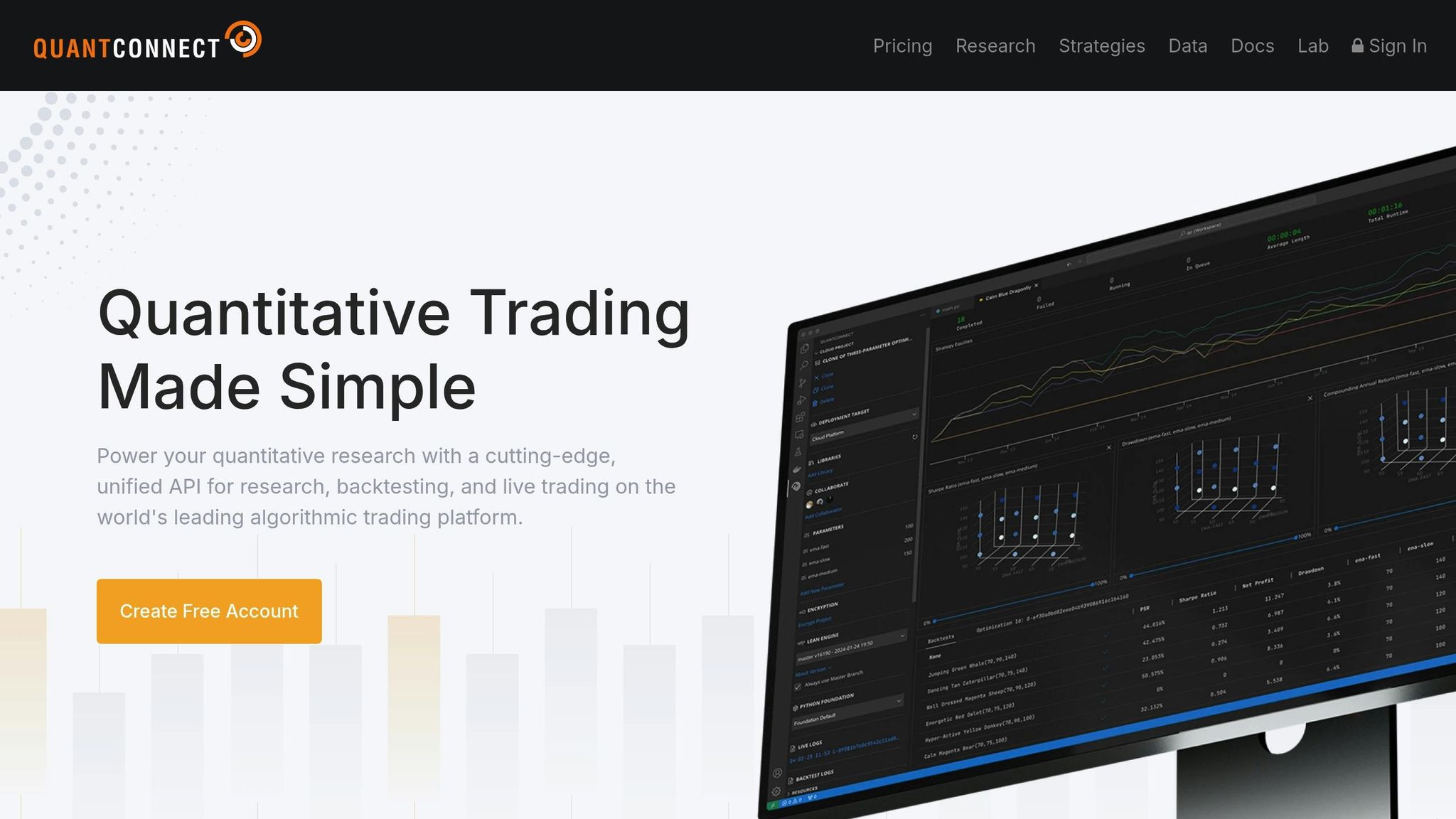
QuantConnect strikes a balance between simplicity and functionality, making it an excellent choice for beginners. With a massive global community of 466,000 users, the platform handles over $45 billion in monthly notional volume and has hosted 500,000 backtests, alongside 375,000 live strategies since its inception in 2012 [74]. Powered by the open-source LEAN engine, it supports a variety of assets, including Equities, Options, Futures, Forex, CFDs, and Crypto, with historical data dating back to 1998 for U.S. stocks and 2009 for U.S. futures [74].
User-Friendly Interface
QuantConnect’s cloud-based IDE simplifies development, and for those who prefer local setups, it offers optional integration with VS Code [74]. Tools like the Mia AI Assistant and Strategy Explorer make it easy to design and replicate strategies, with over 1,200 live strategies available as references [74]. The platform's unified API ensures that research code transitions smoothly into production with minimal adjustments [74].
Backtesting Features and Tools
QuantConnect excels in backtesting, offering cloud-based cores and multi-asset portfolio modeling. It accounts for real-world trading factors like fees, slippage, and spreads, giving users a clear picture of actual costs [74]. The ability to run thousands of backtests in parallel helps users fine-tune strategies and avoid overfitting [74]. For those who prefer local testing, the LEAN engine supports backtesting on personal hardware through Docker [79].
Programming Requirements
The platform primarily supports Python and C# [81]. Its 30-lesson BootCamp covers everything from basic API usage to advanced topics, though users must complete at least 30% of the lessons before participating in community forums [75][82]. David Ye, a Duke University professor, shared his experience:
"After exploring various options, we found QuantConnect to be the most suitable for our needs. Its ease of use, wide range of instruments and asset classes, and an extensive Python library makes it an ideal choice for students"
"After exploring various options, we found QuantConnect to be the most suitable for our needs. Its ease of use, wide range of instruments and asset classes, and an extensive Python library makes it an ideal choice for students"
[74].
Beginner Resources and Pricing
QuantConnect provides plenty of learning tools, including interactive coding lessons and over 900 pages of detailed documentation on both cloud and local development [75][82]. The Free Plan includes unlimited backtesting, access to all asset classes, community support, and BootCamp tutorials [75]. Paid plans start at $20/month (billed annually) and offer features like local coding, expanded datasets, and additional compute nodes [75]. Higher-tier plans cater to teams and institutions, offering perks like unlimited compute nodes, larger log limits, on-premise deployment, and FIX brokerage integrations [75]. With its extensive resources and flexible pricing, QuantConnect offers a solid foundation for anyone venturing into algorithmic trading.
8. cTrader
NEVER MISS A TRADE
Your algos run 24/7
even while you sleep.
99.999% uptime • Chicago, New York, London & Amsterdam data centers • From $59.99/mo
cTrader delivers a sleek, modern interface designed to make trading straightforward and efficient. With over 11 million users globally, the platform offers four key modules - Trade, Copy, Algo, and Analyze - catering to manual trading, social trading, algorithm development, and performance tracking. Its reputation is backed by awards like Most User-Friendly Trading Platform from FX Empire in 2022 and Best Multi-Asset Trading Platform from Finance Magnates in 2023 [83][84][85].
User-Friendly Interface
The platform's interface is packed with features to enhance the trading experience. It includes 26 timeframes and 70+ built-in technical indicators [85]. With a single cTrader ID login, your settings - like watchlists and chart templates - are automatically synced across desktop, web, and mobile versions [85]. Tools like one-click trading, detachable charts for multi-monitor setups, and drag-and-drop order management streamline the process [85]. For those new to coding, the cTrader Copy feature allows users to mirror strategies from experienced traders without any programming knowledge [85]. Plus, its backtesting tools are built to be just as intuitive.
Backtesting Support and Tools
cTrader’s Algo application provides powerful backtesting tools, including a Visual Mode that lets you replay trades at adjustable speeds. This feature helps you see how strategies perform in various market conditions in real-time [89]. The platform supports multiple data sources, such as server-based tick data, M1 bars, and custom CSV files, ensuring precise backtesting [89]. Results include an equity chart and detailed metrics like net profit, profit factor, and maximum drawdown [89]. Optimization tools allow users to test multiple parameters simultaneously, helping fine-tune strategies [87].
Programming Requirements
Creating custom trading robots, or cBots, on cTrader requires knowledge of C# or Python [87][92]. Python’s inclusion makes it an appealing choice for beginners, given its reputation as an easy-to-learn programming language [88]. For those not interested in coding, pre-built cBots are available for download from the cTrader Store, or users can automate trading strategies using the cTrader Copy feature [92]. The platform also supports native cloud execution, allowing bots to run continuously without the need for a separate VPS [92]. Whether you’re coding from scratch or using ready-made tools, cTrader provides ample resources to get started.
Beginner Resources and Pricing
cTrader offers a variety of beginner-friendly resources, including Quick Start guides and videos available in its Help Centre [84][88]. The platform itself is free for traders, with brokers covering costs through spreads and commissions [85]. Cloud hosting for cBots is also free, and the cTrader Store features a mix of free tools, trial versions, and paid products - all backed by a 14-day money-back guarantee [91][92]. With support for 23 languages, cTrader ensures accessibility for traders around the globe [84].
9. TradingView
TradingView is a browser-based trading platform that has gained immense popularity, with over 300 million users worldwide as of early 2026. It requires no software installation, making it an accessible choice for beginners. The platform stands out by combining powerful charting tools with algorithmic trading capabilities, all wrapped in an easy-to-use interface [94].
User-Friendly Interface
TradingView’s "Supercharts" interface is designed to simplify trading. You can trade directly on the chart, using drag-and-drop features to adjust stop-loss and take-profit levels [95][96]. The workspace is neatly organized into a Main Toolbar, Left Sidebar, and Bottom Bar, which also includes tools for Pine Script coding [94]. With over 110 smart drawing tools and more than 20 chart types (like Heikin Ashi and Renko), the platform offers a balance of flexibility and simplicity [101].
For those new to trading, the Paper Trading feature is a standout. It allows you to test out algorithmic strategies in real-time market conditions without risking actual money [95]. As Paul Holmes, a professional trader, puts it:
"TradingView isn't just a tool; it's a community. Traders from all over the world share their insights, strategies, and chart ideas here."
"TradingView isn't just a tool; it's a community. Traders from all over the world share their insights, strategies, and chart ideas here."
This strong sense of community, combined with its intuitive design, makes TradingView a favorite among beginners.
Backtesting Support and Tools
TradingView offers two main methods for backtesting strategies: Bar Replay for manual testing and the Strategy Tester for automated testing using Pine Script [102]. The Strategy Tester delivers detailed performance metrics, including net profit, maximum drawdown, win rate, profit factor, and Sharpe/Sortino ratios [105].
For those just starting out, there’s a wealth of resources, including over 100,000 community-created scripts and more than 400 built-in indicators, which can be used to create automated strategies [101]. Higher-tier plans also provide access to Deep Backtesting, which allows testing with up to 40,000 historical bars. To ensure realistic results, you can configure settings like commission fees (typically 0.1% to 0.3%) and slippage [102].
Programming Made Simple
TradingView uses Pine Script, a programming language tailored for financial analysis. It’s beginner-friendly and comes with a cloud-based IDE that includes helpful tools like autocomplete and debugging [94][97][106]. According to the DayTrading.com Editorial Team, Pine Script is an excellent starting point for those new to algorithmic trading.
Not interested in coding? No problem. TradingView’s "Ideas" and "Scripts" tabs let you explore and adapt community-created strategies, making it accessible even for non-programmers [94].
Beginner Resources and Pricing
TradingView supports new users with a detailed Help Center offering video tutorials (lasting 8 to 35 minutes) on topics ranging from basic trading concepts to advanced indicators [108]. The platform also hosts "The Leap", a free virtual trading competition where participants trade with paper money for real prizes [95].
When it comes to pricing, TradingView starts with a Free Plan at $0/month, which includes basic charting and limited indicators [101]. For more features, the Essential plan is available at $12.95/month (billed annually). The Premium plan, at $56.49/month, unlocks advanced tools like Deep Backtesting and multiple charts per tab. For professionals, the Ultimate plan costs $199.95/month and includes enhanced features like increased chart limits and up to 1,000 alerts [101].
TradingView’s combination of powerful tools, beginner-friendly resources, and a vibrant community makes it a strong choice for anyone starting their trading journey.
10. ProRealTime
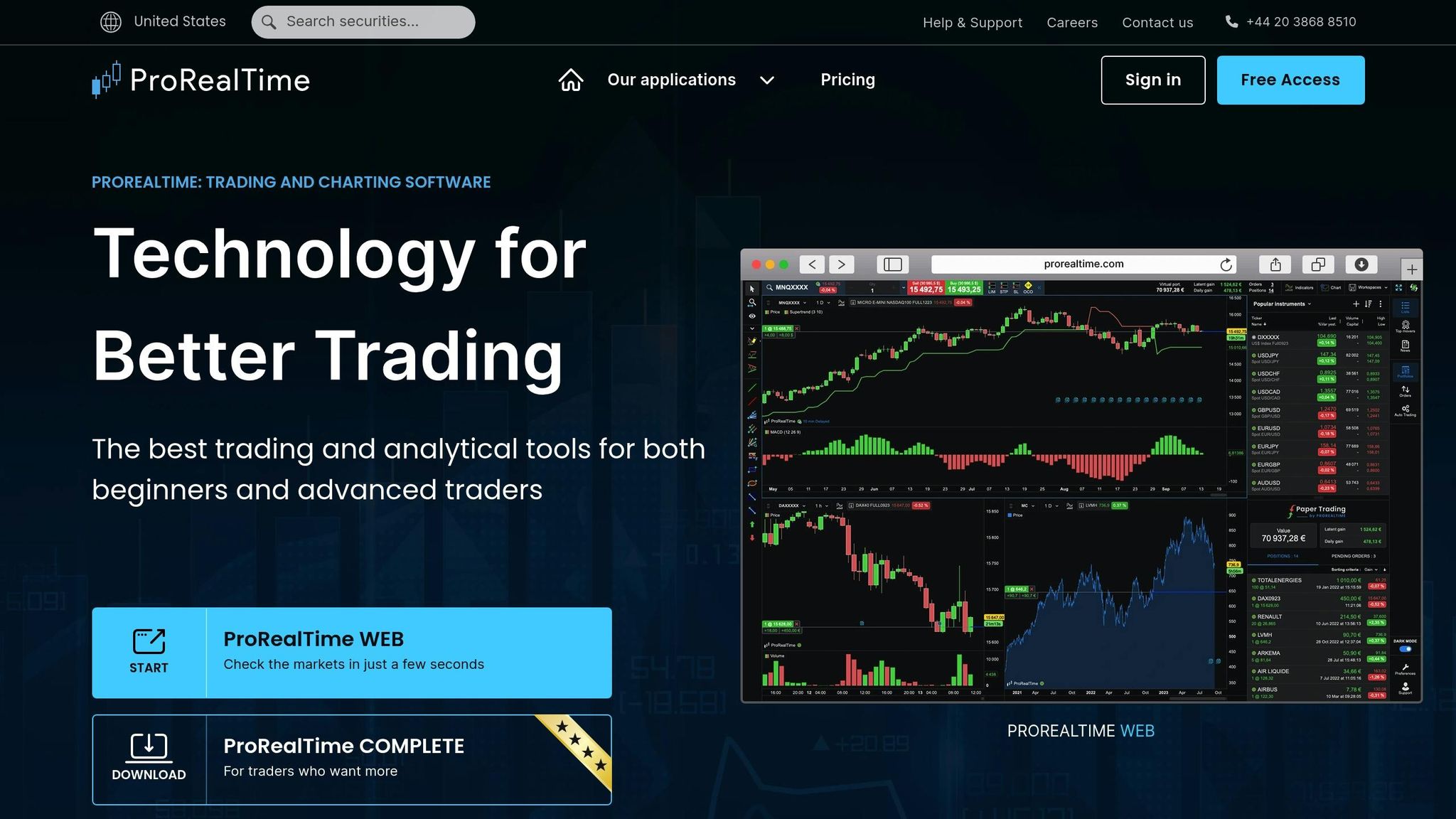
ProRealTime is designed to make algorithmic trading accessible, especially for beginners, with its no-code tools and visual strategy builders. With a community of over 58,000 traders in its ProRealCode forum and a library of free technical tools, it provides a supportive starting point for those new to trading [115].
User-Friendly Interface
One of ProRealTime's key strengths is its intuitive interface, highlighted by the Assisted Creation wizard and ProRealBlocks drag-and-drop system. These tools allow users to create automated trading systems without needing to write code, minimizing syntax errors and speeding up the process [111][112][115]. As ProRealCode explains:
"Visual assembly reduces syntax errors, improves clarity, and accelerates iteration" [115].
"Visual assembly reduces syntax errors, improves clarity, and accelerates iteration" [115].
The platform also includes features like ProRealTrend, which automatically identifies and marks support and resistance levels on charts, and Contextual Help, which provides explanations when you hover over a function [110][111]. Users can place and adjust orders directly on price charts, including advanced order types like OCO (One Cancels Other) and trailing stops [110]. Additionally, strategies are executed on dedicated servers, ensuring smooth operation [110]. These tools make the platform approachable for beginners while offering powerful functionality.
Backtesting Support and Tools
ProRealTime's backtesting capabilities are another standout feature. Its ProBacktest module uses tick-by-tick historical data, offering a high degree of accuracy - up to 95% reliability [9][116]. Othmane Bennis, Investor & Editor, notes:
"While no backtesting platform can perfectly replicate live trading, ProRealTime comes the closest by capturing every price movement with tick-by-tick historical data" [116].
"While no backtesting platform can perfectly replicate live trading, ProRealTime comes the closest by capturing every price movement with tick-by-tick historical data" [116].
Server-side execution speeds up backtesting by up to 10 times compared to a standard computer [110]. The platform also includes an Optimization tool, which automatically tests various parameter settings to determine the most effective configurations based on historical data [112]. Beginners can further refine their strategies using the integrated PaperTrading mode, which simulates real market conditions [113][116]. These features make it easier for new traders to test and improve their strategies.
Programming Requirements
ProRealTime uses its own programming language, ProRealCode, but beginners don't need to worry about coding. The Assisted Creation wizard and ProRealBlocks interface handle code generation automatically [111][112][115]. For those interested in learning more, the ProRealCode community offers a wealth of knowledge, with over 150,000 posts accumulated over the past decade [115].
Beginner Resources
The platform is packed with resources for new users. Built-in Contextual Help provides on-the-spot guidance, and the ProRealCode community serves as an extensive knowledge base. Beginners are encouraged to start with the PaperTrading mode to experiment risk-free, then use the Optimization tool to fine-tune strategies based on historical data [112][113].
Affordability and Pricing Options
ProRealTime offers flexible pricing to suit different needs:
- Web Version: Free, includes 10 charts per workspace and 3,000 units of historical data.
- Complete Version: Starts at $29/month, offering 20 charts and 200,000 units of historical data.
- Premium Version: Approximately $91/month, includes 100 charts, up to 1 million units of historical data, and 20 simultaneous ProScreeners [114].
For users trading through partner brokers like Interactive Brokers, Saxo Bank, or IG, costs may be reduced. For example, IG often provides the Premium version at no extra charge for active traders [111][119]. A two-week free trial is also available for the software version [116].
Ryan Peterson, a contributor at Benzinga, highlights the platform's accessibility:
"ProRealTime makes automated trading approachable even for non-programmers, thanks to its no-code interface and precise backtesting tools" [5].
"ProRealTime makes automated trading approachable even for non-programmers, thanks to its no-code interface and precise backtesting tools" [5].
With a 4.7/5 customer rating and a 93% overall score for "All-in-One Experience", ProRealTime is a solid option for beginners stepping into algorithmic trading.
11. Tradetron
Tradetron is a cloud-based platform designed to simplify algorithmic trading, especially for beginners. Its standout feature is a visual, no-code strategy builder that makes it accessible even for those without technical expertise. Founded in 2019 and based in San Jose, USA, Tradetron works with over 70 brokers, including well-known names like Alpaca in the US and Zerodha and Angel One in India [125]. As Huzefa Kudrati from Tradetron puts it:
"Tradetron is designed both for beginners and seasoned traders... simplifying algorithmic trading with its easy-to-use set of tools." [120]
"Tradetron is designed both for beginners and seasoned traders... simplifying algorithmic trading with its easy-to-use set of tools." [120]
User-Friendly Interface
Tradetron’s interface revolves around a visual logic builder, which uses a library of over 100 keywords to represent technical indicators and price data. Instead of writing code, users can create trading strategies by setting up conditions and rules. Additionally, the platform includes a marketplace where users can explore expert strategies for social trading. Tradetron’s 24/7 cloud servers ensure that strategies run smoothly without interruptions. It supports trading in equities, commodities, forex, and cryptocurrencies across eight exchanges, with strategy conditions checked as often as every minute on Retail plans [125][126]. This streamlined setup also allows for effective backtesting and strategy optimization.
Backtesting Support and Tools
Tradetron’s one-click backtesting engine uses historical data dating back to January 2020. It generates detailed reports that include metrics like Sharpe ratios, win rates, profit factors, and maximum drawdowns. Users can select from three slippage options - best price, worst price, and average - to mimic real trading scenarios. The platform also lets users customize candle frequency and trade price settings to better align with their strategies. Backtests for simple strategies are completed in about 20 minutes, while more complex ones may take 3–4 hours. Each backtest credit covers six months of data for a single instrument [123][127].
Programming Requirements
For those who prefer a straightforward experience, Tradetron’s "Click and Choose" interface eliminates the need for coding. However, advanced users can integrate custom Python code using the "GetVar" and "SetVar" functions to implement more specialized logic [123][128].
Beginner Resources
Tradetron supports beginners with an array of educational tools. The free "New to Tradetron" (#NTT) course guides users through connecting with brokers and building strategies. There’s also a YouTube playlist dedicated to strategy creation, along with free strategy templates for hands-on learning. Support is readily available via live chat, email, and WhatsApp. The platform has received high marks for its beginner-friendly approach, earning ratings of 4.5/5 for educational resources and 4/5 for interface simplicity [121][125].
Affordability and Pricing Options
Tradetron offers a free tier for paper trading, making it accessible for users who are just getting started. The pricing plans are as follows:
| Plan | Monthly Price | Key Features |
|---|---|---|
| Free | $0 | 1 private strategy, 1 deployment (paper trading only) |
| Starter | ₹300 (~$3.60) | Unlimited private strategies, 1 live deployment, email/SMS/WhatsApp alerts |
| Retail | ₹1,200 (~$14.40) | 5 deployments, 1-minute condition checking |
| Retail+ | ₹2,500 (~$30) | 12 deployments, continuous condition checking |
| Creator | ₹5,000 (~$60) | 25 deployments, 5 marketplace strategies |
Annual plans come with discounts ranging from 7% to 25%. Thanks to its competitive pricing, Tradetron has earned a 4.5/5 rating for affordability [124][125].
12. Mindful Trader
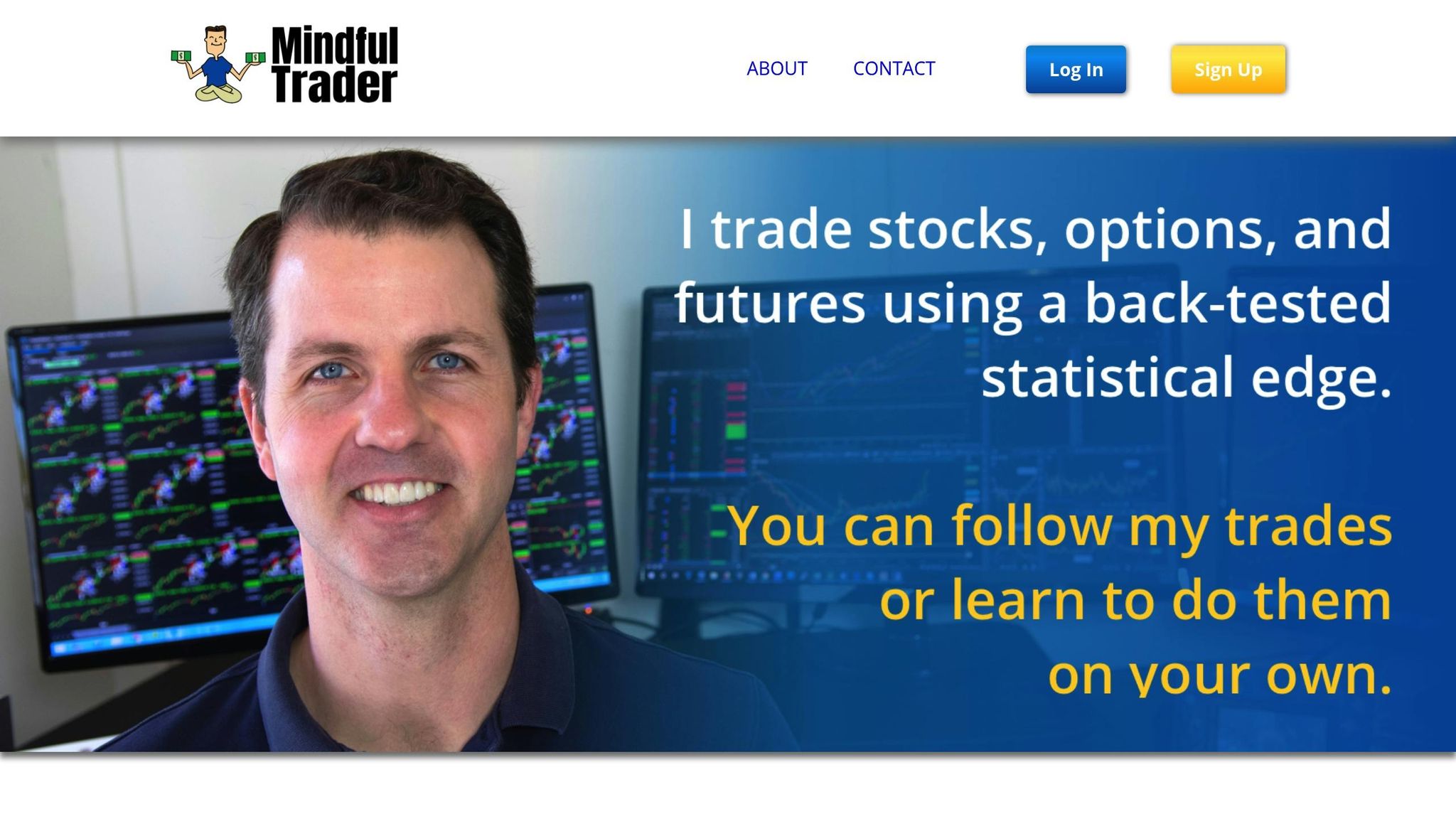
Mindful Trader is built with beginners in mind, offering a straightforward way to engage in algorithmic trading. Founded by Eric Ferguson, a Stanford math graduate, the platform provides pre-vetted trade alerts based on algorithms developed and refined over four years, backed by more than $200,000 in research funding [130][131]. Subscribers receive 1–3 trade alerts daily, complete with entry prices, profit targets, and stop-loss levels.
User-Friendly Interface
The platform prioritizes ease of use. Its dashboard features current and past positions from the founder's personal trading account, giving users a transparent look at real trades. While the design might feel a bit outdated, it remains intuitive and simple to navigate. Each trade alert includes clear, step-by-step instructions, removing the need for advanced technical analysis. Mindful Trader focuses primarily on large-cap stocks and options, with most trades held for about a week.
No Programming Skills Needed
Mindful Trader eliminates the technical barriers often associated with algorithmic trading. Users don’t need any coding skills, as the platform handles all the technical setups. Instead, subscribers simply follow the trade alerts. To make things even easier, the platform provides detailed setup guides for Thinkorswim (Schwab), making it accessible to complete beginners [131].
Resources for Beginners
The platform goes beyond just trade alerts by offering resources to help users understand the process. These include YouTube tutorials on stock and options trading, tools for determining position and options sizing, and daily market commentary explaining the reasoning behind each trade. As noted by TraderHQ Staff:
"You're not just following alerts blindly - you're learning a systematic approach you could eventually run yourself." [131]
"You're not just following alerts blindly - you're learning a systematic approach you could eventually run yourself." [131]
Eric Ferguson also advises beginners to start with paper trading (using simulated accounts) before moving on to real money. For those ready to dive in, a minimum account size of $10,000 is recommended to properly follow the position-sizing guidelines. These resources, combined with the platform’s affordability, make it an attractive option for newcomers.
Transparent Pricing
Mindful Trader keeps things simple with a flat monthly fee of $47. There are no hidden costs, upsells, or long-term commitments. The platform’s transparency extends to its results, with 20 years of backtesting data showing a median annual return of 141% [131]. This combination of affordability and clarity adds to its appeal for those looking to start their trading journey.
13. Superalgos
Superalgos is a free, open-source platform designed for algorithmic trading. What sets it apart is its cost-free model - there are no charges for features, execution time, or data usage since the software runs directly on your computer or server [133]. This makes it a great option for newcomers dipping their toes into algorithmic trading.
Easy-to-Use Interface
The platform uses a node-based visual scripting system that simplifies building trading strategies. Instead of diving into complex coding, users can structure logic hierarchically. For example, a simple rule like chart.at05min.candle.close > chart.at05min.bollingerBands.movingAverage can be written using basic math statements. The integrated charting system further enhances usability by overlaying data, strategies, and trading sessions directly on market charts, allowing users to monitor activity effortlessly [133].
Backtesting Features
Superalgos takes its visual approach to the next level with trade-by-trade visual backtesting. This feature accounts for factors like fees and slippage, giving a clearer picture of strategy performance. The Visual Strategy Debugger provides detailed node values for each candle, while advanced backtesting tools enable simultaneous testing of multiple variations, making it easier to refine strategies [133].
Coding Flexibility
For those who want more control, strategies can start with the visual interface and basic math syntax, with the option to expand them using JavaScript. Users can also explore pre-built community strategies and indicators as a learning resource before diving into custom coding [133].
Support for Beginners
Superalgos offers plenty of resources to help beginners get started. The platform includes over 1,500 pages of interactive documentation and an in-app "Welcome to Superalgos" tutorial. A free online demo is available to explore the interface, and users can connect with a supportive community on Telegram and Discord [133].
14. Capitalize.ai
Capitalize.ai stands out as a beginner-friendly platform that makes automation accessible without requiring any coding skills. It’s a code-free automation tool that lets users create trading strategies using plain English. Instead of diving into programming, you can write simple "if-then" statements like "Buy BTC if RSI drops below 30", and the platform’s natural language interpreter converts these into executable trading logic. As Steven Hatzakis, Global Director of Online Broker Research at ForexBrokers.com, explains:
"even those without coding experience can build automated trading strategies in plain English - no coding required" [145].
"even those without coding experience can build automated trading strategies in plain English - no coding required" [145].
User-Friendly Interface
Capitalize.ai removes the technical hurdles, offering an interface that allows users to create, test, and automate strategies without touching code. Its Strategy Library includes pre-built strategy examples and templates that users can easily import, modify, or adapt. Additionally, smart notifications provide real-time alerts based on technical and economic indicators. With its ease of use and comprehensive features, the platform has earned a 4.5/5 rating from industry reviewers [142].
Backtesting Tools and Features
The platform includes powerful backtesting tools, enabling users to test their strategies against historical data [146]. Performance metrics like profit/loss and win/loss ratios are presented in easy-to-read widgets, helping users fine-tune their strategies. Once satisfied with the results, users can deploy strategies live with a simple "replicate as real" option. For those just starting, the Live Simulation feature offers a risk-free way to trade in real-time market conditions using paper trading.
No Coding Necessary
Unlike platforms like MetaTrader (which uses MQL) or TradingView (which requires Pine Script), Capitalize.ai completely eliminates the need for programming knowledge. The platform automatically executes strategies through linked broker accounts, removing the manual effort and emotional decision-making often tied to trading.
Free Access Through Partner Brokers
Capitalize.ai is free to use when linked with partner brokers such as Interactive Brokers, FXCM, CFI Financial, Fidelity Investments, or Eightcap. Users can access the platform using their existing brokerage balance. In August 2025, Kraken acquired Capitalize.ai and began integrating its technology into Kraken Pro. However, the standalone platform remains available for existing users [147], making it a simple and cost-effective choice for beginners who want to explore algorithmic trading.
15. FXCM Trading Station
FXCM Trading Station is a proprietary platform shaped by years of client feedback and technological advancements [151]. Built specifically for forex traders, it simplifies strategy automation without requiring complex setups. The platform comes in three versions - Desktop, Web 3.0, and Mobile - offering flexibility for beginners to choose the format that works best for them [149]. Below are the standout features that make FXCM Trading Station an excellent choice for those new to trading.
User-Friendly Interface
For beginners, ease of use is a game-changer. The Web 3.0 version of Trading Station offers a sleek, browser-based interface, eliminating the need for downloads. The desktop version, on the other hand, simplifies automation, allowing users to integrate strategies with just a few clicks. Plus, the platform is preloaded with a variety of indicators and automated strategies, giving new traders a head start in testing [149][153].
Backtesting Tools and Features
The Desktop version goes beyond basic trading by offering advanced backtesting and optimization tools. These tools let traders test strategies against historical bid/ask data, while the strategy optimizer provides sortable data fields to pinpoint the most effective input combinations. This helps traders identify areas for improvement and build confidence before entering live markets [149]. Additionally, Real Volume indicators and Speculative Sentiment Index (SSI) data give insights into market sentiment, further refining strategy development.
Beginner-Friendly Resources
FXCM supports new traders with demo accounts that mimic real market conditions, allowing them to practice without risking money [151][152]. Other resources include YouTube tutorials, a Trading Analytics tool for identifying mistakes, and programming guides with GitHub resources for those interested in coding [149][150]. The FXCM App Store also offers free add-ons like the Risk Management Indicator and FXCM News, alongside specialty apps priced between $25 and $199 [152].
Pricing and Accessibility
Trading Station is available without additional platform fees [151]. The platform also offers spreads that are up to 54% lower on major currency pairs compared to earlier averages (based on data from April to June 2022) [149]. For those needing VPS hosting, it’s available for $30 per month, though this fee is waived for qualifying Active Trader clients [151][154]. Beginners can start small by trading micro lots (1,000 units), making it accessible even for those with limited starting capital [153].
16. IC Markets Platforms
IC Markets combines MetaTrader 4, MetaTrader 5, cTrader, and TradingView into a single package, offering full automation capabilities. This setup gives beginners the chance to explore various trading environments, while the broker's top-tier performance speaks for itself. Ranked #1 for Algo Trading and MetaTrader in the 2026 Annual Awards by ForexBrokers.com, IC Markets boasts execution speeds averaging under 35 milliseconds and spreads starting as low as 0.0 pips on major currency pairs [157].
User-Friendly Interface
cTrader provides a sleek, modern interface, while TradingView offers a web-based platform for charting and automation. For those just starting, pre-built Expert Advisors for MetaTrader and cBots from the cTrader community make automation accessible. Alternatively, traders can leverage copy trading through IC Social, ZuluTrade, and Myfxbook AutoTrade to follow expert strategies without needing coding skills [157]. These features make IC Markets stand out as a beginner-friendly platform.
Backtesting Support and Tools
IC Markets delivers strong backtesting capabilities across its platforms. cTrader Automate allows traders to test strategies using high-quality tick data and includes tools like Grid, Genetic, and Walk-Forward optimization, paired with detailed performance metrics. MetaTrader's built-in Strategy Tester enables users to run Expert Advisors against historical data. Additionally, IC Markets' servers, located in Equinix NY4 (New York) and LD5 (London), help reduce latency and slippage [155].
"For a cBot, every millisecond and every fraction of a pip counts. The broker's infrastructure is not just a detail; it's a critical component of the strategy's profitability." – IC Markets [155]
"For a cBot, every millisecond and every fraction of a pip counts. The broker's infrastructure is not just a detail; it's a critical component of the strategy's profitability." – IC Markets [155]
STOP LOSING TO LATENCY
Execute faster than
your competition.
Sub-millisecond execution • Direct exchange connectivity • From $59.99/mo
Programming Requirements
For those interested in creating custom bots, cTrader uses C#, a well-known object-oriented programming language, while TradingView relies on Pine Script for custom indicators and automation. MetaTrader requires MQL for similar tasks. However, beginners can bypass coding altogether by using community marketplaces and visual tools to get started. IC Markets caters to both coders and non-coders, ensuring accessibility for all levels of traders [155].
Affordability and Pricing Options
IC Markets has a minimum deposit requirement of $200 and does not charge inactivity or deposit fees. The Raw Spread Account offers competitive pricing, with a $3.50 commission per side ($7.00 round turn) on MetaTrader and $3.00 per side ($6.00 round turn) on cTrader, alongside spreads starting from 0.0 pips. For those who prefer commission-free trading, the Standard Account provides spreads starting around 0.62 pips, making it a good choice for low-volume traders. Additionally, micro lot trading (0.01 lots) allows users to test strategies with minimal risk. High-volume traders executing over 15 standard lots per month can also benefit from free VPS hosting, saving $30 per month [157].
17. Thinkorswim by TD Ameritrade
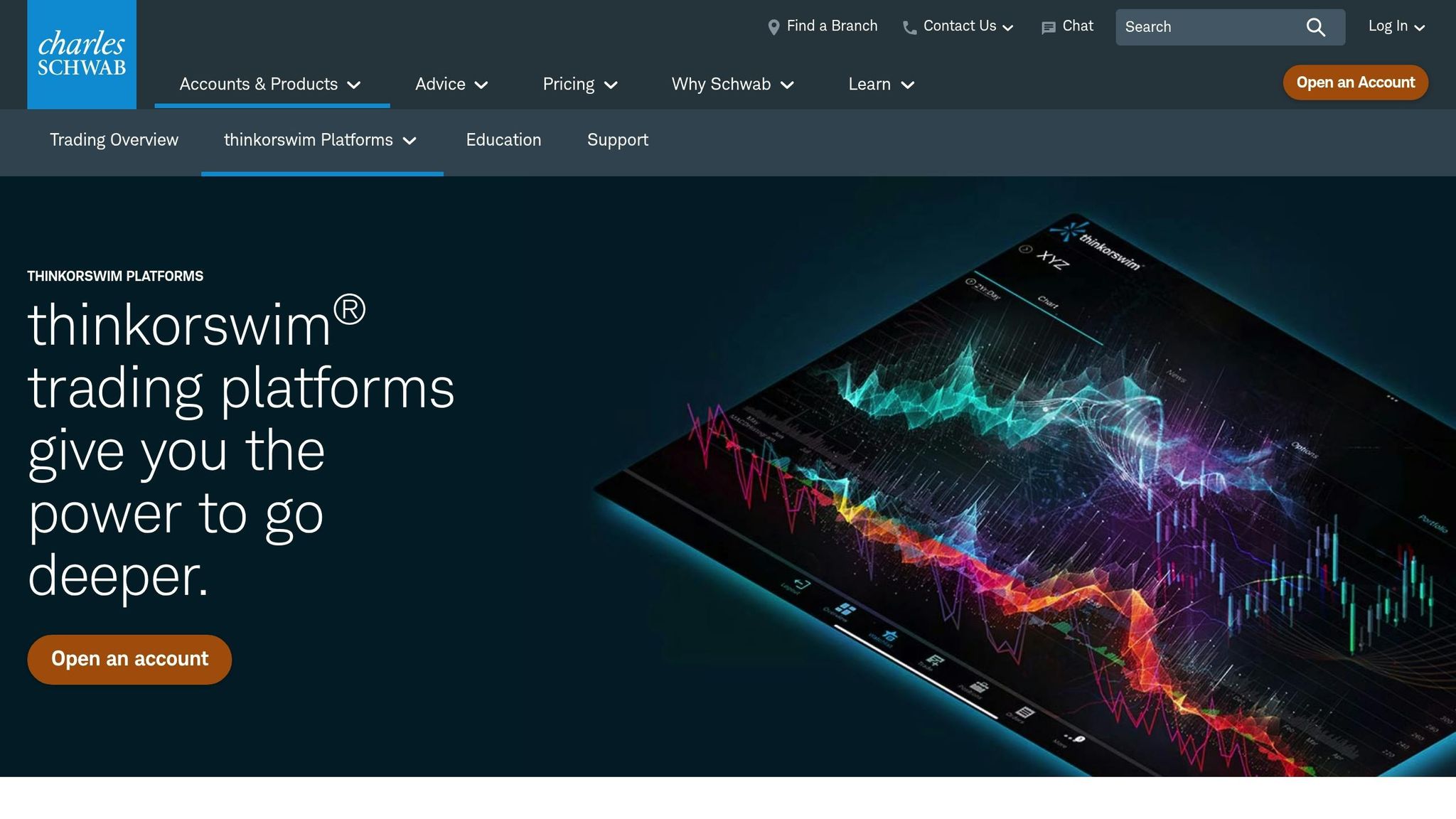
Thinkorswim provides a high-quality trading platform with no platform fees, making it an excellent choice for beginners. Recognized as the #1 Desktop Trading Platform by StockBrokers.com in 2025, it offers $0 commissions on online stocks and ETFs, with options trades costing $0.65 each [170]. There’s no minimum funding requirement to open an account, though margin day traders must maintain $25,000 in equity.
User-Friendly Interface
Thinkorswim caters to all skill levels with three platform versions: a powerful desktop application, a web-based interface accessible through any browser, and a mobile app that syncs seamlessly across devices. With over 300 built-in technical studies, beginners can easily pinpoint entry and exit opportunities. Tools like Stock Hacker and Option Hacker help users filter trades based on specific patterns or volatility, while the Active Trader Ladder provides a streamlined interface for quick trade execution across stocks, ETFs, futures, and forex. These features, paired with robust backtesting tools, make the platform both accessible and versatile.
Backtesting Tools and Features
The thinkBack module, found under the "Analyze" tab, allows users to test theoretical trades using historical data to evaluate performance. Cameron May, Senior Manager at Schwab Trader Education, highlights the platform’s thinkOnDemand feature:
"For traders trying out a new strategy, you can use the thinkOnDemand tool to replay any trading period from the last several months and test your skills with simulated trades based on that data" [169].
"For traders trying out a new strategy, you can use the thinkOnDemand tool to replay any trading period from the last several months and test your skills with simulated trades based on that data" [169].
After backtesting, the platform generates detailed Strategy Reports, showing metrics like net profit, win rates, and average gains. Keep in mind that backtests may not account for slippage or commission costs, so adjustments might be needed for a more realistic outlook.
Programming Made Simple
Thinkorswim includes its own scripting language, ThinkScript, which enables users to create custom indicators and automate trading strategies. For those without coding skills, the Condition Wizard simplifies the process, allowing users to design execution algorithms without writing a single line of code. To help users get comfortable with ThinkScript, the platform offers tutorials, quizzes, and a comprehensive reference library. These tools, combined with its educational offerings, make it easier to dive into algorithmic trading.
Resources for Beginners
Thinkorswim offers a wealth of learning materials, including a Learning Center, weekly live webcasts, and an extensive video library covering topics like charting, technical analysis, and platform navigation. The paperMoney virtual trading tool lets users practice strategies in a risk-free simulated environment, while 24/7 chat support is available for technical assistance. Together, these resources make Thinkorswim an excellent starting point for those new to trading and algorithmic strategies.
18. AlgoTrader
AlgoTrader is a platform designed for automated trading across both traditional assets and cryptocurrencies. Known for its enterprise-level capabilities, it processes market data at lightning-fast speeds - up to 500,000 events per second - ensuring precise execution of automated strategies [176]. The platform is built on reliable technologies like Java, Docker, and Spring, providing a solid foundation for traders to operate with confidence. For beginners, it combines powerful tools with a focus on user accessibility, making it a standout choice.
User-Friendly Interface
AlgoTrader features a customizable HTML5 interface that simplifies trading for beginners. It supports the entire trading process, including pre-trade risk checks, order execution, settlement, and reconciliation. This streamlined approach makes automation less daunting for those new to the field [176]. The platform also includes advanced data visualization tools, enhancing the user experience. Tobias Robinson, Lead Tester at SwingTrading.com, shared his thoughts:
"AlgoTrader is a sophisticated platform that supports a good range of assets, both traditional and digital... we would recommend AlgoTrader to most traders owing to its ease of use, range of features and knowledgeable support team" [176].
"AlgoTrader is a sophisticated platform that supports a good range of assets, both traditional and digital... we would recommend AlgoTrader to most traders owing to its ease of use, range of features and knowledgeable support team" [176].
Backtesting Support and Tools
AlgoTrader’s robust backtesting tools are another major advantage. These tools let users test strategies with realistic parameters like custom spreads, slippage, and fill ratios. This approach helps traders refine their strategies before risking actual capital. Additionally, its open-source design allows for extensive customization, giving users the flexibility to adapt the platform to their needs [176].
Programming Requirements
AlgoTrader's open-source foundation makes it appealing to those with coding skills. It comes with detailed tutorials, guides, and documentation to help users navigate the platform and shorten the learning curve [176].
Affordability and Pricing Options
Pricing for AlgoTrader varies based on the selected strategies and assets, which may make it less accessible to some retail traders [177]. Beginners can reach out to the AlgoTrader team for a customized pricing quote. To explore its features risk-free, the platform also offers a demo account, allowing users to test its capabilities without financial commitment [176].
19. Zorro Trader
Zorro Trader is a script-based trading platform designed for speed and precision in algorithmic trading. Built using C and C++, its backtesting engine can process 10 years of tick-level data in just 0.3 seconds [179][181]. According to its documentation, C outperforms other languages significantly, running 3 times faster than C#, 20 times faster than Python, and 100 times faster than R [179][182].
"Speed is one of the main attributes of Zorro Trader, and platforms developed in Python or Java don't even come close" [182].
"Speed is one of the main attributes of Zorro Trader, and platforms developed in Python or Java don't even come close" [182].
User-Friendly Interface
Zorro keeps things simple with a minimalist interface featuring six main buttons: Help, Edit, Test, Train, Trade, and Result [178]. While it requires some coding knowledge, beginners can dive in quickly using pre-built Z-systems for Forex, CFDs, ETFs, and cryptocurrencies. For example, users can start testing strategies by selecting "Workshop4" and "EUR/USD" [178].
Backtesting Support and Tools
Zorro provides a powerful backtesting suite with tools like Walk-Forward, Cluster, and Monte Carlo analyses. Its "Reality Check" feature uses randomized data to identify overfitting [183]. The platform’s walk-forward optimizer can train a 12-parameter intraday portfolio in under 25 seconds, while the visual debugger allows users to inspect trades in detail [179][181][183]. These tools are seamlessly integrated with the platform’s programming capabilities.
Programming Requirements
To fully utilize Zorro, users need to be comfortable with coding, specifically in lite‑C or C++. For beginners, Zorro includes a "ChatGPT lite‑C Mentor" to help learn the basics, which most users master within one to two weeks [185][180].
"In order to use Zorro effectively, you need to know how to edit and write scripts in the lite‑C or C++ language" [178].
"In order to use Zorro effectively, you need to know how to edit and write scripts in the lite‑C or C++ language" [178].
For advanced users, Zorro also supports integrations with R and Python for deeper analysis. Additionally, for those who prefer not to code, the platform offers a paid service for creating custom indicators, starting at €170 [185].
Beginner Resources and Affordability
Zorro provides several learning resources, including a free 4-part video mini-course, an online tutorial, and the "Black Book" for strategy development [178][179][180]. It supports time frames ranging from 1 millisecond to 1 week, giving users flexibility in designing strategies [181].
The standard version of Zorro is free, though it comes with account balance limitations. For advanced features like high-frequency trading and multi-core support, users can upgrade to Zorro S for €35/month [181]. Additional support options include email support for €35/month and priority support for €450/month [180]. Beginners are encouraged to practice risk-free using demo accounts from brokers like FXCM or Oanda [178].
20. Quantower
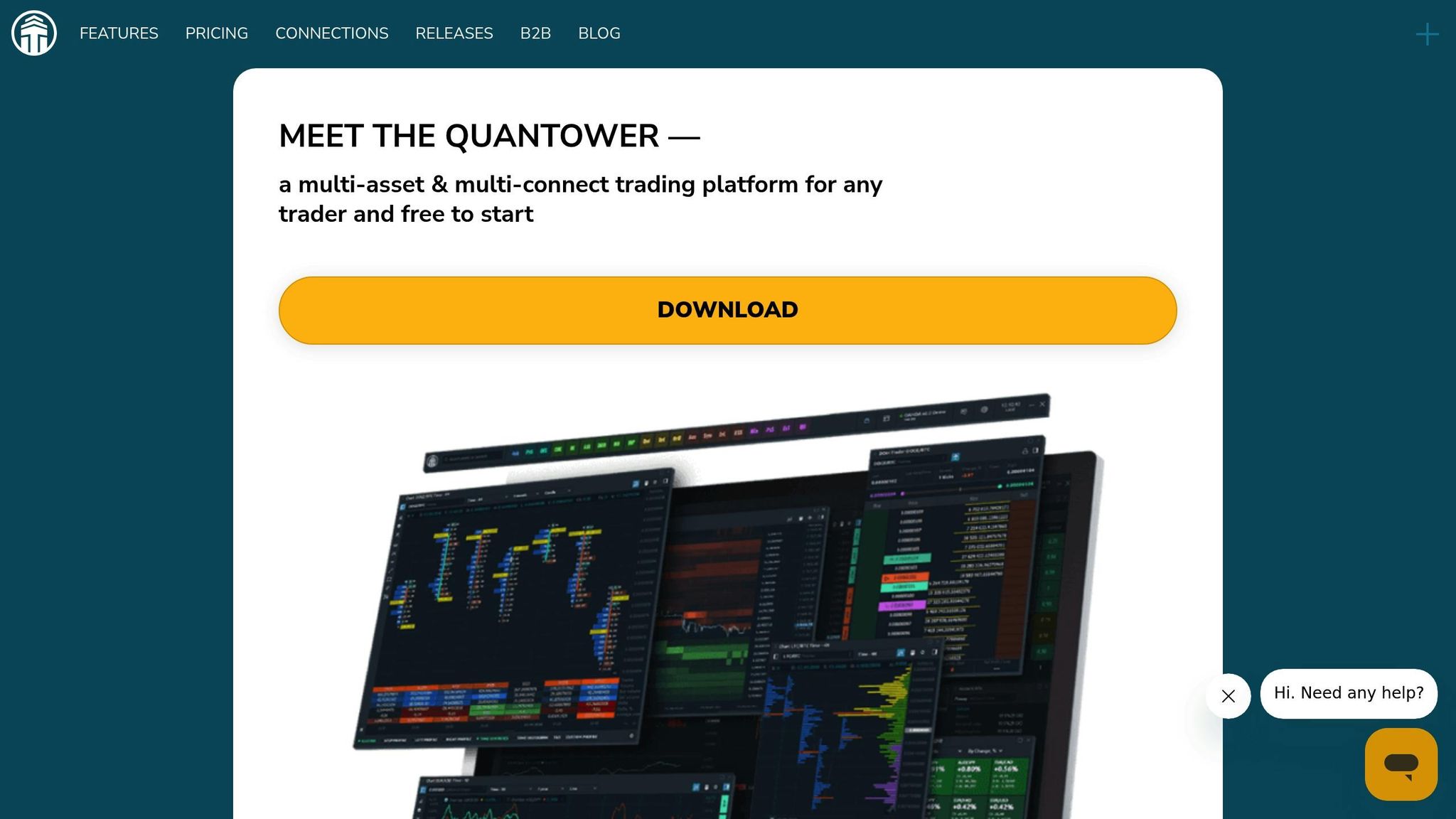
Quantower is a broker-neutral trading platform that connects with over 60 brokers, crypto exchanges, and data feeds through a single interface [186]. This simplifies the trading process, especially for beginners, by eliminating the need to juggle multiple platforms. The platform has received glowing reviews on Trustpilot, with users highlighting its flexibility and ease of use [186].
User-Friendly Interface
Quantower is designed with a modular panel system, offering more than 40 trading and analytical panels. These panels can be moved, grouped, or arranged across multiple screens, allowing users to create a workspace that fits their needs [186]. For beginners, the ability to save layouts as templates makes it easy to return to a familiar setup without hassle. Features like "Chart Trading" and "DOM Trader" enable users to place orders directly from charts, making trading more intuitive [187]. Advanced tools like backtesting are seamlessly integrated into this user-friendly layout, supporting a smooth workflow.
"The interface, the features, the flexibility, the ease of use are of a class of their own..." - Peter Avgeris [186]
"The interface, the features, the flexibility, the ease of use are of a class of their own..." - Peter Avgeris [186]
Backtesting Support and Tools
Quantower includes a Backtest & Optimize (B&O) panel that offers three modes for testing strategies: Speed Control (adjust replay speed or pause), Step by Step (tick-by-tick analysis), and Background (fastest processing) [193]. The platform also supports optimization algorithms such as Brute Force, Monte-Carlo, Las-Vegas, and Particle Swarm, helping users refine their strategies [193]. To ensure accuracy, advanced settings like slippage, fees, and clearing types can be customized to reflect actual trading conditions [193].
Programming Requirements
For traders who want to create custom strategies or indicators, Quantower uses an open C# API [186]. Developers can use the "Algo extension for Visual Studio" to simplify debugging and code editing [197]. While coding skills are necessary for custom automation, beginners can explore the Strategy Runner panel, which is available in the free version [187][188].
Beginner Resources and Affordability
To support newcomers, Quantower provides a detailed knowledge base with sections like "Getting Started" and "Quantower Algo", alongside video tutorials on YouTube [194][195][196]. Real-time support is available through Telegram, live chat, and email [194][196]. For those just starting out, the Free Edition offers 1 connection, 2 indicators per chart, and API access without requiring registration [188]. The All-in-One license is priced at $70/month, with annual subscriptions discounted by up to 30%, bringing the total to $588/year [189]. Additionally, new users can take advantage of a 7-day full-featured trial to explore advanced features before making a commitment [188].
21. Pine Script on TradingView
TradingView makes customizing your trading tools straightforward, even for beginners, thanks to Pine Script. This cloud-based programming language allows users to create custom indicators and strategies directly within their browser - no need to download software or set up complex development environments. Just open the "Pine Editor" at the bottom of any chart and start coding. Pine Script's syntax is simple and intuitive, resembling plain English, which lowers the barrier for those new to coding.
User-Friendly Interface
The Pine Editor is designed with beginners in mind. It includes features like syntax highlighting, auto-completion, and tooltips to assist users while coding. Many indicators can be written in just 5–10 lines of code, and any changes are reflected on the chart instantly upon saving. If coding feels intimidating, tools like Pineify let users create scripts visually, generating the code automatically. You can also explore a public library of over 150,000 community-contributed scripts [198], with roughly half of them being open source. This library is a great resource for learning and adapting existing scripts.
Backtesting Support and Tools
TradingView supports both manual and automated backtesting, making it easy to test your strategies. The Bar Replay Tool enables manual backtesting, while the Strategy Tester provides automated performance analysis. The Strategy Tester offers detailed reports, including equity curves, net profit, maximum drawdown, Sharpe ratio, and profit factor. It also lists individual trades for further review. To turn an indicator into a strategy, all you need to do is replace the declaration with strategy(), allowing you to test it against historical data. Free accounts typically provide access to 5,000–10,000 historical bars, but upgrading to a paid plan unlocks deeper backtesting capabilities. This combination of ease and robust testing tools makes Pine Script an excellent starting point for those exploring automated trading.
Programming Requirements
While some basic coding knowledge is necessary, Pine Script minimizes complexity with its straightforward syntax. Functions like ta.ema() and ta.rsi() handle advanced calculations in just one line, making it accessible for non-programmers. If you encounter errors, the built-in error console highlights issues for quick fixes. For additional help, AI tools like ChatGPT can generate Pine Script templates based on natural language prompts (e.g., "Create an EMA crossover with RSI confirmation"). You can also use Ctrl-click on any keyword to open its Reference Manual for quick lookups.
Beginner Resources and Affordability
TradingView offers a wealth of resources to help users learn Pine Script. The User Manual explains syntax, structure, and core concepts, while the Reference Manual is perfect for quick function lookups. TradingView’s YouTube channel, with 350,000 subscribers [201], includes Pine Script tutorials. Beyond TradingView, websites like Kodify.net (featuring over 200 articles), PineCoders, and Backtest Rookies provide hands-on guides and learning paths. For community support, beginners can join the TradingView Pine Script chat room or use the Pine Script tag on StackOverflow.
The Pine Editor is available to all users, even on the free plan. While paid tiers (Pro, Plus, and Premium) offer more active alerts and access to deeper historical data, the core functionality of the Pine Editor remains unchanged, making it an affordable option for those just starting out.
22. BlueShift by QuantInsti
BlueShift by QuantInsti is a great option for beginners looking for professional-grade tools without overwhelming complexity. It features a visual, no-code interface built on Blockly for easy strategy creation and also supports Python 3.6+ for those ready to dive into coding. This dual setup lets newcomers start quickly while building the skills needed for more advanced work.
Backtesting Support and Tools
BlueShift’s backtesting engine uses an event-driven Complex Event Processing (CEP) architecture, ensuring precise and efficient testing. Users can access over 10 years of minute-level historical data for U.S. and Indian equities, as well as global FX markets. The platform offers two backtest modes: "Quick Backtests" for instant results and "Full Backtests" for detailed reports that include transaction history and performance insights [214][215][217]. It also supports advanced options backtesting, including volatility modeling and realistic analysis of complex strategies [213]. For coding strategies, tools like the order_target_percent function help manage position sizing and reduce unnecessary order execution [216].
Programming Requirements
For those not ready to code, BlueShift’s visual programming interface simplifies strategy creation with drag-and-drop blocks. For coders, the platform includes pre-installed libraries such as Pandas, NumPy, Scikit-learn, TA-Lib, Keras, and TensorFlow. Additionally, it offers built-in templates for popular strategies like Bollinger Bands, RSI, and Short Term Reversal, making it easier to grasp how the platform works [213][216]. The context object streamlines variable sharing among functions, ensuring smooth execution of strategies.
Beginner Resources and Affordability
QuantInsti provides a free 8-course bundle with over 50 hours of algorithmic trading lessons, along with detailed API documentation and step-by-step guides. Users can access free research and backtesting, plus limited-time live strategy deployment (excluding broker fees and exchange charges) [213][214]. Importantly, BlueShift ensures that all strategies remain the intellectual property of their creators and are never shared with third parties [214].
23. Kite by Zerodha
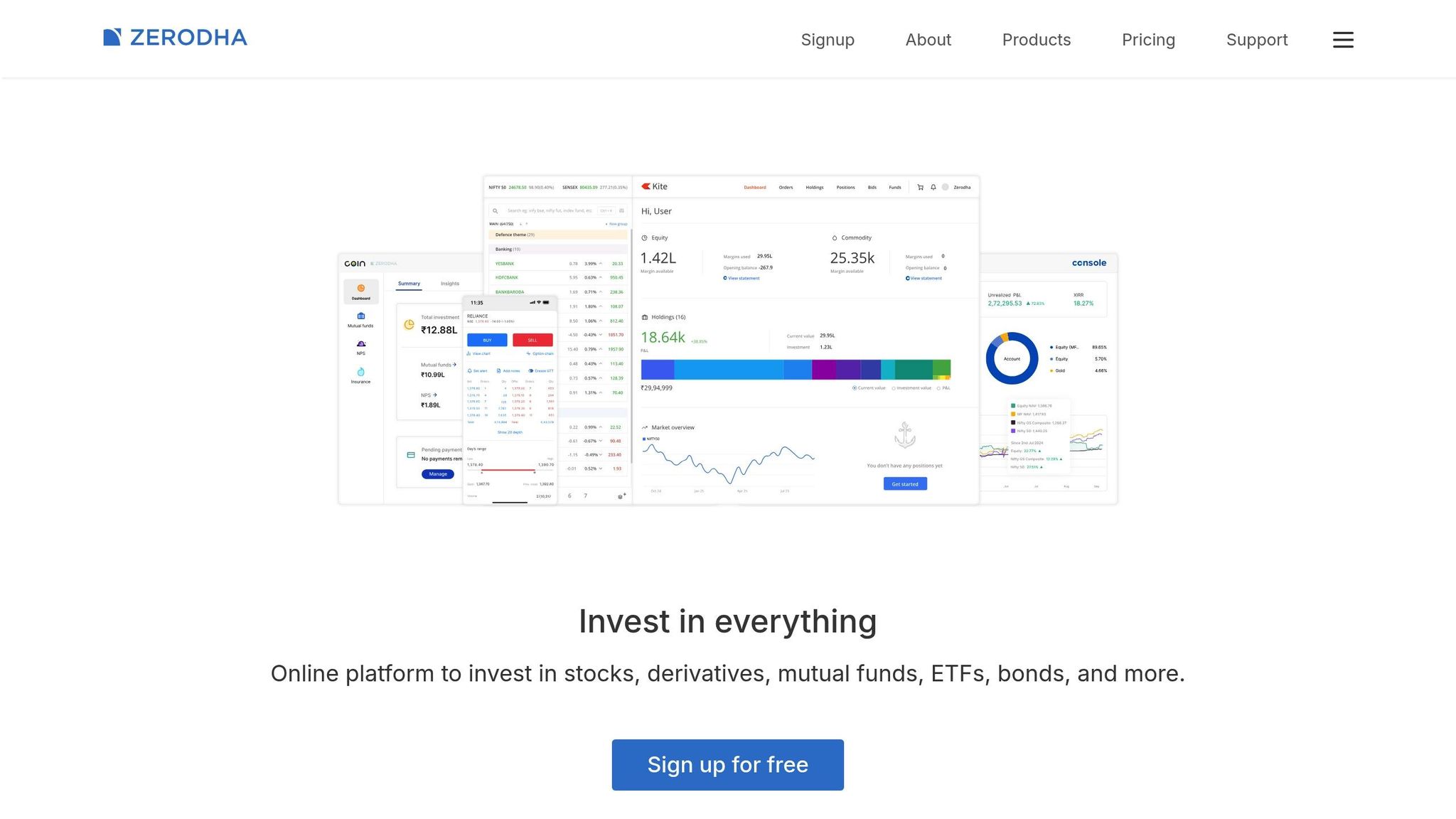
Kite by Zerodha is among India's leading trading platforms, serving over 6 million active clients and handling more than 7 million trades daily [218]. It stands out for its focus on simplicity and educational resources, making it an appealing choice for beginner traders. Its no-code automation tools further ease the learning curve for newcomers.
User-Friendly Interface
Kite's design is all about speed and simplicity. Its minimalist layout ensures smooth operation, even on slower internet connections, thanks to its low bandwidth requirements [218]. The platform's universal search feature allows users to quickly find over 90,000 stocks and F&O contracts across multiple exchanges [220]. Users often highlight the sleek interface and fast search functionality [220]. On top of this, Kite integrates ChartIQ and TradingView charting solutions, offering over 100 indicators and more than 15 chart types [218][223].
Backtesting Support and Tools
For those interested in backtesting, Kite offers the Chart to Backtest (CTB) feature powered by Streak. This tool allows users to transform chart patterns into backtestable strategies without needing to write code. By clicking the Streak icon on a chart, users can generate backtest results based on their selected indicators [225]. The feature supports 21+ popular indicators - like RSI, MACD, Bollinger Bands, and Moving Averages - across various timeframes, ranging from 1-minute to daily candles. However, it’s worth noting that while these algorithms can generate signals, traders must manually execute orders since full automation is not allowed for retail users [219]. These tools align with Kite's goal of making strategy development accessible for both beginners and experienced traders.
Programming Requirements
For those looking to dive deeper, beginners can use Streak's visual tools, while advanced users can take advantage of Kite Connect APIs. These APIs support multiple programming languages, including Python, Java, PHP, Node.js, C#, Go, Rust, and C++ [222]. Tested in real-world scenarios for over a decade, the full API suite - including real-time WebSocket streaming and historical data - is available for ₹500 per month (around $6 USD) [224].
Beginner Resources and Affordability
Zerodha provides a range of educational tools like Varsity, a free platform covering market basics, accessible on both web and mobile. Additional resources include TradingQnA, Z-Connect (the company blog), and a demo version of Kite at kite-demo.zerodha.com [221]. The pricing is straightforward: equity delivery trades are free (₹0), while intraday and F&O trades cost a flat ₹20 per executed order (approximately $0.24 USD) [220]. With its easy-to-use design, powerful backtesting capabilities, and budget-friendly pricing, Kite offers a solid entry point for beginners exploring algorithmic trading in 2026.
24. Build Your Own Infrastructure with QuantVPS
For those starting out in algorithmic trading, QuantVPS offers the tools to create a personalized trading environment. Unlike rigid, all-in-one platforms, QuantVPS provides a high-performance virtual private server (VPS) that gives you the freedom to run any trading platform or strategy. This flexibility ensures you have full control over your trading infrastructure while enjoying optimized performance.
Familiar and Flexible Interface
QuantVPS runs on Windows Server 2022, delivering a desktop experience similar to what you're used to at home. Accessible through Remote Desktop Protocol (RDP) from various devices - whether it's a Mac, PC, tablet, or smartphone - it feels intuitive and easy to use. You can install and configure trading platforms like NinjaTrader, MetaTrader, or TradeStation according to your preferences. The plans cater to different needs: the VPS Lite plan supports basic setups with 1–2 charts, while higher-tier plans like VPS Pro, VPS Ultra, and Dedicated Server allow for multi-monitor configurations, supporting up to 6 monitors for an organized and efficient workflow.
Backtesting Without Limits
With QuantVPS, you get dedicated resources and full root access, enabling smooth and uninterrupted backtesting. NVMe storage ranges from 70GB on the entry-level VPS Lite plan to over 2TB on Dedicated Servers, ensuring you can handle large historical data sets. Coupled with unmetered bandwidth and a 100% uptime guarantee, you can trust your environment to stay responsive during backtesting. Whether you're using NinjaTrader's Strategy Analyzer, MetaTrader's Strategy Tester, or Python-based tools like Backtrader, QuantVPS ensures reliable performance.
No Programming Restrictions
QuantVPS allows you to work with any programming language, including Python, C#, Java, and C++. You can set up your favorite development tools, such as Visual Studio, PyCharm, or Jupyter Notebooks, to build and test strategies. With CPUs ranging from 4 to over 24 cores and RAM allocations from 8GB to 128GB, the infrastructure is built to handle intensive computational tasks and multitasking with ease.
Pricing That Scales with Your Needs
QuantVPS combines robust technical features with competitive pricing, offering plans tailored to various trading requirements. Annual billing options provide additional savings, making it an affordable choice for both beginners and advanced traders. Here’s a breakdown of the plans:
- VPS Lite: Starting at $59.99 per month (or $41.99 per month with annual billing), this plan includes 4 cores, 8GB RAM, and 70GB NVMe storage, ideal for running 1–2 charts with basic automation.
- VPS Pro: Priced at $99.99 per month (or $69.99 per month annually), it offers 6 cores, 16GB RAM, 150GB NVMe storage, and supports up to 2 monitors, making it suitable for managing 3–5 charts.
- VPS Ultra: At $189.99 per month (or $132.99 per month annually), this plan comes with 24 cores, 64GB RAM, and 500GB NVMe storage, perfect for handling 5–7 charts and heavy backtesting.
- Dedicated Server: Designed for professional workloads, this plan costs $299.99 per month (or $209.99 per month annually) and includes 16+ cores, 128GB RAM, and over 2TB NVMe storage, supporting up to 6 monitors.
Each plan also comes with DDoS protection, automatic backups, and ultra-low latency (0–1ms) to major exchanges, ensuring fast and secure trade execution.
| Plan | Monthly Price | Annual Price (per month) | Cores | RAM | Storage | Best For |
|---|---|---|---|---|---|---|
| VPS Lite | $59.99 | $41.99 | 4 | 8GB | 70GB NVMe | 1–2 charts; basic automation |
| VPS Pro | $99.99 | $69.99 | 6 | 16GB | 150GB NVMe | 3–5 charts; supports up to 2 monitors |
| VPS Ultra | $189.99 | $132.99 | 24 | 64GB | 500GB NVMe | 5–7 charts; intensive backtesting |
| Dedicated Server | $299.99 | $209.99 | 16+ | 128GB | 2TB+ NVMe | 7+ charts; professional workloads |
Platform Comparison Table
When choosing a platform for algorithmic trading, it's important to weigh factors like ease of use, backtesting capabilities, coding requirements, cost, and the availability of learning resources. For beginners, platforms that balance user-friendliness with strong educational support can make all the difference.
"The technology barrier has lowered, but the knowledge requirement for successful algorithmic trading remains substantial." - Dr. Thomas Wilson, Director of Quantitative Research, Millennium Partners [227]
"The technology barrier has lowered, but the knowledge requirement for successful algorithmic trading remains substantial." - Dr. Thomas Wilson, Director of Quantitative Research, Millennium Partners [227]
| Platform | Ease of Use | Backtesting Features | Coding Knowledge | Pricing Structure | Learning Materials |
|---|---|---|---|---|---|
| QuantVPS | High | Compatible with various tools | No coding required | $41.99–$209.99/mo (annual) | Setup guides, 24/7 support, knowledge base |
| TradeStation | Moderate | Strong (EasyLanguage) | Low to Moderate | Free with $10K deposit or $10–$99/mo | Video tutorials, webinars, community forums |
| NinjaTrader | Moderate | Strong (C# or visual builder) | None to High | Free (basic) or $50/mo lease / $1,099 lifetime | Extensive documentation, user forum, video library |
| MetaTrader 4 (MT4) | Moderate | Good (MQL4) | Moderate to High | Free platform; VPS from $5/mo | Large community, video tutorials, user guides |
| MetaTrader 5 (MT5) | Moderate | Good (MQL5) | Moderate to High | Free platform; VPS from $5/mo | Official documentation, forums, YouTube channels |
| Interactive Brokers | Low | External only | High (Python/Java/C++) | $0–$10/mo; commission-based | Extensive Academy, detailed API documentation, blog |
| QuantConnect | Low | Excellent (institutional-grade) | High (Python/C#) | Free; Researcher $20/mo; Team $100/mo | Interactive BootCamp, extensive docs, community |
| cTrader | Moderate | Good (cAlgo) | Moderate (C#) | Free via brokers | Video tutorials, cTrader Academy, forum |
| TradingView | High | Good (Pine Script) | Low | Free; Pro $14.95–$59.95/mo | Pine Script documentation, community scripts |
| ProRealTime | High | Robust (tick-by-tick) | None to Low | Free (limited); Full from $29/mo | No-code interface, video guides, forums |
| Mindful Trader | High | N/A (signal service) | None | $47/mo | Weekly alerts, strategy explanations |
| Capitalize.ai | High | Basic | None (natural language) | Subscription-based | Plain-English builder, guides |
| Thinkorswim by TD Ameritrade | Moderate | Strong (ThinkScript) | Moderate | Free for Schwab clients | Learning Center, video tutorials, community |
| Quantower | Moderate | Moderate (C#) | Moderate | Free; Advanced $40/mo; Ultimate $90/mo | User guides, video tutorials, support |
| Pine Script on TradingView | High | Good | Low | Free; Pro $14.95–$59.95/mo | Pine Script docs, community library |
| Kite by Zerodha | Moderate | External only | High (Python) | ₹20 per executed order | API docs, developer forum |
Platforms with intuitive designs and robust backtesting tools are ideal for those just starting out. These features allow beginners to experiment and refine their strategies while building confidence in their trading skills.
Conclusion
After reviewing the platforms above, think about how each one fits into your trading style and needs. Choosing the best algorithmic trading platform boils down to three key factors: your budget, your technical expertise, and your trading objectives. If funds are tight, look for platforms offering free simulations or entry-level plans. For those with coding skills, platforms like QuantConnect and Interactive Brokers offer advanced tools. Meanwhile, beginners who prefer a more visual approach might lean toward options with no-code features, such as ProRealTime or NinjaTrader's Strategy Builder.
"Trading with real money introduces emotional challenges." - Jake McMahon, Head of Growth, Gainify [3]
"Trading with real money introduces emotional challenges." - Jake McMahon, Head of Growth, Gainify [3]
Start with paper trading to test your strategies without risking real money. Many platforms, like Interactive Brokers with its $1 million virtual trading account, offer these environments to help you fine-tune your approach before putting actual funds on the line [10]. This step not only helps you spot potential issues but also builds the confidence needed to transition into live trading.
When you're ready to trade live, begin with small positions. Even though the algorithmic trading industry is valued at $23.48 billion, seasoned traders often stress the importance of gradually scaling up. This allows your strategy to adjust to real market conditions effectively [3].
Finally, take advantage of educational tools. Resources like Interactive Brokers' Traders Academy, QuantConnect University, and TradeStation's webinars provide valuable lessons in risk management, position sizing, and strategy development [3]. These tools can make the shift from practice to live trading smoother and more successful for new traders.
FAQs
Do I need to learn coding to start algo trading?
No, you don’t need coding skills to start with algorithmic trading. There are plenty of beginner-friendly platforms that provide no-code or low-code tools, like drag-and-drop interfaces and pre-built templates. These tools make it simple to design and test trading strategies without writing a single line of code.
That said, if you’re looking for deeper customization or more advanced features, learning to code can be helpful - but it’s not a requirement. These platforms are tailored to make algorithmic trading accessible, even for those without a programming background, allowing you to focus on strategy and automation.
How do I choose the right platform as a beginner?
When you're just starting out, focus on platforms that offer easy-to-navigate interfaces and plenty of learning materials to help you grasp the basics of trading. Platforms with demo accounts or paper trading options are great because they let you practice without risking real money. Also, check for affordability, dependable customer support, and tools like backtesting, which allows you to try out strategies using historical data. The right platform will combine simplicity, education, and practical features to help you gain confidence and grow your trading skills.
What should I test before going live with real money?
Before diving in with real money, take the time to test your trading strategies in a risk-free setup. Tools like paper trading or backtesting allow you to see how your algorithms perform in live market scenarios without putting your funds on the line. Pay close attention to critical factors such as order execution speed, strategy reliability, slippage, and consistent performance. Also, ensure your trading platform can seamlessly transition from testing to live trading. Use thorough simulations to confirm your strategy's potential profitability before moving to real-world execution.
No, you don’t need coding skills to start with algorithmic trading. There are plenty of beginner-friendly platforms that provide no-code or low-code tools, like drag-and-drop interfaces and pre-built templates. These tools make it simple to design and test trading strategies without writing a single line of code.
That said, if you’re looking for deeper customization or more advanced features, learning to code can be helpful - but it’s not a requirement. These platforms are tailored to make algorithmic trading accessible, even for those without a programming background, allowing you to focus on strategy and automation.
When you're just starting out, focus on platforms that offer easy-to-navigate interfaces and plenty of learning materials to help you grasp the basics of trading. Platforms with demo accounts or paper trading options are great because they let you practice without risking real money. Also, check for affordability, dependable customer support, and tools like backtesting, which allows you to try out strategies using historical data. The right platform will combine simplicity, education, and practical features to help you gain confidence and grow your trading skills.
Before diving in with real money, take the time to test your trading strategies in a risk-free setup. Tools like paper trading or backtesting allow you to see how your algorithms perform in live market scenarios without putting your funds on the line. Pay close attention to critical factors such as order execution speed, strategy reliability, slippage, and consistent performance. Also, ensure your trading platform can seamlessly transition from testing to live trading. Use thorough simulations to confirm your strategy's potential profitability before moving to real-world execution.
"}}]}