
For most trading platforms, a Ryzen server is the better choice, because NinjaTrader, MetaTrader 5 and Sierra Chart do most of their work one thread at a time and Ryzen cores are much faster. The Ryzen 9 9950X scores 4,728 in PassMark's single-thread test, against 2,555 for the AMD EPYC 7B13, about 85% higher. EPYC makes sense when you run many light jobs at once, such as API bots or data collectors, or when the lowest monthly price matters most.
Key points:
- Single-thread speed decides how quickly one chart, indicator or Expert Advisor finishes its work. Ryzen leads clearly.
- Core count decides how many separate jobs a whole chip can run side by side. EPYC leads, with 64 cores against 16.
- On a VPS you rent a few cores, not the whole chip, so the speed of each core matters more than the chip total.
- At QuantVPS, dedicated servers run on Ryzen 9, and EPYC is available on VPS plans.
EPYC vs Ryzen: The Numbers
The two chips below are the ones QuantVPS uses for its Standard and Performance VPS plans. The Ryzen 9 9950X scores come from our VPS benchmarks page; the EPYC 7B13 scores and the specs come from PassMark, read on 24 Oct 2026.
| AMD EPYC 7B13 (EPYC 7003) | AMD Ryzen 9 9950X | |
|---|---|---|
| Built for | Servers and cloud hosts | Desktops and workstations |
| Cores / threads | 64 / 128 | 16 / 32 |
| Base / top clock | 2.2 GHz / up to 3.5 GHz | 4.3 GHz / up to 5.7 GHz |
| Typical power (TDP) | 240W | 170W |
| PassMark single-thread | 2,555 | 4,728 |
| PassMark CPU Mark (whole chip) | 80,545 | 65,708 |
The whole-chip score favors EPYC by about 23%, because it adds up all 64 cores. The single-thread score favors Ryzen by about 85%, because each Ryzen core runs at a much higher clock. Which number matters depends on how your software uses the processor.
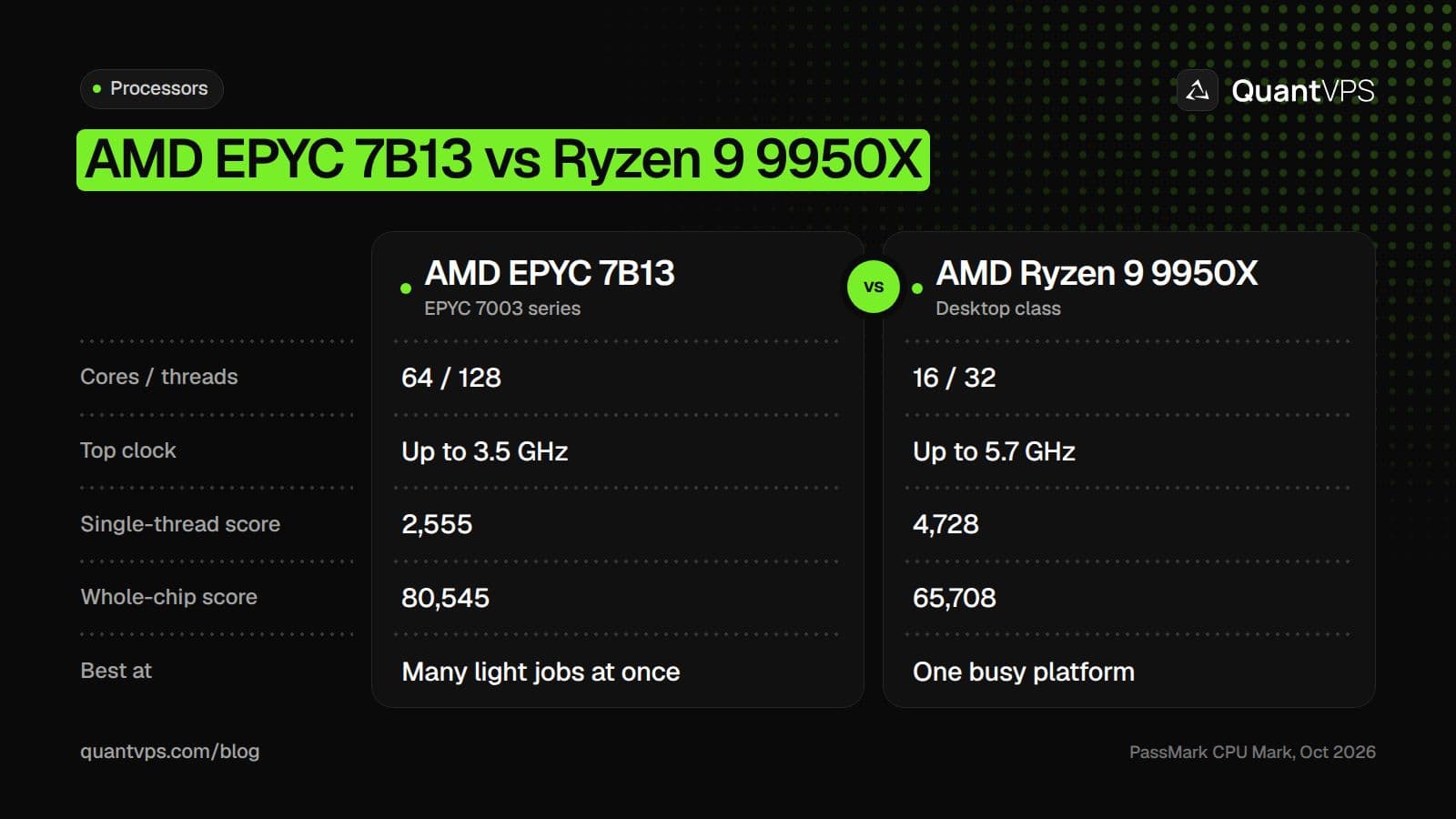
EPYC wins on core count; Ryzen wins on the speed of each core.
Uptime
99.999% uptime. Built for 24/7 trading reliability.
Your VPS runs in Tier IV datacenters with redundant power and network, monitored 24/7 on site.
See the uptime SLA





From $29.99/mo · Windows or Linux
Single-Thread vs Multi-Core Performance
A thread is one stream of work that a core runs step by step. If a program splits its work into many threads, more cores finish it sooner. If the work sits on one thread, extra cores sit idle and only a faster core helps.
Trading platforms mix both. Downloading data or running a backtest optimization can spread across cores. But the work that reacts to each new tick (updating a chart, recalculating an indicator, running a strategy's logic) usually happens in sequence on one thread, because each step depends on the one before.
Why Trading Platforms Depend on Single-Thread Speed
The three platforms most traders run on a server each tie their busiest work to individual threads (checked on 24 Oct 2026 in each vendor's documentation):
- MetaTrader 5: the MQL5 documentation gives each Expert Advisor "a separate thread", and says "all indicators calculated on one symbol, even if they are attached to different charts, work in the same thread." One EA, or a stack of indicators on one symbol, runs only as fast as one core.
- NinjaTrader 8: its help guide says NinjaTrader uses multi-threading to "take advantage of multi-core CPUs", with "multiple main UI threads, where various features like Charts or NinjaScript objects run." Each chart or NinjaScript object still runs on one of those threads at a time.
- Sierra Chart: Sierra Chart Engineering suggested in 2013 installing several copies of Sierra Chart to use more cores, so that "each one would run on a separate CPU core." One copy gets its speed from one core.
So for a trader with a few charts, an order flow tool and one or two strategies, a faster core shortens the time between a tick arriving and your platform finishing its calculations. More slow cores do not.
Where EPYC Fits
EPYC is built to run many workloads side by side, which is why cloud hosts use it. It suits trading jobs that are light on their own but many in number:
- API bots and scripts in Python or Node.js that place a few orders a minute, for example on crypto exchanges or prediction markets.
- Data collectors that record ticks or order books to disk.
- Several light MT4 or MT5 terminals, each with a simple EA.
- Lower cost: an EPYC VPS costs less than a Ryzen VPS with the same cores and RAM.
At QuantVPS, an AMD EPYC VPS (Standard plans, EPYC 7003 with DDR4) starts at $29.99 a month for 2 cores, 4GB and 50GB NVMe. VPS Lite gives 4 cores and 8GB for $59.99 (checked on 24 Oct 2026 on our pricing page).
DDoS protection
Always-on DDoS protection with advanced filtering. On every plan.
Always-on mitigation filters attack traffic at the network edge. Every plan includes a dedicated IP and unmetered bandwidth for the trading environment.
See every security layerFrom $29.99/mo · Windows or Linux
Where Ryzen Fits
Ryzen suits the traders who sit in front of a busy desktop platform: NinjaTrader with several charts and indicators, Sierra Chart with order flow studies, MT5 with heavy EAs, or a trade copier mirroring orders across accounts. In each case, the speed of one core sets how quickly the platform keeps up during a fast market.
An AMD Ryzen VPS (Performance plans, Ryzen 9 9950X with DDR5) starts at $39.99 a month for 2 cores and 4GB. VPS Lite+ gives 4 cores and 8GB for $79.99 (checked on 24 Oct 2026). For a whole machine, a dedicated trading server gives you every core of a Ryzen 9 with no other customers on it.
| Your workload | Better fit | Why |
|---|---|---|
| NinjaTrader, Sierra Chart or Quantower with several charts | Ryzen | Chart and indicator work runs on one thread at a time |
| MT5 with one or more busy EAs | Ryzen | Each EA runs in one thread |
| Trade copier across many prop firm accounts | Ryzen | The copier runs inside or beside a busy desktop platform |
| A few Python or Node.js API bots | EPYC | Light jobs that each need little CPU |
| Tick or order book recorders | EPYC | Mostly waiting on the network and disk |
| Long backtest optimizations | Either; more cores help | Optimizers can split runs across cores |
EPYC Dedicated Servers vs Ryzen Dedicated Servers
An EPYC dedicated server gives you a whole server chip, often with dozens of cores and room for large amounts of memory. That suits firms running many strategies, databases or virtual machines on one box. For a trader running one platform, most of those cores would sit idle while the platform waits on its fastest thread.
QuantVPS dedicated servers run on Ryzen 9, and EPYC is available on VPS plans. The Dedicated plan uses the Ryzen 9 5950X and Dedicated+ the Ryzen 9 9950X or 9900X, so every dedicated server gets desktop-class core speed with the whole machine to itself.
How to Choose
- List what runs on the server. Count platforms, charts, EAs and bots.
- Find the busiest single job. If one platform does most of the work, pick Ryzen.
- Count light jobs. Many small bots or recorders with no heavy platform suit EPYC.
- Size cores and RAM for the total, then compare prices for that size on both processors.
Order flow
Built for scalpers. Heatmaps on dedicated resources.
Order-flow heatmaps and DOM ladders run on dedicated CPU, memory and NVMe, so your charts keep responding during volatility.
See the dedicated hardwareFrom $29.99/mo · Windows or Linux
FAQs
Is AMD EPYC or Ryzen better for trading?
For trading platforms such as NinjaTrader, MetaTrader 5 and Sierra Chart, Ryzen is better, because those platforms lean on single-thread speed and the Ryzen 9 9950X scores about 85% higher than the EPYC 7B13 in PassMark's single-thread test. EPYC is better value for many light jobs, such as API bots.
Why does EPYC have a higher CPU Mark if Ryzen is faster?
The CPU Mark adds up the whole chip. The EPYC 7B13 has 64 cores, so its total (80,545) beats the 16-core Ryzen 9 9950X (65,708), even though each Ryzen core is much faster.
Does QuantVPS offer EPYC dedicated servers?
No. QuantVPS dedicated servers run on Ryzen 9, and EPYC is available on VPS plans (the Standard plans, from $29.99 a month).


