

NinjaTrader VPS for Automated Futures Trading

Run NinjaTrader on a Chicago Windows VPS with 0.52ms latency to CME on AMD Ryzen. Built for futures and prop firm trading with 99.999% uptime and 24/7 support.

  • NT8 pre-installed
  • Live in under 60 seconds
  • Copier ready for prop firms
Rated 4.9 out of 5 Trusted by 20,000+ traders
$10B+* traded weekly

NinjaTrader VPS

QuantVPS Chicago → CME

As low as

0.52 ms

to CME

Your trading computer in the cloud.

Connect and control your trading strategies from any device, anywhere in the world, through secure remote desktop, while execution remains on QuantVPS.

NinjaTrader VPS runs as a trading computer in the cloud on the QuantVPS Edge with 0.52 millisecond routing to CME.

Optimized for NinjaTrader

More platforms on QuantVPS.

NinjaTrader VPS pricing: choose your plan.

QuantVPS offers high-performance VPS hosting for trading, purpose-built for automated futures trading. Deploy a trading VPS in our CME-adjacent Chicago location for low-latency connectivity while running NinjaTrader, TradeStation, Quantower, MultiCharts, Tradovate, and other major futures platforms.
Optimized VPS forNinjaTrader VPS

No contracts, cancel anytime.

  • VPS Pro+

    Most popular
    $129.99 per month

    Server Specifications

    • Latency
    • PlatformNinjaTrader
    • Location
      Chicago based VPS optimized for ultra fast low latency tradingChicago, USA
    • Processor
    • Compute power
    • RAM
    • Storage
    • Operating System
      Loading operating system
    • Network
    • Monitor Support
    • Setup Time
    • Backtesting
    • Backups
    • AI Compatible
  • Every plan includes

    Included at no extra cost

    $019 inclusions, every plan

    Hover or tap a feature for details

    Trading & access

    6 included

    Network & protection

    5 included
    How we protect your server

    Support & reliability

    5 included

    Flexible plans

    3 included

Straight terms.

Minimum rate lock
3 years
Money-back guarantee
14 days
How billing works

Tell us how you trade. Get the plan that fits.

We size the CPU, memory, and datacenter around the way you actually trade, with no guesswork and no upsell to a tier you will not use.

  1. Choose guidance
  2. Pick your platform
  3. Size your workspace
  4. Review your setup

A NinjaTrader VPS built for always-on charts, strategies, algos and faster execution.

Run NinjaTrader on a VPS in Chicago. Access your trading workspace through Remote Desktop while your platform runs near CME. Follow the same three steps, with resources and connectivity selected for your trading setup.
  1. Secure remote accessWindows, Mac, iPhone, iPad or Android

    Your trading computer. In the cloud.

    Connect and control your trading strategies from any device, anywhere in the world, through secure remote desktop, while execution remains on QuantVPS.

    • Global Access
    • Remote Desktop
    • 24/7 Uptime
  2. Continuous operationWindows Server or Ubuntu 24.04

    Run NinjaTrader on Chicago infrastructure. Built for continuous trading.

    Host bots, algorithms, and critical software on the QuantVPS Edge in Chicago, configured for continuous low-latency operation.

    • High Performance
    • Chicago Datacenter
    • Trading Optimized
  3. 0.52ms network latencyChicago → CME

    Execute through a direct CME path. Fewer hops, less slippage.

    Send orders over a direct, low-latency connection to CME in 0.52ms, reducing network hops and slippage. The server remains available independently of the local computer and internet connection.

    • Low Latency
    • Fewer Hops
    • Reduced Slippage

Run NinjaTrader on your Windows VPS

  1. Connect to your Windows VPS

    Use the server address and credentials in your control panel with Remote Desktop on Windows or Windows App on Mac.

  2. Open NinjaTrader 8

    Select NinjaTrader at checkout for pre-installation, then open NT8 on the VPS and sign in with your own account.

  3. Connect your feed and workspace

    Configure your supported broker or data feed, restore your workspace, and test indicators and strategies in simulation before enabling live trading.

  4. Disconnect without signing out

    Close the remote connection, not the application or Windows session. Apps can continue while the server is on; monitor reconnects, account sessions, and scheduled maintenance.

What is a VPS for NinjaTrader?

A NinjaTrader VPS is a remotely hosted Windows computer that runs NinjaTrader 8, your workspaces, indicators, and strategies independently of your home PC. Access the same desktop from Windows, Mac, iPhone, iPad or Android and connect your own broker or data-feed account. Platform licenses and market-data subscriptions remain separate.

Choosing the best VPS for NinjaTrader

  • Size for your workspace. Match charts, indicators, and simultaneous strategies, with CPU and memory headroom for busy sessions.
  • Test your actual route. Compare connectivity to your broker or data feed, not just the exchange city.
  • Keep monitoring. QuantVPS hosts the trading desktop; your configuration and account connection still need supervision.

Optimized for NinjaTrader.

Your NinjaTrader VPS stays online for every CME Globex session, hosted in Chicago on a typical 0.52 ms route to CME.

Two builds. Pick yours.

NinjaTrader 8 arrives installed on Windows Server 2022, ready to log in. Choose from 40+ Windows platform templates at checkout.

NinjaTraderAuthorized Vendor

Choose your operating system

Ready to log in

Services
Background services that cause stutter, stripped out
Stripped
Resources
CPU, memory and NVMe reserved for your VPS
Reserved
Platform
NinjaTrader 8, installed at checkout
Pre-installed
Access
Full administrator access over Remote Desktop
Admin
Network
A dedicated IP with DDoS protection
Protected

Windows Server 2025 is available by request.

Your new VPSWindows Server 2022
<60s
  1. Order placed
  2. Windows Server 2022 deployed
  3. NinjaTrader 8 installed
  4. Remote Desktop ready

Ready in under 60 seconds. From checkout to login.

Your NinjaTrader VPS is typically deployed and ready in under 60 seconds after purchase, reachable over Remote Desktop. Dedicated servers take 30–120 minutes.

Online for every CME Globex session.

CME Globex equity-index futures trade from Sunday 5 PM to Friday 4 PM Chicago time, pausing for an hour each afternoon. NinjaTrader 8 keeps running on your VPS between your Remote Desktop check-ins.

Regular hours in Chicago time (CT); holidays and early closes vary. Check-ins are illustrative.

Prop firms

Built for funded prop firm traders. Evaluation and funded accounts on one desktop.

Sign in through Tradovate or Rithmic, and your evaluation and funded accounts trade from the same desktop, still running when you disconnect.

Connected through Tradovate and Rithmic: Apex Trader Funding, Lucid Trading, Tradeify, My Funded Futures and 26 more.

Compatible with leading trade copiers. Run funded-account workflows with tools such as Replikanto, CrossTrade, and other platform-specific trade copiers. Compare features & pricing

What changes when NinjaTrader runs on QuantVPS.

Two things change when NinjaTrader moves off your desk: how it holds up in a fast market, and the hardware under it.

Volatility

No Frozen NinjaTrader at the Open or on NFP. Stable through market volatility.

NinjaTrader 8 with several charts, tick data, and order flow indicators is heavy, and the CME open, CPI, and FOMC produce the data bursts that lock up a home PC or drop a consumer connection while you have a position on. Your VPS gives NT8 dedicated AMD Ryzen cores, DDR5 memory, NVMe storage, and a 3Gbps+ port on enterprise hardware in a top-tier datacenter with 24/7 on-site engineering and 24/7 NOC monitoring. That is what 99.999% uptime is built on, and why the platform stays responsive at the moment it matters most. Our plan guide helps you size it: VPS Pro+ for 3–5 charts and strategies, VPS Ultra+ for 5–10, and Dedicated+ for 10+.

PassMark referenceData through 2026-10-05

Single-threadOne core · higher is faster

Standard VPSAMD EPYC 7003
2,554
Performance VPSAMD Ryzen 9 9950X
4,728
Every plan's benchmarks

Hardware

The QuantVPS Advantage: The NinjaTrader VPS Built for Futures Traders. Dedicated CPU, memory, and NVMe.

Run NinjaTrader 8 in our Chicago datacenter, 0.52ms from CME. Purpose-built for futures traders, not generic cloud workloads.

Your order, on the book. From the queue to the fill.

NinjaTrader 8 arrives pre-installed, optimized, and ready to log in. Pick NinjaTrader at checkout and your VPS boots with NT8 already installed on a Windows build tuned for trading: background services stripped out, resources reserved for your charts and strategies, and your Tradovate, Rithmic, or CQG feed ready to connect. First session starts with your account login, not an installer.
On the VPS
NinjaTrader 8
Deployment
Chicago, USA
Published route
0.52 ms to CME
Access
Remote Desktop from any device

QuantVPS // Order execution

Illustration // sample prices

On CME Globex, resting orders at the same price generally fill in the order they arrive. With your platform in Chicago, a limit joins the queue earlier and an exit reaches the book sooner.

  1. Step 1: Rest a limit on the ladderA BUY limit joins the queue at its price on the DOM.
  2. Step 2: Move up the queueSellers hit the bid. The heat at your price thins as the orders ahead of yours fill.
  3. Step 3: Fill, on the tape and the chartYour print, your fill bubble, your open position.

Execution

Get Filled Where You Clicked: A NinjaTrader VPS 0.52ms from CME. Optimized low-latency routing.

Slippage on ES, NQ, and CL is the tax you pay for distance. From a home PC, a market order crosses your ISP, several backbone hops, and a data feed relay before it reaches CME. From a QuantVPS server in Chicago, it travels 0.52ms. Your NinjaTrader ATM strategies, chart trader orders, and automated NinjaScript strategies reach the exchange closer to the price you saw, which is the difference between a scalping edge that survives live trading and one that only worked in Market Replay.

Illustration with sample prices, not live market data. The route figure is the published typical figure for Chicago, USA, not a live measurement. Latency shortens the route; it does not guarantee a fill or a price.

Latency lessonAll lessons

Every plan runs on the same 99.999% infrastructure.

99.999% monthly VPS availability, backed by our SLA. Availability and service-credit eligibility are assessed monthly under the SLA’s measurement rules, coverage and exclusions.

  • Core infrastructure. Redundant systems ensure continuous operation.

  • Network availability. Multiple carriers and automatic failover.

  • SLA-backed promise. Contractual uptime guarantee with credits.

99.999% Uptime SLAMonthly VPS availability. Illustrates the commitment, not measured service history.

Server & network availability · 99.999% SLA

Every market sessionAround the clock

View live status

Tier IV datacenters, operated and protected around the clock

Tier IV.

Concurrently maintainable facilities. Built to keep your trading environment running.

Explore infrastructure
Automatic backups for NinjaTrader VPS

Backups

Never Rebuild Your Workspace Again: Automatic NinjaTrader VPS Backups. Automated backup workflows.

Workspaces, chart templates, ATM strategies, custom NinjaScript indicators, and historical tick data take hours to reconstruct after a disk failure or a bad update. On our Performance (AMD Ryzen) plans, automatic backups capture your entire NinjaTrader VPS, so a restore takes minutes instead of an afternoon. Dedicated plans add RAID1 storage on top, so a single drive failure never touches your setup.

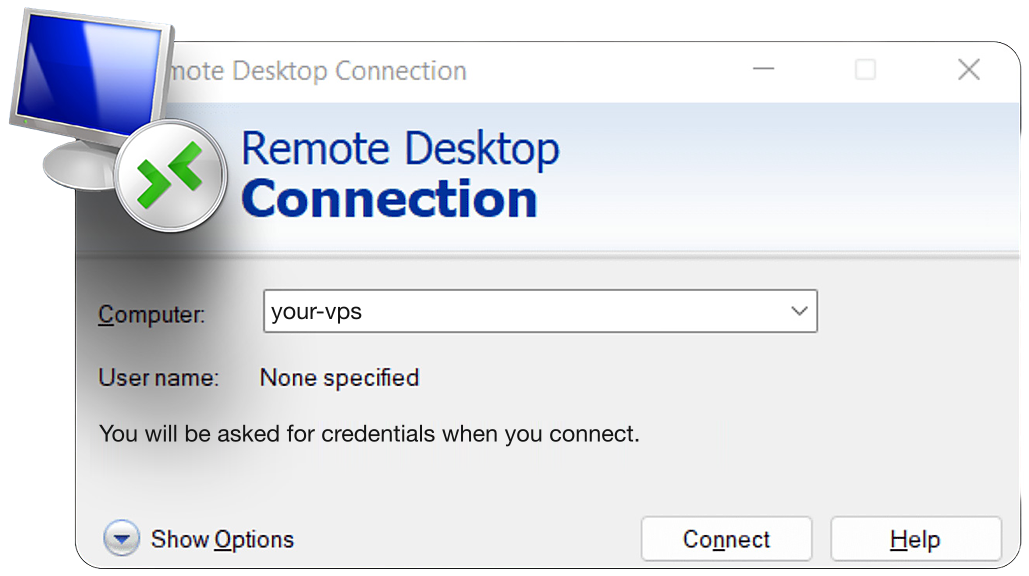
Remote Desktop Connection client on Windows

Remote Desktop on Windows

Access

NT8 Running 24/7, Reachable from Your Phone. 99.999% uptime SLA.

NinjaTrader has to stay open for strategies to trade, and a home PC that sleeps, updates, or reboots takes your strategy offline with it. On your NinjaTrader VPS, NinjaTrader 8 runs around the clock with your workspaces, indicators, and Tradovate, Rithmic, or CQG connection intact. Log in over RDP from a laptop, phone, or iPad to check positions, flatten before a release, or enable a strategy, then close the window; NinjaTrader keeps trading. Our web control panel handles restarts, snapshots, and monitoring from a browser.

What traders say about QuantVPS.

Your strategies keep running, even when you step away. Low-latency execution, live market volume, and SLA-backed reliability. Here is what traders say about it in their own words.

01VPS Ultra+ user · Customer story

Reviews change on their own. Pause, Previous or Next keeps one on screen; Play starts them again.

2+ years

with QuantVPS

“I started off with a different VPS company. After no support and tons of issues, I switched to QuantVPS. Tremendous experience after being with them for more than 2 years now.”

VPS Ultra+ user · 2+ year customerCustomer story

Disclaimer: Testimonials are quoted verbatim from individual QuantVPS customers and public review sites. Some are excerpts from longer reviews. Individual results vary. Latency, error rates, and cost outcomes depend on your location, platform, broker, and configuration. Testimonials are not a guarantee of future performance and do not constitute trading advice.

NinjaTrader VPS FAQ.

NinjaTrader questions, answered
Sound familiar?5 common ones

Ever missed a setup because you were away from your desk?

Your platform keeps running. Log back in from any device.

If any of these sound familiar, a trading VPS is the fix.

Select NinjaTrader at checkout for NT8 pre-installation. Connect to the Windows desktop, sign in to NinjaTrader, and configure your account connection. Restore your workspace and verify instruments, data permissions, and order entry in simulation before trading live.

Enabled NinjaScript strategies can continue while NT8, its data connection, and the Windows session remain running. Disconnect Remote Desktop rather than signing out. A restart or connection loss can require intervention; review strategy restart behavior and monitor positions.

Use the connection supported by your NinjaTrader account, license, and broker. Tradovate, Rithmic, and CQG access is account-dependent, not interchangeable. Follow the current NT8 connection guide and obtain the required credentials and exchange-data subscriptions separately.

You can install a compatible NT8 copier on the same desktop. Check its license, account mappings, quantity multipliers, and each prop firm’s copying rules. Test disconnect recovery and follower positions in simulation; account capacity depends on the full workload, not a universal account limit.

Run NT8 on the Windows VPS and connect from your Mac using Windows App. You control the same remote workspace without installing NinjaTrader or Windows locally. Closing the remote window does not itself close NT8.

Size for simultaneous charts, tick history, order-flow indicators, NinjaScript calculations, and copier accounts. Start with the plan configurator, then measure CPU and memory during an active session. Leave headroom and separate heavy Strategy Analyzer optimizations from live execution.

Create an NT8 backup on your existing computer and transfer it securely to the VPS. Restore the components you need, then check third-party add-on licenses, connection credentials, ATM templates, and instrument settings. Do not run duplicate live strategies on both machines.

Chicago can shorten the route to supported futures gateways, but network latency is only part of execution. Your broker, feed, strategy calculations, market liquidity, and exchange queues also matter. Test your actual account connection; hosting cannot guarantee fills or eliminate slippage.
See all FAQ

Answers on servers, latency, access, security and support.