



Opening checkout

MotiveWave VPS for Multi-Asset & Broker-Neutral Trading

Run MotiveWave 24/7 on a Chicago VPS with 0.52ms latency to CME, on AMD Ryzen. 99.999% uptime and 24/7 support.

  • MotiveWave pre-installed
  • One remote workspace
  • Futures, stocks and forex
Rated 4.9 out of 5 Trusted by 20,000+ traders $10B+* traded weekly

Your trading computer in the cloud.

Connect and control your trading strategies from any device, anywhere in the world, through secure remote desktop, while execution remains on QuantVPS.

MotiveWave VPS runs as a trading computer in the cloud on the QuantVPS Edge with 0.52 millisecond routing to CME.

Optimized for MotiveWave

More platforms on QuantVPS.

MotiveWave

MotiveWave VPS pricing: choose your plan.

QuantVPS offers high-performance VPS hosting for trading, purpose-built for automated futures trading. Deploy a trading VPS in our CME-adjacent Chicago location for low-latency connectivity while running NinjaTrader, TradeStation, Quantower, MultiCharts, Tradovate, and other major futures platforms.
Optimized VPS forMotiveWave VPS

No contracts, cancel anytime.

  • VPS Pro+

    Most popular
    $129.99 per month

    Server Specifications

    • Latency
    • PlatformMotiveWave
    • Location
      Chicago based VPS optimized for ultra fast low latency tradingChicago, USA
    • Processor
    • Compute power
    • RAM
    • Storage
    • Operating System
      Loading operating system
    • Network
    • Monitor Support
    • Setup Time
    • Backtesting
    • Backups
    • AI Compatible
  • 20 inclusions, every plan

    Included at no extra cost. Hover or tap a feature for details.

    Trading & access

    6 included
    • Run trading platforms compatible with your chosen Windows or Linux system. Platform licenses and market-data subscriptions are separate, and available CPU and RAM determine how much you can run at once.
    • No plan-imposed limit on exchange connections through your trading software. Exchange permissions, data subscriptions, platform limits, and available server resources still apply.
    • No plan-imposed cap on API connections for your trading tools. Broker and API rate limits, account permissions, and available server resources still apply.
    • Run AI agents, compatible runtimes, and your own MCP servers on your VPS. These workloads use your plan’s included CPU, memory, and storage; connect your own APIs and tools.
    • Administrator access on Windows or root access on Linux lets you install compatible platforms, indicators, and tools, and manage your server settings.
    • Run compatible trade copiers such as Replikanto. Software licenses are separate, and the number of accounts you can copy depends on your software and server resources.

    Network & protection

    5 included
    • Choose Chicago for infrastructure near CME exchange connectivity. Actual latency depends on your broker, data feed, and network route; the latency row shows the estimate for the selected location.
    • Your server has its own IP address for remote access and connecting trading tools. You can use it with services that support IP allowlisting.
    • Always-on DDoS (distributed denial-of-service) protection with advanced traffic filtering, plus firewalls and intrusion detection.
    • Server protection complements network DDoS filtering. You should still keep your operating system and trading software updated and protect your account credentials; no protection eliminates every security risk.
    • Traffic is not billed per gigabyte. Connection speed depends on your plan and location; unmetered bandwidth does not mean unlimited network speed.
    How we protect your server

    Support & reliability

    6 included
    • Get help around the clock from a US-based team familiar with trading platforms, data feeds, and VPS troubleshooting.
    • Our support team can help you move your trading environment from another server. Contact us to coordinate the move and check any platform-specific requirements.
    • Get assistance connecting to your server and setting up your trading environment. Provisioning time is shown separately for each plan.
    • Our Network Operations Center monitors every server, network path, and datacenter 24x7x365 with a 15-minute first-reply target for critical issues. Average first response under 10 minutes.
    • BetaQuantVPS Detect+ is in beta and free on every plan during the beta. It monitors NinjaTrader 8 and other trading platforms, and data feed and broker connections (for example Rithmic, CQG, Tradovate and IBKR), and alerts by email, in the dashboard, and in Telegram, Slack and similar apps.
    • Our 99.999% uptime SLA covers service availability. Service credits are subject to the SLA terms; this does not guarantee broker, exchange, or trading-platform availability.

    Flexible plans

    3 included
    • There is no one-time server setup charge. Your selected plan, billing period, and any optional add-ons determine the price shown at checkout.
    • Upgrade from your dashboard as your trading workload grows. To move to a smaller plan, contact support. Available configurations and billing adjustments depend on the change.
    • Cancel your subscription at any time with no hidden fees.

Straight terms.

Minimum rate lock
3 years
Money-back guarantee
14 days
How billing works

Tell us how you trade. Get the plan that fits.

We size the CPU, memory, and datacenter around the way you actually trade. No guesswork, and no upsell to a tier you will not use.

  1. Choose guidance
  2. Pick your platform
  3. Size your workspace
  4. Review your setup

A MotiveWave VPS built for always-on charts, strategies, algos and faster execution.

Run MotiveWave on a VPS in Chicago. Access your trading workspace through Remote Desktop while your platform runs near CME. Follow the same three steps, with resources and connectivity selected for your trading setup.
  1. Secure remote accessWindows, Mac, iPhone, iPad or Android

    Your trading computer. In the cloud.

    Connect and control your trading strategies from any device, anywhere in the world, through secure remote desktop, while execution remains on QuantVPS.

    • Global Access
    • Remote Desktop
    • 24/7 Uptime

    Workflow stage

    The complete workflow behind this stage

    Connect to the Windows workspace through Remote Desktop from a supported desktop or mobile device. The platform and strategies keep running on the server when the local device disconnects.
  2. Continuous operationWindows Server or Ubuntu 24.04

    Run MotiveWave on Chicago infrastructure. Built for continuous trading.

    Host bots, algorithms, and critical software on the QuantVPS Edge in Chicago, configured for continuous low-latency operation.

    • High Performance
    • Chicago Datacenter
    • Trading Optimized

    Workflow stage

    The complete workflow behind this stage

    Run automated platforms and related software on a server located in Chicago. Select the CPU, memory, and storage tier around the processes, charts, and historical work the setup performs. The firewall, network configuration, and security come optimized for trading performance.
  3. 0.52ms network latencyChicago → CME

    Execute through a direct CME path. Fewer hops, less slippage.

    Send orders over a direct, low-latency connection to CME in 0.52ms, reducing network hops and slippage. The server remains available independently of the local computer and internet connection.

    • Low Latency
    • Fewer Hops
    • Reduced Slippage

    Workflow stage

    The complete workflow behind this stage

    Place the workspace near CME when that route matters to the strategy. The published 0.52ms figure measures network latency; fills and slippage still depend on the broker, venue, order type, and market conditions.

Run MotiveWave on your VPS

  1. Connect to your Windows VPS

    Use the server address and credentials in your control panel with Remote Desktop on Windows or Windows App on Mac.

  2. Set up your MotiveWave edition

    Open or install the Windows client, activate your license, and restore your saved workspace.

  3. Connect data and check studies

    Add a supported service connection and verify instrument mappings, studies, and any licensed strategy functionality.

  4. Disconnect without signing out

    Close the remote connection, not the application or Windows session. Apps can keep running while the VPS is on. Monitor reconnects, account sessions, and scheduled maintenance.

What is a VPS for MotiveWave?

A MotiveWave VPS hosts your MotiveWave workspace, studies, and supported strategies on a remote computer. Analysis stays on the VPS while you connect from your own device. Your edition determines the available tools, and data or brokerage connections require their own permissions.

Choosing the best VPS for MotiveWave

Plan CPU and memory for your wave analysis, order-flow studies, and active instruments. Check which automation and broker connections your MotiveWave edition supports. A VPS supplies compute and remote access, not an upgrade to your platform license.

Optimized for MotiveWave.

Your MotiveWave VPS stays online for every CME Globex session, hosted in Chicago on a typical 0.52 ms route to CME.

Two builds. Pick yours.

MotiveWave arrives installed on Windows Server 2025 or 2022, ready to log in. Choose from 40+ Windows platform templates at checkout.

Choose your operating system

Ready to log in

Services
Background services that cause stutter, stripped out
Stripped
Resources
CPU, memory and NVMe reserved for your VPS
Reserved
Platform
MotiveWave, installed at checkout
Pre-installed
Access
Full administrator access over Remote Desktop
Admin
Network
A dedicated IP and always-on DDoS protection with advanced filtering
Protected

Windows Server 2025 is standard on Dedicated servers and available on VPS plans.

Your new VPSWindows Server 2025
<60s
  1. Order placed
  2. Windows Server 2025 deployed
  3. MotiveWave installed
  4. Remote Desktop ready

Ready in under 60 seconds. From checkout to login.

Your MotiveWave VPS is typically deployed and ready in under 60 seconds after purchase, reachable over Remote Desktop. Dedicated servers take 30–120 minutes.

Online for every CME Globex session.

CME Globex equity-index futures trade from Sunday 5 PM to Friday 4 PM Chicago time, pausing for an hour each afternoon. Between your Remote Desktop check-ins, your VPS stays online with MotiveWave open, market data keeps flowing and your strategies keep running.

Regular hours in Chicago time (CT); holidays and early closes vary. Check-ins are illustrative.

Prop firms

Built for funded prop firm traders. Evaluation and funded accounts on one desktop.

Your evaluation and funded accounts trade from the same desktop, still running when you disconnect.

Compatible with leading trade copiers. Run funded-account workflows with tools such as Replikanto, CrossTrade, and other platform-specific trade copiers. Compare features & pricing

Simulated · not real results

Accounts
AccountPosFillRealized P&LUnrealized P&LTotal P&LBalance
T-551072-01--$1,715.00$295.00$2,010.00$52,010.00
T-551072-02--$940.00$302.50$1,242.50$101,242.50
T-551072-03--$2,060.00$250.00$2,310.00$52,310.00
T-551072-04--$3,120.00$527.50$3,647.50$153,647.50
R-208134-01--$1,240.00$182.50$1,422.50$51,422.50
R-208134-02--$1,385.00$137.50$1,522.50$51,522.50
R-208134-03--$860.00$545.00$1,405.00$101,405.00

MotiveWave's Accounts shows seven sample accounts.

A trade copier copies the lead account's ES order to the other six accounts, and each one fills in turn.

These accounts, prices and profits are simulated, not real results. Trading involves substantial risk of loss, and simulated results do not guarantee future results.

MotiveWave is a trademark of its respective owner. QuantVPS is independent and is not affiliated with, endorsed by, or sponsored by MotiveWave Software, or any of its affiliates.

Futures, stocks and forex from one broker-neutral platform, 0.52ms to CME.

Host MotiveWave for futures, stocks and forex with the broker connections your account supports. Chicago provides the 0.52ms CME route for futures; choose your location around the venue and gateway you use.

What changes when MotiveWave runs on QuantVPS.

Two things change when MotiveWave moves off your desk: how it holds up in a fast market, and the hardware under it.

Volatility

Stay Stable Through Volatility: Keep MotiveWave Responsive with a Dedicated MotiveWave VPS. Stable through market volatility.

High-impact sessions can overwhelm local PCs. A dedicated MotiveWave VPS delivers consistent CPU, memory, and network resources so MotiveWave remains responsive during fast markets and news-driven volatility. All of it runs with 99.999% uptime on enterprise-grade hardware in top-tier datacenters, with 24/7 on-site datacenter and engineering teams. A local PC in an office cannot offer that.

PassMark referenceData through 2026-10-05

Single-threadOne core · higher is faster

Standard VPSAMD EPYC 7003
2,554
Performance VPSAMD Ryzen 9 9950X
4,728
Every plan's benchmarks

Hardware

The QuantVPS Advantage: Purpose-Built VPS for MotiveWave. Dedicated CPU, memory, and NVMe.

Broker-neutral connectivity, enterprise-grade hardware, and ultra-low latency locations ensure MotiveWave runs at peak performance. Choose infrastructure tailored for active and professional traders using MotiveWave. Deploy in under 60 seconds with a 14-day money-back guarantee; if you are switching from another VPS provider, we migrate your MotiveWave setup for you and your first month is free.

Your order, on the book. From the queue to the fill.

MotiveWave pre-installed and optimized. Pick MotiveWave at checkout and it arrives installed on a Windows build tuned for trading, with resources reserved so the platform stays responsive from your first session. Log in to your broker account and trade; no downloads, no setup scripts.
On the VPS
MotiveWave
Deployment
Chicago, USA
Published route
0.52 ms to CME
Access
Remote Desktop from any device

QuantVPS // Order execution

Illustration // sample prices

On CME Globex, resting orders at the same price generally fill in the order they arrive. With your platform in Chicago, a limit joins the queue earlier and an exit reaches the book sooner.

  1. Step 1: Rest a limit on the ladderA BUY limit joins the queue at its price on the DOM.
  2. Step 2: Move up the queueSellers hit the bid. The heat at your price thins as the orders ahead of yours fill.
  3. Step 3: Fill, on the tape and the chartYour print, your fill bubble, your open position.

Execution

Enhance Your Execution Quality with Our High-Performance MotiveWave VPS. Optimized low-latency routing.

Advanced charting and order routing in MotiveWave benefits from ultra-low latency. Our premium MotiveWave VPS, with 0.52ms connectivity to major exchanges, reduces slippage and helps you achieve fills closer to your intended price across stocks, futures, and forex.

Illustration with sample prices, not live market data. The route figure is the published typical figure for Chicago, USA, not a live measurement. Latency shortens the route; it does not guarantee a fill or a price.

Latency lessonAll lessons

Your MotiveWave VPS, close to the market: 0.52ms to CME from Chicago.

Put your MotiveWave server in the QuantVPS datacenter closest to the broker, exchange, or data feed it connects to, and reach it from wherever you trade.
View QuantVPS datacenters

8 locations. One connected network.

Short paths to the venue. Built for continuity.

Direct peering and Tier-1 carriers keep order routes fast. Multiple carriers and automatic failover support availability.

Choose for the connection, not your postcode.

Our network spans eight data centers, all available for self-service VPS orders. Location and plan availability are shown at checkout. The 0.52ms figure is from Chicago to CME; latency varies by destination and region.

Choose your MotiveWave plan

Every plan runs on the same 99.999% infrastructure.

99.999% monthly VPS availability, backed by our SLA. Availability and service-credit eligibility are assessed monthly under the SLA’s measurement rules, coverage and exclusions.

  • Core infrastructure. Redundant systems ensure continuous operation.

  • Network availability. Multiple carriers and automatic failover.

  • SLA-backed promise. Contractual uptime guarantee with credits.

99.999% Uptime SLAMonthly VPS availability. Illustrates the commitment, not measured service history.

Server & network availability · 99.999% SLA

Every market sessionAround the clock

View live status

Tier IV datacenters, operated and protected around the clock

Tier IV.

Concurrently maintainable facilities. Built to keep your trading environment running.

Explore infrastructure
Automatic backups for MotiveWave VPS

Backups

Protect Your MotiveWave Studies and Layouts with Automated MotiveWave VPS Backups. Automated backup workflows.

Safeguard your charts, indicators, templates, and historical data. Our automated backups secure your entire MotiveWave VPS environment for quick recovery from corruption or device failure.

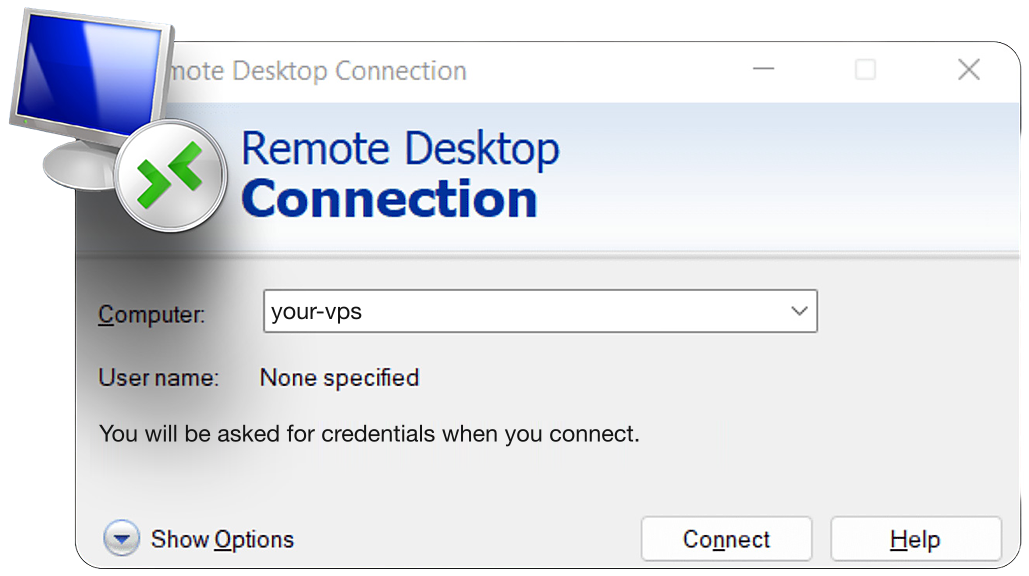
Remote Desktop Connection client on Windows

Remote Desktop on Windows

Access

Access Your MotiveWave Workspace Anywhere with Our MotiveWave VPS. 99.999% uptime SLA.

Manage studies, layouts, and strategies remotely. Our web control panel and full RDP let you monitor and manage your MotiveWave VPS from any device worldwide, keeping your MotiveWave environment performance-ready at all times.

Choose your MotiveWave plan

What traders say about QuantVPS.

Your strategies keep running, even when you step away. Low-latency execution, live market volume, and SLA-backed reliability. Here is what traders say about it in their own words.

Rated 4.9 from 211 reviews

01VPS Ultra+ user · Customer story

Reviews change on their own. Pause, Previous or Next keeps one on screen; Play starts them again.

2+ years

with QuantVPS

“I started off with a different VPS company. After no support and tons of issues, I switched to QuantVPS. Tremendous experience after being with them for more than 2 years now.”

VPS Ultra+ user · 2+ year customerCustomer story

Disclaimer: Testimonials are quoted verbatim from individual QuantVPS customers and public review sites. Some are excerpts from longer reviews. Individual results vary. Latency, error rates, and cost outcomes depend on your location, platform, broker, and configuration. Testimonials are not a guarantee of future performance and do not constitute trading advice.

Built around your trading. Not a cloud project to assemble.

Trading hardware, exchange proximity, and real help. One VPS subscription.

Compare your options

QuantVPS

Built for traders

AWS EC2

Self-managed Windows VM

Your bill

QuantVPS

No bandwidth or support fees

CPU, RAM + NVMe in one VPS subscription.

AWS EC2
Compute, disks + usage charges

Hardware

QuantVPS

Ryzen 9000. Built for performance.

Every Performance VPS · DDR5 + NVMe.

AWS EC2
Choose your instance family

Exchange proximity

QuantVPS

0.52 ms to CME

Typical latency from our Chicago infrastructure.

AWS EC2
Choose a region. Test the route.

Human help

QuantVPS

24/7 support from traders

People who understand your trading workspace.

AWS EC2
Choose a technical support plan

Getting started

QuantVPS

A workspace set up for trading

Supported platform setup + a team to help.

AWS EC2
Configure your own workspace

All 5 in one subscription Ryzen 9000 on Performance plans

5 to choose and configure

Comparison details & sources

Your bill

QuantVPS
Your plan includes CPU, RAM, storage, and unmetered bandwidth. It also includes VPS setup and support, with no separate support subscription. Taxes, optional extras, and third-party licenses remain separate.
AWS EC2
EC2 runtime and EBS storage are priced separately. Data-transfer charges depend on usage.

Hardware

QuantVPS
Every Performance VPS uses AMD Ryzen 9000-series processors, DDR5 ECC memory, and enterprise NVMe. Standard plans use AMD EPYC. Resources chosen for the workload. Specifications vary by plan.
AWS EC2
Match an instance family, vCPU, memory, storage, and tenancy to your workload.

Exchange proximity

QuantVPS
Our Chicago infrastructure delivers 0.52 ms typical latency to CME. Choose the QuantVPS region nearest your broker or exchange connection. Latency varies by endpoint, route, and configuration; this is not an AWS or Azure latency measurement.
AWS EC2
Select an AWS Region or Local Zone, then validate the route to your broker or exchange endpoint.

Human help

QuantVPS
Our trading-focused support team includes traders. We include help with VPS setup, remote access and platform troubleshooting. Available 24/7.
AWS EC2
AWS includes Basic support. Technical support and its scope depend on your AWS Support plan.

Getting started

QuantVPS
Choose a supported platform setup, with help getting your VPS ready to use.
AWS EC2
Choose an image and instance, configure access, then install your trading software.

QuantVPS

Trading-focused VPS

Your trading desk.

Hardware, workspace, and help together.

Your VPS plan

CPU + RAM

NVMe storage

Bandwidth

Setup and platform help included
Service illustration · Resources vary by plan

Amazon EC2

Self-managed Windows VM

Your cloud project.

Flexible infrastructure you configure.

Windows image

Instance type

Storage

Access rules

Then connect and install your trading software.

Setup illustration · Based on official documentation

This compares a QuantVPS trading VPS with a self-managed Windows VM. AWS and Azure also offer managed services, marketplace software, and partner solutions. Those offerings differ. You manage your trading strategies, broker accounts, datafeeds, and platform licenses with either approach.

Features and availability depend on your plan and region. This is a service comparison, not a measured speed or price comparison. Sources reviewed September 19, 2026.

Included resources vary by plan. Taxes, optional extras, and third-party licenses remain separate.

Compare QuantVPS plansPut your workspace on a trading VPS.

MotiveWave VPS FAQ.

MotiveWave questions, answered
Sound familiar?5 common ones

Ever missed a setup because you were away from your desk?

Market data keeps flowing and your strategies keep running.

If any of these sound familiar, a trading VPS is the fix.

Choose the edition that includes your analysis, order-flow, or strategy features. A VPS does not upgrade your MotiveWave license. Install the matching Windows client and check activation rules when moving machines.

Export or back up the workspace using MotiveWave’s supported process, transfer it securely, and restore it on the VPS. Verify custom studies, instrument definitions, and data connections after migration.

Where your edition and connections support automation, configured strategies can run while the application remains active. Test recovery and account reconciliation first; not every study or license includes automated trading.

Use services supported by your MotiveWave edition and account. Market data and order routing may be separate connections. Confirm subscriptions and symbol mappings for each before moving a live workspace.

Several instruments, deep history, intensive wave analysis, and order-flow studies can increase load. Test CPU and memory with your real workspace and avoid running large research jobs alongside sensitive live strategies.

The VPS provides a separate always-on workspace rather than native Mac compatibility. You can control that Windows session through Windows App while your local computer disconnects or changes networks.
See all FAQAnswers on servers, latency, access, security and support.