

Trading Technology·13 min read

Forex Trading Servers for Expert Advisors (EAs) & Bots

DM
Douglas Mercer
Forex Trading Servers for Expert Advisors (EAs) & Bots

Forex Trading Servers for Expert Advisors (EAs) & Bots

Forex trading servers, like VPS hosting, are essential for running automated trading strategies using Expert Advisors (EAs) and bots. These servers ensure uninterrupted, low-latency trade execution by operating 24/7 in professional data centers, often located near major financial hubs like New York and London. Here's why they matter:

  • Low Latency: VPS setups can reduce trade execution delays to 0.30–1ms compared to 50–200ms on home internet, crucial for scalpers and high-frequency traders.
  • High Uptime: Professional servers offer 99.9%+ uptime, avoiding disruptions caused by power outages or home internet failures.
  • Security: Features like DDoS protection, firewalls, and backups safeguard sensitive trading data and strategies.
  • Affordability: Plans range from $5–$50/month for VPS hosting, making them accessible for retail traders.
  • Scalability: VPS systems allow easy upgrades, supporting more complex EAs and multiple trading platforms as needed.

With these features, trading servers provide a stable, fast, and secure environment for automated Forex trading. QuantVPS, for instance, offers various plans tailored to different trading needs, ensuring optimal performance for every strategy.

Core Features of VPS Hosting for Automated Forex Trading

Low Latency for Faster Execution

Latency is a critical factor in trading. When your Expert Advisor (EA) executes a trade, the signal must reach your broker’s system as quickly as possible. During high-impact events like Non-Farm Payrolls or FOMC announcements, even a brief delay can result in slippage, where you pay more for a buy or receive less for a sell.

The difference between a home setup and VPS hosting is striking. Home internet connections typically offer latency between 50–200ms, while top-tier trading VPS solutions can reduce this to as low as 0.30ms to 1ms through colocation with broker servers. This significant improvement is due to fewer network hops. A home connection might involve 10–15 hops, while data centers like Equinix NY4 or LD4 cut it down to just 1–2.

For scalpers and high-frequency traders, these milliseconds are crucial. Strategies relying on sub-10ms latency can see profits eroded by even minor delays. Advanced hardware, such as NVMe storage and processors with clock speeds of 4.0GHz or higher, further reduces processing times, ensuring your EA and trading bots operate efficiently.

Fast execution is only part of the equation - consistent uptime is equally vital to seize every market opportunity.

High Uptime and Reliability

Your EA’s profitability hinges on uninterrupted operation. While home internet connections typically offer 95–98% uptime, VPS hosting in professional data centers delivers 99.9% or higher.

This reliability is achieved through features like redundant power supplies, backup generators, and high-speed internet failovers. These systems ensure that your EA remains active, even during power outages or local network disruptions. Additionally, dedicated CPU cores and RAM eliminate the "noisy neighbor" problem, keeping your trading platform responsive during volatile market conditions.

To handle sudden spikes in resource demand, VPS hosting includes automatic resource allocation, preventing freezes or slowdowns during peak activity. Regular automated backups - whether weekly or daily - add another layer of protection, safeguarding your EAs, custom indicators, and trading configurations from accidental loss.

While speed and stability are key, robust security measures ensure your trading environment stays protected.

Security and DDoS Protection

Your trading setup contains sensitive information, from intellectual property to login credentials. A VPS isolates your trading environment from your local system, protecting it from malware, operating system crashes, and hardware failures.

DDoS attacks can disrupt trading during volatile market periods. VPS providers combat this with proactive DDoS mitigation strategies, ensuring uninterrupted connectivity and trade execution. Industrial-grade firewalls and intrusion detection systems continuously monitor traffic to block unauthorized access attempts.

"A properly configured Virtual Private Server (VPS) ... plays a critical role in isolating trading environments, reducing attack surfaces, and protecting trading logic and credentials from local system compromise." – CM Alliance

"A properly configured Virtual Private Server (VPS) ... plays a critical role in isolating trading environments, reducing attack surfaces, and protecting trading logic and credentials from local system compromise." – CM Alliance

Dedicated IP addresses further enhance security by ensuring seamless compatibility with broker systems and reducing the risk of being flagged by security filters. Coupled with enterprise-grade hardware housed in secure data centers, these measures provide a robust shield for your automated trading strategies, keeping them operational and safe 24/7.

QuantVPS Pricing and Plans Overview

QuantVPS Pricing Plans Comparison for Forex Traders

QuantVPS Pricing Plans Comparison for Forex Traders

QuantVPS Pricing Plans Comparison for Forex Traders

QuantVPS provides two pricing options tailored to different trading needs: Standard for dependable trading setups and Performance (+) for traders requiring lightning-fast execution. Both tiers offer plans ranging from entry-level setups for 1–2 charts to dedicated servers capable of handling 7+ charts and over 30 proprietary firm accounts.

Standard plans utilize AMD EPYC processors and DDR4 ECC RAM, ensuring reliable performance for traders with moderate automation requirements. Prices start at $59.99 per month for VPS Lite and go up to $299.99 for Dedicated Servers. These plans are ideal for long-term strategies where stability and 24/7 uptime matter more than ultra-fast execution speeds.

Performance (+) plans, on the other hand, are built with AMD Ryzen processors and faster DDR5 ECC RAM, offering a significant performance boost. PassMark scores range from 8,500 (VPS Lite+) to 68,230 (Dedicated+), making these plans perfect for high-frequency trading or scalping where every millisecond is crucial. Pricing begins at $79.99 per month, with annual billing options offering savings of roughly 30%.

Standard Plans for Forex Traders

The Standard Plans are designed to provide reliable and consistent performance for traders who prioritize stability.

Plan Monthly Price CPU Cores RAM Storage PassMark Best For
VPS Lite $59.99 4 cores (AMD EPYC) 8GB DDR4 70GB NVMe 5,092 1–2 charts, 0–3 prop firm accounts
VPS Pro $99.99 6 cores (AMD EPYC) 16GB DDR4 150GB NVMe 8,020 3–4 charts, 3–6 prop firm accounts
VPS Ultra $189.99 24 cores (AMD EPYC) 64GB DDR4 500GB NVMe 15,185 5–7 charts, 6–12 prop firm accounts
Dedicated $299.99 16+ cores 128GB DDR4 2TB+ NVMe 45,912 7+ charts, 30+ prop firm accounts

All Standard Plans come with 1Gbps network connectivity, 10Gbps burst capability, unmetered bandwidth, and Windows Server 2022 pre-installed for trading. Higher-tier plans (VPS Pro and above) support multiple monitors via RDP - 2 monitors for Pro, 4 for Ultra, and up to 6 for Dedicated servers.

Performance Plans for Advanced Trading

The Performance (+) plans are built for traders who need faster processing speeds and lower latency for their strategies.

NEVER MISS A TRADE
Your algos run 24/7
even while you sleep.

99.999% uptime • Chicago, New York & London data centers • From $59.99/mo

Plan Monthly Price PassMark CPU/RAM Charts Prop Accounts Key Advantage
VPS Lite+ $79.99 8,500 4 cores / DDR5 1–2 0–4 Faster setup for light trading needs
VPS Pro+ $129.99 12,000 6 cores / DDR5 3–5 4–8 Ryzen power for active trading
VPS Ultra+ $199.99 18,000 24 cores / DDR5 5–7 8–15 High-performance for complex EAs
Dedicated+ $399.99 68,230 16+ cores / DDR5 7+ 30+ Maximum performance for HFT setups

Upgrading between plans is seamless and can be done instantly through the dashboard. The system uses prorated billing, so you only pay the difference for the remaining period, and there’s no downtime during the transition. These plans are specifically designed to handle the demands of automated Forex trading, giving you the tools to optimize your Expert Advisors (EAs) and bots with confidence.

How QuantVPS Improves EA and Bot Performance

Optimized Infrastructure for Algorithmic Trading

QuantVPS is built with traders in mind, offering NVMe storage, high-speed AMD Ryzen CPUs, and DDR5 RAM in every plan. This setup ensures lightning-fast data processing during volatile market conditions and significantly reduces the time needed for backtesting. As Duff Devaul from ForexVPS.net explains:

"The strategic use of cutting-edge hardware, including high-clock-speed AMD Ryzen CPUs, ultra-fast NVMe storage, and the latest DDR5 RAM, provides a superior level of raw performance for computationally intensive trading applications and platforms".

"The strategic use of cutting-edge hardware, including high-clock-speed AMD Ryzen CPUs, ultra-fast NVMe storage, and the latest DDR5 RAM, provides a superior level of raw performance for computationally intensive trading applications and platforms".

This hardware advantage becomes especially critical during market surges. NVMe storage keeps your platform responsive under heavy loads, while faster backtesting allows traders to fine-tune strategies without long delays. For those using resource-intensive platforms like NinjaTrader or TradeStation with multiple data feeds, this infrastructure eliminates lag - a crucial factor for scalping strategies where every millisecond counts. The result? Your EAs make faster, more accurate decisions when it matters most.

QuantVPS’s robust infrastructure is further enhanced by a global network, ensuring quick trade execution no matter where you are.

Global Server Accessibility

QuantVPS operates data centers in key financial hubs: Chicago, New York, London, and Tokyo. These locations place your EA close to major broker servers and liquidity providers, achieving ultra-low latency - sometimes as low as 0-1ms to Forex brokers. This proximity minimizes slippage and improves order fills, giving your trading strategies a competitive edge.

With this global presence, you can smoothly manage positions across major trading sessions, including London, New York, Tokyo, and Sydney, without worrying about server switches or connection drops. Plus, QuantVPS guarantees 99.999% uptime, ensuring your strategies execute precisely as planned during critical market hours.

Integration with Trading Platforms

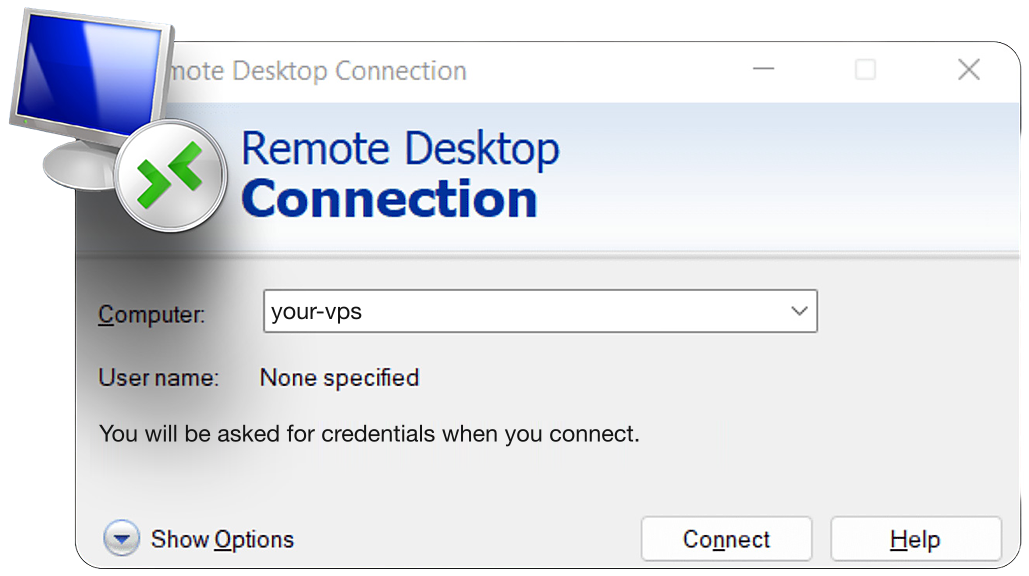
QuantVPS doesn’t just offer powerful hardware and global reach - it’s also designed to work seamlessly with popular trading platforms. Whether you use NinjaTrader, MetaTrader, TradeStation, Tradovate, Sierra Chart, or Quantower, QuantVPS supports them all. You can access a pre-installed Windows Server 2022 through Remote Desktop, enabling you to launch your trading platforms instantly.
All major data feeds - such as Rithmic, CQG, dxFeed, TT, and IQFeed - are fully compatible, ensuring your bots receive real-time market data without any hiccups. This setup lets your EAs and bots operate autonomously around the clock, independent of your local system. It’s especially useful for managing trade copier software across multiple prop firm accounts, where flawless execution across all terminals is critical. As trader Alex Johnson shares:

"Exceptional stability and speed from QuantVPS. My automated strategies execute flawlessly, even during high volatility".

"Exceptional stability and speed from QuantVPS. My automated strategies execute flawlessly, even during high volatility".

How to Set Up EAs and Bots on QuantVPS

Setting Up Your QuantVPS Account

Once you've selected your plan, QuantVPS will set up your server and provide your IP address, username, and password on your dashboard. To access your server, use the Remote Desktop Connection tool on your PC or Mac. Once connected, you'll find yourself in a fresh Windows Server 2022 environment.

Your VPS functions independently, allowing for uninterrupted 24/7 trade execution - even when your local device is offline. After logging in, you can move on to downloading and installing your trading platforms.

Installing Trading Platforms and EAs

From your VPS desktop, open a web browser and download your preferred trading platform directly from your broker's official website. Whether you're using MetaTrader 4, MetaTrader 5, NinjaTrader, or TradeStation, install the platform and log in with your credentials.

For MetaTrader users, adding your Expert Advisor (EA) is straightforward. Place the EA files in the appropriate folder - MQL4\Experts for MetaTrader 4 or MQL5\Experts for MetaTrader 5. After that, restart the platform to activate the EA.

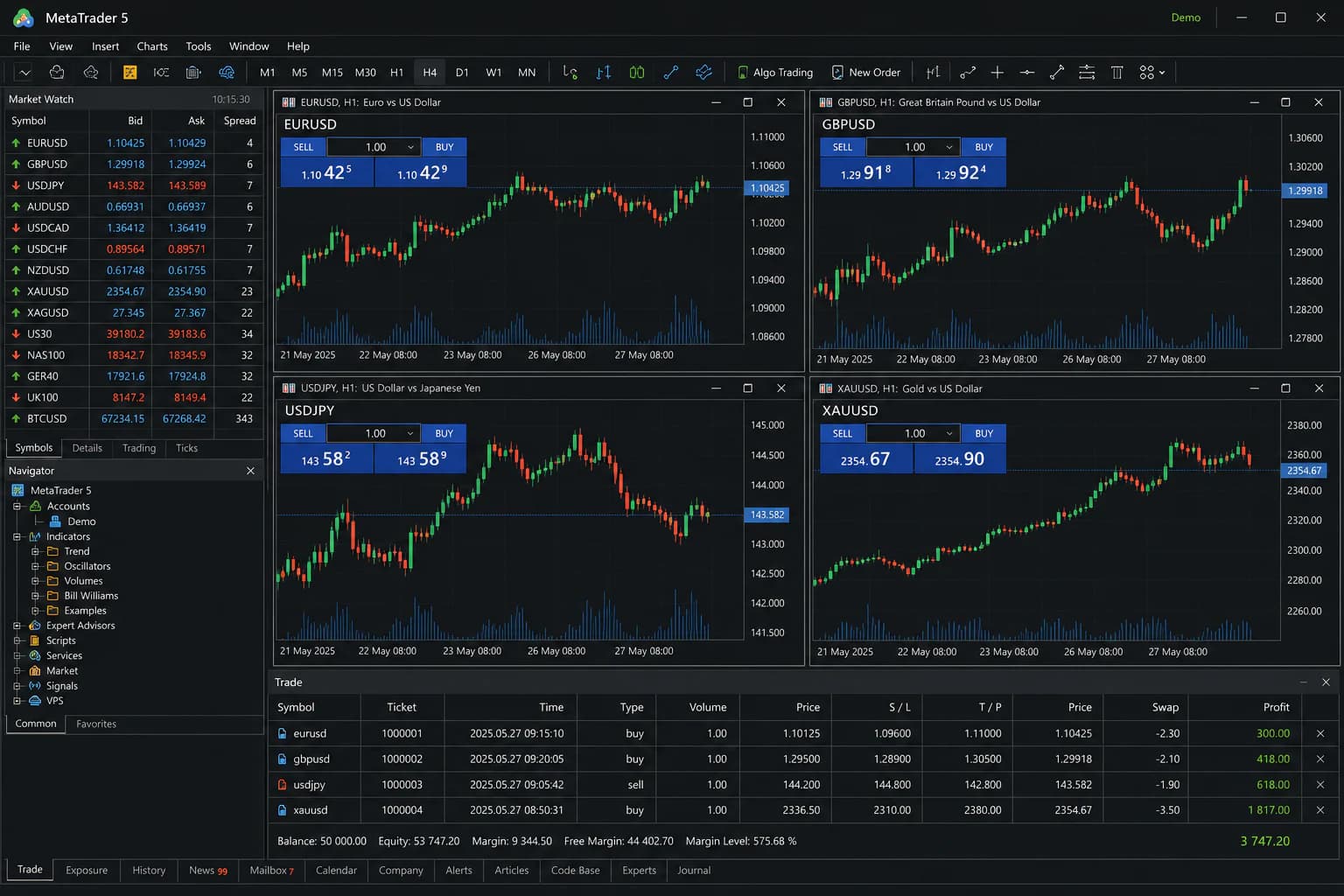
To enable automated trading in MetaTrader, navigate to Tools > Options > Expert Advisors and check the "Allow Automated Trading" box. Then, drag your EA onto a chart and confirm the settings. If everything is set up correctly, you'll see a smiley face icon in the top-right corner of the chart - this indicates that your bot is live and ready to trade.

With your trading platforms and EAs installed, you’re ready to optimize your server for the best performance.

Optimizing Server Settings for Performance

Proper server optimization is essential to ensure smooth and reliable trade execution, which is critical for automated strategies.

Start by adjusting Windows settings. In System Properties, under Advanced Performance Settings, set processor scheduling to prioritize background services and disable unnecessary visual effects. For MetaTrader, tweak a few settings to reduce resource usage: lower the "Max bars in chart" to 5,000 and hide unused symbols in Market Watch. This reduces CPU load and bandwidth consumption.

To ensure uninterrupted trading, add a shortcut of your trading platform to the Startup folder. You can find this folder at AppData\Roaming\Microsoft\Windows\Start Menu\Programs\Startup. This way, your platform will automatically restart after server maintenance or updates, ensuring your EA resumes trading without delay.

Choosing the Right QuantVPS Plan for Your Trading Needs

Selecting the right QuantVPS plan is crucial for ensuring your trading setup can handle both current and future demands.

Evaluating Latency and Server Location

STOP LOSING TO LATENCY
Execute faster than
your competition.

Sub-millisecond execution • Direct exchange connectivity • From $59.99/mo

When it comes to trading, the location of your server often matters more than the hardware itself. A well-placed server can outperform even the most powerful setup if it's closer to your broker’s servers.

For CME futures traders using platforms like NinjaTrader or Tradovate, hosting in Chicago is essential. QuantVPS offers latency as low as 0.52ms to CME Group’s matching engines, a critical factor for scalping and high-frequency strategies where milliseconds can make or break a trade. Similarly, Forex traders using MetaTrader 4 or MetaTrader 5 should prioritize New York or London, where QuantVPS provides 0–1ms latency to major liquidity providers.

Before committing to a plan, check your broker’s server location. A mismatch can cause delays - hosting in Frankfurt while your broker is in New York could add 80–120ms of latency, which might turn profitable trades into losses during volatile sessions. Aligning your VPS with your broker’s location ensures the fastest execution possible.

Balancing Cost and Performance

Your choice of plan should align with your trading activity. QuantVPS offers several tiers - Lite, Pro, Ultra, and Dedicated - each tailored to different levels of usage.

  • VPS Lite: At $41.99/month (billed annually), this plan includes 4 cores, 8GB RAM, and 70GB NVMe storage. It’s perfect for running one or two charts or a single Expert Advisor (EA).
  • VPS Pro: Priced at $69.99/month (annual billing), it supports 3–5 strategies and basic backtesting.
  • VPS Ultra: At $132.99/month, this plan is suited for 5–7 charts and more intensive backtesting.
  • Dedicated Server: For $209.99/month, this option is designed for 7+ charts and heavy backtesting workloads.

To avoid overpaying, test your resource needs during peak trading times, such as the London/New York overlap. Use tools like Task Manager to monitor CPU and RAM usage. Keep in mind that QuantVPS has a strict no-refund policy, so confirming your requirements beforehand can save you from costly mistakes.

Annual billing provides significant savings. For example, the Lite plan drops from $59.99 to $41.99 monthly, saving over $200 annually - funds that could be better allocated to your trading capital.

Scaling Your Trading Operations

As your trading strategies grow in complexity, QuantVPS makes it easy to scale. With instant upgrades via the dashboard, you can move to a higher-tier plan without losing data. Prorated billing ensures you only pay the difference for the remaining time on your current subscription.

Start small with the Lite plan if you’re running a single EA, and upgrade as you add more charts, indicators, or tools. Platforms like NinjaTrader and TradeStation often require higher-tier plans, typically with at least 16GB of RAM for optimal performance.

"Since switching to QuantVPS, my backtesting process became faster and more efficient. The ability to scale on-demand is a huge advantage." - Mac Pankiewicz

"Since switching to QuantVPS, my backtesting process became faster and more efficient. The ability to scale on-demand is a huge advantage." - Mac Pankiewicz

For high-frequency trading strategies, prioritize plans with strong single-core performance. QuantVPS uses AMD Ryzen and EPYC CPUs, which help prevent freezing during volatile market conditions. If you’re managing multiple accounts or running complex algorithms, the Ultra or Dedicated plans offer the necessary power to handle spikes in market activity. The ability to scale seamlessly ensures your trading infrastructure stays reliable as your operations expand.

Conclusion

QuantVPS stands out with its cutting-edge features and strategically located servers, providing the backbone for everything discussed earlier.

For Expert Advisors and trading bots, reliable and high-performance infrastructure is non-negotiable. QuantVPS delivers with ultra-low latency, 99.999% uptime, and top-tier hardware, ensuring algorithmic traders can execute strategies with precision. In volatile markets, where milliseconds count, this level of performance can be the difference between profit and loss.

With servers positioned in key financial hubs like Chicago, New York, London, Tokyo, and Amsterdam, QuantVPS ensures proximity to major liquidity providers and exchanges. Whether you're trading CME futures via NinjaTrader or running multiple MetaTrader EAs, the infrastructure handles the demands of complex calculations and high-frequency data feeds effortlessly. In just one week, over $5,526 billion was traded through QuantVPS infrastructure, underscoring its ability to support even the most demanding trading operations.

"The performance boost with QuantVPS is undeniable. Near-instant execution times and reliable uptime have significantly improved my results." - Emily Carter, Algorithmic Trader

"The performance boost with QuantVPS is undeniable. Near-instant execution times and reliable uptime have significantly improved my results." - Emily Carter, Algorithmic Trader

Security is another cornerstone of QuantVPS. Features like DDoS protection, advanced firewalls, and automated backups safeguard both your trading capital and proprietary strategies. With pricing plans ranging from $41.99/month to $209.99/month, traders can scale resources effortlessly as their strategies evolve.

Key Takeaways

QuantVPS is purpose-built for automated trading, offering unmatched speed, reliability, and security through optimized hardware and strategically placed servers.

Choosing the right server location is just as critical as hardware specs - align your VPS with your broker's datacenter to minimize latency. Start with a plan that fits your current trading needs, monitor performance during high activity periods, and upgrade as necessary. Opting for annual billing can save over $200 per year on the Lite plan, leaving more capital for trading. Always test your EAs in a demo environment within the VPS before going live, and take advantage of the 24/7/365 technical support to fine-tune your setup for peak performance during volatile sessions.

These features and strategies showcase why QuantVPS is an indispensable tool for traders seeking reliable, high-speed automated trading solutions.

FAQs

Do I really need a VPS to run my EA 24/7?

A VPS (Virtual Private Server) is a great option for running your EA (Expert Advisor) around the clock. It offers a reliable setup with uninterrupted operation, a stable internet connection, and low latency. These features help reduce the chances of missed trades or technical glitches, ensuring your automated trading system runs smoothly and efficiently 24/7.

Which server location should I pick for my broker?

When selecting a server location, aim for one that's geographically close to your broker's server. This reduces latency, leading to faster order execution - an essential factor for successful automated trading.

How do I know what plan size my bots need?

When selecting the best plan for your bots, think about how many charts you’ll need and how complex your strategies are:

  • 1-2 charts: Go with VPS Lite, which costs around $49/month.
  • 3-5 charts: VPS Pro is a better fit at about $99/month.
  • 5-7 charts or multiple monitors: Opt for VPS Ultra, priced at approximately $199/month.
  • More than 7 charts: A dedicated server is your best bet.

For smooth performance, make sure the setup includes at least 2 CPU cores and 3 GB of RAM.

DM

Douglas Mercer

February 15, 2026

Share this article:

About the Author

DM

Douglas Mercer

DevOps Engineer & Quant Developer

Doug bridges the gap between trading and technology. He writes about server deployment, automation scripts, and building reliable trading infrastructure.

Areas of Expertise
DevOpsAutomationCloud InfrastructurePython Development
Published:

Disclaimer: QuantVPS does not represent, guarantee, support, or endorse any third-party brands, products, or services mentioned in this article. All brand references are for informational purposes only. Read our full Brand Non-Endorsement Disclaimer.

More articles

All posts
Best VPS optimized for futures trading - QuantVPS Logo

ONLINE WHILE YOU SLEEP
Run your trading setup
24/7 - always online.

Manage trades seamlessly with low latency VPS optimized for futures trading
CME GroupCME Group
Latency circle
Ultra-fast low latency servers for your trading platform
Best VPS optimized for futures trading in Chicago - QuantVPS LogoQuantVPS
Best VPS optimized for futures trading - QuantVPS Logo

Billions in futures
VOLUME TRADED DAILY
ON OUR LOW LATENCY
SERVERS

Chart in box

24-Hour Volume (updated Mar 5, 2026)

$11.66 Billion
2.90%
Best VPS optimized for futures trading - QuantVPS Logo

99.999% Uptime
– Built for 24/7
Trading Reliability.

Core Network Infrastructure (Chicago, USA)
100%
180 days ago
Today
DDoS Protection | Backups & Cyber Security
Operational
Best VPS optimized for futures trading - QuantVPS Logo

ELIMINATE SLIPPAGE
Speed up order execution
Trade smarter, faster
Save more on every trade

ES 03-26
CME
BidPriceAsk
5766.00
67
5765.75
45
5765.50
128
5765.25
89
5765.00
234
312
5764.75
156
5764.50
78
5764.25
203
5764.00
Spread0.25

Market Buy Order

50 Contracts

Target: 5765.00